Authenticator App - 2FA ◦ MFA

Authenticator App - 2FA ◦ MFA


ダウンロード: App Store
ロゴ: Authenticator App - 2FA ◦ MFA

Authenticator App - 2FA ◦ MFA: デジタルライフを最大限に保護

プロフェッショナルおよび仮想通貨愛好家のためのプレミアムセキュリティ選択肢。銀行、ソーシャル、仕事用アカウントを、安心のためのシームレスで高速な2FAソリューションで保護します。

開発元

Z ZET LTD

カテゴリ

Utilities

ダウンロード

56K+

ユーザー評価

4.6/5

評価数

200

対応言語

24

一目でわかるセキュリティ

このインターフェースを利用する 56K+ 人のユーザー.

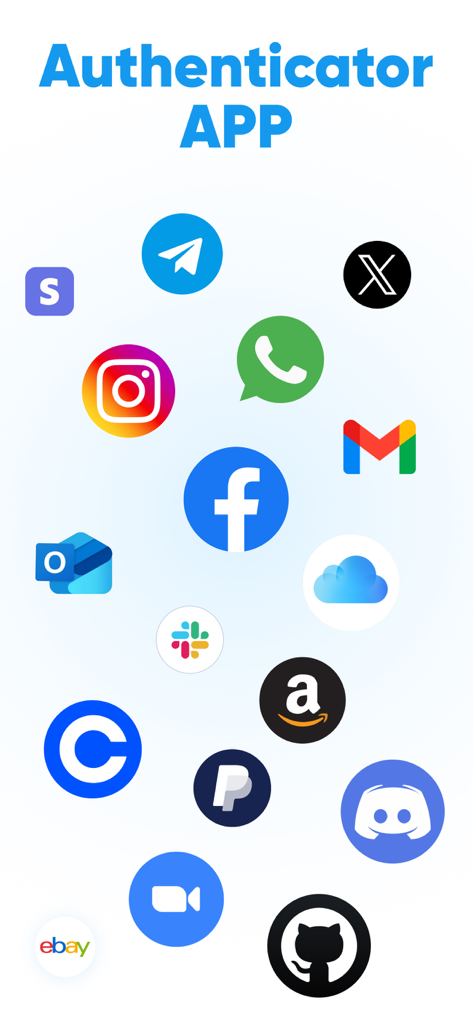
Authenticatorアプリに、2FAセキュリティのためにFacebook、Gmail、Amazonなどの一般的な互換性のあるプラットフォームのロゴが表示されています

Authenticatorアプリに、2FAセキュリティのためにFacebook、Gmail、Amazonなどの一般的な互換性のあるプラットフォームのロゴが表示されています

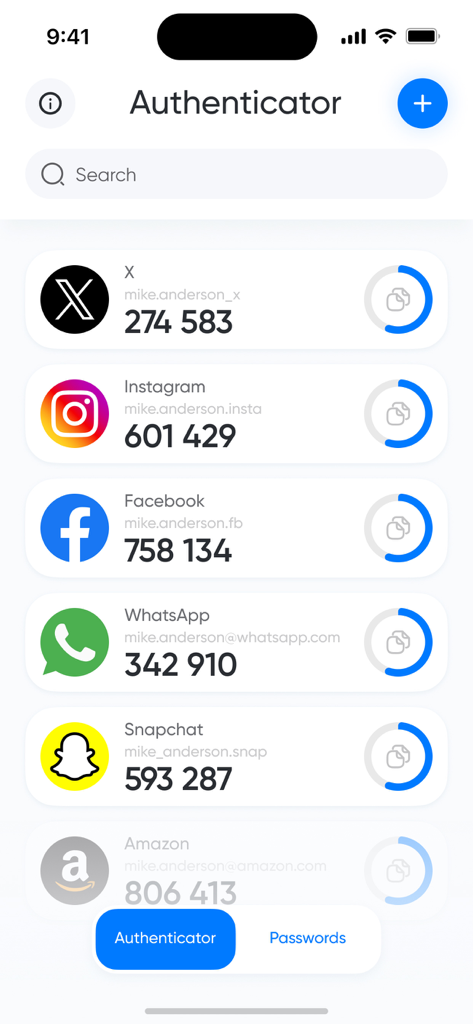
Authenticatorアプリのインターフェースに、複数のソーシャルメディアおよびショッピングアカウントの2FAセキュリティコードが表示されています

Authenticatorアプリのインターフェースに、複数のソーシャルメディアおよびショッピングアカウントの2FAセキュリティコードが表示されています

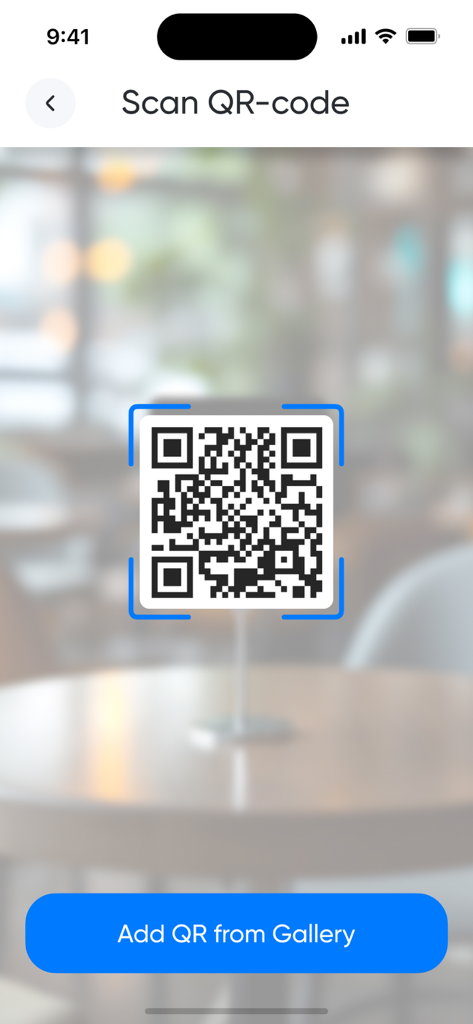
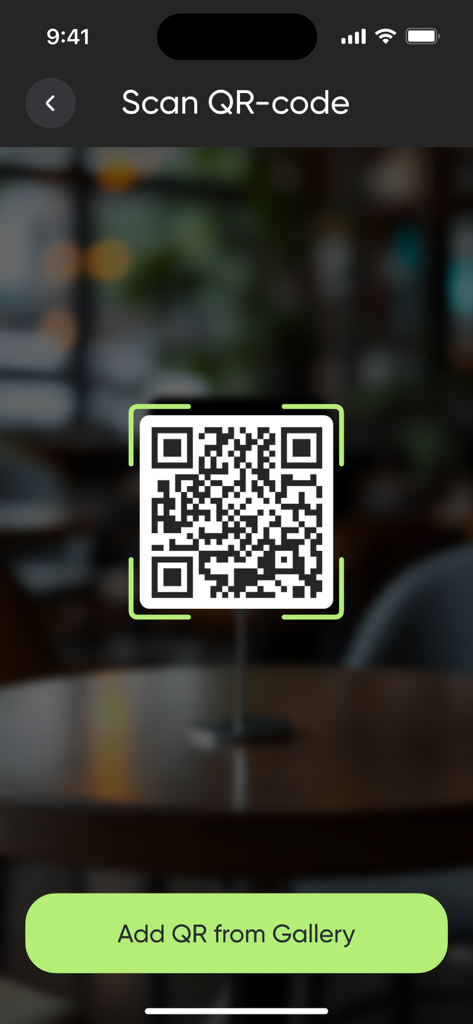
ギャラリーから追加するためのボタンが付いた、2FA QRコードをスキャンするためのモバイルインターフェース。

ギャラリーから追加するためのボタンが付いた、2FA QRコードをスキャンするためのモバイルインターフェース。

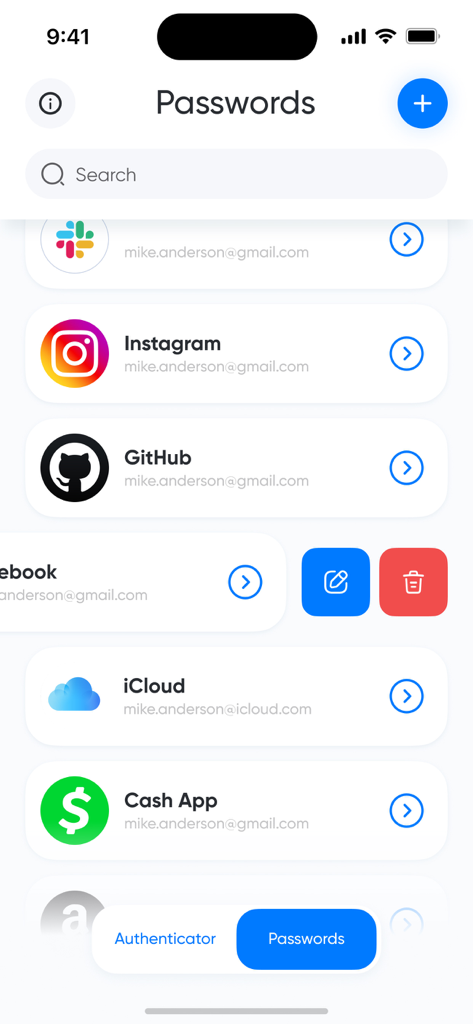
Authenticatorアプリのインターフェースに表示されるInstagram、GitHub、iCloudなどの保護されたアカウントのリスト。

Authenticatorアプリのインターフェースに表示されるInstagram、GitHub、iCloudなどの保護されたアカウントのリスト。

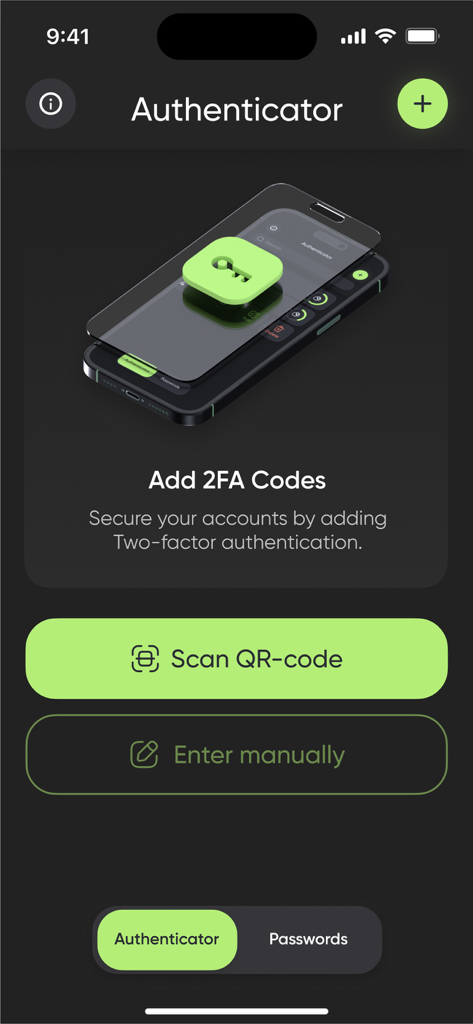
QRコードスキャンまたは手動入力で2FAコードを追加するオプションを表示するAuthenticatorアプリの画面

QRコードスキャンまたは手動入力で2FAコードを追加するオプションを表示するAuthenticatorアプリの画面

Authenticatorアプリで新しい2FAアカウントを追加するためのQRコードスキャン画面を表示するインターフェース

Authenticatorアプリで新しい2FAアカウントを追加するためのQRコードスキャン画面を表示するインターフェース

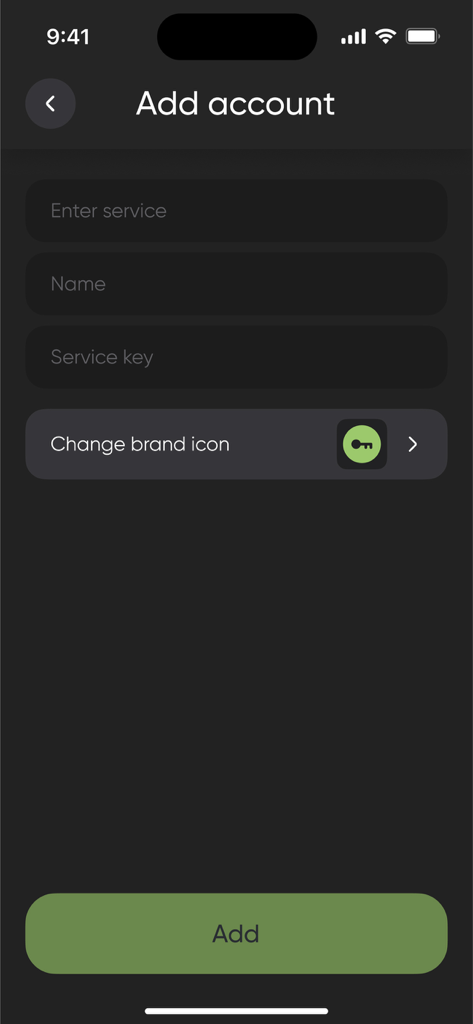
サービス名とシークレットキーのフィールドがあるAuthenticatorアプリの手動アカウントセットアップ画面

サービス名とシークレットキーのフィールドがあるAuthenticatorアプリの手動アカウントセットアップ画面

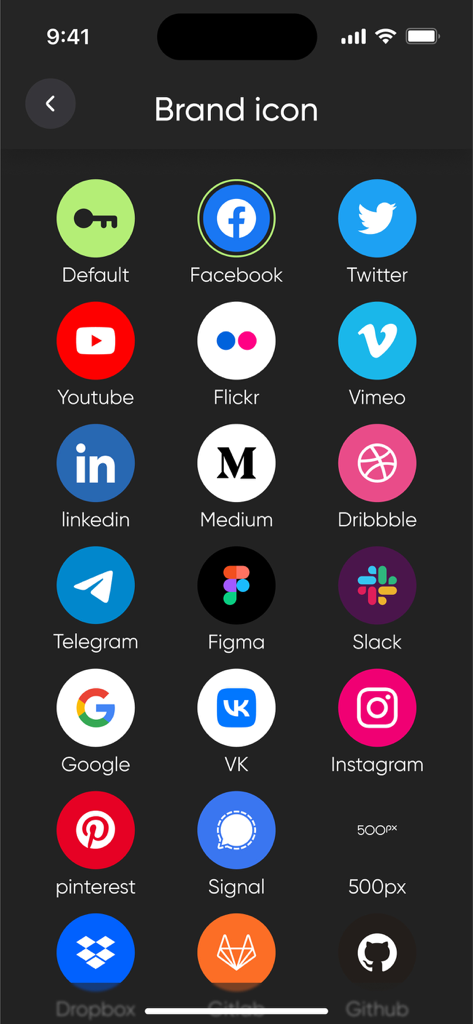
アカウント整理のためにAuthenticatorアプリのインターフェース内にあるGoogle、Facebook、Twitterなどの一般的なサービスブランドアイコンのコレクション。

アカウント整理のためにAuthenticatorアプリのインターフェース内にあるGoogle、Facebook、Twitterなどの一般的なサービスブランドアイコンのコレクション。

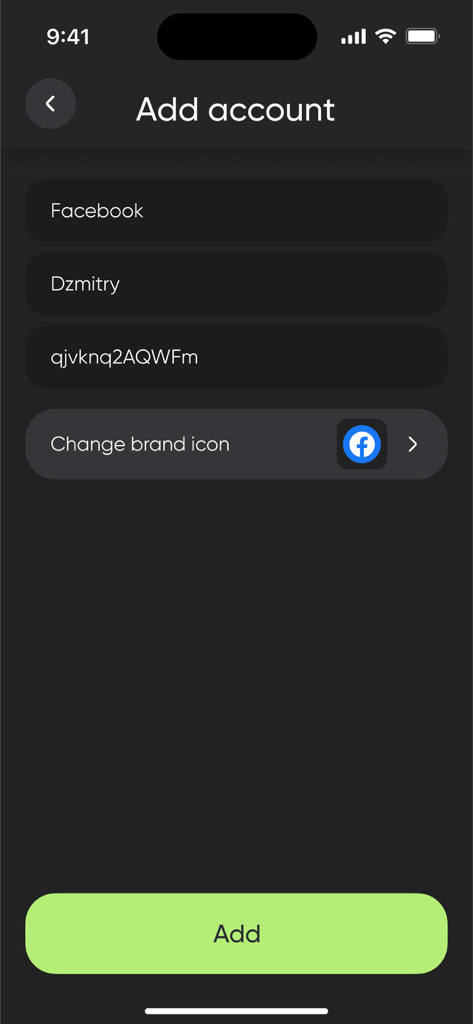
Authenticatorアプリのインターフェースで、名前とシークレットキーのフィールドを使用してFacebookアカウントを追加するための手動セットアップ画面を表示します。

Authenticatorアプリのインターフェースで、名前とシークレットキーのフィールドを使用してFacebookアカウントを追加するための手動セットアップ画面を表示します。

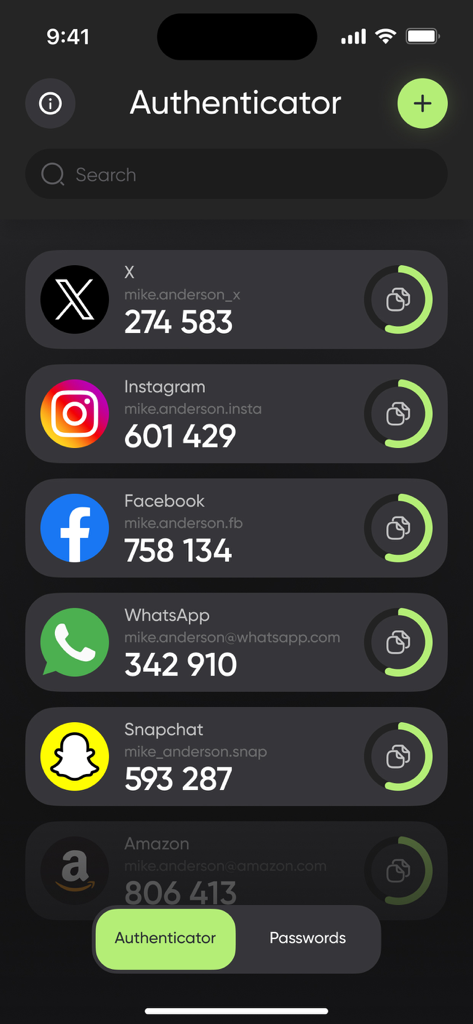
Authenticatorアプリのメイン画面に、それぞれ二要素認証セキュリティコードが付いたアカウントのリストが表示されます。

Authenticatorアプリのメイン画面に、それぞれ二要素認証セキュリティコードが付いたアカウントのリストが表示されます。

あらゆるアカウントのための鉄壁のセキュリティ

このアプリを際立たせるツール、 56K+ 人のユーザーが選択.

インスタントQRセットアップ

超高速スキャナーで、数秒で新しいアカウントを追加。あなたの忙しいワークフローのために、摩擦ゼロ、最大限のセキュリティを提供します。

🛡️

ユニバーサル2FAサポート

仮想通貨取引所から企業のVPNまで、すべてのTOTPトークンを、1つの整理された高性能ボルトで管理します。

プログレードインターフェース

スピードのために構築された、クリーンで広告なしのデザインを体験してください。大手テクノロジーアプリのかさばりなしに、安全なコードに即座にアクセスできます。

アプリについて

について知っておくべきこと Authenticator App - 2FA ◦ MFA.

説明

2FA: Two-Factor Authentication – Maximum security for your online accounts. Protect your accounts with the power of two-factor authentication (2FA). Store all your 2FA tokens securely in one app, and add an extra layer of defense to your online presence. Set up in seconds by scanning a QR code or entering your key manually – perfect for securing email, social media, banking, and more. Key Features: – Instantly add accounts by scanning QR codes – Easily enter secret keys manually when needed – Securely store and organize all your 2FA tokens in one place – Generate time-based one-time passcodes (TOTP) with ease – Fast, intuitive, and seamless user experience Protect what matters most. Secure your online world with 2FA today. Subscription information: - Prices in countries may vary and the actual cost may be converted to your local currency depending on your country of residence. - Payment will be charged to your iTunes Account when you confirm your purchase. - Subscription will automatically renew. You can turn off auto-renewal at least 24 hours before the end of the current period. - Within 24 hours before the end of the current period, your account will be charged the subscription renewal fee with the renewal price. - You can manage your subscriptions and turn off auto-renewal by going to iTunes Account Settings. - Subscriptions can be canceled at any time in your Apple ID settings. All prices include applicable local sales taxes. - The unused portion of the free trial, if offered, will be canceled when you purchase a subscription. - At the end of the 3-day trial period, if offered, the subscription will automatically renew according to the rate unless canceled before the end of the 3-day trial period. Privacy Policy: https://zzetapp.com/policy.html Terms of Use: https://zzetapp.com/terms.html

最新バージョン

1.15

サイズ

63.9 MB

リリース日

2023年7月27日

今すぐデジタルワールドを保護

当社のプレミアムMFAソリューションを信頼し、即時で鉄壁のアカウント保護を利用している何千人ものプロフェッショナルに加わりましょう。

ダウンロード: App Store
FAQ

よくある質問

について知っておくべきこと Authenticator App - 2FA ◦ MFA

Authenticator App - 2FA ◦ MFA とは何ですか?

Authenticator App - 2FA ◦ MFA は、オンラインアカウントの二要素認証(2FA)を提供します。2FAトークンを安全に保存し、時間ベースのワンタイムパスコード(TOTP)を生成して、デジタルプレゼンスに防御層を追加します。

Authenticator App - 2FA ◦ MFA はオンラインアカウントをどのように保護しますか?

Authenticator App - 2FA ◦ MFA は、時間ベースのワンタイムパスコード(TOTP)を生成することでアカウントを保護します。ユーザーはQRコードをスキャンするか、秘密鍵を手動で入力してアカウントを追加し、これらの2FAトークンをアプリ内に安全に保存します。

Authenticator App - 2FA ◦ MFA にQRコードを使用してアカウントを追加できますか?

はい、ユーザーはQRコードをスキャンすることで Authenticator App - 2FA ◦ MFA にアカウントを即座に追加できます。アプリにはこの目的のための専用スキャナーが用意されており、セットアッププロセスを簡素化します。

Authenticator App - 2FA ◦ MFA はアカウントの手動キー入力に対応していますか?

はい、Authenticator App - 2FA ◦ MFA では、QRコードのスキャンが不可能な場合に秘密鍵を手動で簡単に入力できます。これにより、さまざまなオンラインサービスを追加する際の柔軟性が得られます。

Authenticator App - 2FA ◦ MFA はどのようなオンラインアカウントを保護できますか?

Authenticator App - 2FA ◦ MFA は、メール、ソーシャルメディア、バンキングなど、さまざまなオンラインアカウントを保護します。スクリーンショット #1 は、Facebook、Instagram、Gmail、Amazonなどのサービスへのサポートを示しています。

Authenticator App - 2FA ◦ MFA は、2FAトークンに加えてパスワードも保存しますか?

はい、Authenticator App - 2FA ◦ MFA は、アプリのインターフェースに示されているように、「パスワード」セクションでパスワードエントリを保存できます。これは、2FAトークンを管理するというコア機能に加えて提供されます。

Authenticator App - 2FA ◦ MFA のサブスクリプションを管理するにはどうすればよいですか?

iTunesアカウント設定にアクセスして、Authenticator App - 2FA ◦ MFA のサブスクリプションを管理し、自動更新をオフにすることができます。サブスクリプションは、Apple IDの設定内でもいつでもキャンセルできます。

Authenticator App - 2FA ◦ MFA に無料トライアルはありますか?

はい、Authenticator App - 2FA ◦ MFA は3日間の無料トライアルを提供している場合があります。提供されている場合、サブスクリプション購入時にトライアルの未使用部分はキャンセルされ、トライアル期間終了後にサブスクリプションは自動的に更新されます。

Authenticator App - 2FA ◦ MFA のサブスクリプションをキャンセルした場合、どうなりますか?

Authenticator App - 2FA ◦ MFA のサブスクリプションは、Apple IDの設定でいつでもキャンセルできます。現在の期間が終了する少なくとも24時間前までに自動更新をオフにすることができます。

Authenticator App - 2FA ◦ MFA は時間ベースのワンタイムパスコード(TOTP)を生成しますか?

はい、Authenticator App - 2FA ◦ MFA は、時間ベースのワンタイムパスコード(TOTP)を簡単に生成します。これは、二要素認証機能のコア機能です。

App information, icons, screenshots, and descriptions displayed on this page are sourced from the Apple App Store and are the property of their respective developers. Download estimates and rankings are based on MWM's proprietary models and may not reflect actual figures. This page is provided for informational and analytical purposes only.

Believe this page infringes your intellectual property? File a dispute