
このページはアプリまたはその開発者の公式ページではなく、情報提供および論評を目的として作成された独立した編集出版物です。明示的に別段の記載がない限り、アプリおよびその開発者は、MWM、Apple、Google Play、アプリのパブリッシャー、またはアプリの開発者と提携、承認、後援、認可、またはその他の公式的な関係はなく、このページのいかなる内容も、アプリがMWMのサービスを使用して開発されたことを意味するものではありません。すべての商標、ロゴ、スクリーンショット、その他のコンテンツはそれぞれの所有者の財産です。

Authenticator App - SafeAuth
Instagram、Coinbase、仕事用アカウントを1分未満で保護。セキュアで使いやすい二要素認証にクラウドバックアップを加え、アカウントからロックアウトされることを防ぎます。
ダウンロード
3K+ユーザー評価
評価数
0開発元
カテゴリ
Productivity対応言語
9最新バージョン
1.0.3サイズ
42.1 MBリリース日
2023年6月28日デジタルライフのための妥協なきセキュリティ
軍事グレードの2FAとシームレスなクラウドバックアップで、暗号資産、ソーシャル、仕事用アカウントをハッカーから保護します。
二度とアクセスを失わない
2FAトークンをクラウドに安全にバックアップします。電話をアップグレードまたは紛失しても、アカウントは安全で即座にアクセス可能です。
すべてを1つのアプリで
Coinbase、Tesla、Instagram、GitHubなど、数千ものサービスと互換性があります。セキュリティを一元管理します。
よくある質問
について知っておくべきこと Authenticator App - SafeAuth
SafeAuth Authenticatorとは何ですか?
SafeAuth Authenticatorは、安全なアカウント検証のための6桁のワンタイムコードを生成する2要素認証(2FA)ソリューションです。追加のセキュリティレイヤーを提供することで、オンラインアカウントを不正アクセス、ハッキング、フィッシングから保護します。
SafeAuth Authenticatorはアカウントのセキュリティをどのように向上させますか?
SafeAuth Authenticatorは、ログインごとにユニークな時間ベースのワンタイムパスワード(TOTP)を生成することでセキュリティを向上させます。この2段階認証により、許可されたユーザーのみがアカウントにアクセスできるようになり、不正アクセスやセキュリティ上の脅威から保護されます。
SafeAuth Authenticatorは2FAコードのクラウドバックアップを提供していますか?
はい、SafeAuth Authenticatorはすべてのアカウントデータのクラウドバックアップを提供しています。ユーザーはGoogleアカウントでログインしてデバイス間でデータを同期し、データ損失を防ぎ、再バインドなしでアカウント移行を簡素化できます。
SafeAuth Authenticatorに新しいアカウントを追加するにはどうすればよいですか?
ユーザーは、2FA QRコードをスキャンするか、秘密鍵を手動で入力することで、SafeAuth Authenticatorにアカウントを追加します。このアプリは詳細な2FAガイドを提供しており、セットアップを効率的かつユーザーフレンドリーにします。
SafeAuth Authenticatorは一般的なオンラインサービスと互換性がありますか?
はい、SafeAuth Authenticatorの2FAトークンは、Google、Instagram、Facebook、Twitter、Dropbox、Coinbaseなど、数千の一般的なオンラインサービスで広く受け入れられています。
SafeAuth Authenticatorはオフラインでコードを生成できますか?
はい、SafeAuth Authenticatorはオフラインでのコード生成をサポートしています。この機能により、ユーザーはアクティブなインターネット接続なしで時間ベースのワンタイムパスワード(TOTP)を生成でき、いつでもどこでも認証プロセスを合理化できます。
Authenticator App - SafeAuthのサブスクリプションを管理するにはどうすればよいですか?
ユーザーは、購入後にアカウント設定からAuthenticator App - SafeAuthのサブスクリプションを管理し、自動更新を無効にすることができます。自動更新は、現在の請求期間が終了する少なくとも24時間前に無効にする必要があります。
Authenticator App - SafeAuthのサブスクリプション条件は何ですか?
Authenticator App - SafeAuthの支払いは、購入時にiTunesに請求されます。サブスクリプションは、期間終了の24時間前に無効にしない限り自動的に更新されます。更新料金は、期間終了の最大24時間前に請求されます。
Authenticator App - SafeAuthのプライバシーポリシーはどこで確認できますか?
Authenticator App - SafeAuthのプライバシーポリシーは、次のリンクから直接アクセスできます:https://mauther.safeauth.services/privacypolicy.html。このドキュメントでは、アプリケーションによる個人データの処理方法について説明しています。
以下のスクリーンショットと説明は、アプリの公式ストアリスティングから直接取得されたものであり、アプリ開発者の所有物です。
アプリストア
スクリーンショット
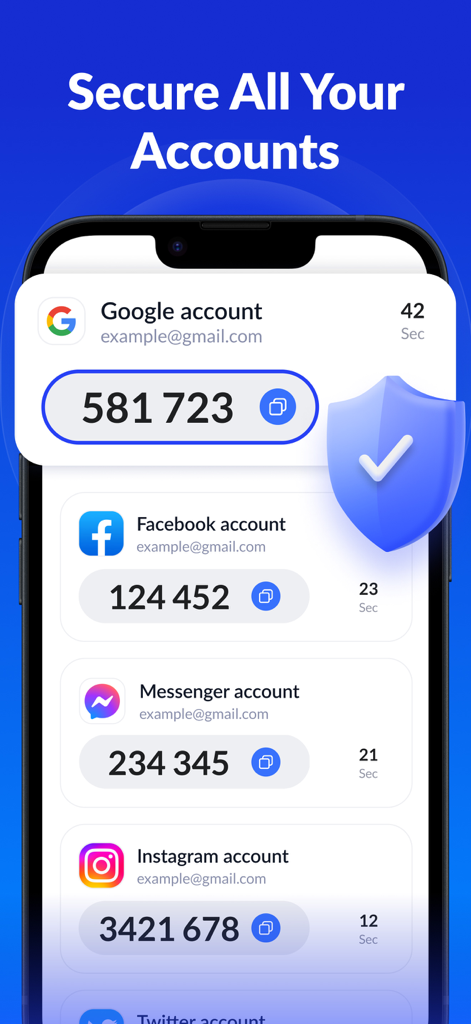
SafeAuth認証アプリのインターフェース。Google、Facebook Messenger、Instagramの2FAコードが表示され、保護的なセキュリティシールドアイコンが付いています。
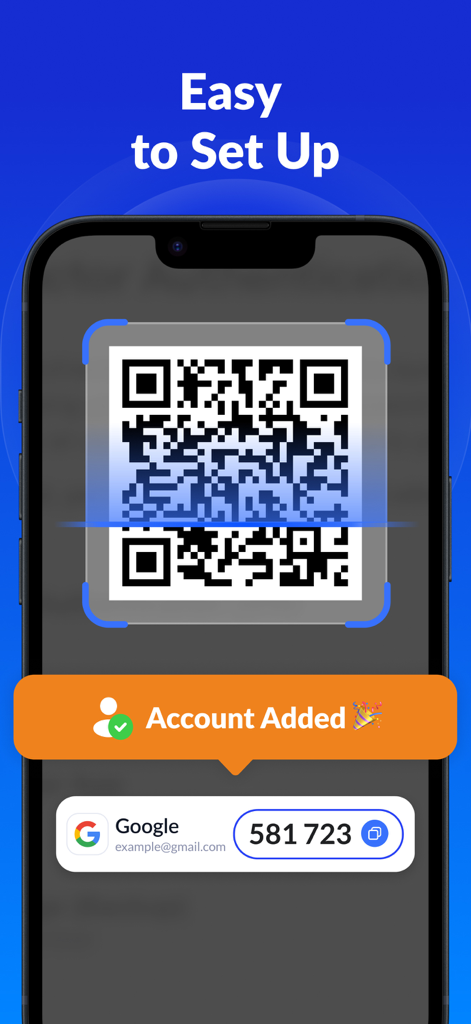
SafeAuth認証アプリのインターフェース。簡単な2FAセットアップのためにQRコードをスキャンする方法を示しています。
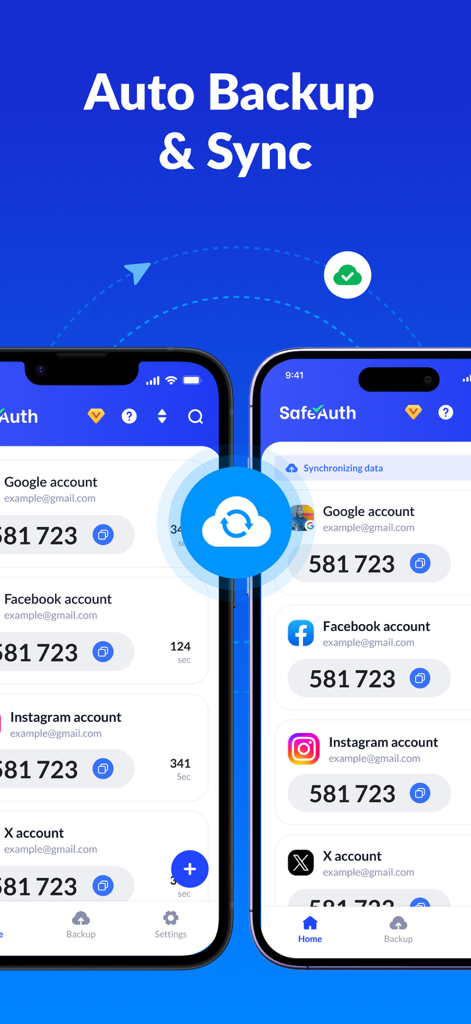
2台のiPhoneにSafeAuth認証アプリが表示され、複数の2FAアカウントでクラウドバックアップと同期機能が有効になっています。
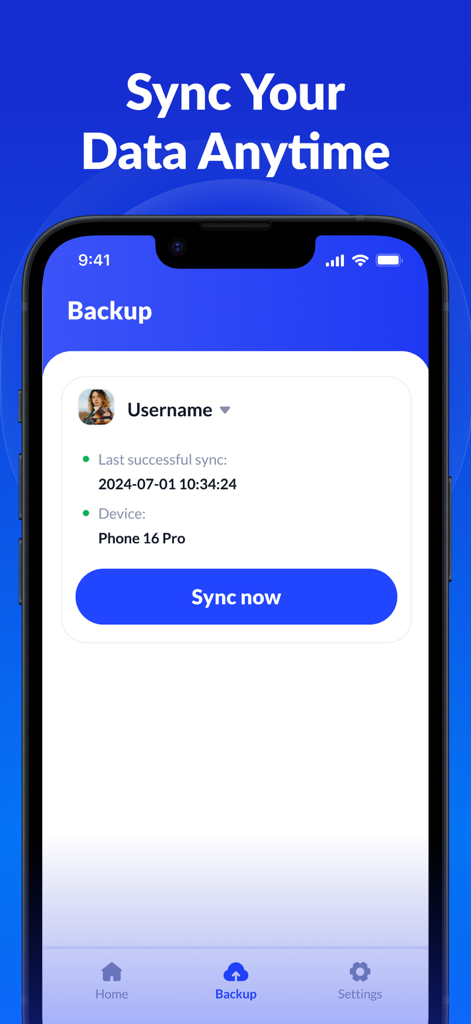
SafeAuth認証アプリのクラウドバックアップとデータ同期のインターフェース。
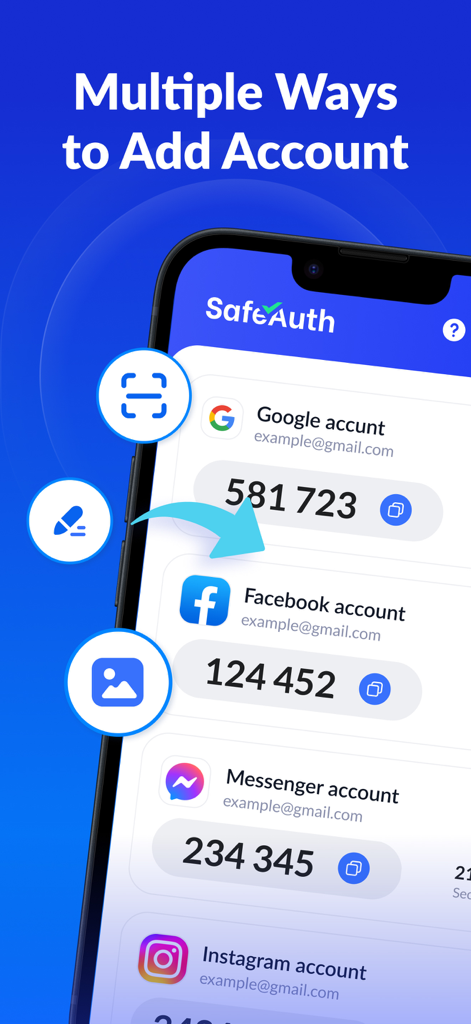
SafeAuth認証アプリのインターフェース。新しい2FAアカウントを追加するためのさまざまなオプションが表示されています。
説明
Download
類似アプリ
似た機能とユーザー体験を持つアプリ

Google Authenticator
Google LLC

Duo Mobile
Duo Security LLC

Authenticator App - 2FA &. MFA
APPLY DIJITAL HIZMETLER TICARET LIMITED SIRKETI

authenticator . app
Mustafa Uz

SafeNet MobilePASS+
Thales DIS (Singapore) Pte Ltd

Čítačka
Tatra banka, a.s.

Authenticator App - 2FA Auth
UNIVERSE DIJITAL HIZMETLER LIMITED SIRKETI

Authenticator App : Scan & 2FA
XSOFT GLOBAL LIMITED
Authenticator: Secure 2FA, MFA
Stefan Philipsen
このページはアプリまたはその開発者の公式ページではなく、情報提供および論評を目的として作成された独立した編集出版物です。明示的に別段の記載がない限り、アプリおよびその開発者は、MWM、Apple、Google Play、アプリのパブリッシャー、またはアプリの開発者と提携、承認、後援、認可、またはその他の公式的な関係はなく、このページのいかなる内容も、アプリがMWMのサービスを使用して開発されたことを意味するものではありません。すべての商標、ロゴ、スクリーンショット、その他のコンテンツはそれぞれの所有者の財産です。