Authenticator App ©

Authenticator App ©

ダウンロード: App Store
ロゴ: Authenticator App ©

Authenticator App ©: 簡単な2FAでデジタルワールドを安全に

不正アクセスから金融、ソーシャル、仕事用アカウントを保護しましょう。暗号化されたiCloudバックアップ、生体認証セキュリティ、およびすべてのデバイスでのシームレスな同期で安心をお楽しみください。

開発元

Yiwu Xiaobu Trading Co., Ltd.

カテゴリ

Productivity

ダウンロード

988K+

ユーザー評価

3.4/5

評価数

700

対応言語

13

一目でわかるセキュリティ

このインターフェースを利用する 988K+ 人のユーザー.

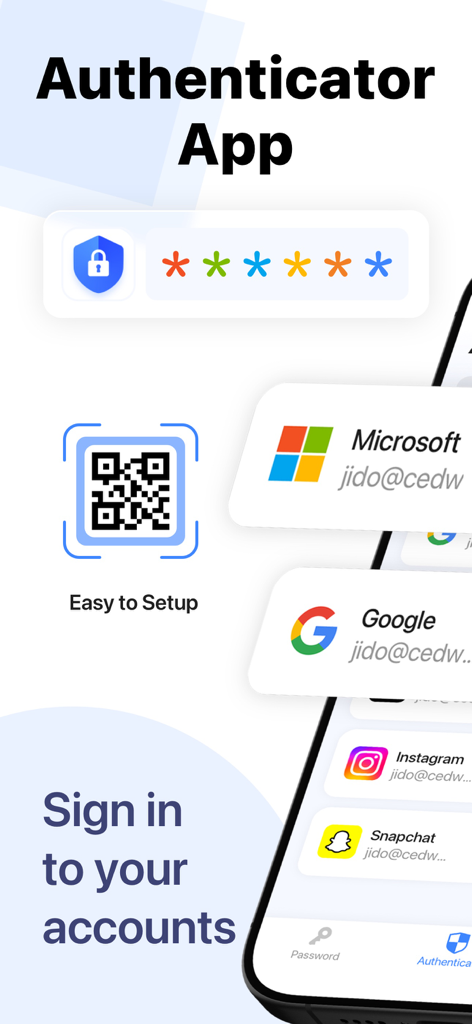
QRコードスキャンとソーシャルメディアアカウント統合によるセキュリティを示すAuthenticator Appのインターフェース

QRコードスキャンとソーシャルメディアアカウント統合によるセキュリティを示すAuthenticator Appのインターフェース

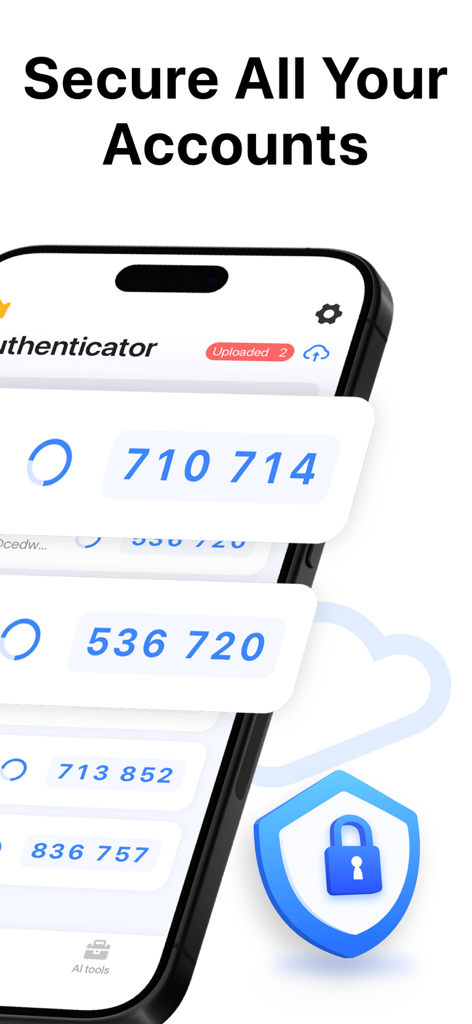
2FAコードとセキュリティを表す盾のアイコンが表示されたスマートフォン

2FAコードとセキュリティを表す盾のアイコンが表示されたスマートフォン

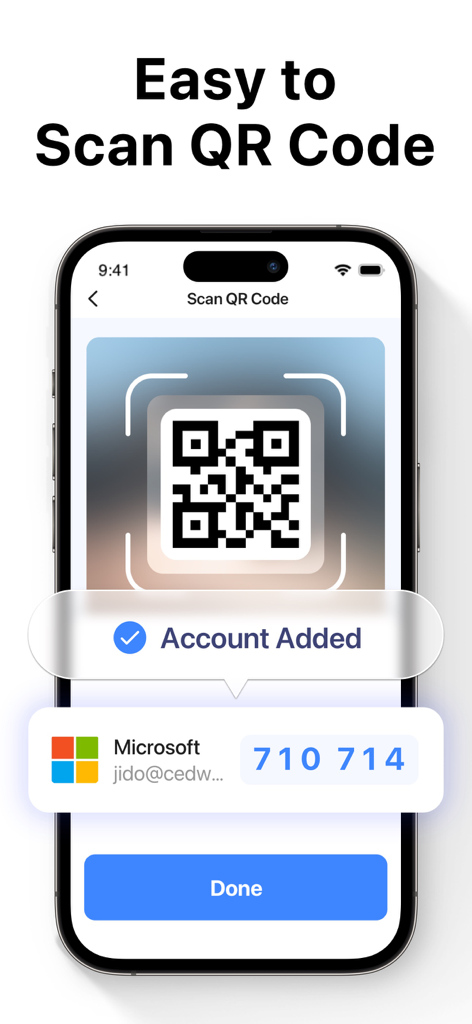
2要素認証のためにMicrosoftアカウントを追加するためにQRコードをスキャンしているAuthenticator Appを示すiPhone画面

2要素認証のためにMicrosoftアカウントを追加するためにQRコードをスキャンしているAuthenticator Appを示すiPhone画面

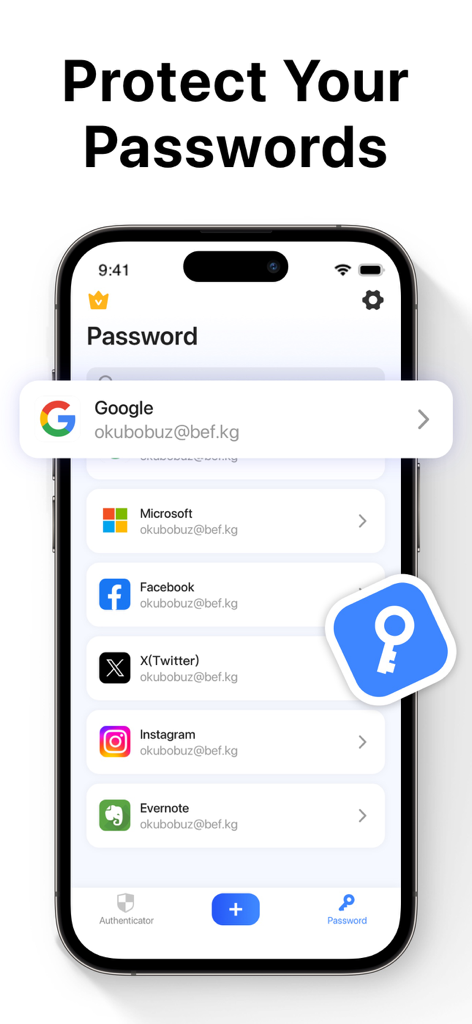
保存されたソーシャルメディアや仕事用アカウントのリストが表示されたAuthenticator Appのパスワードマネージャー機能を示すスマートフォンの画面

保存されたソーシャルメディアや仕事用アカウントのリストが表示されたAuthenticator Appのパスワードマネージャー機能を示すスマートフォンの画面

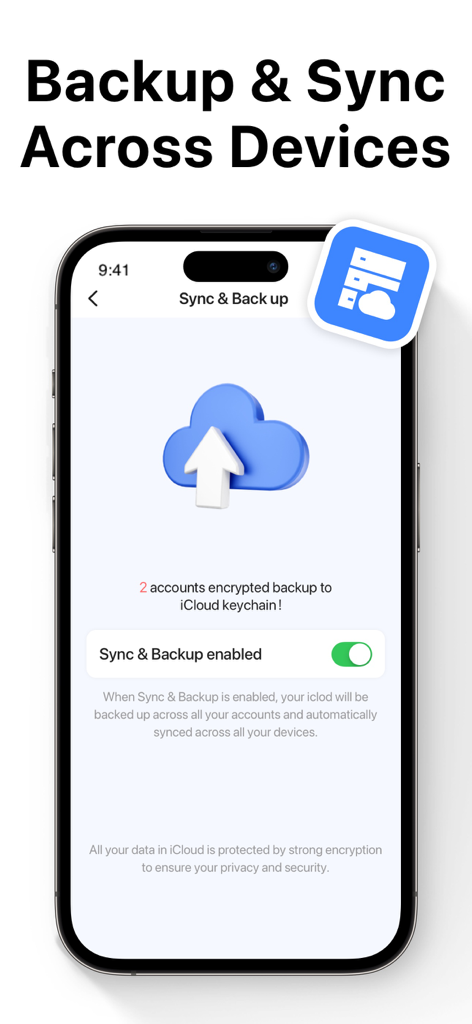
安全なクラウドストレージのためにバックアップと同期機能が有効になっていることを示すAuthenticator Appの画面

安全なクラウドストレージのためにバックアップと同期機能が有効になっていることを示すAuthenticator Appの画面

究極のアカウントセキュリティが簡単に

このアプリを際立たせるツール、 988K+ 人のユーザーが選択.

🛡️

高度な2FA保護

時間ベースのワンタイムパスワード(TOTP)でハッカーを阻止し、すべての機密ログインに重要な第2の防御層を追加します。

🔄

シームレスなiCloud同期

アクセスを失う心配はありません。トークンは完全に暗号化され、すべてのiOSデバイス間で自動的に同期されるため、デバイスのアップグレードも簡単です。

🆔

生体認証によるインスタントアクセス

Face IDまたはTouch IDの速度でボールトをアンロックしましょう。利便性やプライバシーを犠牲にすることなく、安全なコードを即座に入手できます。

アプリについて

について知っておくべきこと Authenticator App ©.

説明

Two Factor Authenticator is a simple and secure Mobile Authentication app (2FA Authenticator) that generates Time-based One-time authentication Passwords (TOTP). Authenticator App to help keep your online accounts secure on supporting TOTP websites. This Authenticator app makes your login more secure! By automatically scanning a QR code, this authenticator app generates a one-time password (OTP) for two-factor authentication (2FA) or multi-factor authentication (MFA), to protect your log-in and accounts from hacking. All commonly used online services like Google, Facebook, Github, LinkedIn, Dropbox, and thousands of other cloud applications can log in using the 2FA token generated by this authenticator app. With this authenticator, you can easily log into all your online accounts without having to remember various passwords. Authenticator app features: -Easy and user friendly No account setup is required, automatically scan QR Code with this authenticator and get a one-time password to enable 2FA/MFA authentication for your login. -Secure & Private Authy Authenticate All data stored in Authenticator is always encrypted, even when it's stored in iCloud to ensure that you are the only one who can access your data with 2-step authorization. - Protect your passwords Manage & Storage your account passwords, and keeps them safe and secure behind the one password that only you know. - Backup & Sync : In 2FA Authenticator, you can always make a secure encrypted backup, in case you lose your device or switch to a new one. With Autentifikator all your tokens will automatically synchronize across all devices. -Authorize with Touch ID or Face ID Confirm your identity with the application using Touch ID or Face ID and generate one-time tokens required to log in to your online accounts. - All Popular Accounts: We support verification (but are not associated with) the most popular services including Facebook, Google Chrome, Coinbase, Binance Playstation, Steam, Amazon, Paypal, Gmail, MS Microsoft, Instagram, Discord, Epic Roblox, and thousands of other providers. Information about the auto-renewal of subscription: – Payment will be charged to iTunes Account at confirmation of purchase. – Subscription automatically renews unless auto-renew is turned off at least 24 hours before the end of the current period. – Account will be charged for renewal within 24 hours before the end of the current period. The cost depends on the selected plan. – Subscriptions may be managed by the user and auto-renewal may be turned off by going to the user's Account Settings after purchase. Privacy Policy: https://inis.inislab.com/log/inislab/page?k=privepolicy Terms of Use: https://inis.inislab.com/log/inislab/page?k=termsofuse

最新バージョン

2.0

サイズ

36.5 MB

リリース日

2022年12月30日

今日からあなたのデジタルワールドを安全に

暗号化されたクラウドバックアップとFace ID保護を信頼し、金融、仕事、ソーシャルアカウントを安全に保つ988,000人以上のプロフェッショナルに加わりましょう。究極のセキュリティコンパニオンを今すぐダウンロードしてください。

ダウンロード: App Store
FAQ

よくある質問

について知っておくべきこと Authenticator App ©

Authenticator App ©とは何ですか?

Authenticator App ©は、時間ベースのワンタイム認証パスワード(TOTP)を生成する安全なモバイル認証アプリです。セキュリティを強化するために、さまざまなオンラインアカウントの2要素認証(2FA)を有効にします。

Authenticator App ©はアカウント設定でQRコードスキャンをサポートしていますか?

はい、Authenticator App ©はQRコードを自動的にスキャンすることで設定を簡素化します。このプロセスにより、ログインの2FAまたはMFA認証を有効にするためのワンタイムパスワード(OTP)が生成されます。

Authenticator App ©はどのようにデータセキュリティとプライバシーを確保していますか?

Authenticator App ©は、iCloudにバックアップされている場合でも、保存されているすべてのデータを暗号化することでアカウントを保護します。この強力な暗号化により、2段階認証のみで承認されたユーザーがデータにアクセスできるようになります。

Authenticator App ©はパスワードを管理および保護できますか?

はい、Authenticator App ©はアカウントパスワードを安全に管理および保存する機能を提供します。これは、あなただけが知っている単一のパスワードの後ろに保護されています。

Authenticator App ©は認証トークンのバックアップおよび同期機能を提供していますか?

はい、Authenticator App ©は、すべてのトークンの安全で暗号化されたバックアップをiCloudに保存できます。この機能が有効になると、すべてのデバイス間でこれらのトークンが自動的に同期されます。

ユーザーはTouch IDまたはFace IDを使用してAuthenticator App ©内で承認できますか?

はい、Authenticator App ©はTouch IDまたはFace IDを使用した承認をサポートしています。これにより、ユーザーは生体認証セキュリティで本人確認を行い、ワンタイムトークンを生成できます。

Authenticator App ©はどの人気オンラインサービスをサポートしていますか?

はい、Authenticator App ©は、Google、Facebook、Github、LinkedIn、Dropbox、および2FAおよびMFA向けの数千の他のクラウドアプリケーションを含む、幅広い人気サービスをサポートしています。

Authenticator App ©のサブスクリプションはどのように処理されますか?

Authenticator App ©のサブスクリプションは、現在の期間が終了する少なくとも24時間前に自動更新をオフにしない限り、自動的に更新されます。購入時にiTunesアカウントに支払いが請求されます。

App information, icons, screenshots, and descriptions displayed on this page are sourced from the Apple App Store and are the property of their respective developers. Download estimates and rankings are based on MWM's proprietary models and may not reflect actual figures. This page is provided for informational and analytical purposes only.

Believe this page infringes your intellectual property? File a dispute