Bimostitch

Bimostitch

ダウンロード: App Store
ロゴ: Bimostitch

Bimostitch:風景写真・航空写真のためのプログレードパノラマスティッチャー

iPhone、ドローン、DSLRからのオーバーラップした写真を、見事な1ギガピクセルのパノラマに変換。高解像度、マルチロー、完全オフライン対応—デスクトップソフトウェア不要。

開発元

Chomba Bupe

カテゴリ

Photo & Video

ダウンロード

15K+

ユーザー評価

4.5/5

評価数

0

対応言語

9

広角マスター

このインターフェースを利用する 15K+ 人のユーザー.

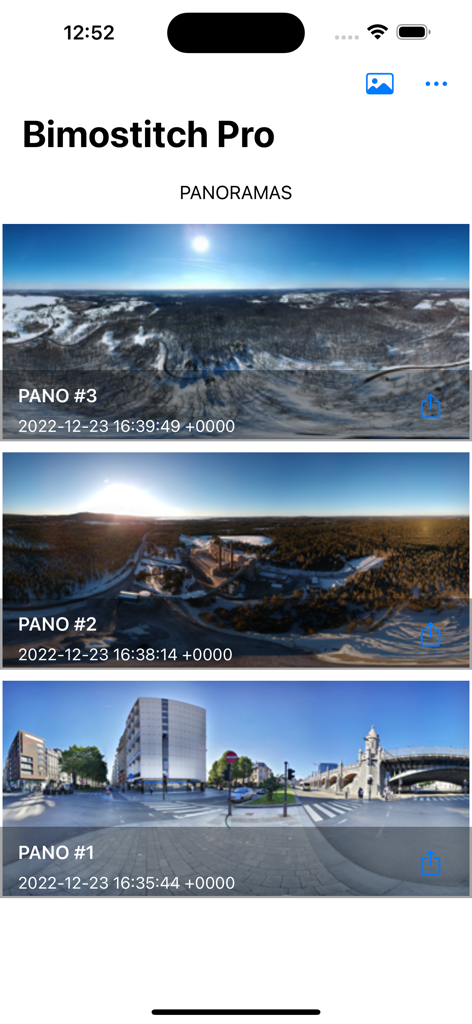
Bimostitch Proアプリのギャラリー画面に、保存された複数のパノラマ写真が表示されています

Bimostitch Proアプリのギャラリー画面に、保存された複数のパノラマ写真が表示されています

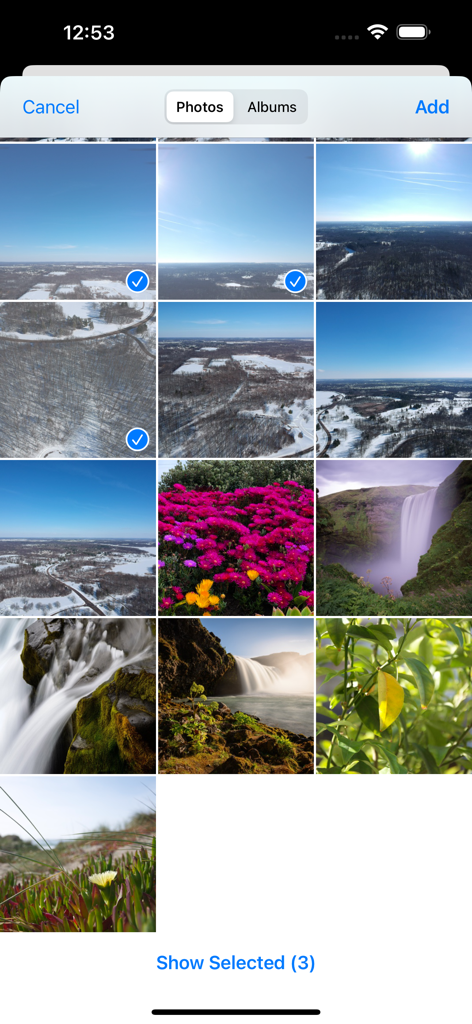
Bimostitchアプリのユーザーインターフェースに、スティッチ用に選択された複数の写真が表示されたギャラリーグリッドが表示されています

Bimostitchアプリのユーザーインターフェースに、スティッチ用に選択された複数の写真が表示されたギャラリーグリッドが表示されています

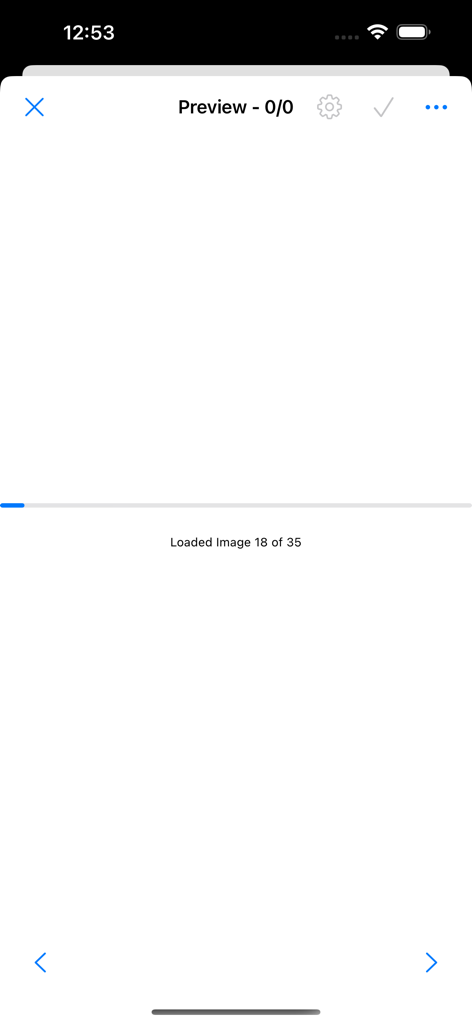
Bimostitchアプリのローディング画面に、パノラマスティッチング用に画像が処理されている進行状況が表示されています

Bimostitchアプリのローディング画面に、パノラマスティッチング用に画像が処理されている進行状況が表示されています

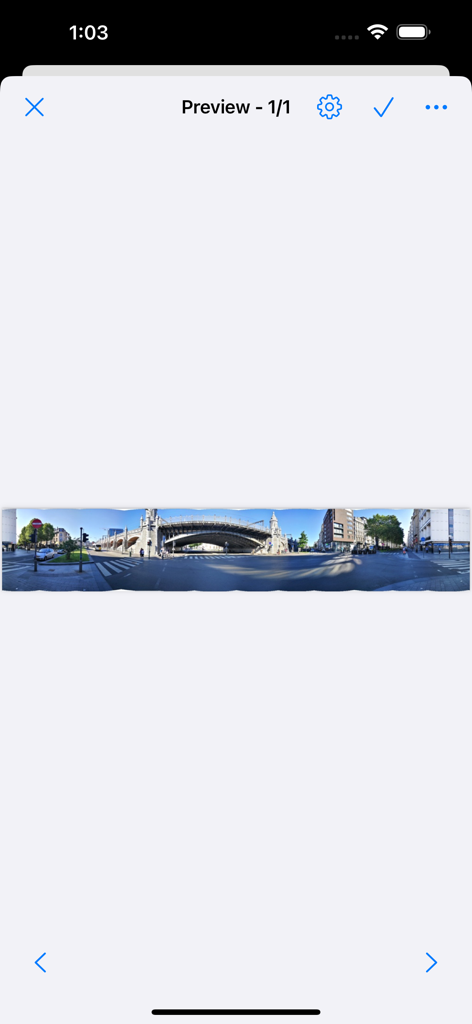
Bimostitchアプリのプレビュー画面に、街の通りの広いパノラマ画像が表示されています

Bimostitchアプリのプレビュー画面に、街の通りの広いパノラマ画像が表示されています

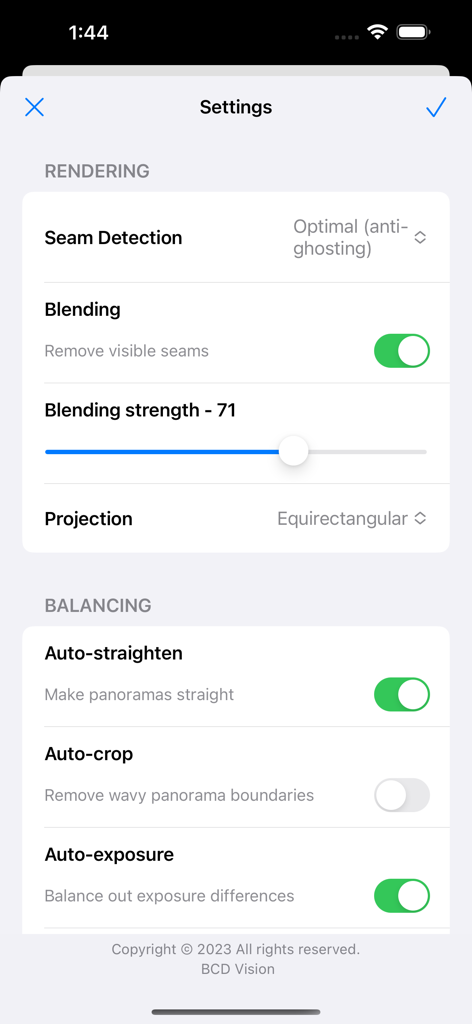
Bimostitchアプリの設定メニューに、パノラマ写真のレンダリングおよびバランス調整コントロールが表示されています。

Bimostitchアプリの設定メニューに、パノラマ写真のレンダリングおよびバランス調整コントロールが表示されています。

デスクトップ不要のプロフェッショナルパノラマ

このアプリを際立たせるツール、 15K+ 人のユーザーが選択.

🖼️

ギガピクセル解像度

単純な水平スイープを超えて。何百枚もの写真をマルチローグリッドや360°のフォトスフィアに、最大1ギガピクセルまでの驚異的なディテールでスティッチします。

🚁

ドローンパイロットのために構築

航空写真に究極のコンパニオン。ドローンやDSLRからのオーバーラップしたショットをインポートし、自動レンズキャリブレーションで歪みを瞬時に修正します。

⛰️

完全オフライン処理

トレイルヘッドで直接撮影をスティッチ。強力なオンデバイスエンジンは100%オフラインで動作するため、セキュラー信号なしで高解像度の結果をプレビューできます。

アプリについて

について知っておくべきこと Bimostitch.

説明

Automatically stitch high quality, high-res panoramas on-device, right in the palm of your hands. -- KEY FEATURES -- +Stitch hi-res single-row, multi-row, vertical, horizontal, 360° panoramas or photospheres. +Stitch many (2 to 200+) overlapping photos into impressive wide-view panoramas. +Simple and intuitive yet powerful panorama stitcher app. +Share your awesome panos with family and friends via Facebook, Twitter, Flickr, Instagram and many more. +Automatic crop with minimal reduction in resolution. +Automatic exposure balancing. +Automatic straightening of panorama. -- PRO FEATURES -- + Fast stitching. + High quality output (Maintains quality of source photos). + No ads. + Ultra high output resolution of up to 1 Gigapixels. + Video-to-panorama for converting videos of panning motion into panoramas. + JPEG or PNG output format. + Compress large panoramas to save space on your device. + Auto-color balancing. + Seam detection modes like optimal cuts for high quality output. + Save previews & load them up later + Adjust seam detection quality + Adjust intensity of auto-exposure/color balancing feature + Control the blending intensity + View source images in panorama while in preview mode + Auto-lens calibration for lens distortion compensation when stitching images captured from wide-angle, ultra-wide angle and fisheye lens. HOW IT WORKS? Simply select/get images or a video in the following ways: > Press the gallery icon then select photos to open the default photo picker, select the images then press done. > Press the gallery icon then select videos to open the video selector, select a video then press done. > Use your favourite camera app to snap overlapping photos. > Use a drone to capture aerial photos. Bimostitch will then automatically match, align and blend together the selected images or video frames into a wonderful panorama using advanced on-device image stitching algorithms. NOTE: You get multiple outputs at once if more than one set of overlapping photos are detected in your selection. All this takes just a few minutes depending on your choice of maximum output resolution and your device’s computational power. You can visit the apps settings page to change properties such as the output album name, maximum resolution and many more choices to suit your needs. You can also shoot a video while panning about a fixed reference point (the camera lens should be the reference point) then select the video in Bimostitch which will automatically merge the key video frames into a panorama. NOTE: At least 4GB RAM required for 1 GigaPixels. WHY USE THIS APP? – Works with photos from any source such as DSLR cameras, downloaded from the web or drones. – Merge vertical, horizontal, multiple rows or a grid of overlapping photos into awesome panoramic images. – Lightweight on your device and will make high quality panoramic photographs. – Create panos conveniently while on the go like on a tour and get immediate high quality results, no need to carry all that equipment anymore and it’s fully an offline app too, no Internet? no problem. – No gyroscope or special sensors needed. It doesn’t matter whether you are a professional or newbie panoramic photographer, this app will work great for you. Hope you enjoy using this panoramic app and that you will make memorable pano shots with it. Enjoy

最新バージョン

1.3.80

サイズ

3.8 MB

リリース日

2021年12月6日

どこでも1ギガピクセル級の傑作を作成

手のひらでプロレベルのパノラマスティッチングのパワーを体験。何千人もの写真家やドローンパイロットと共に、高解像度の広角ビューを作成しましょう。

ダウンロード: App Store

App information, icons, screenshots, and descriptions displayed on this page are sourced from the Apple App Store and are the property of their respective developers. Download estimates and rankings are based on MWM's proprietary models and may not reflect actual figures. This page is provided for informational and analytical purposes only.

Believe this page infringes your intellectual property? File a dispute