
このページはアプリまたはその開発者の公式ページではなく、情報提供および論評を目的として作成された独立した編集出版物です。明示的に別段の記載がない限り、アプリおよびその開発者は、MWM、Apple、Google Play、アプリのパブリッシャー、またはアプリの開発者と提携、承認、後援、認可、またはその他の公式的な関係はなく、このページのいかなる内容も、アプリがMWMのサービスを使用して開発されたことを意味するものではありません。すべての商標、ロゴ、スクリーンショット、その他のコンテンツはそれぞれの所有者の財産です。

ダウンロード
250M+ユーザー評価
評価数
4.1M開発元
カテゴリ
Photo & Video対応言語
39最新バージョン
7.69.0サイズ
382.9 MBリリース日
2015年5月28日Googleフォト:多機能な思い出管理ソリューション
クラウドバックアップからAI編集まで、写真体験を革新する主要機能の分析
デバイスストレージの解放
ユーザーは、バックアップ済みの写真をデバイスから簡単に削除し、スマートフォンの空き容量を確保できます。
自動バックアップと大容量クラウドストレージ
ユーザーは、最大15GBのクラウドストレージにすべての写真と動画を自動でバックアップし、大切な思い出を安全に保管できます。
強固なセキュリティによるデータ保護
本サービスは、高度なセキュリティインフラストラクチャにより、ユーザーの写真と動画が常に安全に保護されることを保証します。
思い出の再発見と簡単な共有
ユーザーは、過去の思い出を簡単に振り返り、Googleフォトを利用していない連絡先とも写真や動画をスムーズに共有できます。
直感的な写真検索
ユーザーは、「山に囲まれた湖でカヤック」のように自然な言葉で写真を検索でき、目的の画像を素早く見つけられます。
スマートな写真整理
本アプリは、重複写真の自動整理やスクリーンショットなどのスマートフォルダ提供により、ユーザーのギャラリーを常に整理された状態に保ちます。
AIを活用した高度な編集ツール
ユーザーは、AIを活用したマジック消しゴムやブレ補正、ポートレートライトなどの機能で、複雑な編集を数タップで実現できます。
Google Lens連携
本ツールは、ユーザーが写真内のテキストやオブジェクトを認識し、それに関する情報を調べたりアクションを起こしたりすることを可能にします。
よくある質問
について知っておくべきこと Google Photos: Backup & Edit
How much free cloud storage does Google Photos offer?
Google Photos provides 15 GB of free cloud storage with every Google account. This storage is shared across Google Photos, Gmail, and Google Drive.
Does Google Photos include a Magic Eraser feature?
Yes, Google Photos includes the AI-powered Magic Eraser tool. It allows users to remove unwanted distractions and objects from their photos with ease.
Can Google Photos create videos from my pictures?
Yes, Google Photos offers a "Photo to video" feature that animates static memories. It transforms your photos into moving videos using AI-powered tools.
How can I search for specific photos in Google Photos?
Google Photos features "Ask Photos" which enables simple and complex searches. Users can quickly find specific photos or videos using natural language queries.
How does Google Photos help organize my gallery?
Google Photos automatically organizes duplicates into Photo Stacks. It also creates smart folders for screenshots, documents, and custom albums, enhancing gallery organization. A locked folder protects sensitive media.
What is the Remix feature in Google Photos?
The Remix feature in Google Photos uses AI-powered tools to transform pictures into fun, unique styles. It allows users to bring their images to life with creative variations.
Is my data secure in Google Photos?
Yes, your photos and videos are safe and secure in Google Photos. They are protected by Google's advanced security infrastructure from the moment they are stored.
Can Google Photos help free up space on my device?
Yes, Google Photos helps free up device space. Photos backed up in Google Photos can be removed from your device’s storage with a single tap, without losing the content.
Can I print photos directly from Google Photos?
Yes, Google Photos allows you to print your favorite moments. You can turn memories into photo books, prints, and canvas wall art directly from the app.
Does Google Photos integrate with Google Lens?
Yes, Google Photos includes Google Lens functionality. This feature enables users to identify text and objects within their photos to learn more and take action.
以下のスクリーンショットと説明は、アプリの公式ストアリスティングから直接取得されたものであり、アプリ開発者の所有物です。
アプリストア
スクリーンショット
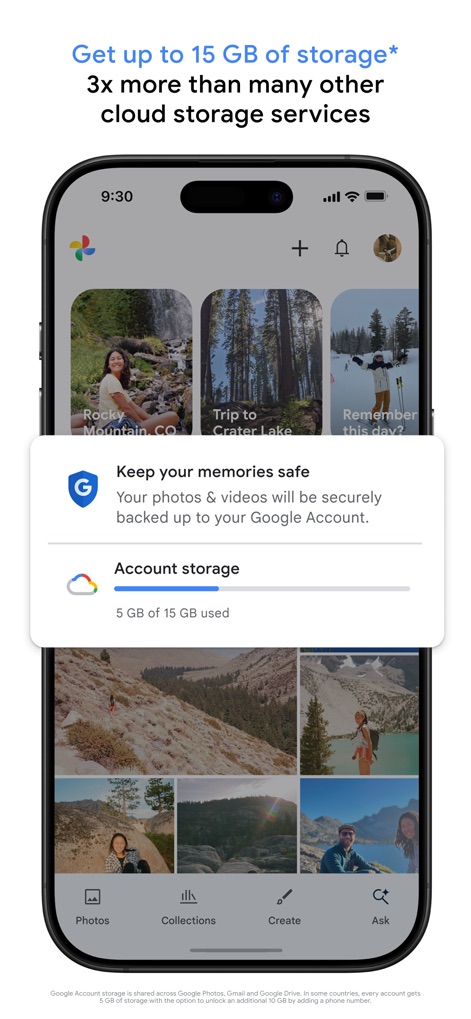
クラウド保存、安心のバックアップ
本アプリはGoogleアカウントのストレージを活用し、写真や動画を安全にクラウド保存します。ユーザーは「5GB/15GB使用」と表示されるストレージ状況を確認でき、「安全なバックアップ」機能により思い出が保護されていることを視覚的に把握できます。
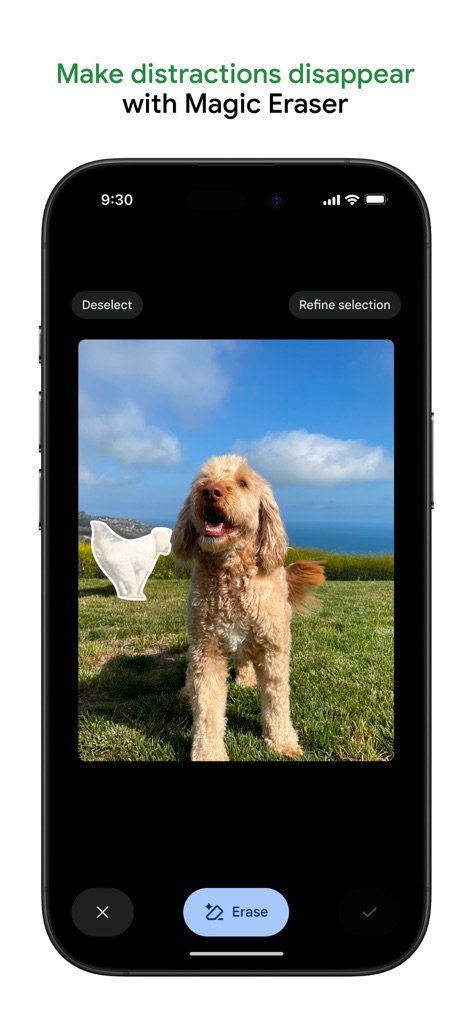
不要物除去、スマート編集
この編集ツールは「Magic Eraser」機能を提供し、写真から不要な要素を簡単に削除できます。ユーザーは削除したいオブジェクトを「選択」し、シンプルな「消去」ボタンでクリーンな画像を実現できます。
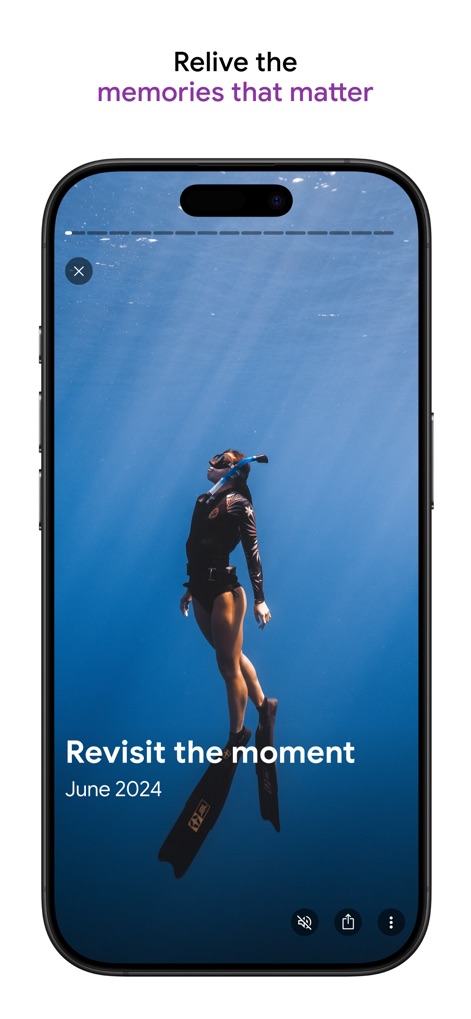
思い出を再体験
本アプリは過去の思い出を美しく再提示する機能で、ユーザーは印象的なスナップショットとともに「June 2024」といった撮影「日付」を確認できます。「Revisit the moment」というメッセージが、その瞬間の再体験を促します。
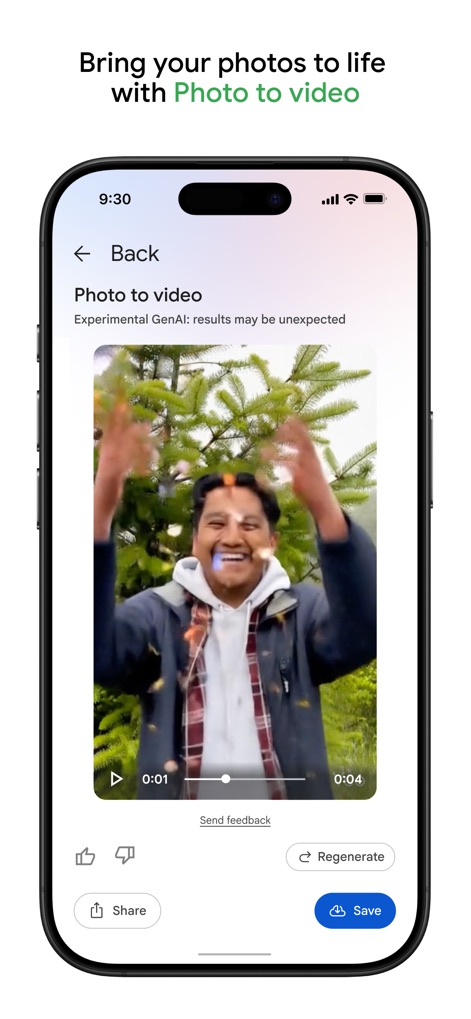
写真が動画に
このアプリは「Photo to video」機能により、静止画を魅力的な動画コンテンツへと変換します。ユーザーは写真から自動生成された「動画プレビュー」を確認し、クリエイティブな表現を楽しめます。
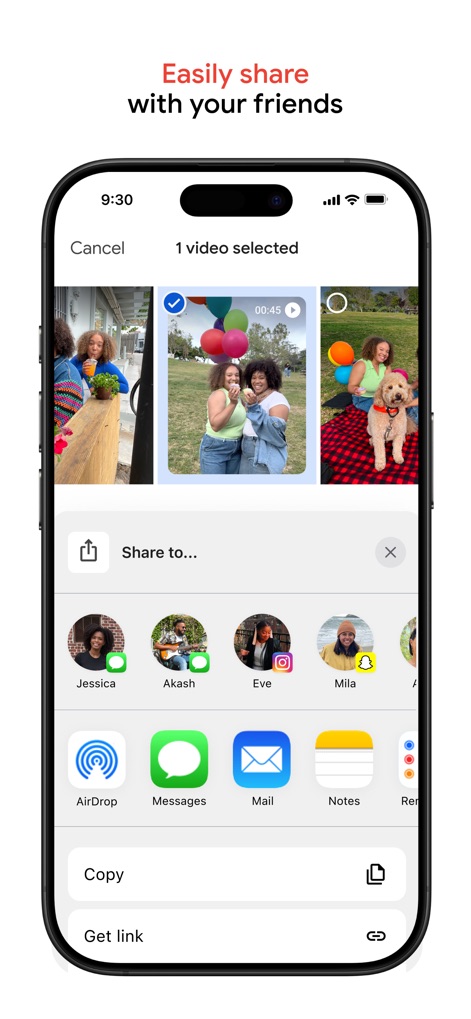
簡単共有、瞬時に拡散
本アプリは、大切な写真や動画を友人や家族と簡単に共有できる直感的なインターフェースを提供します。ユーザーは「連絡先のアイコン」から特定の相手を選んだり、「AirDropやメッセージ」といった多様な共有オプションを利用できます。
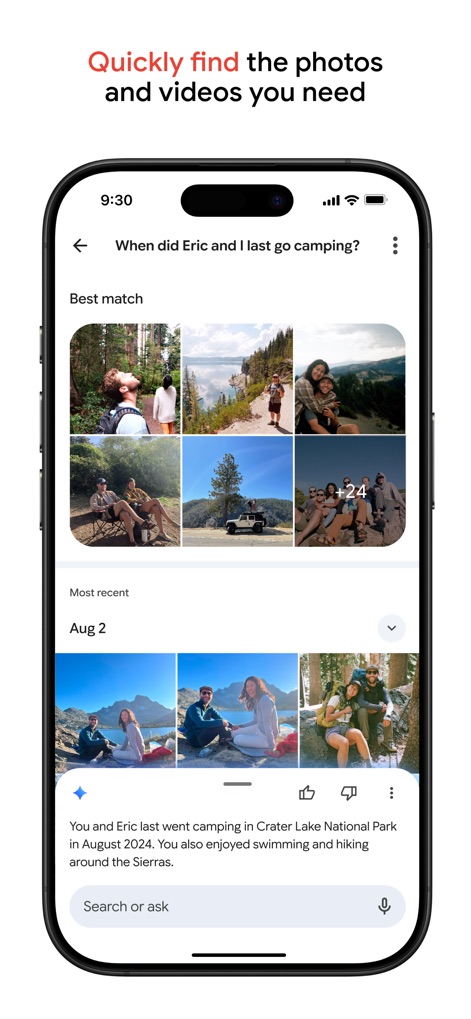
スマート検索、思い出発見
このアプリの強力な検索機能により、ユーザーは自然言語で「When did Eric and I last go camping?」のような具体的な質問を入力できます。検索結果には、関連する「写真のグリッド」と詳細な「説明文」が表示され、目的の瞬間を迅速に見つけ出せます。
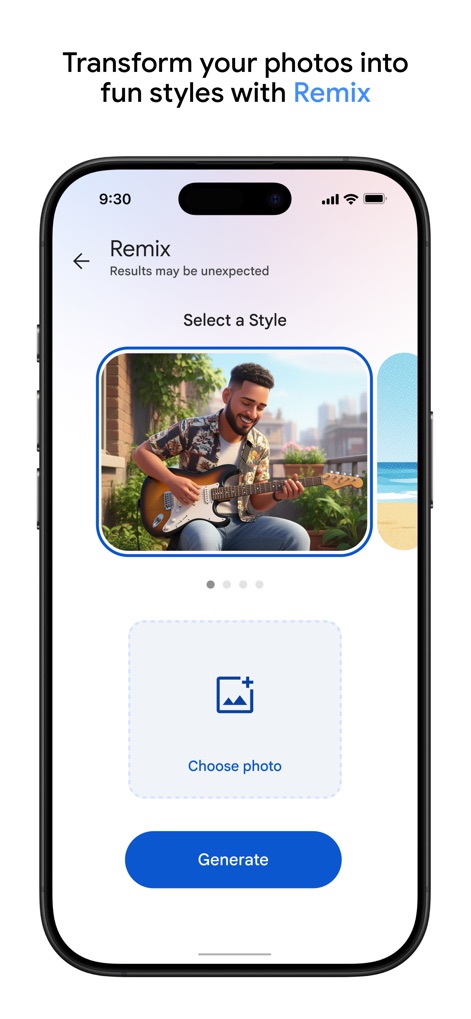
AIリミックス、新スタイル
本アプリの「Remix」機能は、写真に新しいスタイルを適用し、クリエイティブな変換を可能にします。ユーザーは「スタイル選択」のカルーセルで多様な効果を試し、「写真選択」ボタンから素材を選んで簡単にリミックス画像を生成できます。
説明
Download
類似アプリ
似た機能とユーザー体験を持つアプリ

iMemories
iMemories, Inc

Amazon Photos: Photo & Video
AMZN Mobile LLC

App Lock - Block Apps
文忠 许

Super App Lock: Lock Apps
Jiangsu Chengying Technology Co.,LTD

Capture App - Photo Storage
Telenor Software Lab AS

App Lock - Lock Apps & Photos
KUPERTINO BIL. YAZ. HALIL IBRAHIM KARAHAN SAFFET ARSLAN MUSTAFA AYTEN MUHAMMET YALCIN OZDEMIR K. S.

App Lock, Hide App & Lock Apps
KINGSMEN VIETNAM COMPANY LIMITED
Lock Apps ⁺ Safe Photo Album
Plane Cubes

App Lock, Hide Passwords Apps
CLEARPATH ACQUISITIONS LLC
このページはアプリまたはその開発者の公式ページではなく、情報提供および論評を目的として作成された独立した編集出版物です。明示的に別段の記載がない限り、アプリおよびその開発者は、MWM、Apple、Google Play、アプリのパブリッシャー、またはアプリの開発者と提携、承認、後援、認可、またはその他の公式的な関係はなく、このページのいかなる内容も、アプリがMWMのサービスを使用して開発されたことを意味するものではありません。すべての商標、ロゴ、スクリーンショット、その他のコンテンツはそれぞれの所有者の財産です。