Cardflow+ by Qrayon

Cardflow+ by Qrayon

ダウンロード: App Store
ロゴ: Cardflow+ by Qrayon

Qrayon製 Cardflow+: あなたの最大のアイデアのためのビジュアルワークスペース

従来のノートの固定された構造はもう不要です。紙のインデックスカードの触覚的な自由さで、ストーリーボード作成、ブレインストーミング、プロジェクト整理を行いましょう。iPadとApple Pencilのために再考されました。

開発元

Qrayon, LLC

カテゴリ

Productivity

ダウンロード

122K+

ユーザー評価

4.6/5

評価数

3K+

対応言語

4

あなたの大きな絵を見る

このインターフェースを利用する 122K+ 人のユーザー.

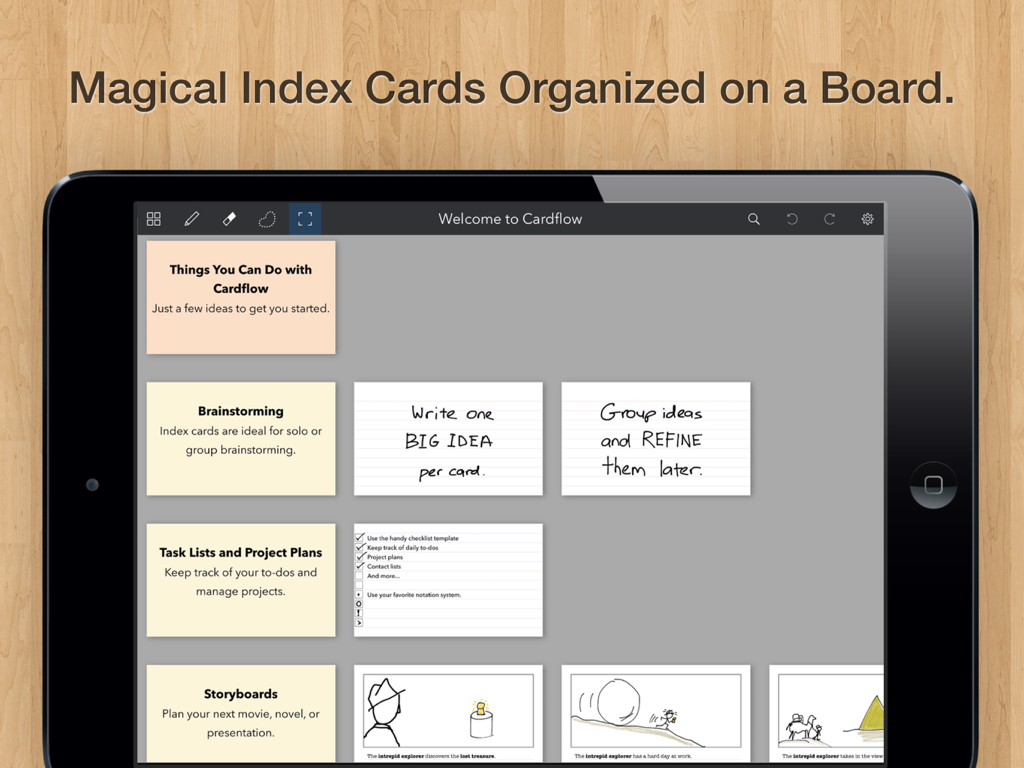
iPad画面に、ブレインストーミングとプロジェクト計画のためにボード上に整理されたデジタルインデックスカードが表示されている。

iPad画面に、ブレインストーミングとプロジェクト計画のためにボード上に整理されたデジタルインデックスカードが表示されている。

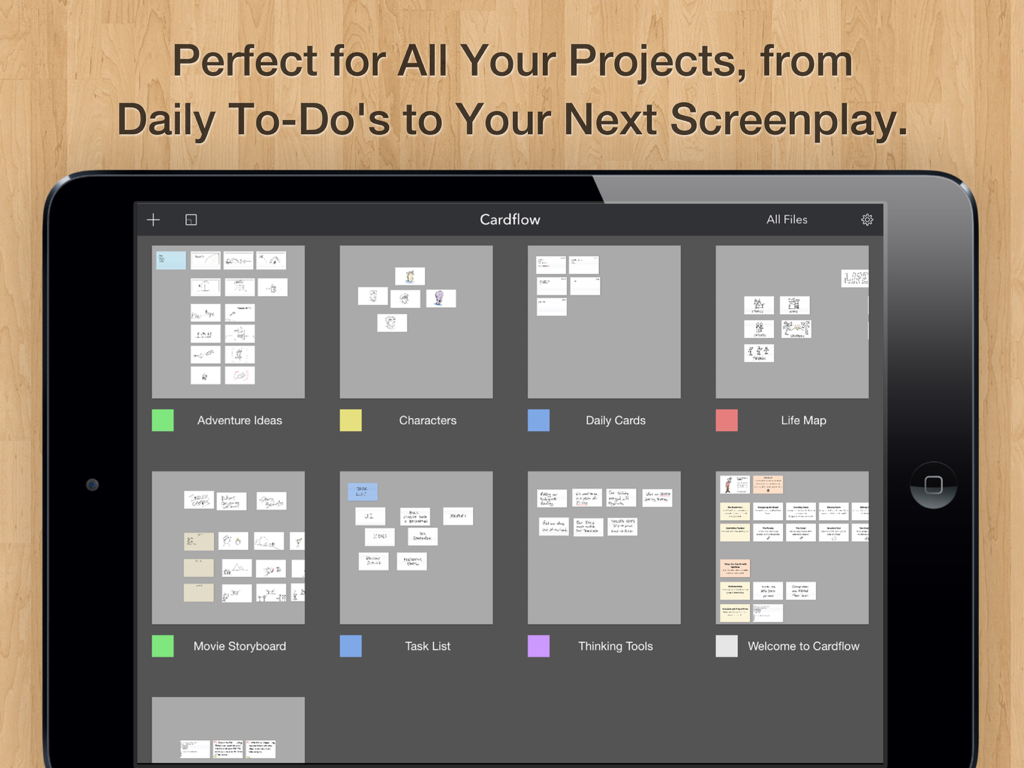
Cardflow PlusのiPadギャラリービュー。仮想インデックスカードを含むさまざまなプロジェクトボードが表示されている。

Cardflow PlusのiPadギャラリービュー。仮想インデックスカードを含むさまざまなプロジェクトボードが表示されている。

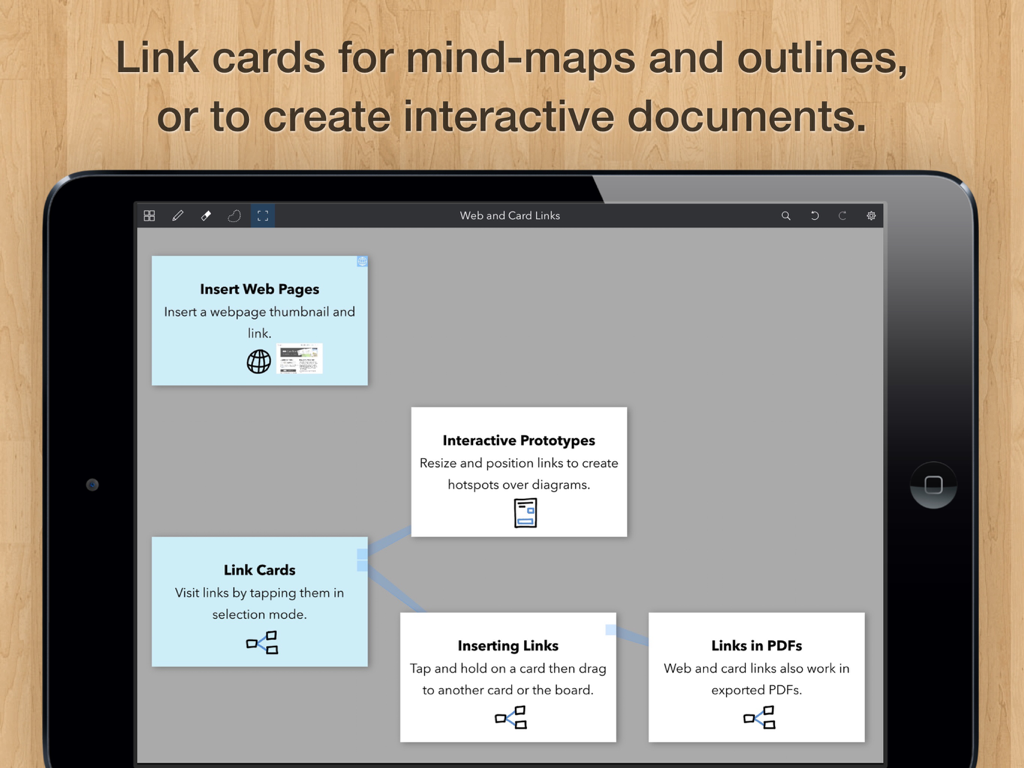
Cardflow Plusでマインドマップを作成するためにリンクされたデジタルインデックスカードが表示されているiPad画面。

Cardflow Plusでマインドマップを作成するためにリンクされたデジタルインデックスカードが表示されているiPad画面。

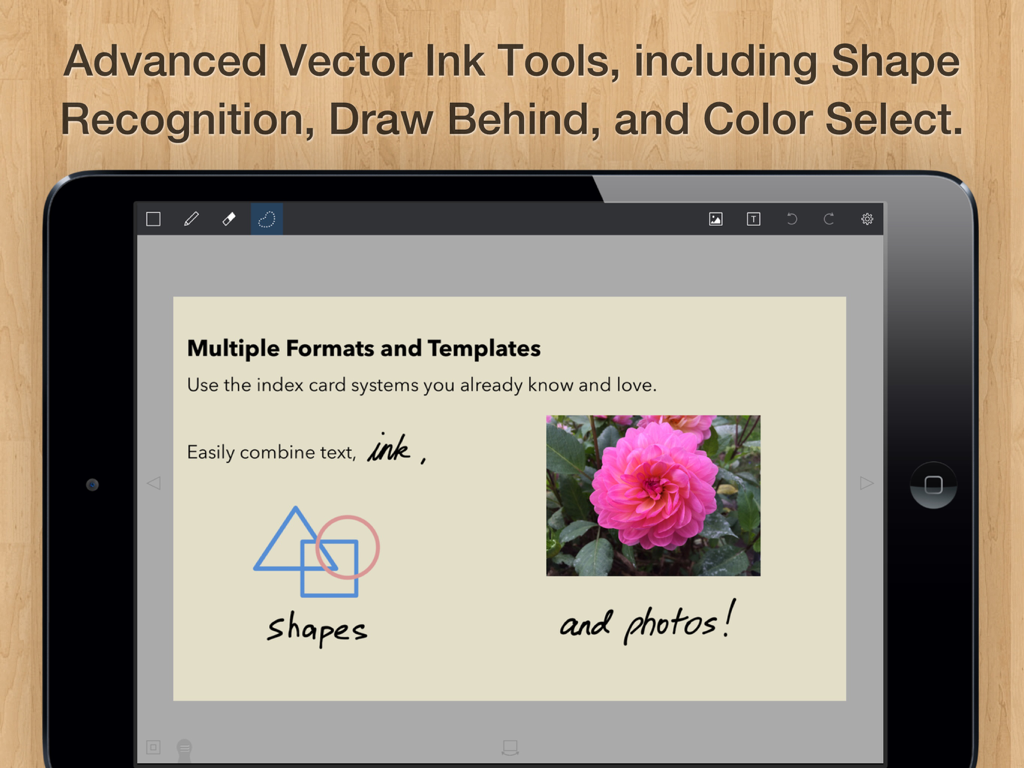
Cardflow PlusアプリのiPad画面。デジタルインデックスカードに、インクスケッチ、幾何学的形状、写真が含まれている。

Cardflow PlusアプリのiPad画面。デジタルインデックスカードに、インクスケッチ、幾何学的形状、写真が含まれている。

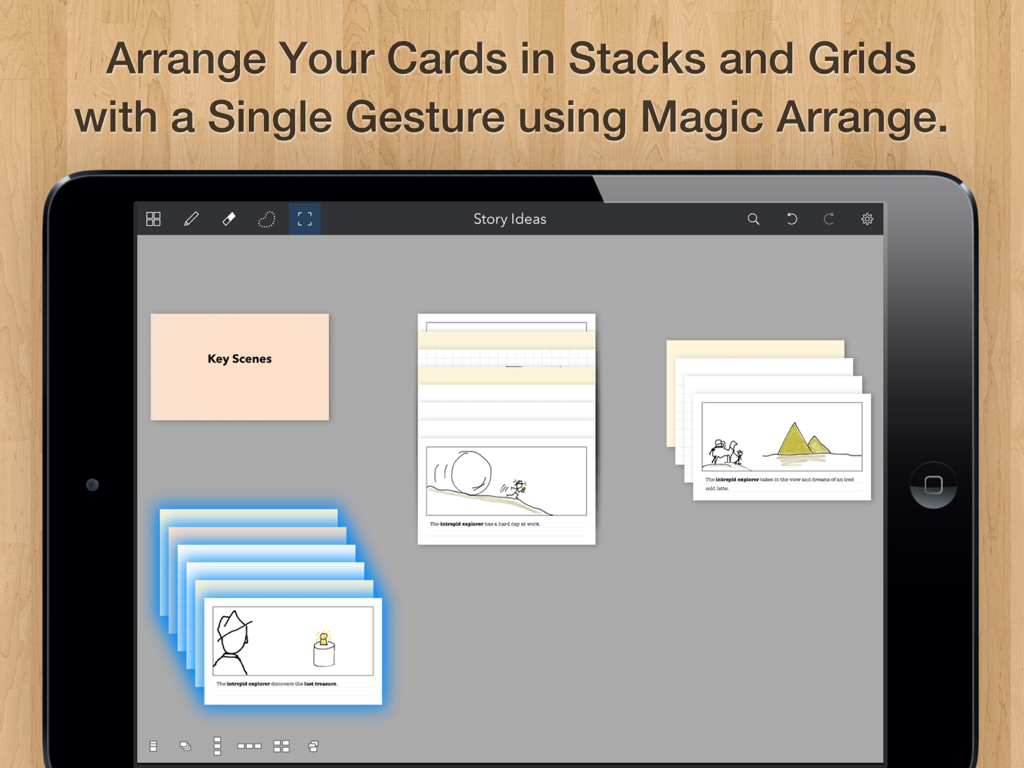
Cardflow Plus iPadアプリのインターフェース。インデックスカードがスタックやグリッドに整理されている様子が表示されている。

Cardflow Plus iPadアプリのインターフェース。インデックスカードがスタックやグリッドに整理されている様子が表示されている。

アンバウンドなビジュアルシンキング

このアプリを際立たせるツール、 122K+ 人のユーザーが選択.

✍️

自然なインクフローシステム

紙のように応答性の高い、バターのように滑らかなベクターインクとApple Pencilサポートで、アイデアが浮かんだ速さでキャプチャしましょう。

🗺️

無限の空間キャンバス

巨大なボード上でカードを配置、積み重ね、グループ化することで、線形的なリストから解放されましょう。ストーリーボード、プロットマッピング、アジャイルスプリントに最適です。

📸

ハイブリッド・クリエイティブ・ワークフロー

物理的なカードの写真を撮って背景として使用したり、手書きと活字を組み合わせて、あなたのユニークなクリエイティブプロセスに適応するワークスペースを構築しましょう。

アプリについて

について知っておくべきこと Cardflow+ by Qrayon.

説明

We love index cards. We use them a lot. They are a versatile and surprisingly powerful tool for all kinds of tasks. From brainstorming to storyboards, to planning entire projects, they have a place in your workflow. Cardflow captures the ease and flexibility of paper index cards and brings that experience to the iPad. Rather than impose a rigid structure up front, Cardflow allows you to lay things out however you like, and organize them in the way that makes sense to you. Jot down ideas or sketch diagrams on cards and arrange them on a large board. Write and draw using the buttery smooth Inkflow vector ink system, or type in a variety of fonts. You can even snap photos of actual cards to use as a background. Turbocharge your workflow today! Whether you are drafting story boards for a movie, laying out the plot and characters for your novel, or learning a new language, Cardflow has a place in your toolbox. Have all the fun of using index cards, without the forest-pulping guilt of paper. EDUCATORS: Cardflow+ qualifies for Apple's Volume Purchase Program. Purchase it in quantities of 20 or more at a discount from Apple's VPP site. HOW TO TRANSFER FILES FROM CARDFLOW Cardflow+ is installed as a separate App. To transfer a file from Cardflow to Cardflow+: 1. Tap on the file name in the Cardflow Gallery. 2. Tap "Transfer" in the context menu. 3. Select Cardflow+ from the list of Apps. Cardflow is perfect for: + Storyboards for videos or movies + Studying for an exam + Learning a new language + Writing the plot for a novel or book + Organizing weddings, parties, and other events + Corporate training + Project management + Agile, Scrum, and other methodologies + Group brainstorming + Writing your daily goals and to-dos + And much more! CREATIVE TOOLS FOR THE ULTIMATE CREATIVITY DEVICE We strongly believe that the iPad is not just a consumption device; It's a creativity device. Thanks for supporting us in our journey of building Creative Apps like Cardflow. We hope you enjoy using it! -- The App Makers @ Qrayon

最新バージョン

7.0

サイズ

15.8 MB

リリース日

2015年9月2日

次の大きなアイデアをマッピングする準備はできましたか?

122,000人以上のクリエイター、ライター、学生が、紙の散らかりをiPadのための究極の空間的ブレインストーミングツールに置き換えました。

ダウンロード: App Store

App information, icons, screenshots, and descriptions displayed on this page are sourced from the Apple App Store and are the property of their respective developers. Download estimates and rankings are based on MWM's proprietary models and may not reflect actual figures. This page is provided for informational and analytical purposes only.

Believe this page infringes your intellectual property? File a dispute