Control Panel for YouTube

Control Panel for YouTube


ダウンロード: App Store
ロゴ: Control Panel for YouTube

YouTube コントロールパネル:集中力を取り戻し、フィードをクリーンに

デジタルミニマリストのための究極のSafari拡張機能。広告をブロックし、ショート動画を非表示にし、あらゆる邪魔を排除して、YouTubeを強力な生産性ツールに変えましょう。

ダウンロード: App Store

開発元

J BUCHANAN & L.J BUCHANAN

カテゴリ

Productivity

ダウンロード

3K+

ユーザー評価

4.2/5

評価数

0

対応言語

1

画面を取り戻す

このインターフェースを利用する 3K+ 人のユーザー.

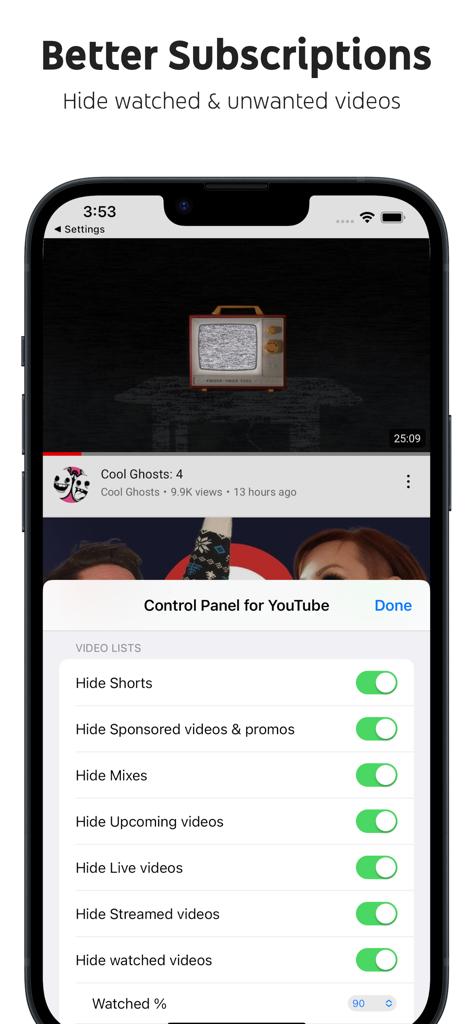
iPhoneでYouTubeショート動画とスポンサー動画を非表示にする設定が表示されているYouTubeコントロールパネルのインターフェース。

iPhoneでYouTubeショート動画とスポンサー動画を非表示にする設定が表示されているYouTubeコントロールパネルのインターフェース。

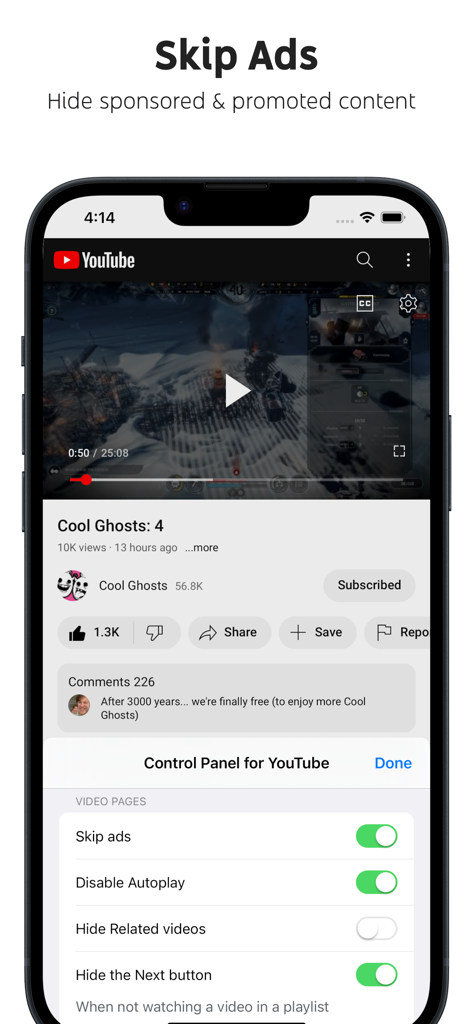
広告スキップ機能が有効になっているYouTubeコントロールパネルのアプリインターフェースを示すスマートフォン。

広告スキップ機能が有効になっているYouTubeコントロールパネルのアプリインターフェースを示すスマートフォン。

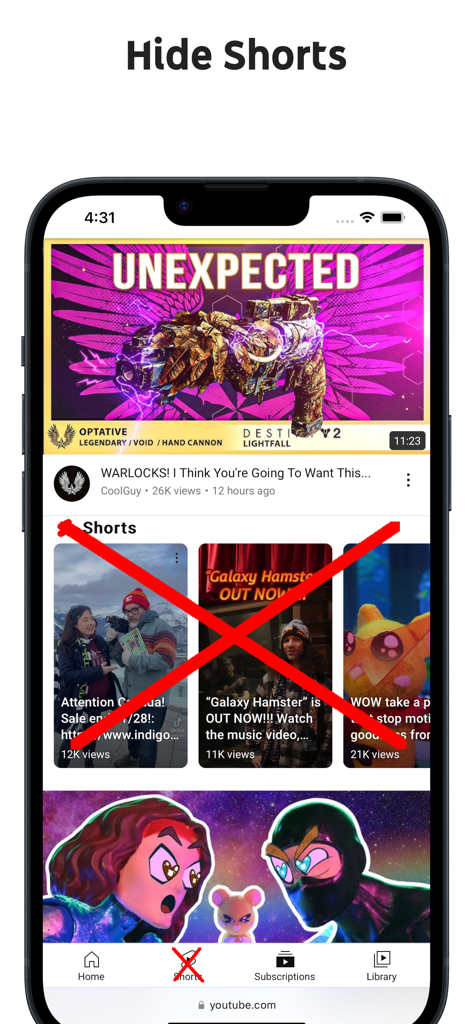
ショート動画を非表示にする機能を示すために、YouTubeショート動画コンテンツとナビゲーションアイコンがバツ印で示されているモバイルブラウザのスクリーンショット。

ショート動画を非表示にする機能を示すために、YouTubeショート動画コンテンツとナビゲーションアイコンがバツ印で示されているモバイルブラウザのスクリーンショット。

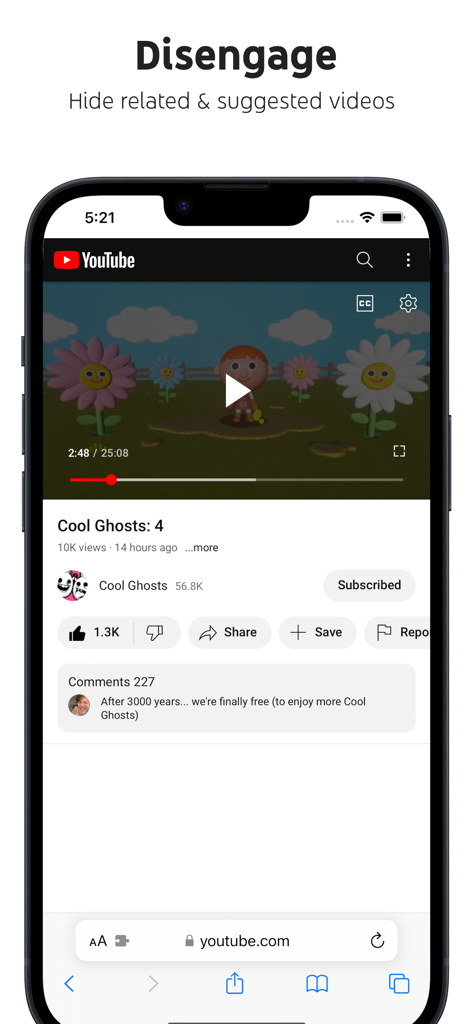
YouTubeコントロールパネルSafari拡張機能を使用して、関連動画やおすすめ動画が非表示になっているYouTube動画を示すiPhoneスクリーンショット。

YouTubeコントロールパネルSafari拡張機能を使用して、関連動画やおすすめ動画が非表示になっているYouTube動画を示すiPhoneスクリーンショット。

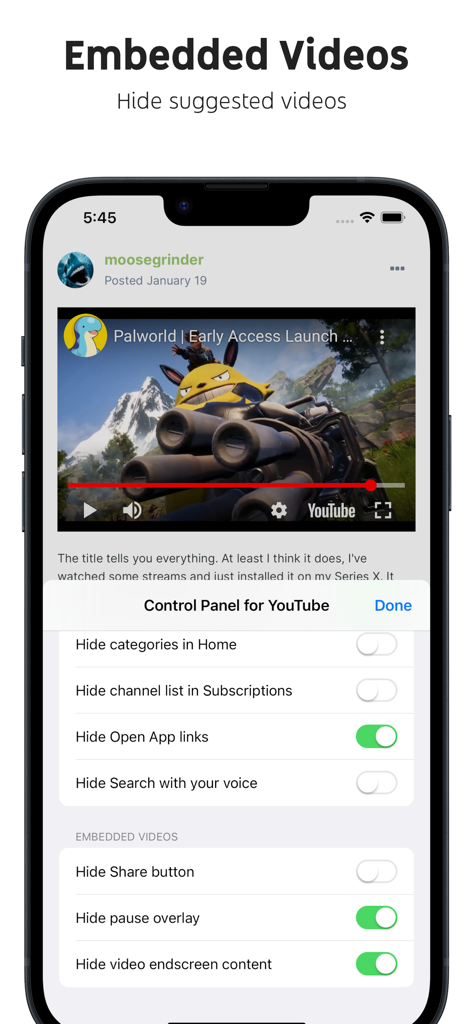
埋め込み動画要素をカスタマイズするためのiPhone上のYouTubeコントロールパネル設定インターフェース。

埋め込み動画要素をカスタマイズするためのiPhone上のYouTubeコントロールパネル設定インターフェース。

時間と集中力​​を取り戻す

このアプリを際立たせるツール、 3K+ 人のユーザーが選択.

🎯

アルゴリズムを排除

「ショート動画」の疲労と無限のおすすめを排除します。コメント、関連動画、ホームフィードなどの邪魔なものを非表示にして、実際に視聴したいものに集中し続けましょう。

🛠️

プロレベルのカスタマイズ

「アップロード日」フィルターを復元し、クラシックなUI要素を復活させ、迷惑な実験をすべて削除しましょう。正方形のサムネイルからカスタムサイドバーリンクまで、すべてのピクセルをコントロールできます。

🔋

純粋な生産性

モバイルでのバックグラウンド再生を有効にし、「アプリを開く」プロンプトを非表示にします。広告なし、プレミアムのアップセルなし、AI要約なし—学習と仕事のためのクリーンで無駄のない環境だけです。

アプリについて

について知っておくべきこと Control Panel for YouTube.

説明

Ads: • Block ads • Hide Sponsored videos & promos • Hide Merch, Offers etc. (desktop version) YouTube experiments: • Restore Subscriptions link in sidebar (desktop version) • Restore order of sidebar items (desktop version) • Restore small thumbnails in Related (desktop version) • Restore "Upload date" search filter (desktop version) New video player UI: • Disable new progress bar and controls (desktop version) - Note: this will stop working when YouTube removes the old player UI • Hide new full screen controls • Hide "More videos" in full screen • Always use compact Play button (desktop version) • Remove background from controls (desktop version) • Restore Miniplayer button (desktop version) • Restore corner click to toggle full screen (desktop version) • Hide full screen title (desktop version) • Hide full screen like/dislike buttons (desktop version) Annoyances: • Hide AI summaries • Remove pink gradient from progress bars • Hide information panels • Hide Premium upsells • Disable video previews (desktop version) • Disable themed hover effects (desktop version) • Automatically pause channel trailers (desktop version) • Allow background playback (mobile version) • Hide Open App links (mobile version) Video lists: • Hide suggested sections • Hide Live videos • Hide Streamed videos • Hide Mixes • Hide Playlists • Hide Movies and TV • Hide Upcoming videos • Hide Members only videos • Hide Collaborations in Subscriptions • Hide Auto-dubbed videos in Related • Hide watched videos • Hide hidden videos - Hides the "Undo" button after 5 seconds • Hide channels - Adds "Hide channel" to video menus • Disable Home feed • Search thumbnail size (desktop version) • Minimum grid items per row (desktop version) • Hide Posts in Home (mobile version) Video pages: • Disable Autoplay • Disable Ambient mode • Hide Related videos • Hide the Next button • Hide channel watermark • Hide Share/Thanks/Clip etc. • Hide Ask button • Hide video metadata • Hide Comments • Always use theater mode (desktop version) • Full size theater mode (desktop version) • Disable enlarged UI in theater mode (desktop version) • Always use original audio (desktop version) • Hide video end cards (desktop version) • Hide video endscreen content (desktop version) • Hide Premium Jump ahead button (desktop version) • Hide Chat (desktop version) • Add Take snapshot to video menu (JPEG / PNG) (desktop version) • Make Transcript downloadable (desktop version) Shorts: • Hide Shorts • Redirect Shorts to the normal player • Hide suggested actions • Hide link to related Short by the same channel • Always show progress bar • Stop Shorts looping • Hide Remix button (desktop version) • Hide Shorts metadata until hover (desktop version) • Minimum Shorts per row (desktop version) UI tweaks: • Show full video titles • Use square corners for thumbnails and videos • Hide categories in Home • Hide channel banner images • Hide Search with your voice • Enforce theme (desktop version) • Link YouTube logo to Subscriptions (desktop version) • Tidy Guide sidebar (desktop version) • Hide "Latest" bar in Subscriptions (desktop version) • Use grid view for Subscriptions & Search (portrait only) (mobile version) • Hide Explore button in Home (mobile version) • Hide channel list in Subscriptions (mobile version) Embedded videos: • Hide Share button • Hide pause overlay

最新バージョン

1.27.1

サイズ

0.9 MB

リリース日

2024年2月25日

YouTube体験のコントロールを取り戻す

何千人ものデジタルミニマリストが、邪魔なものを排除し、広告をブロックし、YouTubeを本来あるべき生産性ツールに変えた仲間入りをしましょう。

ダウンロード: App Store

App information, icons, screenshots, and descriptions displayed on this page are sourced from the Apple App Store and are the property of their respective developers. Download estimates and rankings are based on MWM's proprietary models and may not reflect actual figures. This page is provided for informational and analytical purposes only.

Believe this page infringes your intellectual property? File a dispute