CuadraTurnos PMM PRO - Policía

CuadraTurnos PMM PRO - Policía

ダウンロード: App Store
ロゴ: CuadraTurnos PMM PRO - Policía

CuadraTurnos PMM PRO - 警察:法執行機関向けに作られたプロフェッショナルな勤務管理ツール

交代制のスケジュールを管理し、パートナーやパトロール統計を追跡。職務と生活のバランスを、警察官(Thin Blue Line)のために設計された安全で広告のないアプリで実現しましょう。

ダウンロード: App Store

開発元

SY Technologies & Computer Solutions Spain, S.L.

カテゴリ

Productivity

ダウンロード

16K+

ユーザー評価

3.5/5

評価数

0

対応言語

2

あらゆる勤務に精度を

このインターフェースを利用する 16K+ 人のユーザー.

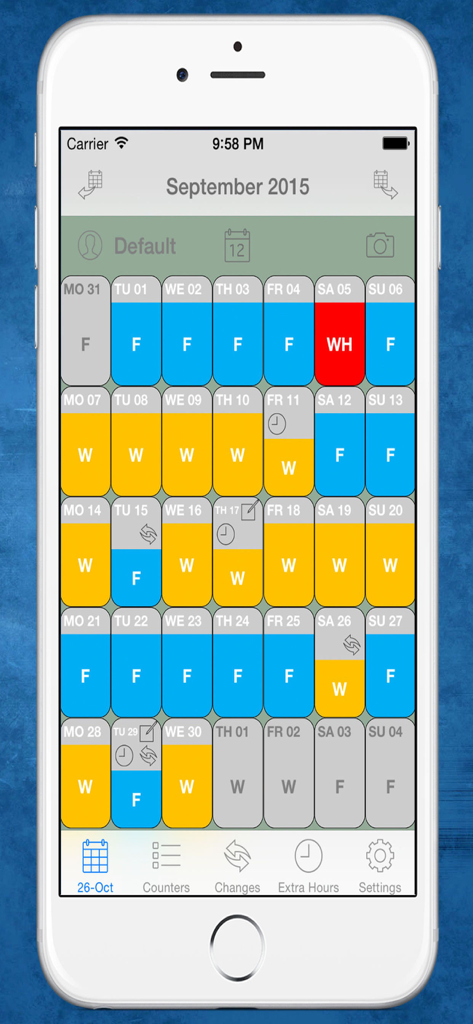
警察官の色分けされた勤務日と休日を表示する月間カレンダー表示

警察官の色分けされた勤務日と休日を表示する月間カレンダー表示

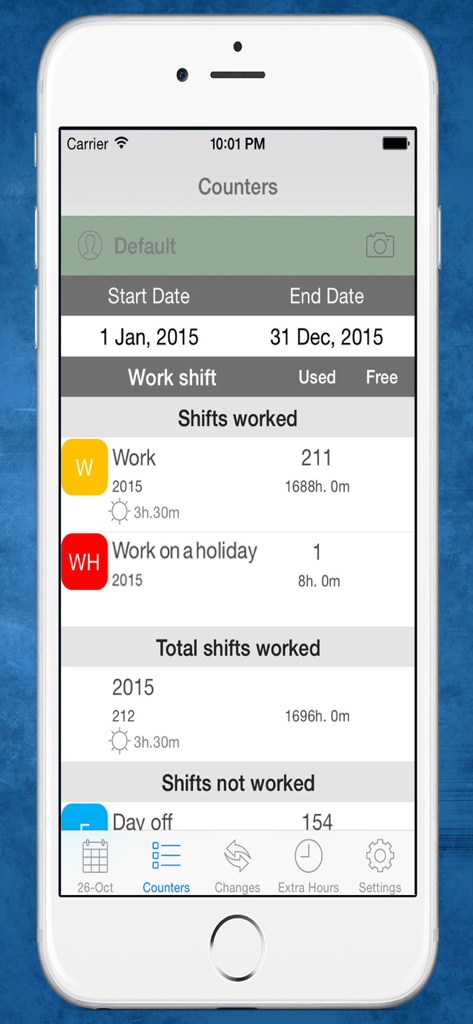
警察の勤務シフトと年間の総労働時間を表示する CuadraTurnos PMM PRO アプリの統計画面。

警察の勤務シフトと年間の総労働時間を表示する CuadraTurnos PMM PRO アプリの統計画面。

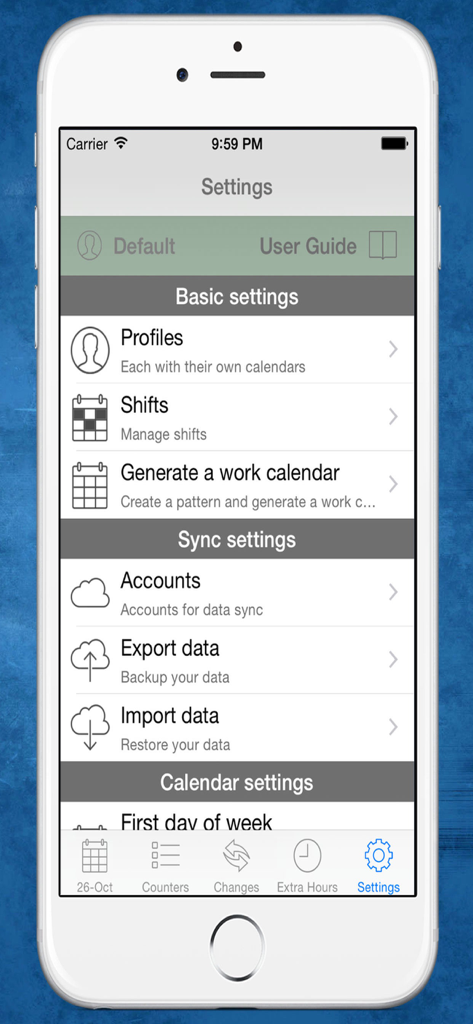
プロファイルとシフト管理オプションを表示する CuadraTurnos PMM PRO 警察アプリの設定画面

プロファイルとシフト管理オプションを表示する CuadraTurnos PMM PRO 警察アプリの設定画面

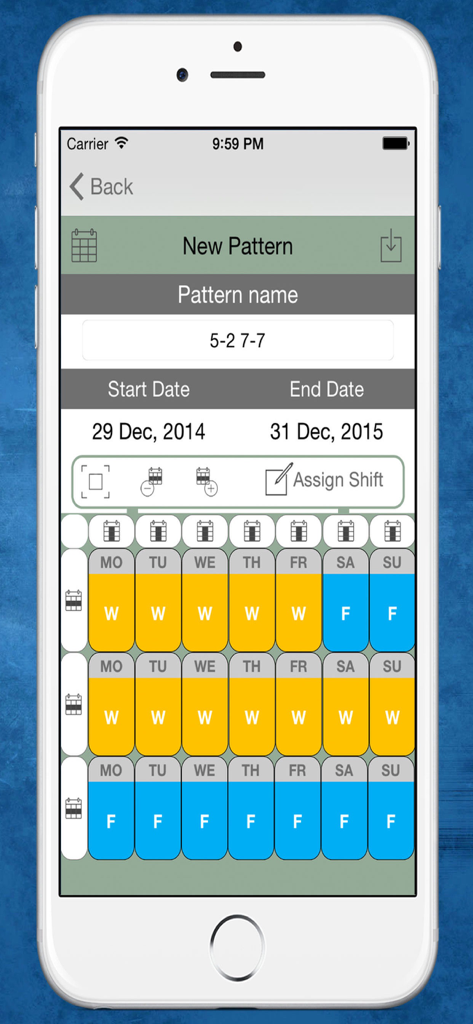
複数週の勤務日と休日スケジュールを表示する、CuadraTurnos PMM PRO アプリの新しい勤務シフトパターン作成インターフェース

複数週の勤務日と休日スケジュールを表示する、CuadraTurnos PMM PRO アプリの新しい勤務シフトパターン作成インターフェース

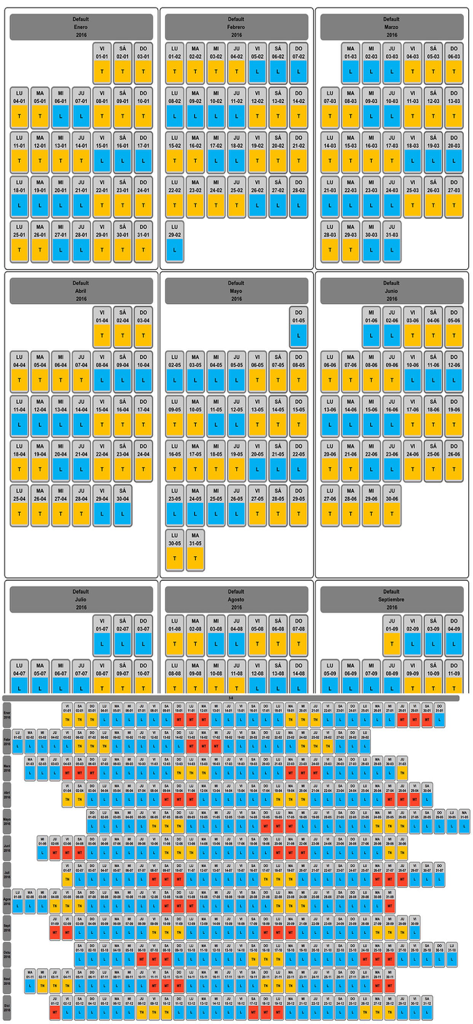
警察官向けの色分けされた勤務日と休日を含む月間および年間のシフトローテーションカレンダー

警察官向けの色分けされた勤務日と休日を含む月間および年間のシフトローテーションカレンダー

勤務スケジュールを掌握する

このアプリを際立たせるツール、 16K+ 人のユーザーが選択.

📅

自動パトロールパターン

4勤2休やパナマシフトなどのカスタムローテーションを設定することで、1年分のスケジュールを数秒で作成。数ヶ月前から家族の時間を計画できます。

👮

プロフェッショナルな勤務ログ

将来の法廷証言に備え、パートナーの名前、車両ID、パトロールの種類など、各勤務の重要な詳細を記録します。

📊

残業と生産性の追跡

勤務日数、残業、パトロール統計を自動的に集計する内蔵カウンターで、時間外労働や副業を追跡。1円も逃しません。

アプリについて

について知っておくべきこと CuadraTurnos PMM PRO - Policía.

説明

Languages: English and Spanish. This version is an adapted version for police, in which, besides having your shift calendar always with you, you can have important policial information associated with each service as the partner with whom to perform the service, type of service provided (patrol by car , by motorbike, on foot, ...), vehicle used, ... You will also have access, apart from statistics of workdays and days off, to other statistics, called productivity, where it shows the number of days they have patrolled by car, by motorbike, on foot, .... Shift Cal - Cuadra Turnos is an essential app designed for people with shift work. This app will help you manage and organize your work schedule in a simple and intuitive way and will let you take it in your iPhone or iPad. - PRO VERSION - No ads. - Create your own work calendar from the 'Settings' tab by clicking 'Generate work calendar' option and setting up a pattern. - Set your work shift in a particular day: just make a long press or a double tap on that day in the calendar and choose among the different types of day available. - PRO VERSION - You can set up to 3 shifts per day. - Create and modify all types of day you need: From the 'Shifts' option in the Settings tab. - App comes with the following 'shifts' already created (T-work, TF-Work on a holiday, L-Day off, LF-Day off on a holiday, V-holidays). - PRO VERSION - Create as many work calendars as you need (peers, family, ...) from the 'Settings' tab by clicking 'Profiles' option. - PRO VERSION - Manages shifts, patterns and notes independently in each profile. - PRO VERSION - Compare work calendars of the existing profiles from the 'Settings' tab by clicking 'Compare Work Calendars' option. - PRO VERSION - Quick access buttons to annual view, compare profiles and screenshot at the top of the main screen. (Filter by months / years) - Manage daily data fields: You can set the visibility and order of data fields in workdays and in days off. - PRO VERSION - It's allow to create new daily data fields and also editing existing data daily fields. - You will find statistics of workdays, hours worked and overtime in COUNTERS tab. - Control your shift changes and the partner with whom you do it from the CHANGES tab, the calendar displays a small icon in the day on which you have made ​​a shift change. - Control overtime you make. The calendar displays a small icon in the day on which you have made overtime, you will find summarized information in day detail and more information in EXTRA HOURS tab. - Write down as many notes as you need for each day of the week and you can even set a start and end time for each note as if it were an organizer. The calendar displays a small icon in the day on which you have notes. - PRO VERSION - Set notifications in the notes to be notified on the date and time specified. - You will have an overview of your year calendar: To access, simply click the 'Year View' button. - You can export and import your data: you can make backups of your data and restore them whenever you want, even in different devices. Backup files are compatible with all Shift Cal - Cuadra Turnos apps. - Export and import your data via Dropbox. - PRO VERSION - To recover data from the Free version just export the data from the Free version and restore it in the PRO version. - Screenshot: generates a png image or pdf file of the tab in which you are or year view which you can share via bluetooth, email, whatsapp ... - Associate images/photos to a day is possible. (Only 1 image/photo by day in free version). - Productivity information available.

最新バージョン

2.31

サイズ

36.7 MB

リリース日

2015年12月2日

勤務と生活を自分の手に

何千人もの法執行のプロフェッショナルが信頼する CuadraTurnos PMM PRO に参加して、残業の追跡、複雑なローテーションの管理、パートナーや家族との同期を行いましょう。広告はありません。仕事に必要なツールだけを提供します。

ダウンロード: App Store

App information, icons, screenshots, and descriptions displayed on this page are sourced from the Apple App Store and are the property of their respective developers. Download estimates and rankings are based on MWM's proprietary models and may not reflect actual figures. This page is provided for informational and analytical purposes only.

Believe this page infringes your intellectual property? File a dispute