Doc : Image to Excel Converter

Doc : Image to Excel Converter

ダウンロード: App Store
ロゴ: Doc : Image to Excel Converter

Doc: 画像からExcelへの変換:あらゆる書類を瞬時に編集可能なスプレッドシートに

手作業によるデータ入力に何時間も費やすのはやめましょう。レシート、請求書、メモから表、テキスト、手書き文字を、高精度OCRでプロフェッショナルなExcel、CSV、PDFファイルに簡単に抽出できます。

ダウンロード: App Store

開発元

Muhammad Shahid

カテゴリ

Productivity

ダウンロード

24K+

ユーザー評価

3.4/5

評価数

0

対応言語

14

効率を可視化

このインターフェースを利用する 24K+ 人のユーザー.

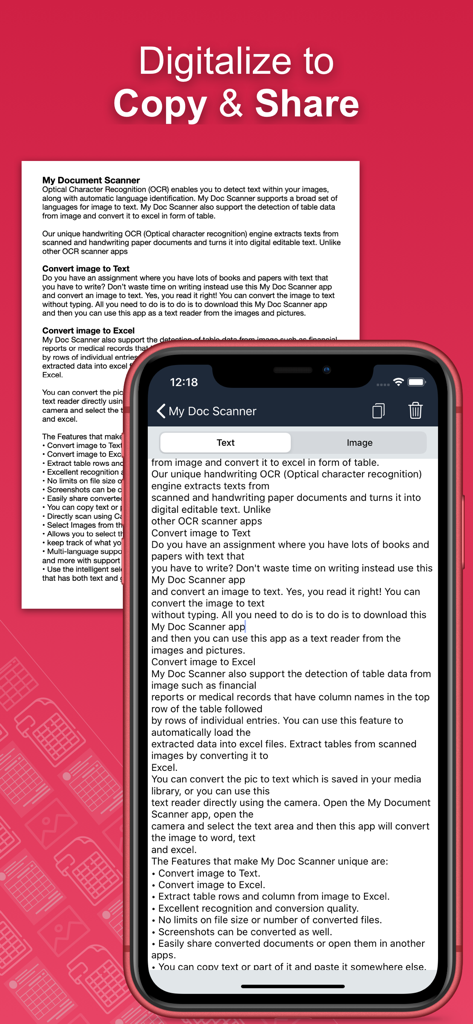
コピーや共有が容易なスキャンされたドキュメントから抽出されたテキストを示すモバイルアプリ画面。

コピーや共有が容易なスキャンされたドキュメントから抽出されたテキストを示すモバイルアプリ画面。

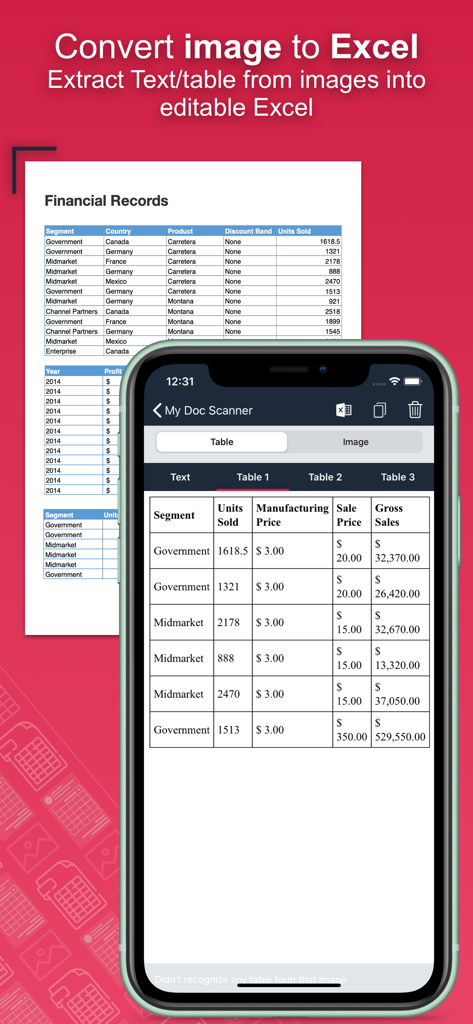
物理的な財務ドキュメントを編集可能なデジタルテーブルに変換するスマートフォンアプリ画面

物理的な財務ドキュメントを編集可能なデジタルテーブルに変換するスマートフォンアプリ画面

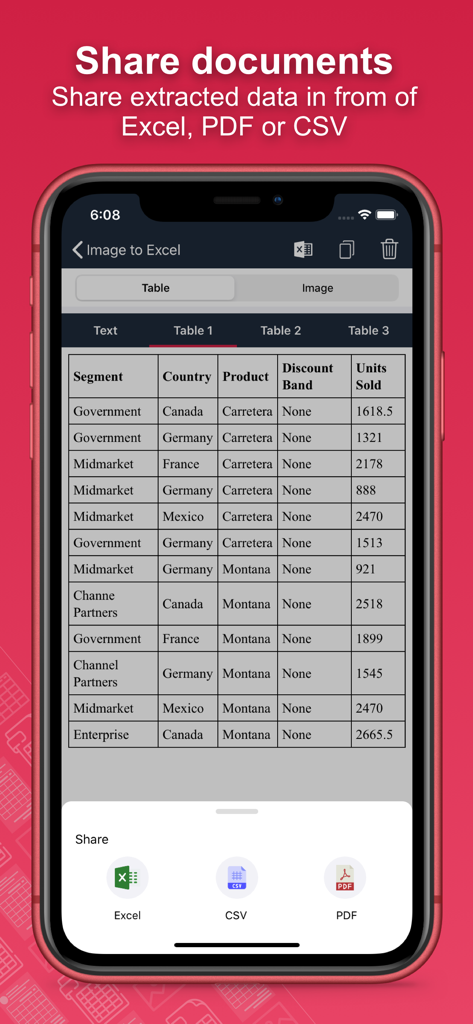
抽出されたドキュメントデータをExcel、CSV、またはPDFファイルとして共有およびエクスポートするオプションを示すモバイルアプリインターフェース

抽出されたドキュメントデータをExcel、CSV、またはPDFファイルとして共有およびエクスポートするオプションを示すモバイルアプリインターフェース

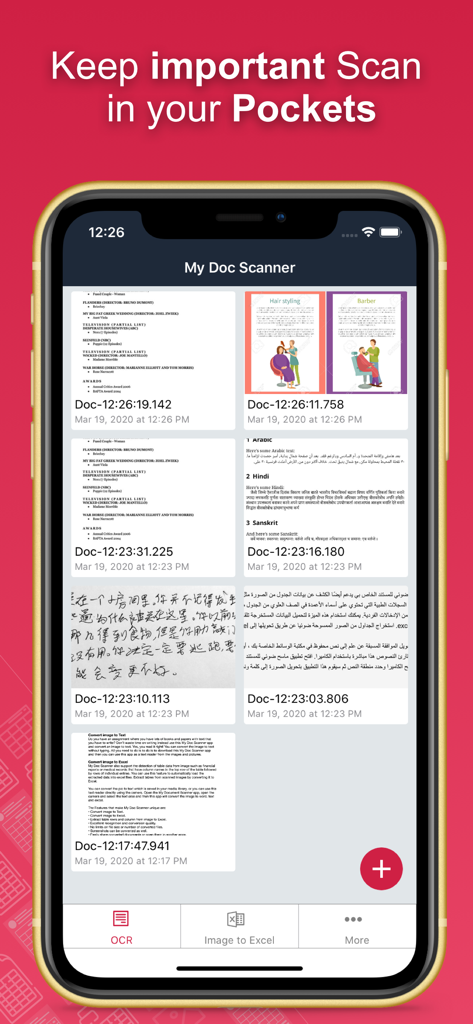
Doc Image to Excel Converterアプリのインターフェースに、スキャンされたドキュメントとスプレッドシートのリストが表示されています。

Doc Image to Excel Converterアプリのインターフェースに、スキャンされたドキュメントとスプレッドシートのリストが表示されています。

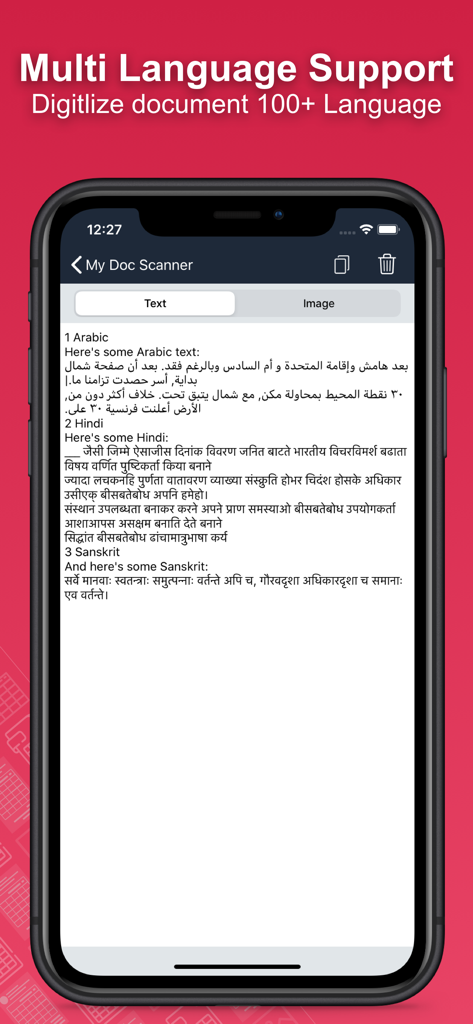
複数の言語でドキュメントをデジタル化するモバイルアプリ画面

複数の言語でドキュメントをデジタル化するモバイルアプリ画面

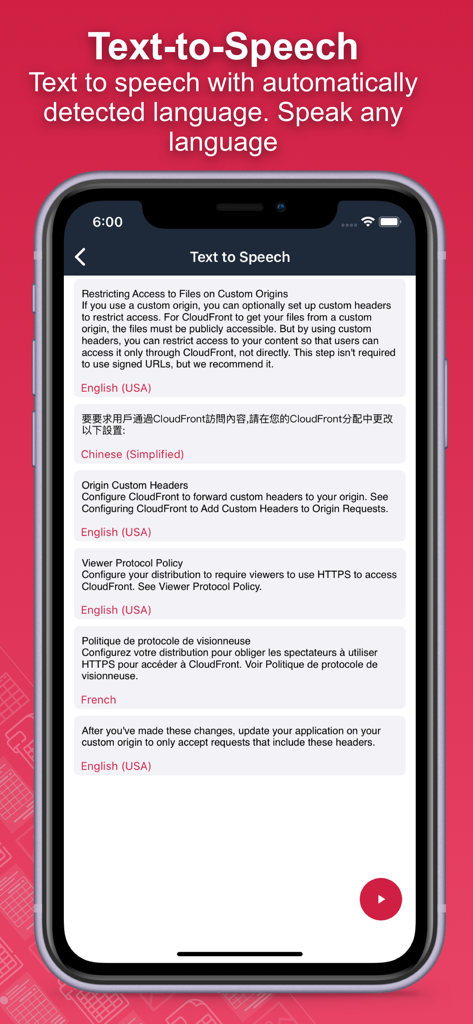
英語、中国語、フランス語のサンプルを示す自動多言語検出によるテキスト読み上げ機能。

英語、中国語、フランス語のサンプルを示す自動多言語検出によるテキスト読み上げ機能。

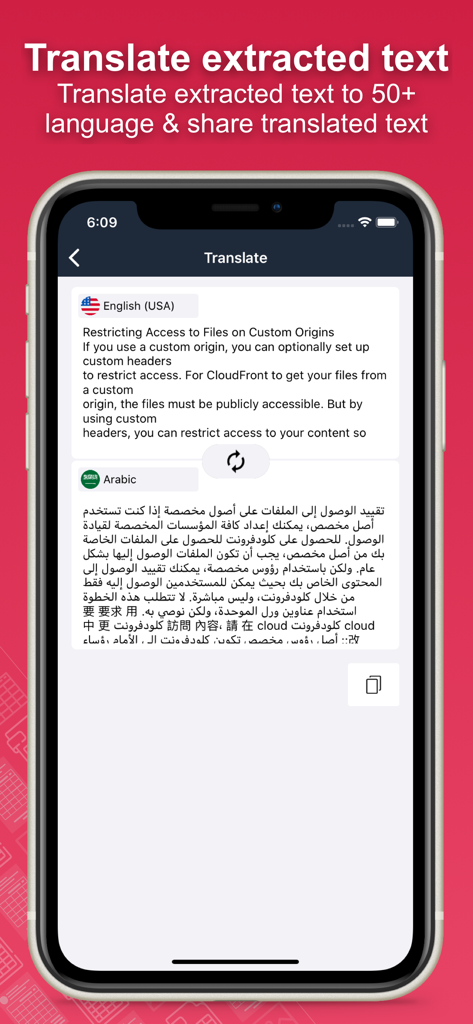
英語のテキストがアラビア語に変換されるアプリの翻訳機能を示すモバイル画面。

英語のテキストがアラビア語に変換されるアプリの翻訳機能を示すモバイル画面。

入力はやめて、自動化を始めましょう

このアプリを際立たせるツール、 24K+ 人のユーザーが選択.

📊

瞬時の表抽出

手作業でのデータ入力を忘れましょう。銀行取引明細書、レシート、請求書をキャプチャし、分析に適した完全に構造化されたExcelまたはCSVファイルに変換します。

✍️

手書き文字認識

ワークフローをデジタル化しましょう。高度なOCR技術が、会議のメモや講義の走り書きを正確に編集可能なデジタルテキストに変換します。

🔒

安全なバッチ処理

一度に数十ページをスキャンして生産性を最大化できます。内蔵された生体認証とパスコード保護により、機密性の高い財務データを安全に保ちます。

アプリについて

について知っておくべきこと Doc : Image to Excel Converter.

説明

Document Scanner - OCR Image to Text and Spreadsheet Converter Optical Character Recognition (OCR) enables accurate detection and extraction of text from images, with built-in support for automatic language identification. The Doc: Image to Excel Converter app goes beyond traditional OCR by offering advanced features like handwriting recognition and intelligent table extraction from scanned documents, forms, and images. Effortlessly convert images into editable text, spreadsheets (CSV or Excel), or PDFs. Perfect for digitizing books, notes, financial statements, receipts, and more. Key Features: • Convert Image to Text Tired of manually typing notes from books or printed pages? Just snap a photo or choose an image, and the app will accurately convert it to text without typing. • Convert Image to Excel, Spreadsheet, and PDF Extract both text and structured table data from documents. Ideal for financial reports, medical forms, invoices, and more. Convert scanned images into .xlsx, .csv, or .pdf formats instantly. • Batch Scan Support Scan and convert multiple images at once for handling large volumes of documents efficiently. • Tabular Data Extraction Extract rows and columns from images and load them directly into Excel. Supports intelligent table detection for accurate conversion. • Multi-language OCR (60+ languages) Supports text recognition in English, Spanish, French, German, Italian, and many more. • Translate Extracted Data Translate extracted tables or text into 50+ languages for seamless international use. • Secure Your Documents Protect your scans using a passcode or biometric authentication. • Smart Area Selection Focus only on the part of the image containing text, even if it includes graphics. • Scan History and Clipboard Actions Keep track of all scanned documents. Easily copy text, open URLs, make calls, send emails, or paste content anywhere. • Handwriting Recognition Convert handwritten notes and scanned paper documents into digital, editable text. • Capture or Import Images Use your camera to scan in real-time or import from your gallery. Supports text extraction from screenshots as well. Why Choose Document Scanner OCR++? • Highly accurate text and table recognition • No limits on file size or number of conversions • Instant conversion of bank e-statements, receipts, and more • Output files ready to use in Word, Excel, or PDF • Clean and user-friendly interface • Fast, lightweight, and powerful Stop wasting time typing manually. Download the Doc: Image to Excel Converter app today and instantly convert your images into editable, shareable, and searchable content.

最新バージョン

1.60

サイズ

30.3 MB

リリース日

2020年3月20日

手作業のデータ入力を今日からやめましょう

毎週何時間も節約している何千人ものプロフェッショナルや学生に加わりましょう。Doc: 画像からExcelへの変換をダウンロードして、紙の山を瞬時に実行可能なスプレッドシートに変えましょう。

ダウンロード: App Store

App information, icons, screenshots, and descriptions displayed on this page are sourced from the Apple App Store and are the property of their respective developers. Download estimates and rankings are based on MWM's proprietary models and may not reflect actual figures. This page is provided for informational and analytical purposes only.

Believe this page infringes your intellectual property? File a dispute