Doo: Get Things Done

Doo: Get Things Done

ダウンロード: App Store
ロゴ: Doo: Get Things Done

Doo: 一度に一つの集中したカードで、タスクを完了させる。

圧倒的なリストのスクロールはやめましょう。Doo は、タスクをシンプルなカードのスタックに変え、集中力向上、不安軽減、そして先延ばし癖の克服をサポートします。

開発元

Ciarlo Software, LLC

カテゴリ

Productivity

ダウンロード

25K+

ユーザー評価

4.2/5

評価数

100

対応言語

9

一目でわかる明瞭さ

このインターフェースを利用する 25K+ 人のユーザー.

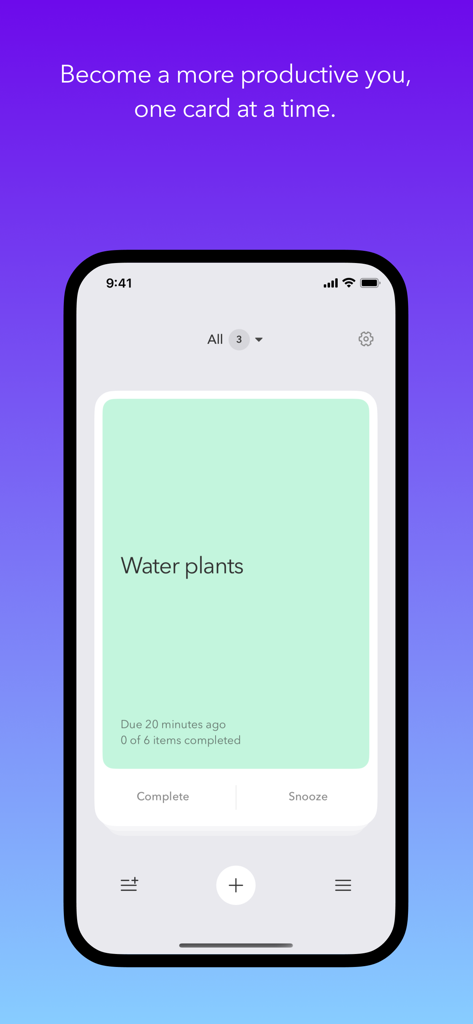
Doo アプリのインターフェースを iPhone で表示。植物の水やりというシンプルなタスクカード。

Doo アプリのインターフェースを iPhone で表示。植物の水やりというシンプルなタスクカード。

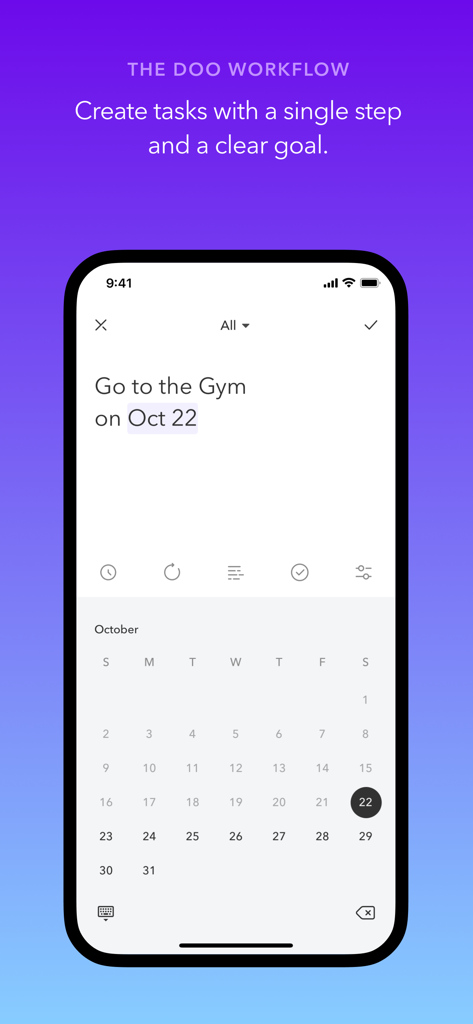
Doo アプリのインターフェース。カレンダーの日付付きで簡単なタスクを作成する方法を示す。

Doo アプリのインターフェース。カレンダーの日付付きで簡単なタスクを作成する方法を示す。

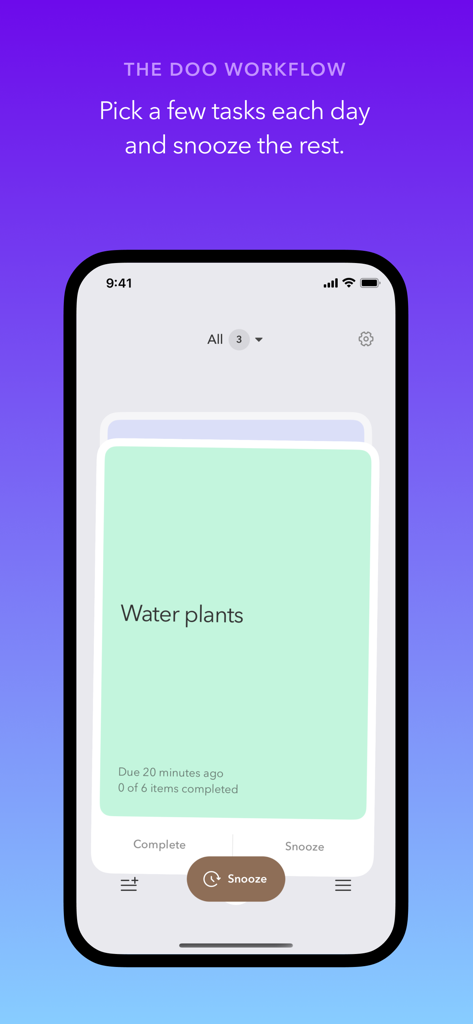
Doo アプリのスクリーンショット。植物の水やりというタスク管理のためのカードベースのインターフェースを表示。

Doo アプリのスクリーンショット。植物の水やりというタスク管理のためのカードベースのインターフェースを表示。

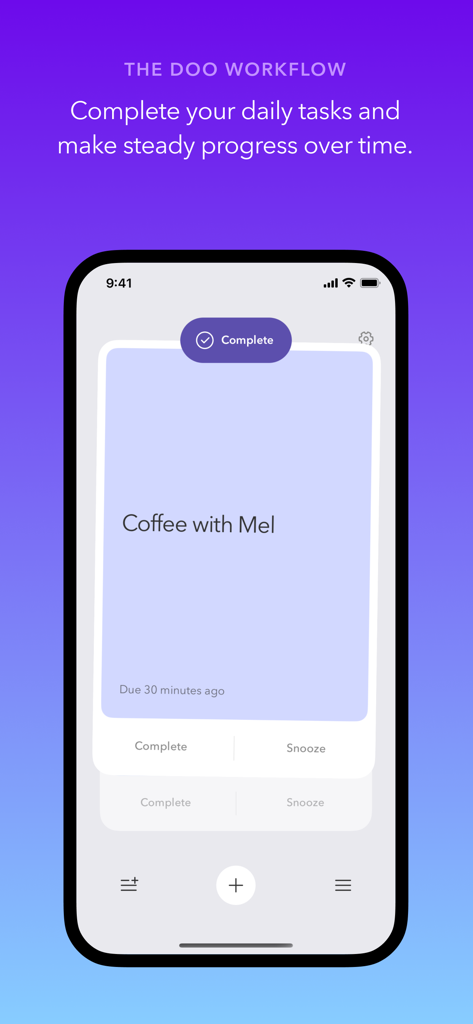
Doo アプリのインターフェースを iPhone で表示。Mel とのコーヒーというタスクカードを完了ボタン付きで表示。

Doo アプリのインターフェースを iPhone で表示。Mel とのコーヒーというタスクカードを完了ボタン付きで表示。

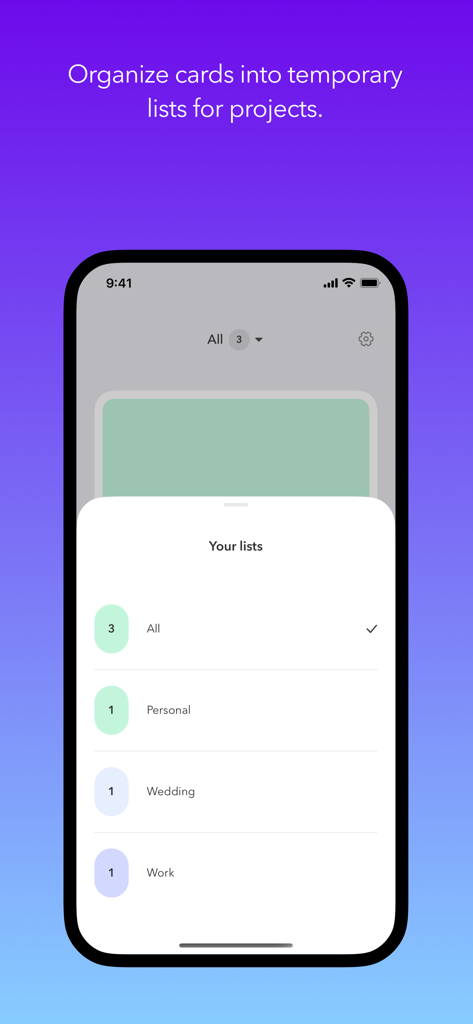
Doo アプリのインターフェース。プロジェクトごとに異なるリストにタスクカードを整理する方法を示す。

Doo アプリのインターフェース。プロジェクトごとに異なるリストにタスクカードを整理する方法を示す。

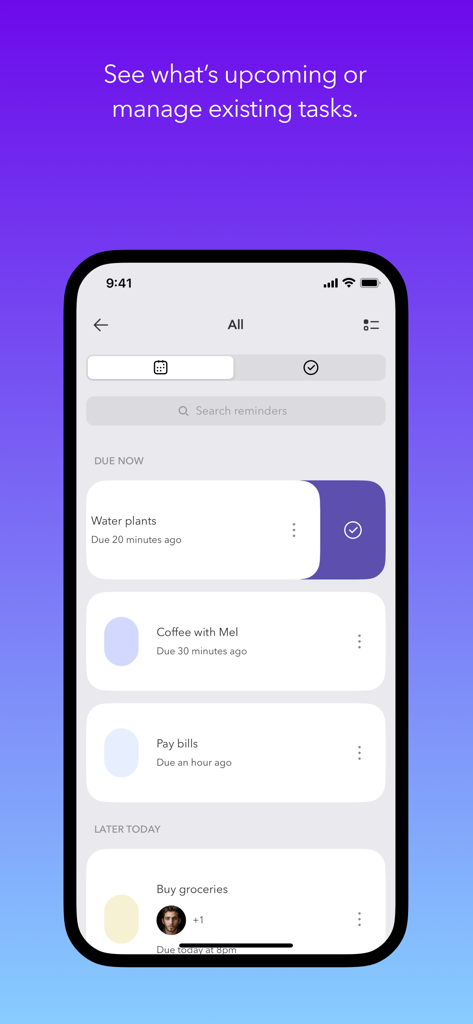
タスク管理画面の Doo アプリ。次回のリマインダーをクリーンなカードレイアウトで表示。

タスク管理画面の Doo アプリ。次回のリマインダーをクリーンなカードレイアウトで表示。

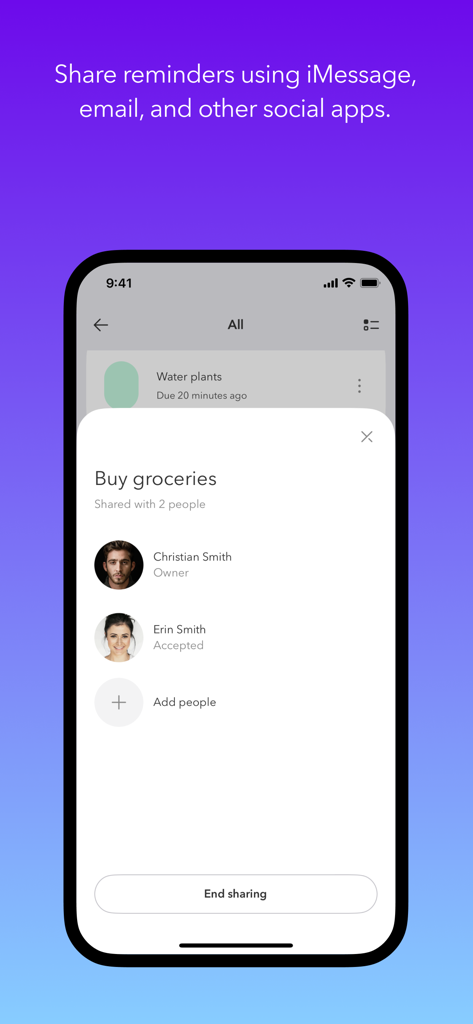
iPhone 画面。Doo アプリで共有の食料品リストタスクの連絡先とリマインダーを共有。

iPhone 画面。Doo アプリで共有の食料品リストタスクの連絡先とリマインダーを共有。

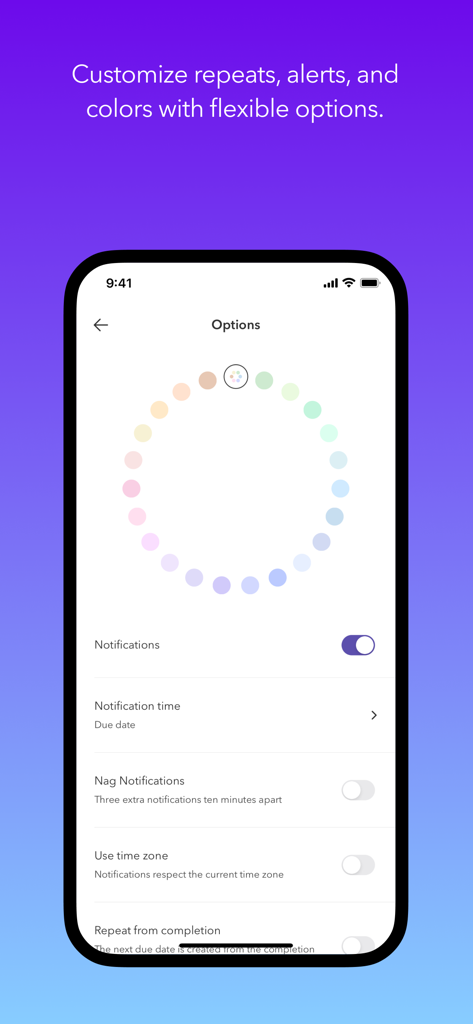
Doo アプリのオプション画面。タスクの分類と通知設定のためのパステルカラーのカラーホイール。

Doo アプリのオプション画面。タスクの分類と通知設定のためのパステルカラーのカラーホイール。

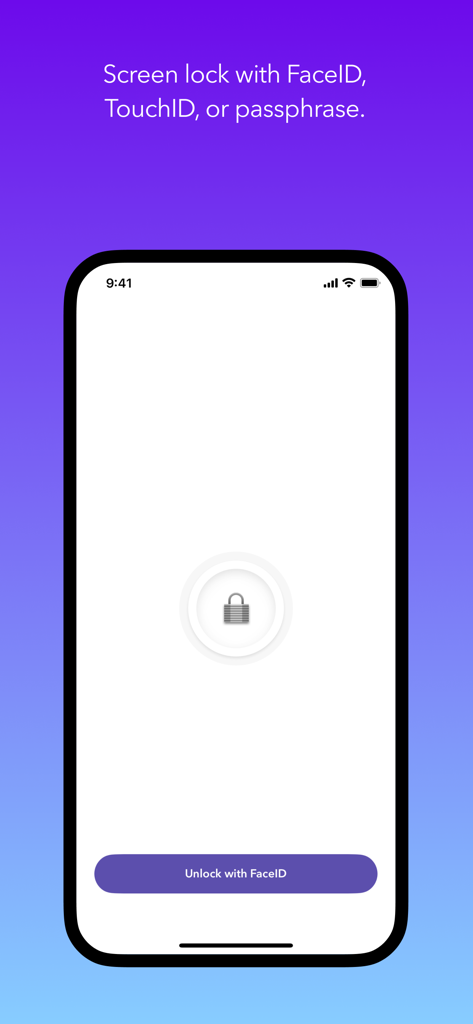
Doo アプリの画面。FaceID を使用してロック解除するボタン付きのセキュリティロックインターフェースを表示。

Doo アプリの画面。FaceID を使用してロック解除するボタン付きのセキュリティロックインターフェースを表示。

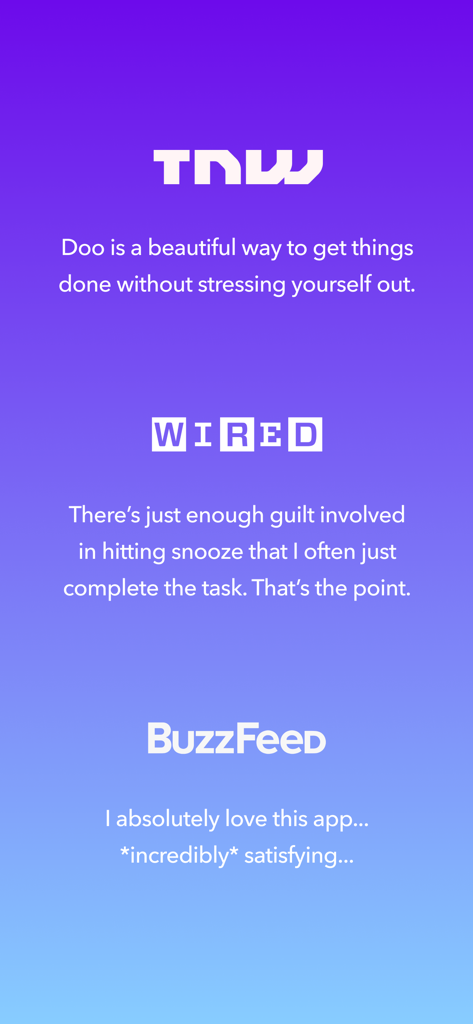
TNW、WIRED、BuzzFeed からの Doo 生産性アプリの肯定的なメディアレビューのコレクション。紫色のグラデーション背景。

TNW、WIRED、BuzzFeed からの Doo 生産性アプリの肯定的なメディアレビューのコレクション。紫色のグラデーション背景。

一日をマスターする、一度に一枚のカードで

このアプリを際立たせるツール、 25K+ 人のユーザーが選択.

🎯

シングルタスクフォーカス

圧倒的なリストではなく、目の前の次のステップを強調するカードベースのビューで、分析麻痺を回避します。

😌

罪悪感のない生産性

後でやる機能で重要でないタスクを後回しにし、スマートで柔軟なリマインダーで毎日の達成を優先することで、不安を軽減します。まるでサポートしてくれるコーチのように。

☁️

シームレスなAppleエコシステム

ホーム画面ウィジェット、Siriショートカット、iPhone、Mac、Apple Watch間でのインスタントiCloud同期で、どこでもタスクをこなしましょう。

アプリについて

について知っておくべきこと Doo: Get Things Done.

説明

Become a more productive you, one card at a time. WHY DOO? It’s easy to procrastinate your to-do list without a clear first step. Tasks with large goals can feel impossible to finish. Doo helps you procrastinate less. Your reminders become cards that are easy to start and easy to finish. The streamlined edit screen encourages you to create tasks that can fit on a digital index card. Each card shows up in a stack — instead of a list — so you can focus on one thing at a time. BUILD BETTER HABITS Pick a few tasks each day and snooze the rest. Doo helps you create more consistent, sustainable habits. Reduce your anxiety and become a more productive you, one card at a time. *** 2021 Webby Award Nominee *** Best App - Work & Productivity *** 2021 Webby Award Honoree *** Best App User Interface REVIEWS “I absolutely love this app... *incredibly* satisfying...” – Doo 2 Review, Buzzfeed “There’s just enough guilt involved in hitting snooze that I often just complete the task. That’s the point." – WIRED “Doo is a beautiful way to get things done without stressing yourself out.” – Doo 2 Review, The Next Web FEATURE HIGHLIGHTS • Be more productive with a unique, card-based interface • Separate cards into custom groups • Create open-ended, calendar, or location-based tasks • Create tasks within other apps with the share extension • Schedule tasks with custom intervals and alerts • Sync with iCloud across iOS and Mac devices • Collaborate on tasks with other Doo users (requires iCloud) • Support for VoiceOver, Dynamic Text, and keyboard shortcuts • Stay on task with Home Screen & Lock Screen widgets • Complete or snooze tasks from notifications • Drag and drop text, locations, and URLs to create tasks • Screen lock with FaceID, TouchID, or passphrase • Create and complete reminders with Siri • Multitask with Split View and Slide Over

最新バージョン

3.6.0

サイズ

18.7 MB

リリース日

2020年8月25日

圧倒的な状態から集中へ切り替えませんか?

無限のリストをシンプルで満足感のあるカードに置き換えた、数千人のマインドフルな達成者に加わりましょう。今すぐ Doo をダウンロードして、一度に一枚のカードで穏やかな時間を取り戻しましょう。

ダウンロード: App Store

App information, icons, screenshots, and descriptions displayed on this page are sourced from the Apple App Store and are the property of their respective developers. Download estimates and rankings are based on MWM's proprietary models and may not reflect actual figures. This page is provided for informational and analytical purposes only.

Believe this page infringes your intellectual property? File a dispute