Epson DocumentScan

Epson DocumentScan

ダウンロード: App Storeダウンロード: Google Play
ロゴ: Epson DocumentScan

Epson DocumentScan: モバイルワークフローのためのプロフェッショナルスキャンパワー

Epsonスキャナーをモバイル生産性ハブに変えましょう。高品質のドキュメントをiPhoneまたはiPadに直接スキャンし、複数ページのファイルをその場で編集し、GoogleドライブやDropboxなどの使い慣れたクラウドサービスと即座に同期します。

ダウンロード: App Store

開発元

Seiko Epson Corporation

カテゴリ

Productivity

ダウンロード

466K+

ユーザー評価

1.9/5

評価数

300

対応言語

12

効率を一目で確認

このインターフェースを利用する 466K+ 人のユーザー.

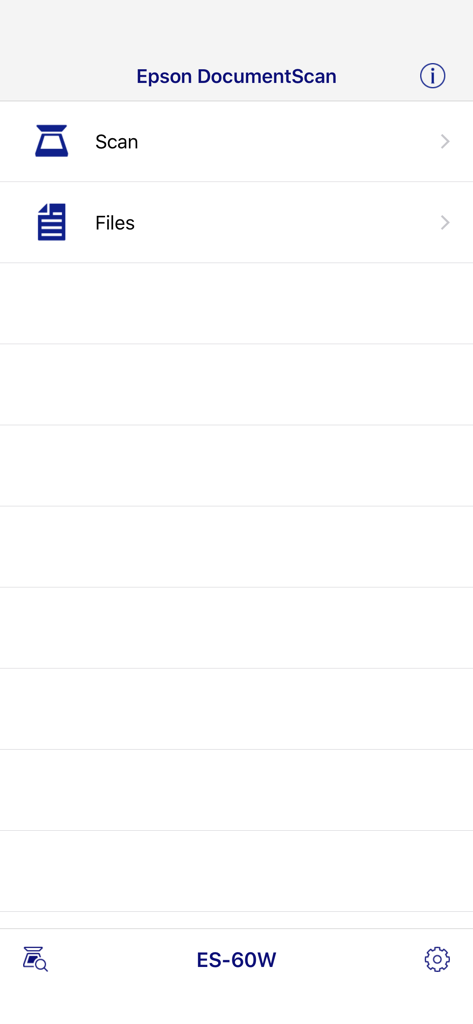
Epson DocumentScanアプリのメインインターフェイス。ES 60Wモデルのスキャンとファイルオプションを表示。

Epson DocumentScanアプリのメインインターフェイス。ES 60Wモデルのスキャンとファイルオプションを表示。

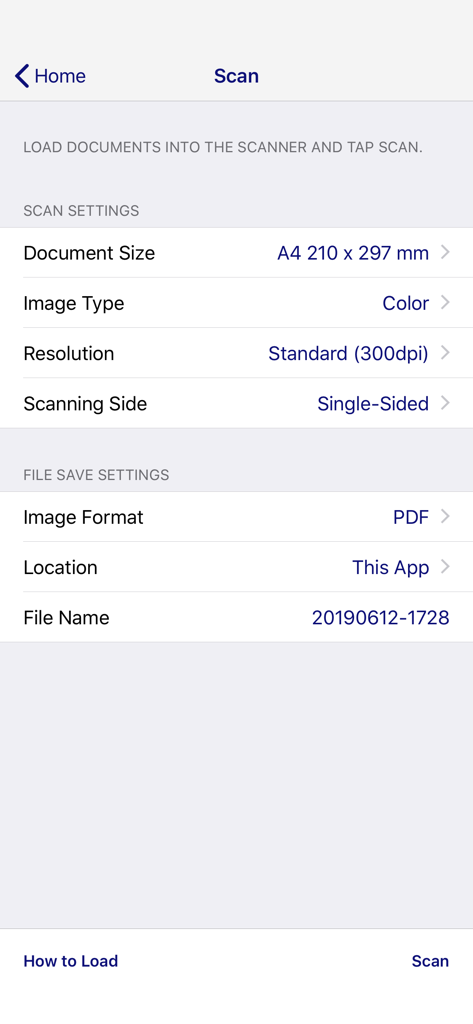
Epson DocumentScanモバイルアプリの画面。スキャン設定とファイル保存オプションを表示。

Epson DocumentScanモバイルアプリの画面。スキャン設定とファイル保存オプションを表示。

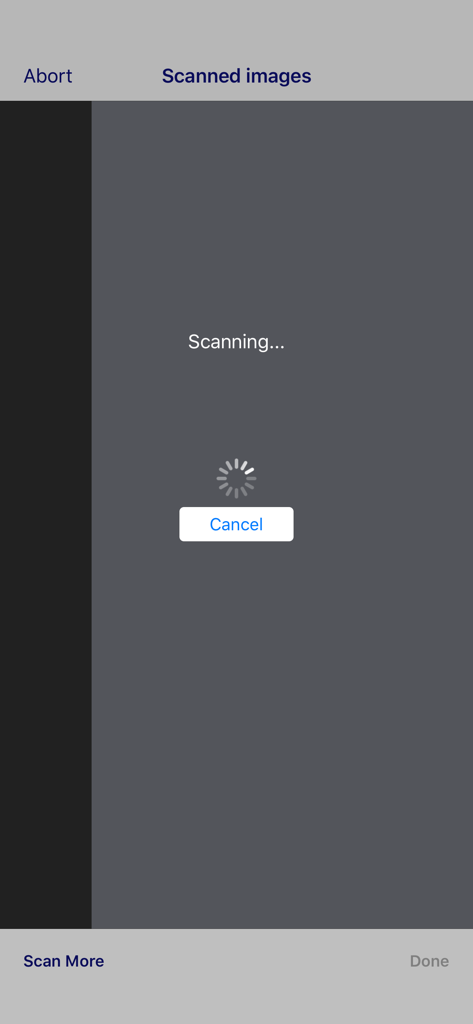
Epson DocumentScanモバイルアプリのスキャン進行画面。ロードスピナーが表示されている。

Epson DocumentScanモバイルアプリのスキャン進行画面。ロードスピナーが表示されている。

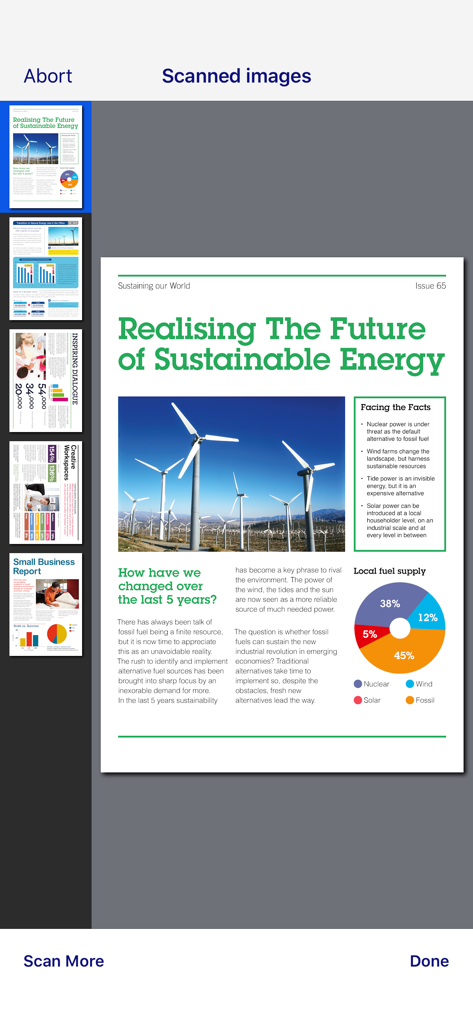
Epson DocumentScanアプリ内の複数スキャン済みドキュメントのプレビュー。

Epson DocumentScanアプリ内の複数スキャン済みドキュメントのプレビュー。

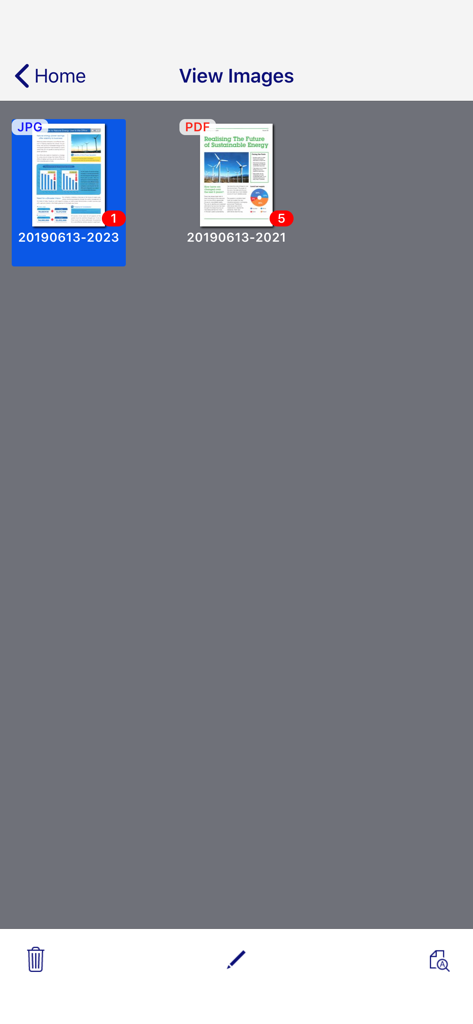
Epson DocumentScanアプリの画面。JPGおよびPDF形式のスキャン済みドキュメントのギャラリーを表示。

Epson DocumentScanアプリの画面。JPGおよびPDF形式のスキャン済みドキュメントのギャラリーを表示。

ペーパーレスワークフローを効率化

このアプリを際立たせるツール、 466K+ 人のユーザーが選択.

📱

モバイルワイヤレススキャン

Epsonデバイスからモバイルに直接高品質のスキャンを開始し、デスクトップコンピューターの必要性をなくします。

🔄

プロの複数ページ編集

アプリ内でページを簡単に回転および並べ替え、常に完璧に構成されたドキュメントを作成できます。

🚀

インスタントクラウドアーカイブ

スキャンをDropbox、Googleドライブ、またはEvernoteにシームレスに送信して、チームとファイルを同期させ続けます。

アプリについて

について知っておくべきこと Epson DocumentScan.

説明

This app is only for Epson scanners. Make sure that your scanner is supported. Scan documents directly to your iPhone®, iPod touch or iPad®. You can preview scanned data and send it to email, directly to other applications or to cloud services like Box®, DropBox™, Evernote®, Google Drive™ and Microsoft® OneDrive. Scanners Supported https://support.epson.net/appinfo/documentscan/en/index.html Key Features - Directly scan to your iPhone, iPod touch or iPad - Edit scanned pages – multi-page rotation or re-ordering - Send scanned files via email - Send saved data to other applications, or to cloud services including Box, DropBox, Evernote, Google Drive and Microsoft OneDrive*. *Applications must be installed on your iPhone, iPod Touch or iPad. - Send saved data to your PC via iTunes® - Get help with a built-in FAQ section Advanced features - Autosize recognition, auto image type recognition - Multi-page rotation and re-ordering How to Connect Follow your scanner guide to connect your scanner via Wi-Fi® or AP direct connect mode. EPSON and WorkForce are registered trademarks. All other product and brand names are trademarks and/or registered trademarks of their respective companies. Epson disclaims any and all rights in these marks.

最新バージョン

1.9.0

サイズ

21.3 MB

リリース日

2014年3月6日

今日からワークフローを簡素化

モバイルデバイスでプロレベルのスキャンのパワーを体験してください。Epson DocumentScanをダウンロードして、ペーパーレスオフィスをどこへでも持ち運びましょう。

ダウンロード: App Storeダウンロード: Google Play

App information, icons, screenshots, and descriptions displayed on this page are sourced from the Apple App Store and are the property of their respective developers. Download estimates and rankings are based on MWM's proprietary models and may not reflect actual figures. This page is provided for informational and analytical purposes only.

Believe this page infringes your intellectual property? File a dispute