Focus Interval Timer ChronoCat

Focus Interval Timer ChronoCat


ダウンロード: App Store
ロゴ: Focus Interval Timer ChronoCat

ChronoCat:あなたの生活に順応するスマートタイムブロッカー

硬直したカレンダーとの戦いはもうやめましょう。自然言語で瞬時に計画を立て、時間が超過しても自動で調整される柔軟なスケジュールで、集中力を維持し、罪悪感なく過ごせます。

ダウンロード: App Store

開発元

HABITEDGE PTY LTD

カテゴリ

Productivity

ダウンロード

100

ユーザー評価

4.9/5

評価数

0

対応言語

1

あなたの1日を、視覚化して。

このインターフェースを利用する 100 人のユーザー.

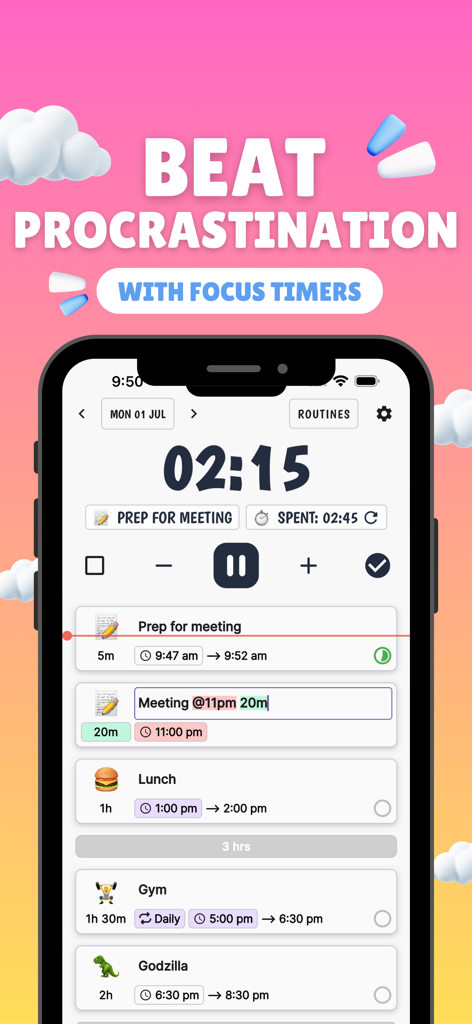
ChronoCatのモバイルアプリインターフェース。カウントダウンフォーカスタイマーと、絵文字付きの毎日のタスクの時系列リストを表示。

ChronoCatのモバイルアプリインターフェース。カウントダウンフォーカスタイマーと、絵文字付きの毎日のタスクの時系列リストを表示。

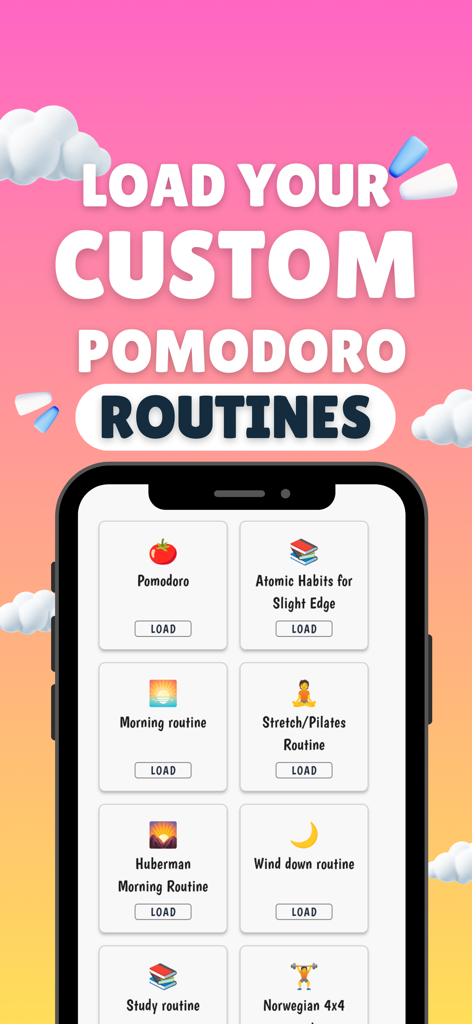
ChronoCatアプリ画面。Huberman MorningやAtomic Habitsのようなカスタマイズ可能なポモドーロルーチンを表示。

ChronoCatアプリ画面。Huberman MorningやAtomic Habitsのようなカスタマイズ可能なポモドーロルーチンを表示。

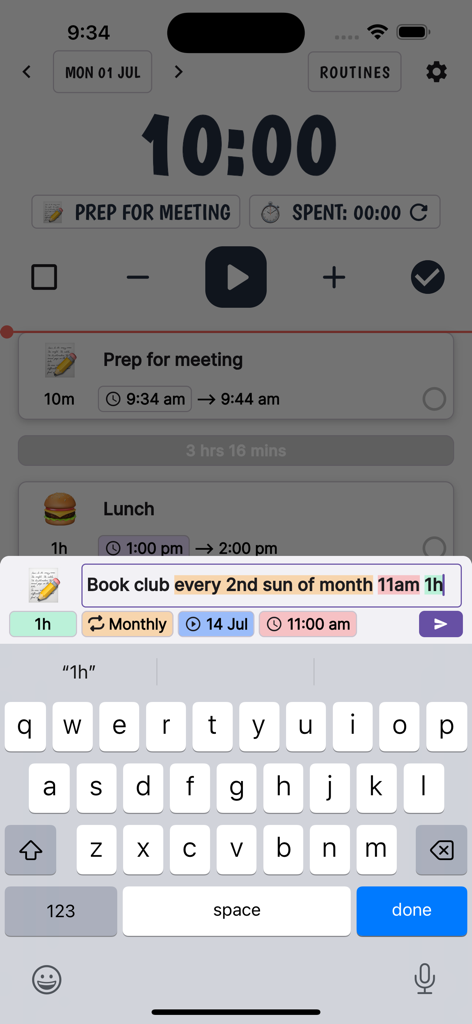
ChronoCatアプリのスクリーンショット。自然言語解析を使用して、定期的なブッククラブタスクをスケジュール。

ChronoCatアプリのスクリーンショット。自然言語解析を使用して、定期的なブッククラブタスクをスケジュール。

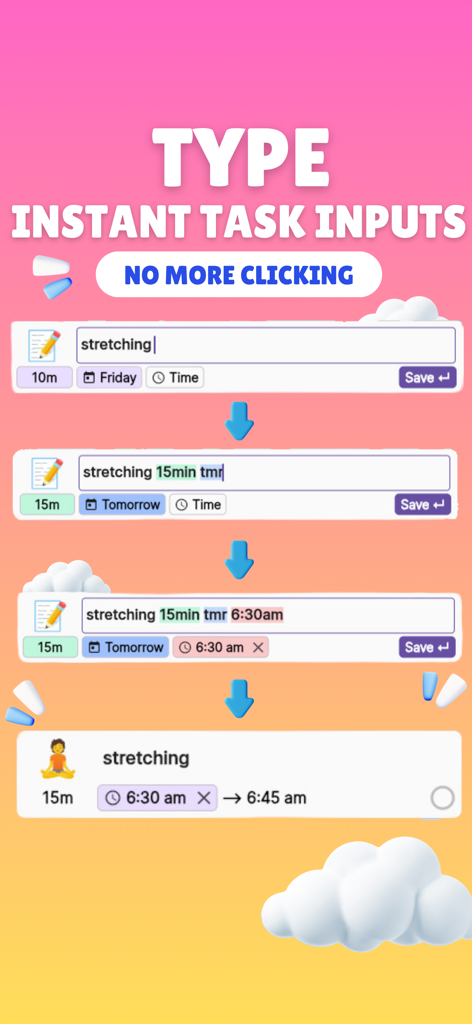
ChronoCatアプリインターフェース。自然言語解析を使用して、ストレッチタスクを迅速に入力・スケジュールし、自動的に絵文字を生成。

ChronoCatアプリインターフェース。自然言語解析を使用して、ストレッチタスクを迅速に入力・スケジュールし、自動的に絵文字を生成。

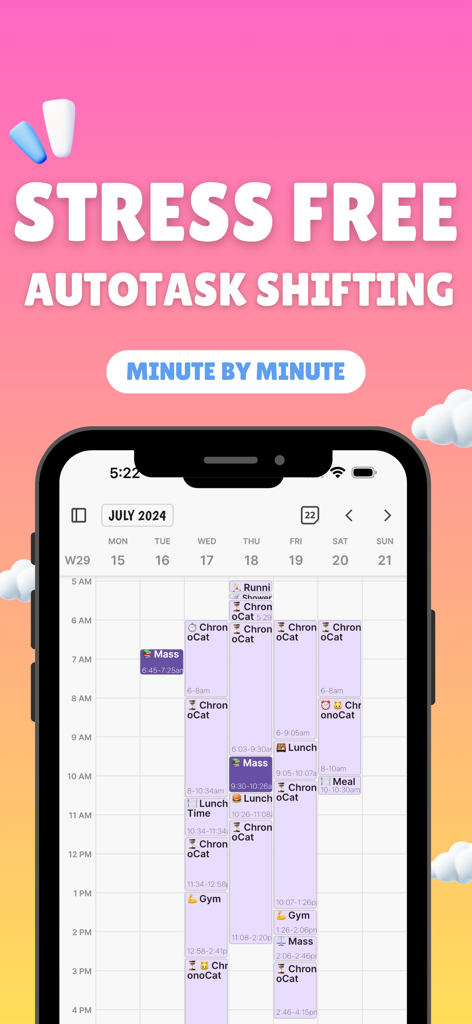
ChronoCatアプリの週次カレンダービューを表示するスマートフォン画面。テキスト「Stress Free Autotask Shifting Minute by Minute」も表示。

ChronoCatアプリの週次カレンダービューを表示するスマートフォン画面。テキスト「Stress Free Autotask Shifting Minute by Minute」も表示。

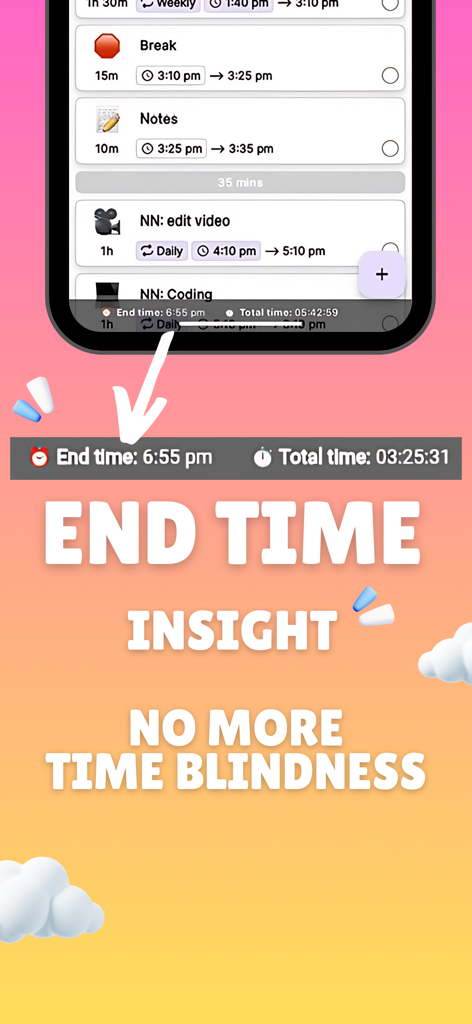
ChronoCat生産性アプリのスクリーンショット。時間失認のユーザーが時間を管理するのに役立つ、終了時間インサイトと時系列タスクリストを表示。

ChronoCat生産性アプリのスクリーンショット。時間失認のユーザーが時間を管理するのに役立つ、終了時間インサイトと時系列タスクリストを表示。

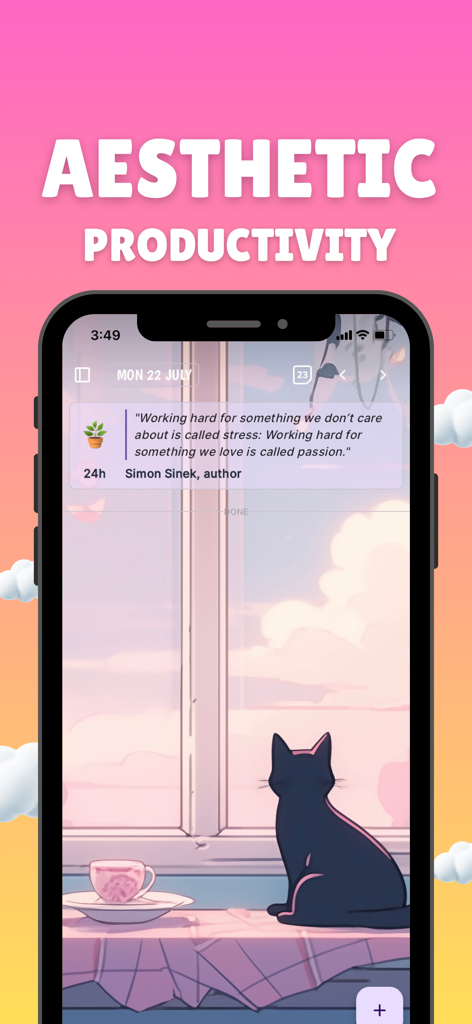
ChronoCatアプリインターフェース。美しい猫の背景と、美的生産性のためのモチベーション引用を表示。

ChronoCatアプリインターフェース。美しい猫の背景と、美的生産性のためのモチベーション引用を表示。

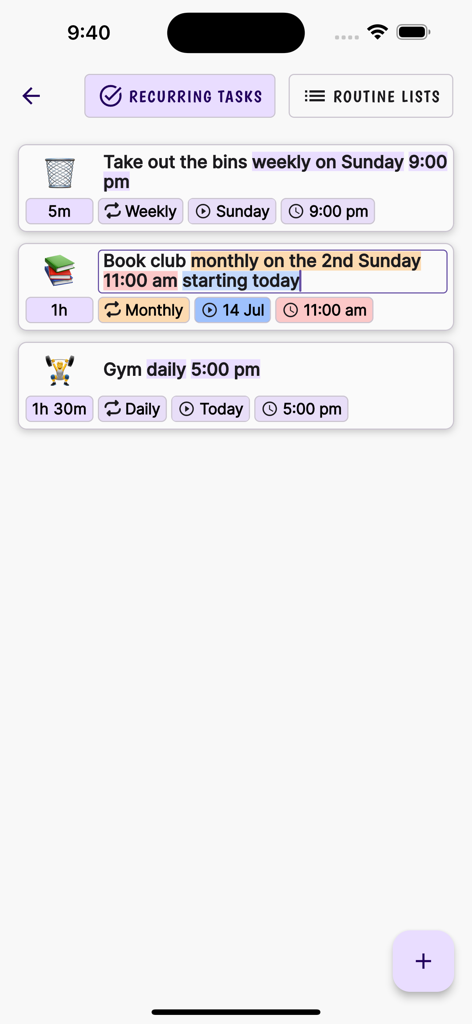
ChronoCatの繰り返しタスク画面のスクリーンショット。自然言語入力を使用して、家事、ブッククラブ、ジムの自動スケジュールを表示。

ChronoCatの繰り返しタスク画面のスクリーンショット。自然言語入力を使用して、家事、ブッククラブ、ジムの自動スケジュールを表示。

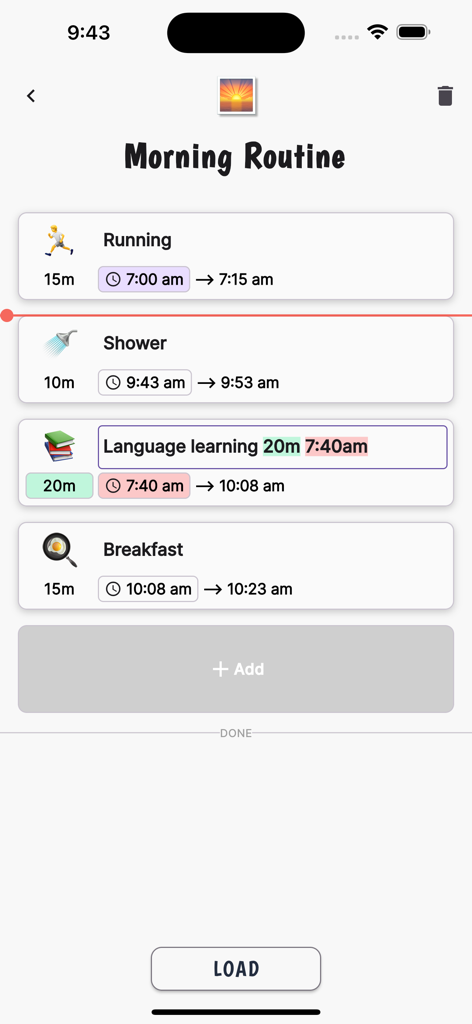
ChronoCatアプリインターフェース。ランニングやシャワーなどのスケジュールされたタスクを含むモーニングルーチンを、自動時間ブロックで表示。

ChronoCatアプリインターフェース。ランニングやシャワーなどのスケジュールされたタスクを含むモーニングルーチンを、自動時間ブロックで表示。

楽々計画、摩擦ゼロ

このアプリを際立たせるツール、 100 人のユーザーが選択.

💬

話すように入力

「会議 @10 30分」と入力するだけで、AIが瞬時にスケジュールを作成します。もう面倒なメニュー操作や手入力は不要です。

🌊

曲がる、決して折れないスケジュール

人生には予期せぬことが起こります。時間が超過しても、残りの1日のスケジュールが自動的に再調整され、遅れに対する罪悪感がなくなります。

🚀

先延ばしを克服

自動開始タスクと、次の勝利へとあなたを導く穏やかな通知で、フロー状態を維持しましょう。

アプリについて

について知っておくべきこと Focus Interval Timer ChronoCat.

説明

ChronoCat is a natural language powered time blocking app with a focus timer. It lets you quickly plan your day with statements like 'Meeting every thurs @11 for 1h 30m'. Tasks without a start time automatically adjust times making it flexible to unforeseen changes. Going Overtime? No worries. See how your remaining task's start and end times are affected automatically. Natural language parsing: Create tasks like messaging an assistant "Meeting @12 for 30m" Recurring events/tasks: Naturally say 'every 2nd Sun of the month' to set a recurring event/task Routines: Create routine lists to quickly add a list of tasks to the current day. Calendar week view Emoji-Enhanced Tasks: Auto-generated emojis for each task. Flexible Scheduling: Easily adjust and transfer tasks across days for ultimate flexibility. Intuitive Timer: Stay focused with a simple press of the 'play' button. Gentle Alarms: Customize your alarm to signal task completion, a gentle nudge towards your next activity. Chronological daily planner Cross Platform sync Templates for routines Estimated time for tasks Automatic starting of next task to stop procrastination Push back times for following tasks if run overtime (Flexible Calendar) Templates for pomodoro Optional chime that plays during task at custom intervals to keep you on track Give you updated times of when you'll start your next time by the minute Give you updated estimated time of completion of ALL your tasks for your current day. Automatic AI emojis to save you time

最新バージョン

7.16.11

サイズ

107.5 MB

リリース日

2024年1月31日

カレンダーと戦うのをやめて、流れに乗ろう。

生産性の罪悪感を取り除くためにChronoCatを使う、何千人ものアジャイルな達成者たちに加わりましょう。自然言語で数秒で計画を立て、生活の急な変化にも自動で調整される柔軟なタイマーにお任せください。

ダウンロード: App Store

App information, icons, screenshots, and descriptions displayed on this page are sourced from the Apple App Store and are the property of their respective developers. Download estimates and rankings are based on MWM's proprietary models and may not reflect actual figures. This page is provided for informational and analytical purposes only.

Believe this page infringes your intellectual property? File a dispute