FoodShot AI: Food Photo Editor

FoodShot AI: Food Photo Editor


ダウンロード: App Store
ロゴ: FoodShot AI: Food Photo Editor

FoodShot AI: 数時間ではなく数秒でプロのメニュー写真が完成

AI パワードの照明と質感で、携帯電話のスナップをスタジオ品質のビジュアルに変換します。DoorDash、Instagram などに対応するコンバージョン率の高いメニューを作成するための、レストラン、ゴーストキッチン、クリエイター向けの究極のツールです。

ダウンロード: App Store

開発元

Ali Tanis

カテゴリ

Photo & Video

ダウンロード

800

ユーザー評価

4.8/5

評価数

0

対応言語

1

プロの結果、スタジオ不要

このインターフェースを利用する 800 人のユーザー.

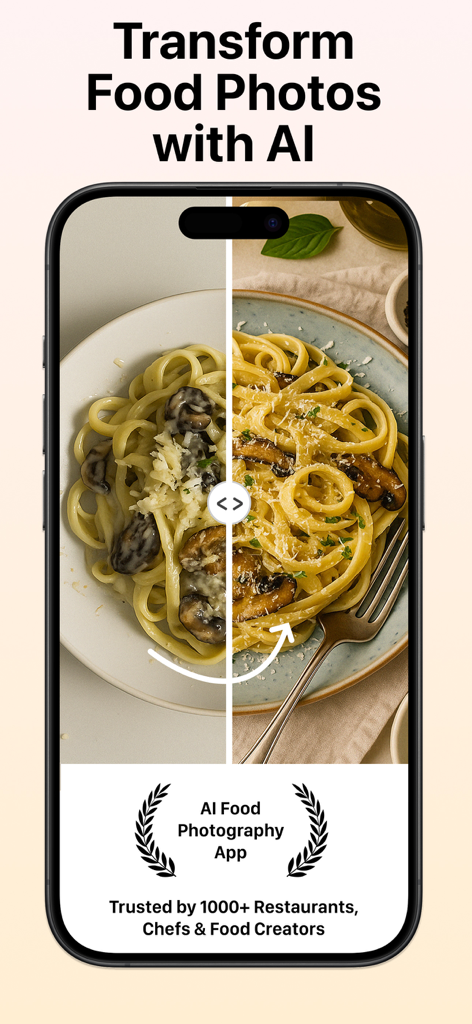
FoodShot AI アプリを使用したマッシュルームパスタ料理の、編集前後の比較

FoodShot AI アプリを使用したマッシュルームパスタ料理の、編集前後の比較

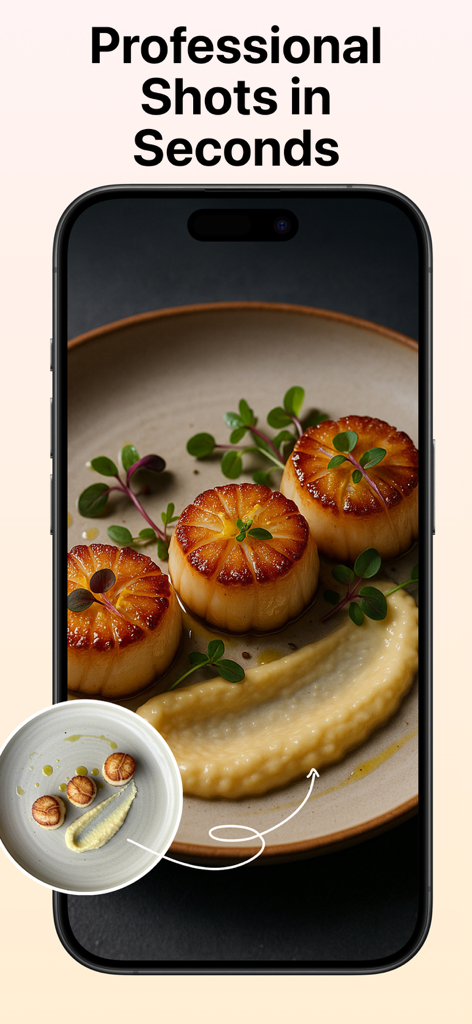
ホタテ料理に AI が強化した照明と質感を適用した、料理写真の編集前後の比較

ホタテ料理に AI が強化した照明と質感を適用した、料理写真の編集前後の比較

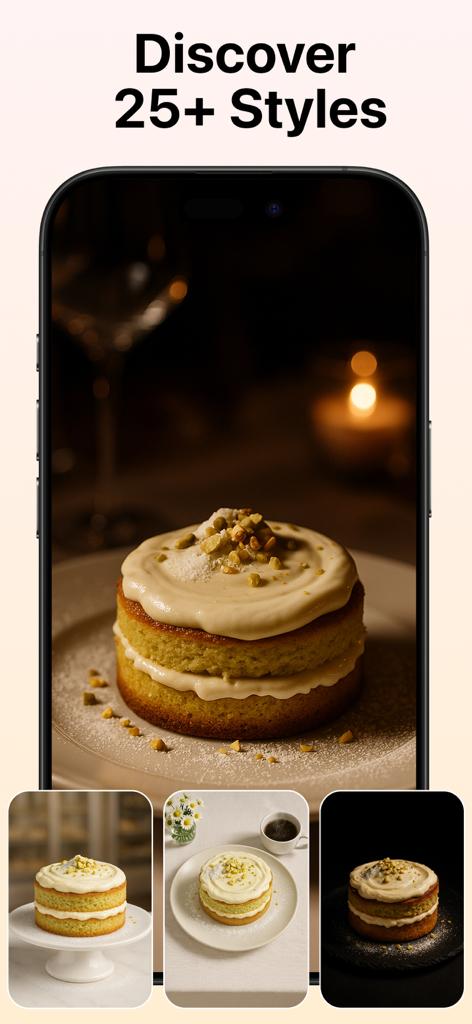
ケーキのさまざまなプロフェッショナルな写真スタイルを表示する FoodShot AI アプリのインターフェイス

ケーキのさまざまなプロフェッショナルな写真スタイルを表示する FoodShot AI アプリのインターフェイス

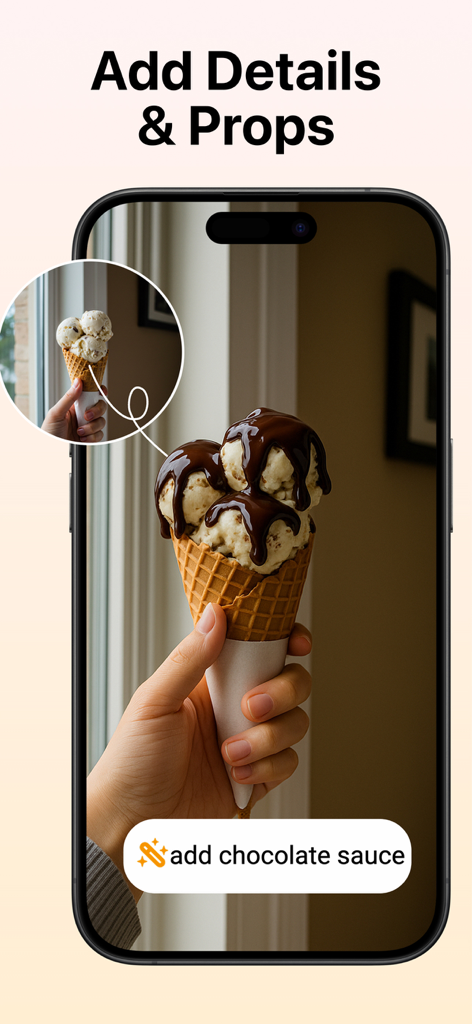
アイスクリームコーンにチョコレートソースを追加している AI 料理写真エディターのインターフェイス

アイスクリームコーンにチョコレートソースを追加している AI 料理写真エディターのインターフェイス

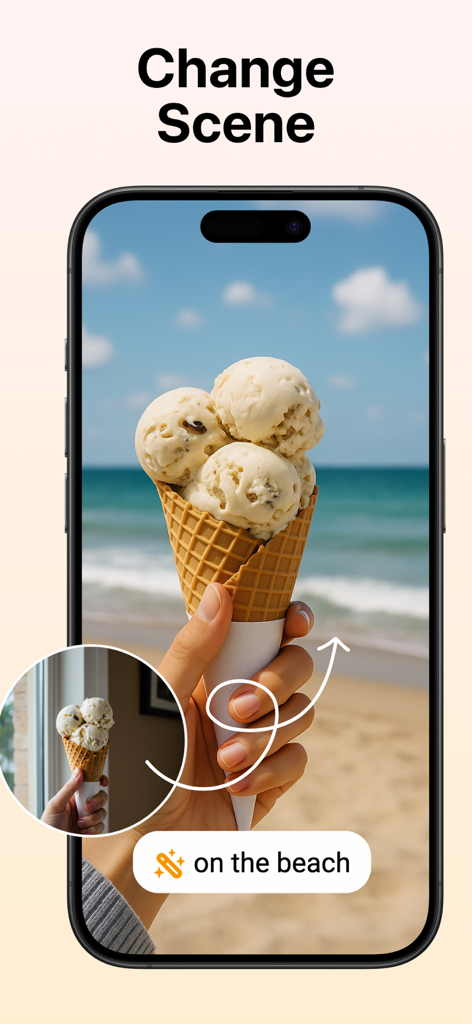
アイスクリームコーンの背景を窓からの眺めから熱帯のビーチシーンに変更する AI 機能を示すモバイルアプリ。

アイスクリームコーンの背景を窓からの眺めから熱帯のビーチシーンに変更する AI 機能を示すモバイルアプリ。

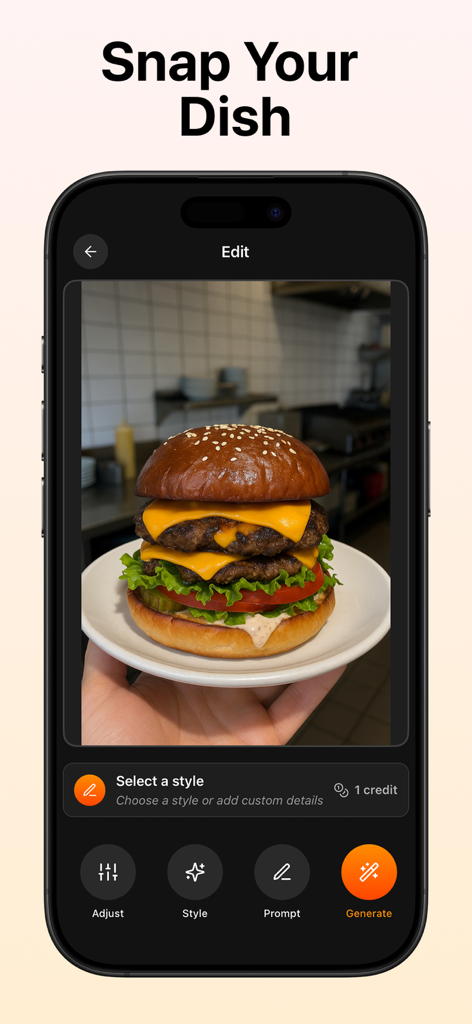
レストランのメニュー用にプロフェッショナルな外観に編集されているダブルチーズバーガーの写真を表示する FoodShot AI アプリのインターフェイス。

レストランのメニュー用にプロフェッショナルな外観に編集されているダブルチーズバーガーの写真を表示する FoodShot AI アプリのインターフェイス。

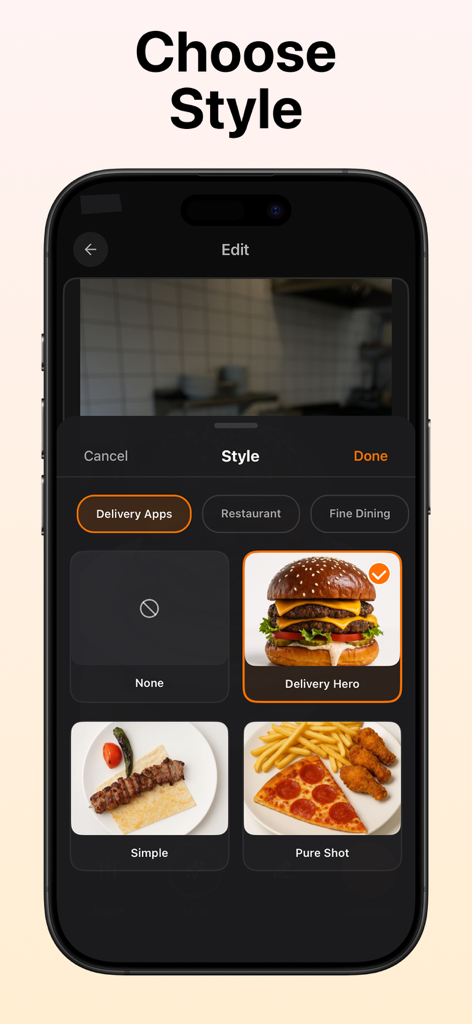
Delivery Hero や Pure Shot などの料理写真スタイルオプションを表示する FoodShot AI アプリのインターフェイス

Delivery Hero や Pure Shot などの料理写真スタイルオプションを表示する FoodShot AI アプリのインターフェイス

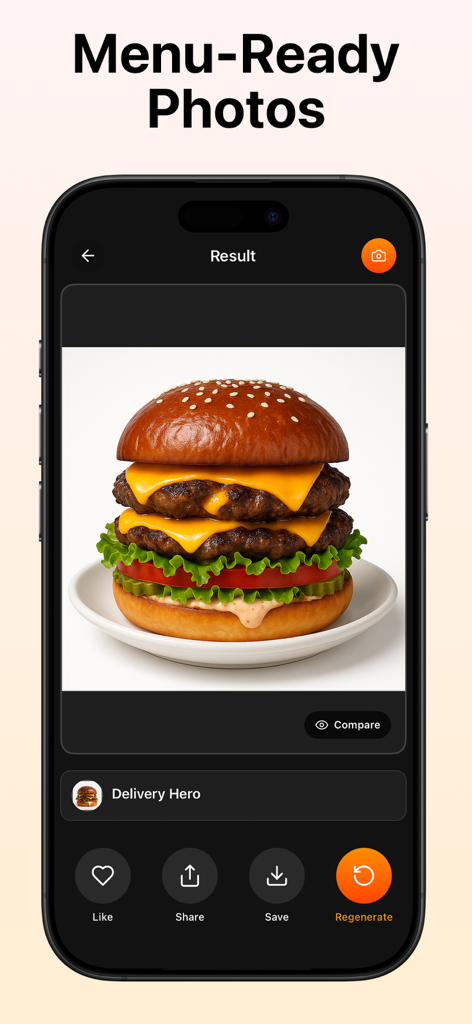
レストランのメニュー用に AI が生成したプロフェッショナルなダブルチーズバーガー写真を表示するスマートフォンの画面。

レストランのメニュー用に AI が生成したプロフェッショナルなダブルチーズバーガー写真を表示するスマートフォンの画面。

すべての料理をベストセラーに

このアプリを際立たせるツール、 800 人のユーザーが選択.

🪄

スタジオ照明、機材不要

暗いキッチン照明や強い黄色い色合いを瞬時に修正します。AI が自然な食品の質感を強化し、揚げ物はサクサク、デザートは完璧に艶やかに見せます。

🍽️

クリーンでプロ仕様の背景

散らかったカウンターや乱雑なキッチン背景はもう不要です。料理を自動的に切り抜き、あらゆるデリバリーアプリのガイドラインを満たす、クリーンでプロフェッショナルな外観にします。

⏱️

毎日の忙しさに対応

簡単な携帯電話のスナップから、ワンタップで高解像度のエクスポートまで。日替わりスペシャル、季節のアップデート、UberEats や DoorDash の storefront の更新に最適です。

アプリについて

について知っておくべきこと FoodShot AI: Food Photo Editor.

説明

Create professional menu photos in seconds with AI food photography. FoodShot is an AI food photo editor for restaurants, cafés, cloud kitchens, caterers, marketplaces, and creators who need consistent, high-quality visuals—fast. If you want to edit a food picture or edit a food photo without a studio, just upload, choose a style, and export sharp, menu-ready images. Works Perfectly with Your Menu Tools Use FoodShot to produce the images your menu maker needs. Generate polished AI food photos, then publish them in your menu builder, QR/PDF tool, or POS catalog. FoodShot fits right into flows for delivery platforms and website menus—so your visuals are consistent everywhere. What FoodShot Does Best • AI food photo quality: realistic lighting, lifelike textures, accurate colors. • Edge-aware cleanup: remove messy backgrounds, crumbs, and color casts—no haloing on plate rims. • One-tap enhancement: fix dark, yellow, or mixed restaurant lighting instantly. • Styles for menus: 20+ looks optimized for menu photography and delivery listings. • High-resolution export: crisp images for delivery apps, websites, and social media. • Before/After preview: compare results and keep your brand’s look consistent. Who It’s For • Owners & marketers refreshing delivery/app menu photos. • Chefs documenting new dishes with a consistent visual language. • Creators/bloggers upgrading phone shots to clean, professional images. • Caterers, pop-ups, and dark kitchens producing many items with uniform presentation. Why FoodShot Alongside a Menu Maker Generic editors aren’t tuned for food. FoodShot specializes in AI food photography—preserving appetizing texture (crispy, glossy, juicy), correcting exposure/white balance for kitchen and dining-room lighting, and simplifying backgrounds for legible menu photos. Pair it with any menu maker to complete your workflow end-to-end. Core Use Cases • Delivery listings: clean, passable photos aligned with common app guidelines. • Website & QR menus (with your menu maker): unify style across dozens of dishes. • Social & ads: turn quick phone shots into scroll-stopping visuals. • Seasonal updates: roll out new items without a studio reshoot. How It Works Upload any dish photo (phone or camera). Pick a style (or Auto) to set lighting and mood. Generate to see an instant Before/After. Export a high-resolution menu photo—ready to publish in seconds. Editing Controls You’ll Love • Natural color, contrast, and white-balance correction tailored for food. • Background simplification that keeps focus on the dish. • Subtle presentation guidance—elevate the same dish; don’t replace it. • Sharpening tuned for food texture (never plastic). Results You Can Expect • Faster processing and sharper output with each update. • Realistic, appetizing visuals that stay faithful to your dish. • Consistency across categories (burgers, sushi, salads, desserts, drinks). Popular AI Food Photography Use Cases • Fine dining & restaurant menu photography. • Delivery app listing food photos. • Café & bakery; dessert/pastry food photos. • QR/PDF menu photos (with your menu maker). • Lifestyle & social media food photography. • E-commerce/marketplace food photos. • Bars & beverages; hotel/room service. • Cloud/dark kitchens; catering & events. Create the AI food photos you need—then publish them in your menu maker, in seconds. If You’re Searching For… • “AI food photo” or “AI food photography” → professional-looking food photos in seconds. • “Edit food picture/photo” → studio-like results without complex sliders. • “Menu maker” → create the photos your menu maker or QR/PDF tool needs, then publish in your builder. Try FoodShot free and upgrade your first menu photo today. The fastest way to create consistent AI food photos for any menu maker—from delivery listings to websites. Terms of Use: https://www.apple.com/legal/internet-services/itunes/dev/stdeula/ Privacy Policy: https://foodshot.ai/privacy

最新バージョン

2.0.5

サイズ

58.2 MB

リリース日

2025年5月1日

携帯電話で撮影した写真をスタジオ品質のメニュー写真に変える準備はできていますか?

数千人ものレストランオーナーやクリエイターが FoodShot AI を使用して、デリバリー注文やソーシャルメディアのプレゼンスを数秒で向上させています。スタジオは不要です。

ダウンロード: App Store

App information, icons, screenshots, and descriptions displayed on this page are sourced from the Apple App Store and are the property of their respective developers. Download estimates and rankings are based on MWM's proprietary models and may not reflect actual figures. This page is provided for informational and analytical purposes only.

Believe this page infringes your intellectual property? File a dispute