GroupCal - Shared Calendar

GroupCal - Shared Calendar

ダウンロード: App Store
ロゴ: GroupCal - Shared Calendar

GroupCal:グループ、家族、ビジネスのためのオールインワン共有カレンダー

スケジュールの混乱を止めましょう。家族、仕事、コミュニティの予定を1つの統合ビューで調整しましょう—電話番号だけで誰でもすぐに招待できます。

開発元

24me Ltd

カテゴリ

Productivity

ダウンロード

337K+

ユーザー評価

4.6/5

評価数

500

対応言語

32

一目でわかる整理

このインターフェースを利用する 337K+ 人のユーザー.

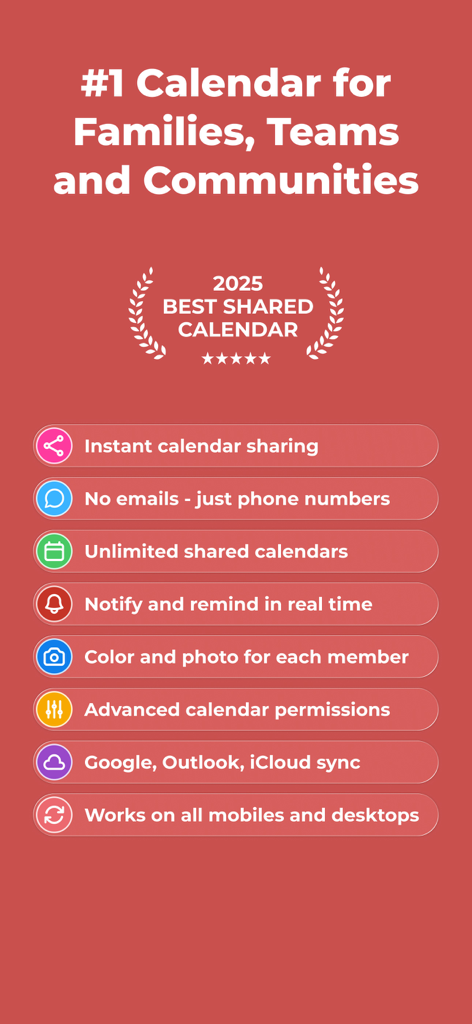
電話番号での招待やGoogle、Outlookとの同期を含む、共有カレンダーのGroupCal機能リスト

電話番号での招待やGoogle、Outlookとの同期を含む、共有カレンダーのGroupCal機能リスト

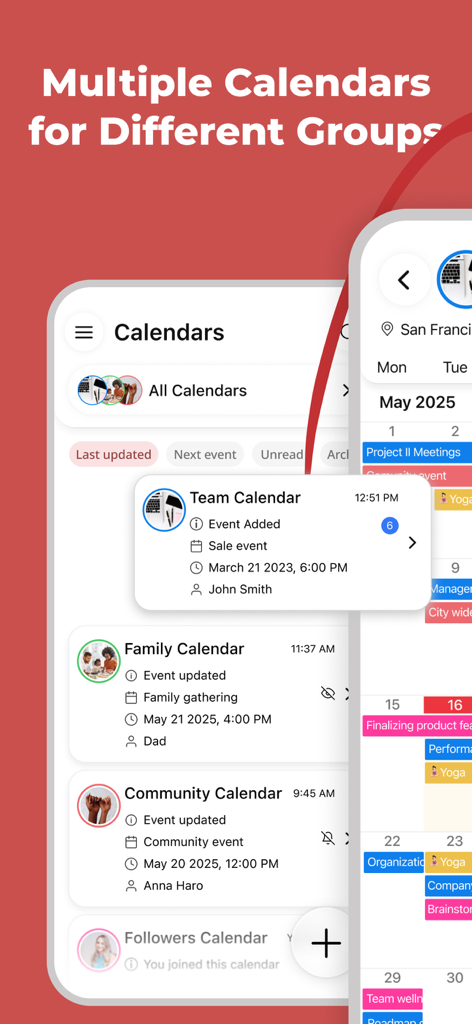
チーム、家族、コミュニティグループのための複数の共有カレンダーを表示するGroupCalアプリインターフェース

チーム、家族、コミュニティグループのための複数の共有カレンダーを表示するGroupCalアプリインターフェース

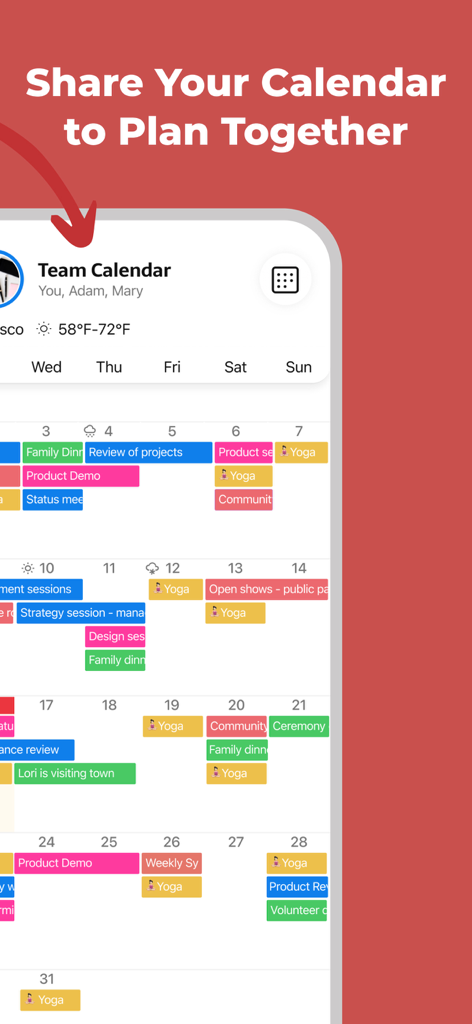
色分けされたイベントを含む、共有チームカレンダーを表示するGroupCalモバイルアプリインターフェース

色分けされたイベントを含む、共有チームカレンダーを表示するGroupCalモバイルアプリインターフェース

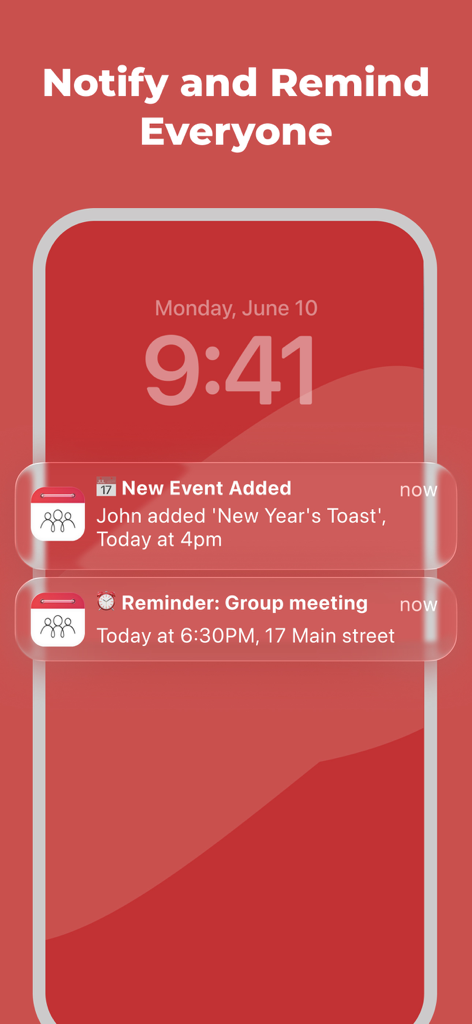
新しいイベントやグループリマインダーのためのGroupCal共有カレンダー通知を表示するスマートフォンのロック画面

新しいイベントやグループリマインダーのためのGroupCal共有カレンダー通知を表示するスマートフォンのロック画面

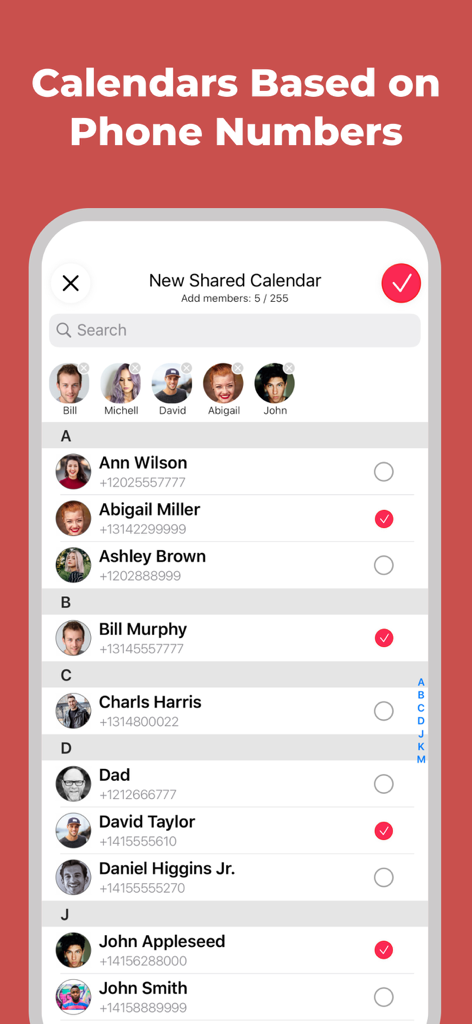
GroupCalで新しい共有カレンダーを作成するために、電話番号で連絡先を選択する画面を表示するモバイル画面

GroupCalで新しい共有カレンダーを作成するために、電話番号で連絡先を選択する画面を表示するモバイル画面

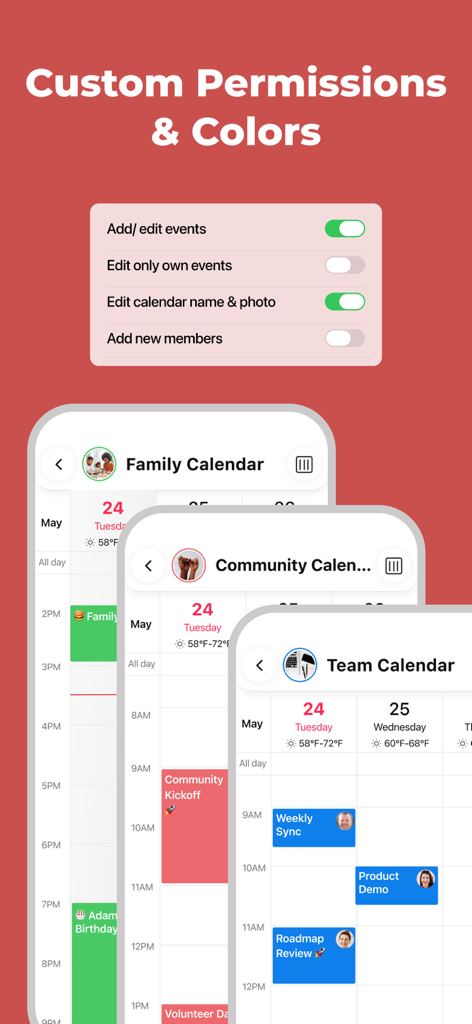
家族、コミュニティ、チームのためのカスタムカレンダー権限設定と色分けされたカレンダーを表示するGroupCalアプリインターフェース

家族、コミュニティ、チームのためのカスタムカレンダー権限設定と色分けされたカレンダーを表示するGroupCalアプリインターフェース

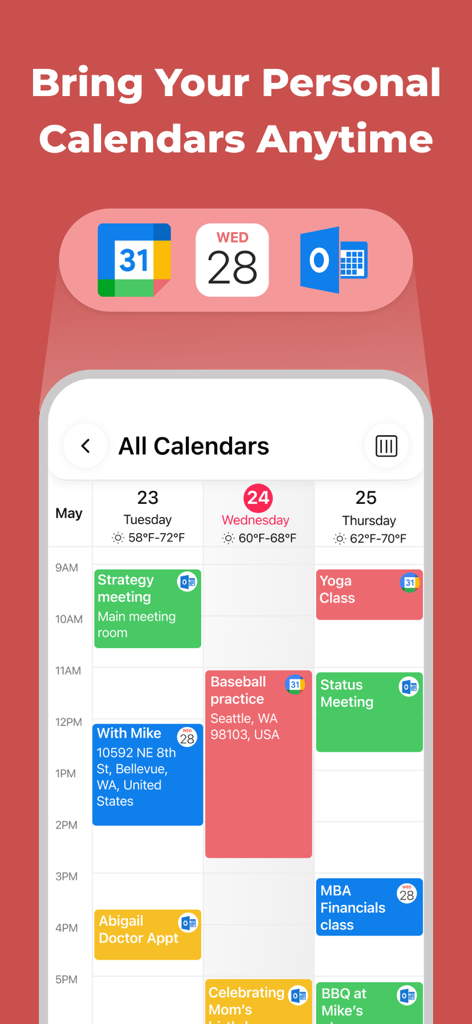
統合されたビューにGoogle、Apple、Outlookカレンダーからのイベントを表示するモバイルアプリ画面

統合されたビューにGoogle、Apple、Outlookカレンダーからのイベントを表示するモバイルアプリ画面

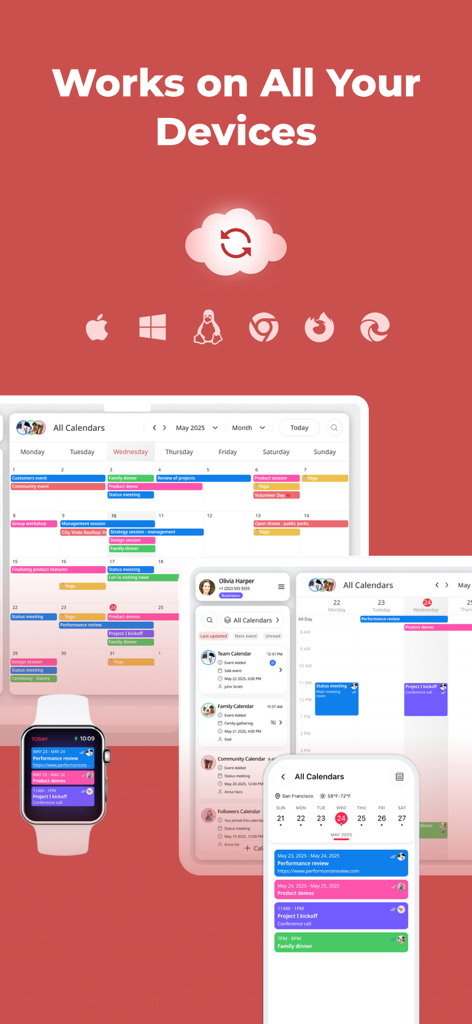
スマートフォン、タブレット、スマートウォッチに表示されるGroupCal共有カレンダーインターフェース。マルチデバイス同期とクロスプラットフォーム互換性を強調

スマートフォン、タブレット、スマートウォッチに表示されるGroupCal共有カレンダーインターフェース。マルチデバイス同期とクロスプラットフォーム互換性を強調

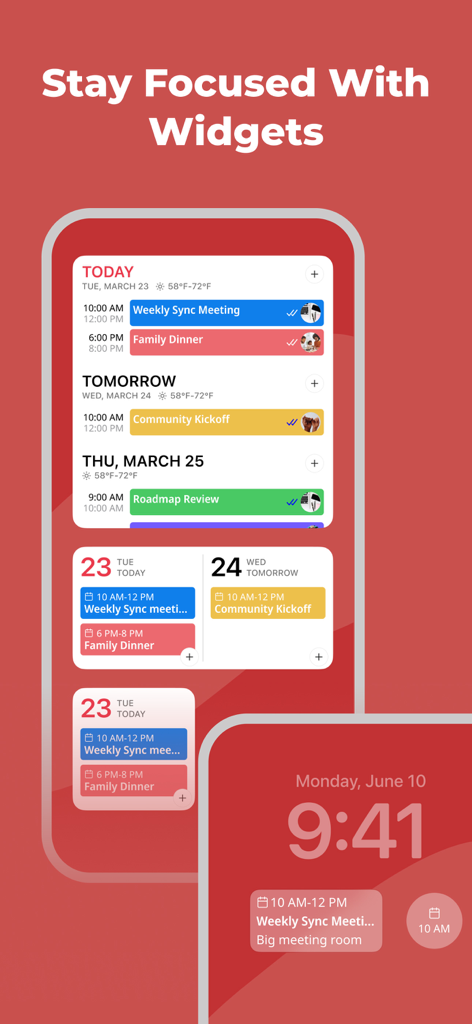
GroupCal共有カレンダーアプリ。様々なホーム画面およびロック画面ウィジェットを特徴とする

GroupCal共有カレンダーアプリ。様々なホーム画面およびロック画面ウィジェットを特徴とする

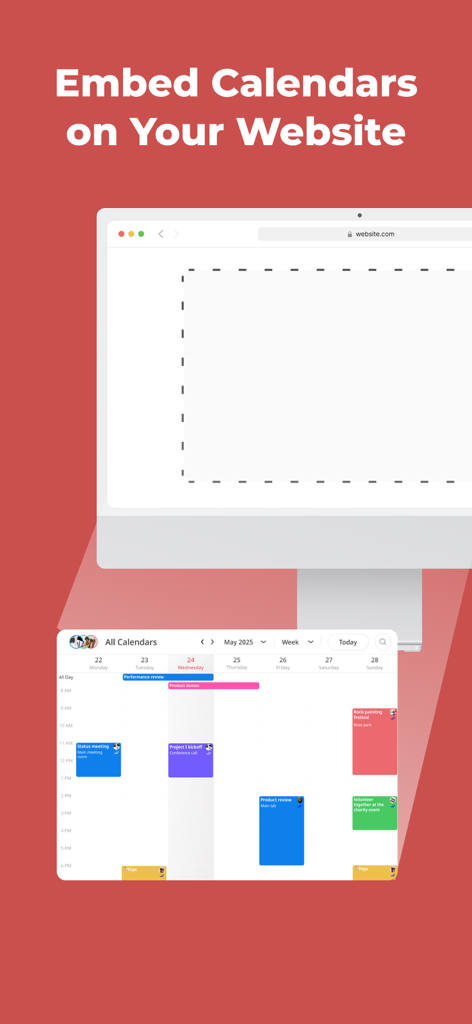
ビジネスウェブサイトに共有カレンダーを埋め込む方法を示すGroupCalアプリ機能

ビジネスウェブサイトに共有カレンダーを埋め込む方法を示すGroupCalアプリ機能

ストレスなく同期を維持

このアプリを際立たせるツール、 337K+ 人のユーザーが選択.

🗓️

あなたの生活すべてを1つのビューに

Apple、Google、Outlookのプライベートカレンダーと、共有グループイベントを統合し、ダブルブッキングなしで、あなたの全スケジュールを一度に確認できます。

📲

電話番号で招待

メールの手間を省きましょう。連絡先リストから、またはWhatsApp、iMessage、SMSで簡単なリンクを送信して、カレンダーを即座に共有できます。

リアルタイムな説明責任

招待を見たかどうか、もう悩む必要はありません。即時通知を受け取り、誰がイベントを見たか、または承諾したかを追跡して、グループを整理し、時間通りに保ちましょう。

アプリについて

について知っておくべきこと GroupCal - Shared Calendar.

説明

GroupCal is the most powerful platform for individuals and businesses, to share calendars with groups, families, customers, followers and any community. Inviting members to a shared calendar is quick and easy. Simply send a link to members, or invite them using their phone numbers from your contact list. They will be able to instantly view the calendar on any device. Members of shared calendars get real time updates when events are added or updated. GroupCal is free, easy to use, and available on any mobile device. ==== GroupCal - Main Features ==== SHARED CALENDARS FOR VARIOUS PURPOSES People use GroupCal to create shared calendars such as: • Family calendar for parents and children • Calendar for businesses with all activities and events • Calendar for teams to share meetings, projects and schedule • Calendar for students, teachers and classes • Calendar for a group of friends • Calendar for a group with a common interest • Public calendar for universities, clubs, bands and brands - anyone can search and join it CREATE MULTIPLE SHARED CALENDARS EASILY Create multiple shared calendars for different topics and groups. Each calendar is used for its own topic and with its own members. INVITE USING PHONE NUMBERS. NO NEED FOR EMAIL ADDRESS Invite members using their phone numbers, right from your contact list, or by sending a link via Email, Messenger, WhatsApp, or SMS. No need to have email addresses of the members. ALL YOUR CALENDARS IN ONE PLACE Your Existing Calendars are also in GroupCal. Your private schedule from Apple Calendar, Google Calendar, and Outlook is presented in GroupCal, side by side to the shared calendar you create or join using GroupCal. You get a unified view of all your calendars on one screen and in one place. BUSINESSES - CREATE PUBLIC CALENDARS Set calendars as “public” to have them visible to anyone around the world. Public calendars are searchable by GroupCal users. REAL TIME NOTIFICATIONS Members of shared calendars get real time updates and notifications when they are added to the calendar, and when events are added or updated. JOINING SHARED CALENDARS IS SO EASY Either click on a link a member sent to you, or join an existing public calendar on GroupCal by using the search option: discover your University's schedule, Yoga class schedule, your favorite band’s concerts and more. COLOR CODED CALENDARS AND SPECIAL CUSTOMIZATION Select a color and a photo for each calendar to easily distinguish between calendars and their events. KNOW HOW’S ATTENDING Get a better visibility about each event: see when the event was delivered per member, and who accepted or declined participation. MINIMALIST DESIGN & USER FRIENDLY GroupCal has a simple and clear design that makes it super easy to use. It’s built to be very user friendly and intuitive. Features in the app are accompanied with short explanations so you don’t have to spend much time to learn and get used to it. ADD REMINDERS AND TASKS TO CALENDAR EVENTS Use advanced features such as recurrence to events, multiple reminders for each event, or notes and subtasks which are assigned to events. ADVANCED CALENDAR PERMISSIONS Choose the permission level for each shared calendar. Assign admins, set whether the calendar’s name and photo can be changed, who is allowed to add or update events, and whether members can add other new members to the calendar. CROSS PLATFORM GroupCal is available worldwide for all major platforms.

最新バージョン

4.2.0

サイズ

70.8 MB

リリース日

2019年12月30日

あなたのサークル全員を同じページに

30万人以上のユーザーが、精神的な負担を軽減しました。メールは不要—リンクで家族、チーム、グループを招待するだけで、数秒で同期を開始できます。

ダウンロード: App Store

App information, icons, screenshots, and descriptions displayed on this page are sourced from the Apple App Store and are the property of their respective developers. Download estimates and rankings are based on MWM's proprietary models and may not reflect actual figures. This page is provided for informational and analytical purposes only.

Believe this page infringes your intellectual property? File a dispute