AR Plan 3D Measure Floor, Room

AR Plan 3D Measure Floor, Room


ダウンロード: App Storeダウンロード: Google Play
ロゴ: AR Plan 3D Measure Floor, Room

AR Plan 3D: 数秒でプロ仕様の間取り図と計測を

ARとLiDARのパワーを活用して、部屋をスキャンし、3Dレイアウトを生成し、材料費を瞬時に見積もりましょう。メジャーなしで正確さを求める住宅所有者、DIY愛好家、不動産のプロにとって究極のツールです。

開発元

Grymala sp. z o.o.

カテゴリ

Utilities

ダウンロード

188K+

ユーザー評価

4.3/5

評価数

300

対応言語

12

すべてのピクセルに精度を

このインターフェースを利用する 188K+ 人のユーザー.

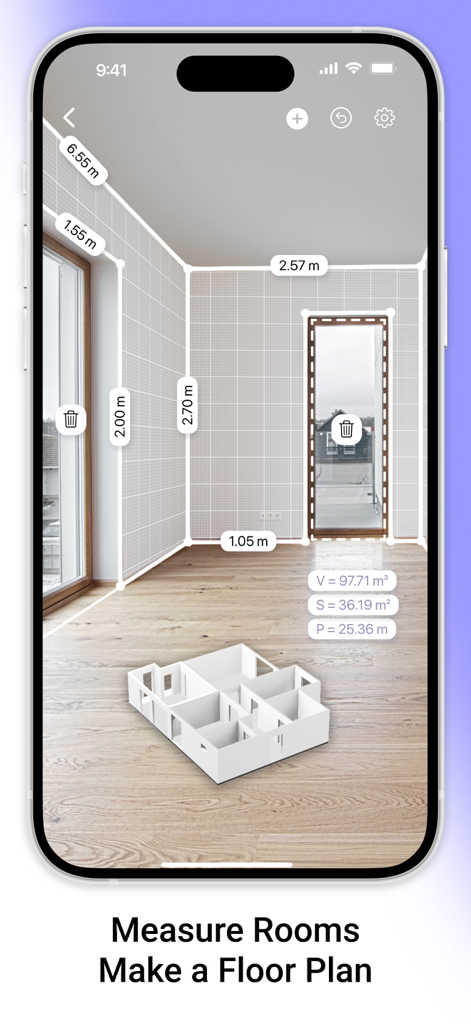
AR Plan 3Dアプリのインターフェースが、拡張現実で部屋を計測し、3D間取り図を表示しています

AR Plan 3Dアプリのインターフェースが、拡張現実で部屋を計測し、3D間取り図を表示しています

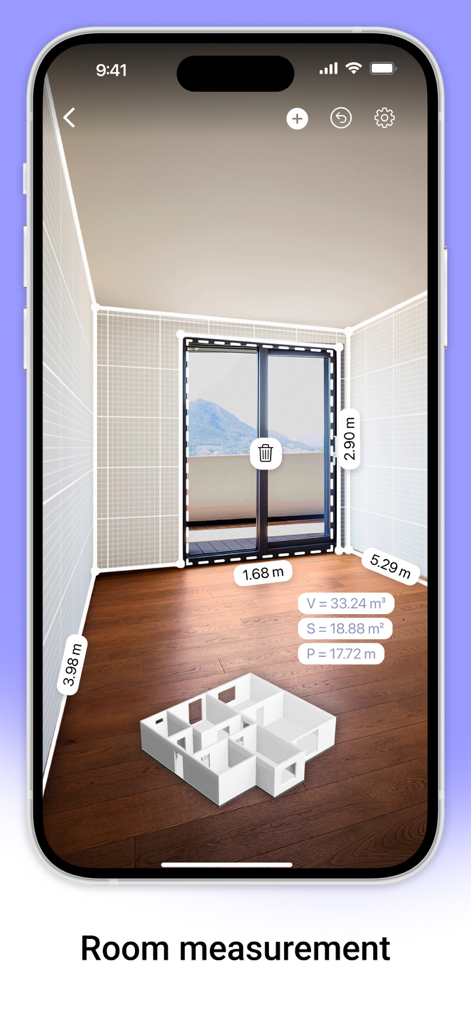
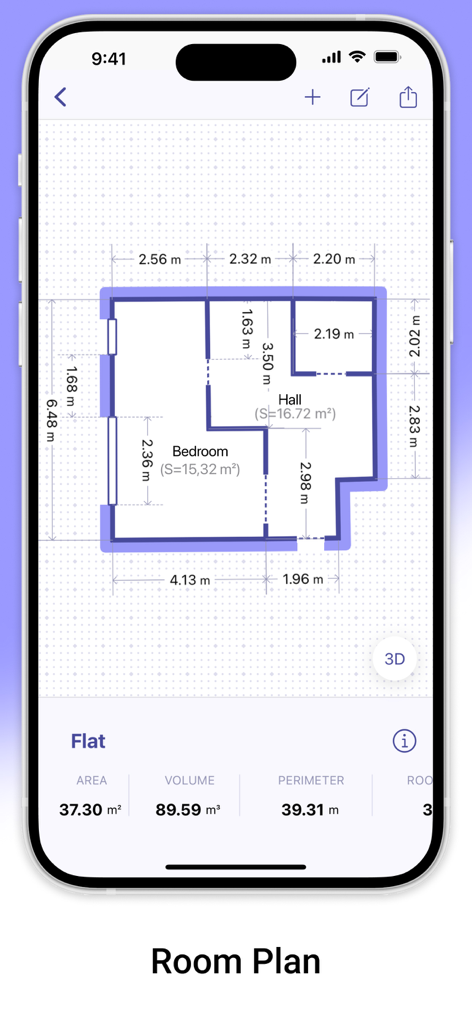
AR Plan 3Dアプリのインターフェースが、拡張現実での部屋計測を表示し、寸法と3D間取り図モデルが含まれています。

AR Plan 3Dアプリのインターフェースが、拡張現実での部屋計測を表示し、寸法と3D間取り図モデルが含まれています。

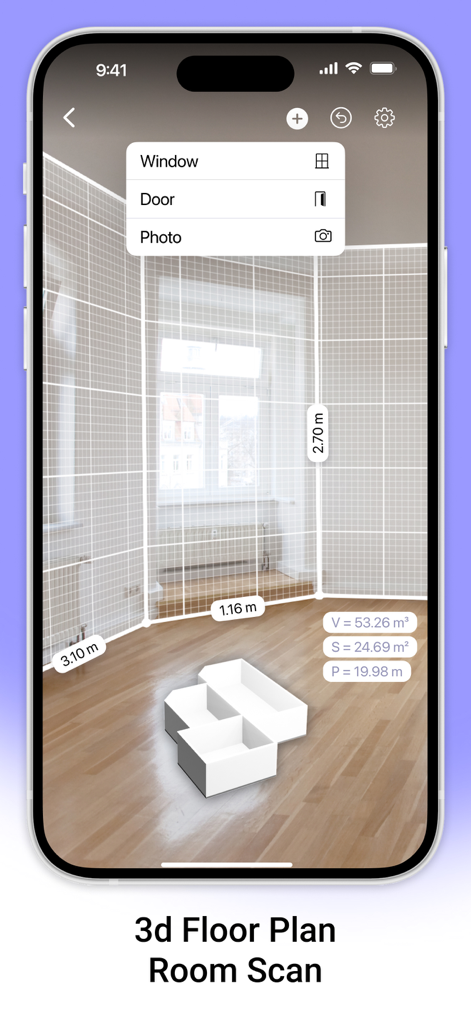
AR Plan 3Dアプリのインターフェースが、拡張現実での部屋スキャンを表示し、壁の寸法と3D間取り図が含まれています

AR Plan 3Dアプリのインターフェースが、拡張現実での部屋スキャンを表示し、壁の寸法と3D間取り図が含まれています

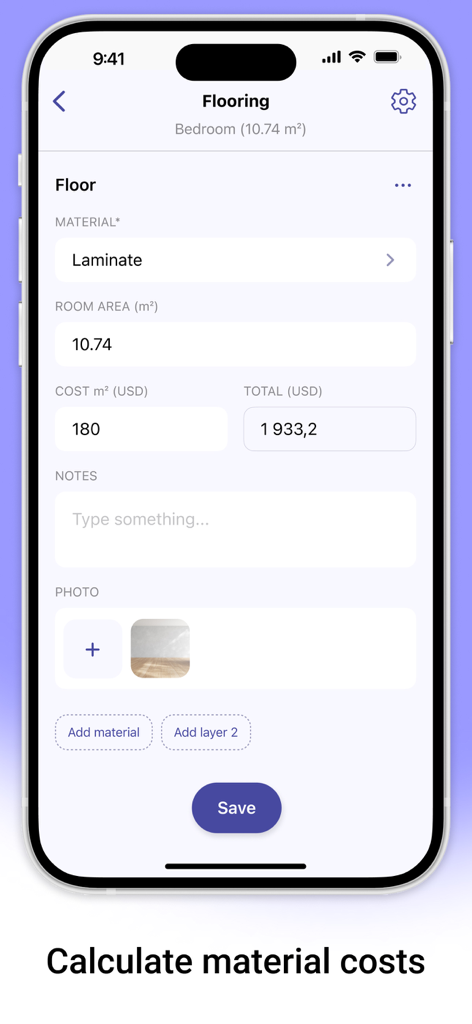
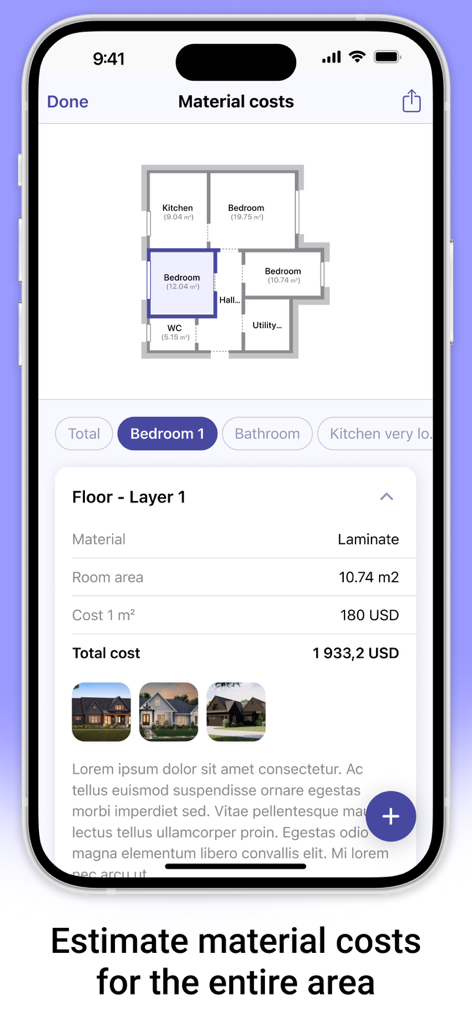
AR Plan 3Dアプリのインターフェースが、ラミネートフローリングの材料費見積もりを表示しています

AR Plan 3Dアプリのインターフェースが、ラミネートフローリングの材料費見積もりを表示しています

AR Plan 3Dアプリのインターフェースが、住宅リフォームプロジェクトの材料費見積もりと間取り図を表示しています

AR Plan 3Dアプリのインターフェースが、住宅リフォームプロジェクトの材料費見積もりと間取り図を表示しています

2D間取り図の計測結果が表示され、面積と周囲長の計算が含まれたフラットレイアウト

2D間取り図の計測結果が表示され、面積と周囲長の計算が含まれたフラットレイアウト

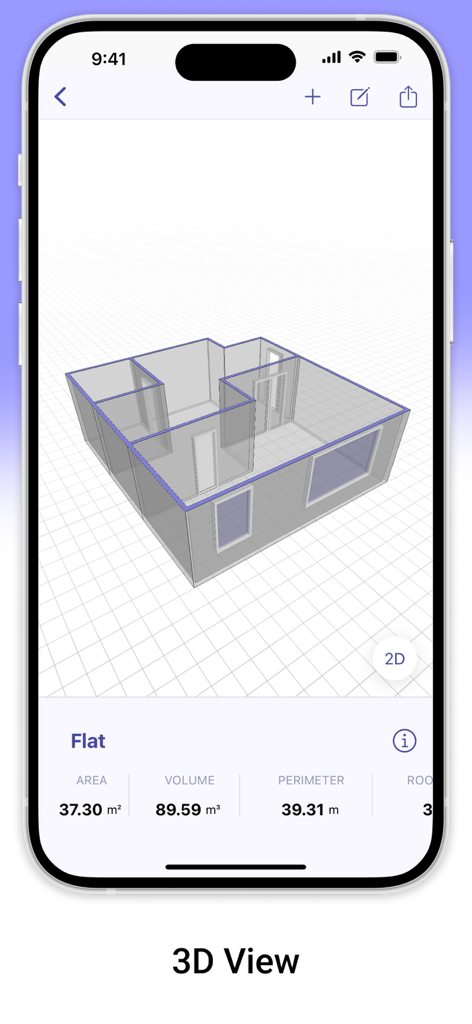
AR Plan 3Dアプリで面積と体積の計測が含まれた3D間取り図モデル

AR Plan 3Dアプリで面積と体積の計測が含まれた3D間取り図モデル

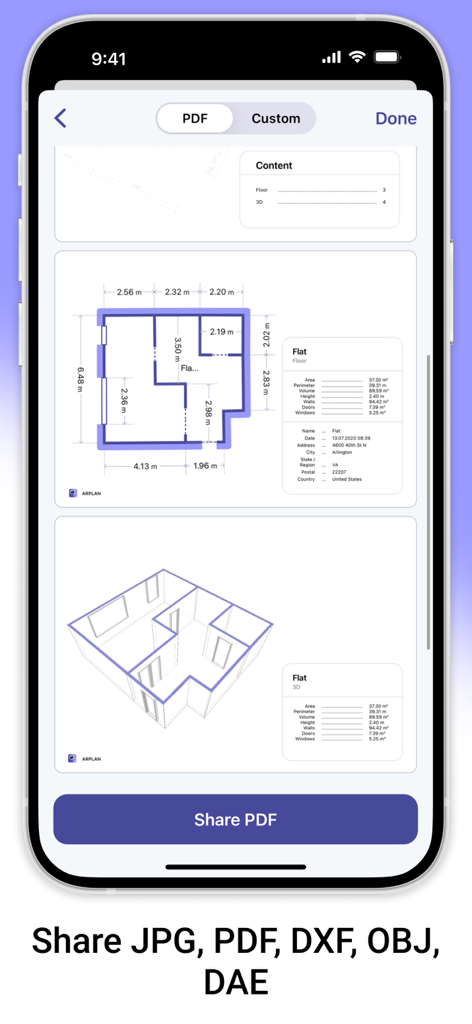
AR Plan 3Dモバイルアプリの画面に、不動産やDIYプロジェクト向けのPDF形式での2Dおよび3D間取り図のエクスポートオプションが表示されています

AR Plan 3Dモバイルアプリの画面に、不動産やDIYプロジェクト向けのPDF形式での2Dおよび3D間取り図のエクスポートオプションが表示されています

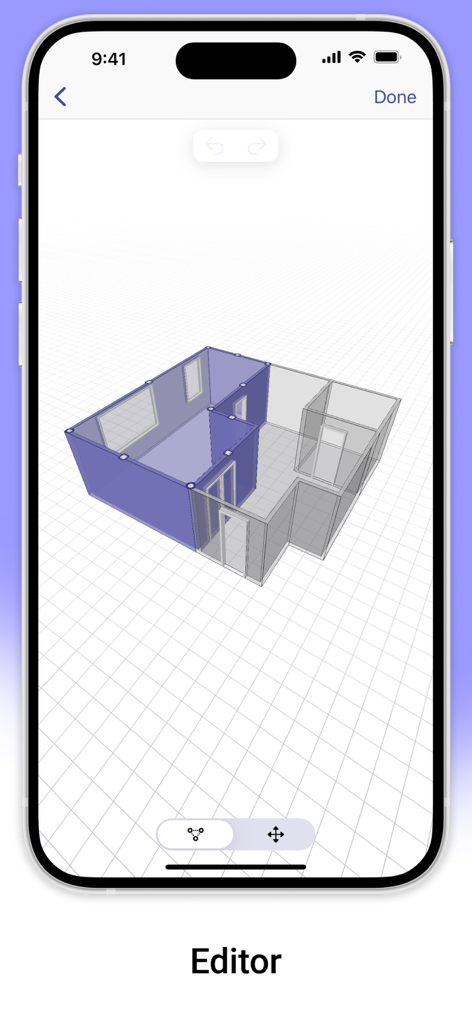
AR Plan 3Dアプリのエディタに、モバイル画面上の3D間取り図のレイアウトが表示されています

AR Plan 3Dアプリのエディタに、モバイル画面上の3D間取り図のレイアウトが表示されています

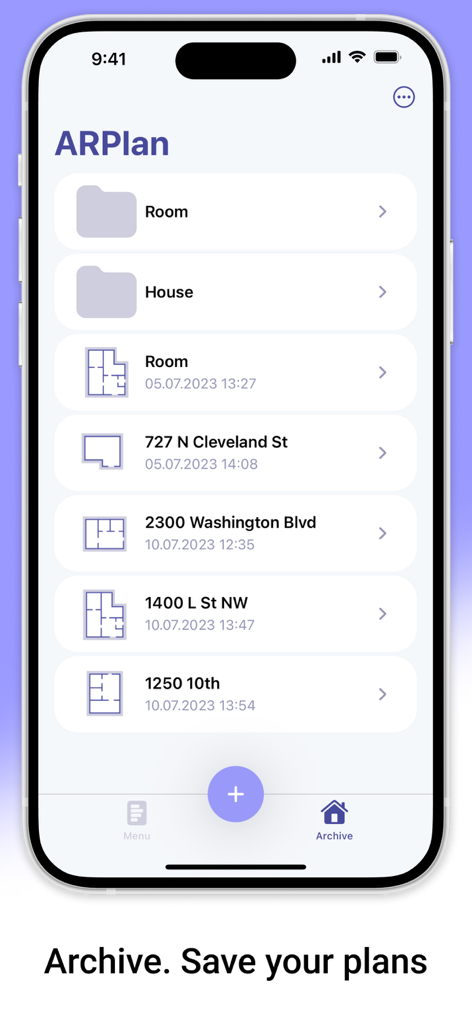
AR Plan 3Dアプリのインターフェースに、アーカイブセクションに保存された間取り図のリストが表示されています

AR Plan 3Dアプリのインターフェースに、アーカイブセクションに保存された間取り図のリストが表示されています

プロ仕様の計測を、シンプルに

このアプリを際立たせるツール、 188K+ 人のユーザーが選択.

📱

AI搭載のインスタント部屋スキャン

手作業でのメジャーはもう不要です。高度なLiDARとAR技術を使用して、プロレベルの精度で数秒でどんな部屋でもマッピングします。

📐

見事な3D&2Dの間取り図

空間を瞬時に視覚化しましょう。家全体の詳細な青写真を作成し、自信を持ってリフォームや家具の配置を計画しましょう。

💰

スマートな材料&費用見積もり

材料費を払いすぎるのはやめましょう。床材や塗料の平方フィートを自動計算し、即座に正確な予算見積もりを取得しましょう。

📱

AI搭載のインスタント部屋スキャン

手作業でのメジャーはもう不要です。高度なLiDARとAR技術を使用して、プロレベルの精度で数秒でどんな部屋でもマッピングします。

📐

見事な3D&2Dの間取り図

空間を瞬時に視覚化しましょう。家全体の詳細な青写真を作成し、自信を持ってリフォームや家具の配置を計画しましょう。

💰

スマートな材料&費用見積もり

材料費を払いすぎるのはやめましょう。床材や塗料の平方フィートを自動計算し、即座に正確な予算見積もりを取得しましょう。

アプリについて

について知っておくべきこと AR Plan 3D Measure Floor, Room.

説明

AR Plan 3D is an innovative measurement app that uses augmented reality (AR) for quick room measurement and room scan. AR technology lets you place a virtual plan measurement ruler on real-world surfaces, making measure plans and creating a 3D room floor plan AR LiDAR measurement much faster and easier. With the AR Plan 3D ruler app, you can: 1. Instantly scan your surroundings with the Automatic room scan feature. Create a floor plan measurement of a room in just seconds. 2. Measure rooms by perimeter and height in Metric or Imperial units (cm, m, mm, inch, feet, yard). 3. Measure floor plan details, including doors and windows. 4. Automatically calculate perimeter, floor area, wall area, and other values helpful for construction or renovation planning and home measurements. 5. On LiDAR-enabled devices, easily measure room height with one tap using room scan LiDAR. 6. Use the 3D Floorplanner to create a complete room plan measurement with all dimensions. 7. Try the classic Floorplanner to generate a floor plan measurement in 2D. 8. Use the 2D Side View Floorplanner for wall layouts and side perspectives. 9. Estimate materials and costs based on your room measurement — including flooring, wall coverings, renovation work, and more. 10. In Manual Mode, the “Auto Corners” tool helps you detect and fix room corners directly on the planner room. 11. Create entire apartments with automatic room separation, or manually add spaces using Autoscan for precise room measuring. 12. Save your measure plans in the Floorplanner Archive. 13. Share your home measurements by email, messaging, or social networks. Try AR Plan 3D ruler app today — we’d love to hear your feedback! Customer Support If you have any questions about the AR Plan 3D planner room or need help, feel free to contact us at: support@grymalaltd.com Follow Us: Twitter: https://twitter.com/grymalaofficial Instagram: https://www.instagram.com/grymala_official/ Pinterest: https://www.pinterest.com/grymalaapps/ LinkedIn: https://www.linkedin.com/company/grymala/ Subscription: Premium – 3-day free trial, then Year Premium or Month Premium  • No ads • Unlimited projects • Full access to premium tools Prices may vary by country. You won’t be charged if you cancel at least 24 hours before the end of the free trial. Subscriptions renew automatically unless canceled at least 24 hours before the current period ends. Manage subscriptions in your iTunes account settings. Payment is charged through your iTunes account. --- Terms of Service: https://www.apple.com/legal/internet-services/itunes/dev/stdeula/

最新バージョン

2.5.2

サイズ

246.8 MB

リリース日

2019年5月2日

次のプロジェクトを正確に始めましょう

188,000人以上の住宅所有者やプロが、メジャーから卒業して、より速く、よりスマートな3D間取り図を作成しています。AR Plan 3Dをダウンロードして、数秒で最初のスキャンを完了しましょう。

ダウンロード: App Storeダウンロード: Google Play

App information, icons, screenshots, and descriptions displayed on this page are sourced from the Apple App Store and are the property of their respective developers. Download estimates and rankings are based on MWM's proprietary models and may not reflect actual figures. This page is provided for informational and analytical purposes only.

Believe this page infringes your intellectual property? File a dispute