
このページはアプリまたはその開発者の公式ページではなく、情報提供および論評を目的として作成された独立した編集出版物です。明示的に別段の記載がない限り、アプリおよびその開発者は、MWM、Apple、Google Play、アプリのパブリッシャー、またはアプリの開発者と提携、承認、後援、認可、またはその他の公式的な関係はなく、このページのいかなる内容も、アプリがMWMのサービスを使用して開発されたことを意味するものではありません。すべての商標、ロゴ、スクリーンショット、その他のコンテンツはそれぞれの所有者の財産です。


Tape Measure®
もはや空間は謎ではない。このアプリは、あらゆる環境を完全に把握する能力をあなたに与える。
ダウンロード
2.5M+ユーザー評価
評価数
55.1K開発元
カテゴリ
Utilities対応言語
8最新バージョン
1.3.1サイズ
108.6 MBリリース日
2018年10月6日テックアナリストによる詳細評価とインパクト分析
Tape Measure® アプリ 主要機能分析
AR巻尺機能
このアプリは、AR技術を利用して、スマートフォンのカメラを対象物に向けるか、直接触れることで、高精度な距離測定を提供します。これにより、物理的な巻尺なしで迅速な測定が可能です。
仮想配置と視覚化
ユーザーは、家具、テレビ、絵画などのアイテムが空間にどのように収まるかを仮想的に配置し、視覚化できます。これにより、購入前のサイズ確認やデザインの検討が容易になります。
間取り図作成と保存
ユーザーは、正確な周辺間取り図を簡単に作成し、それらをプランライブラリに保存できます。これにより、リノベーションや家具配置の計画が効率的に進められます。
レーザー距離測定
このアプリは、遠距離の測定を可能にするレーザー距離計の機能を提供し、広範囲にわたる測定作業を効率化します。
表面・角度測定
本ツールは、様々な表面の面積や角度を正確に測定する機能を提供し、DIYプロジェクトや空間デザインにおける複雑な計算を簡素化します。
レーザー・バブル水準器
このアプリは、レーザー水準器とバブル水準器の機能を備えており、設置物の水平・垂直を極めて高い精度で確認することが可能です。
間柱探知機
本ツールは、壁内の間柱、金属、配線を検出する機能を提供し、壁への穴あけや取り付け作業を安全かつ正確に行うことを可能にします。
測定履歴の保存
本ツールは、過去の測定活動を記録し保存する機能を提供します。これにより、プロジェクトの進捗管理や後からの確認が容易になります。
よくある質問
について知っておくべきこと Tape Measure®
How does Tape Measure® work?
Tape Measure® uses augmented reality (AR) to provide measurement tools. It allows users to measure objects by pointing and shooting a ruler or by touching the phone directly to surfaces, leveraging AR capabilities for accuracy.
What tools are included in the Tape Measure® app?
Tape Measure® includes tools like Tape Measure, Surface Measure, Angle Measure, Floor Plan, Laser Level, Bubble Level, Stud Finder, Person’s Height, Virtual Furniture, TV Sizer, and Wall Draw.
Can Tape Measure® create floor plans?
Yes, Tape Measure® includes a Floor Plan tool to create accurate perimeter floorplans. It also features a Plan Library to save created plans, which are embeddable in Sweet Home 3D with a Premium subscription.
Is a premium subscription required for Sweet Home 3D integration with Tape Measure®?
Yes, a Premium subscription to Tape Measure® grants access to the 3D design app Sweet Home 3D. This bundle allows users to create and visualize house projects with great precision.
What are the device requirements for Tape Measure® augmented reality features?
Tape Measure® augmented reality features require ARKit with an A9 processor or later. This means an iPhone 6S or later is necessary to utilize these functionalities within the app.
Does Tape Measure® offer a free trial for its premium subscription?
Yes, Tape Measure® offers a free trial, but only on selected subscriptions. Any unused portion of a free trial period, if offered, is forfeited upon purchasing a subscription.
How do I manage my Tape Measure® premium subscription?
You can manage your Tape Measure® subscriptions and turn off auto-renewal from your iTunes Account Settings after the purchase. Auto-renewal must be turned off at least 24 hours before the current period ends.
Where can I find the privacy policy for Tape Measure®?
The privacy policy for Tape Measure® is available at the following link: https://magic-cake-e95.notion.site/Tape-Measure-Privacy-Policy-1b9cf6557a088042b850c9577a3c6fc7?pvs=4.
Can Tape Measure® detect metal and wiring?
Yes, Tape Measure® includes a Stud Finder tool specifically designed to detect metal and wiring. This feature assists users in locating hidden objects within walls.
Does Tape Measure® allow drawing in AR mode?
Yes, Tape Measure® provides an Air Brush tool that enables users to draw directly in augmented reality (AR) mode. This feature allows for virtual markings and annotations within the environment.
How does the TV Sizer feature work in Tape Measure®?
The TV Sizer in Tape Measure® allows users to visualize how different TV measures would fit in their space. It helps determine the optimal placement and size by measuring the TV diagonal.
Can Tape Measure® measure a person's height?
Yes, Tape Measure® includes a specific tool for measuring a person's height. This feature utilizes augmented reality to provide accurate height measurements using your phone.
以下のスクリーンショットと説明は、アプリの公式ストアリスティングから直接取得されたものであり、アプリ開発者の所有物です。
アプリストア
スクリーンショット
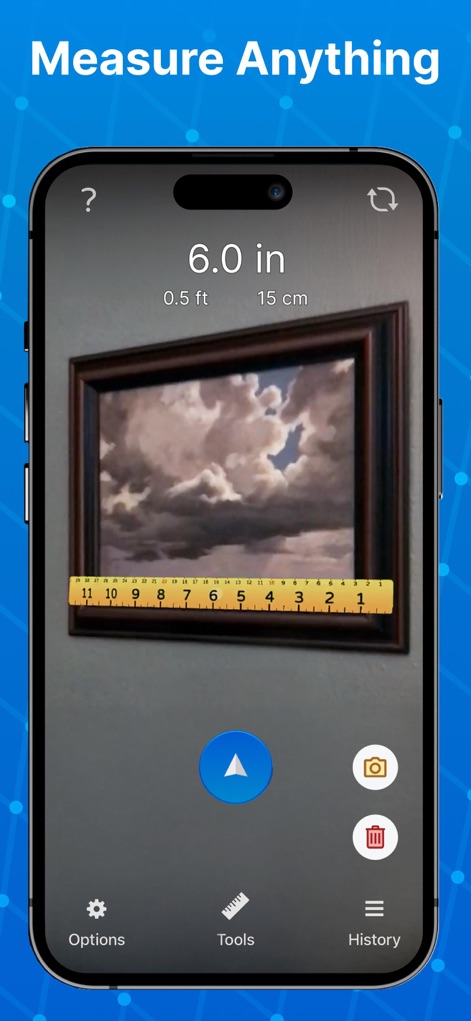
このスクリーンショットは、ARを活用した物体の長さ測定機能と、センチメートル、インチ、フィートの複数単位表示を示しており、ユーザーは様々なシーンで手軽に寸法を測れます。
どこでも正確測定
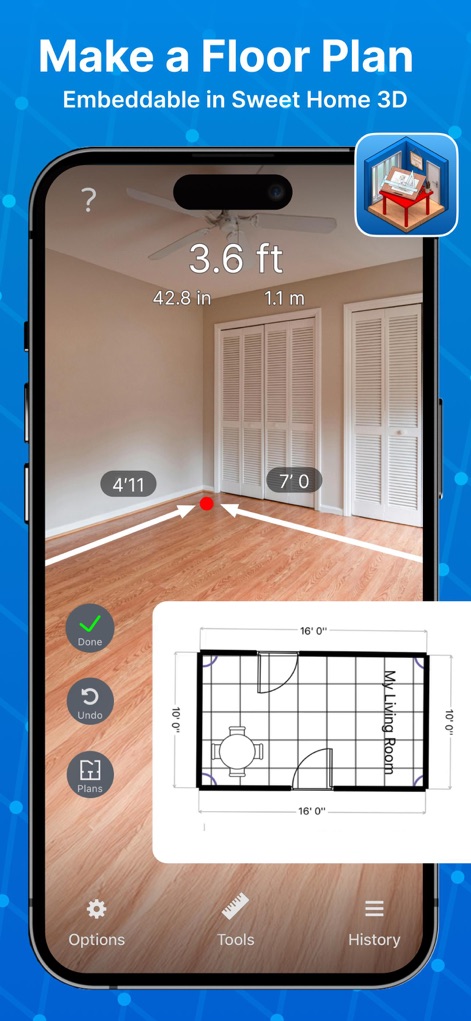
この画面では、AR技術を使用して部屋の寸法を測定し、リアルタイムで間取り図を作成できます。作成されたプランはSweet Home 3Dに埋め込むことが可能で、設計作業が効率化されます。
間取り図を簡単作成
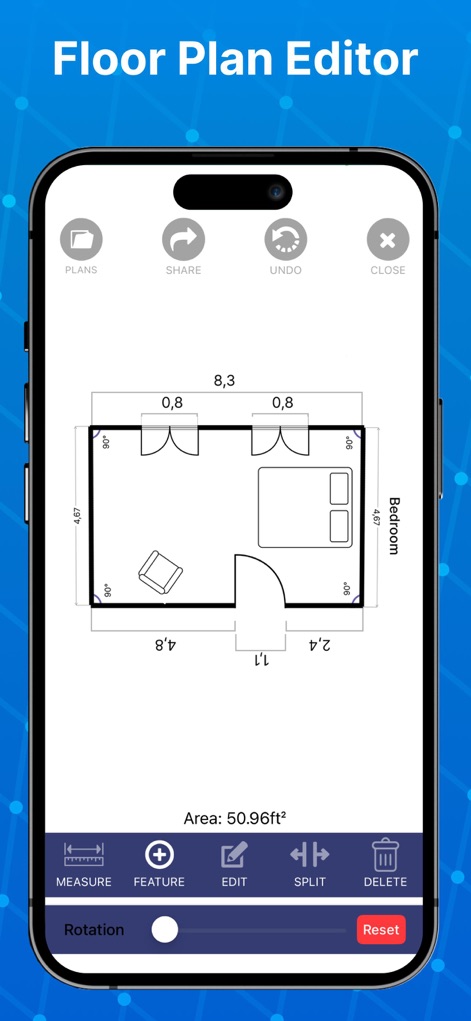
間取り図エディタの画面では、詳細な寸法表示と、複数の部屋を組み合わせた間取り図の編集機能が提供されており、ユーザーは複雑なレイアウトも直感的に調整できます。
高度な間取り編集
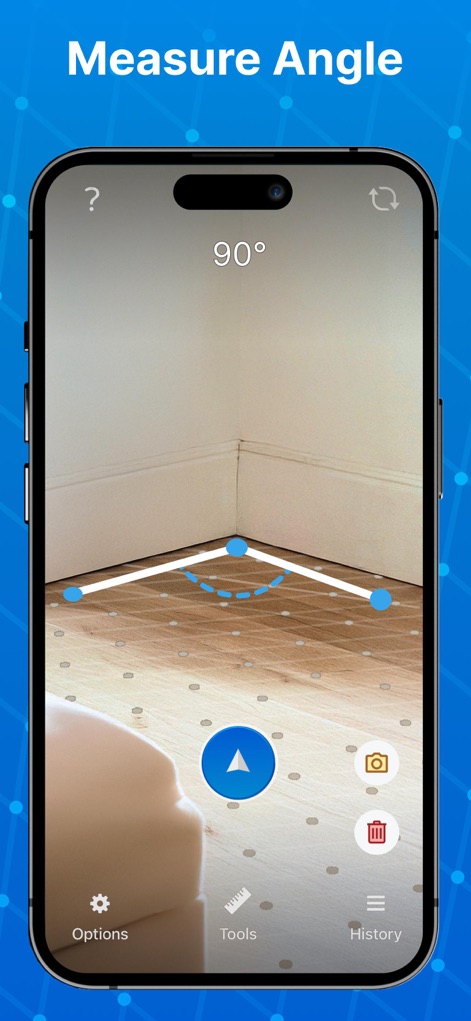
このスクリーンショットは、部屋の隅の角度をARで認識し90度と表示している様子を示しています。ユーザーはポイントをタップして任意の角度を測定できます。
角度を正確に測定
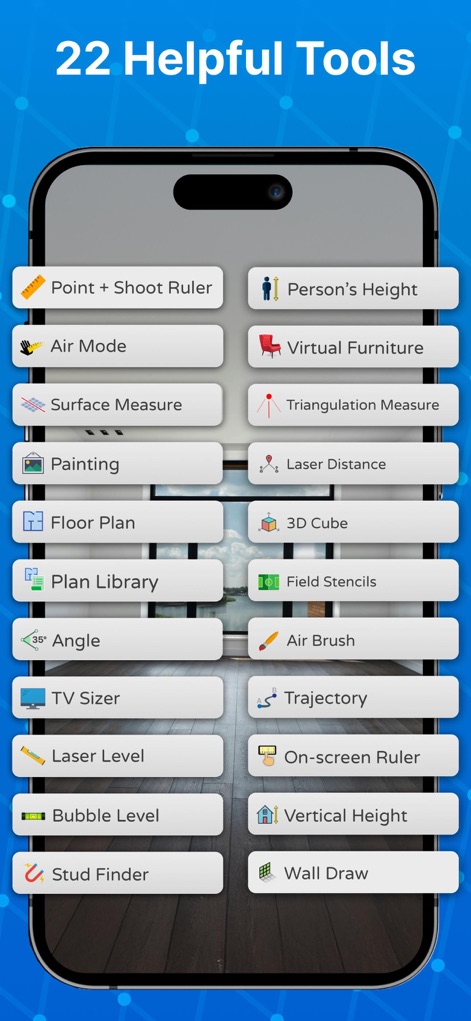
この画面には、22種類の多様な測定ツールが一覧表示されており、ユーザーは「ポイント&シュート定規」や「バーチャル家具」などの各機能をタップ一つで選択し、幅広い測定ニーズに対応できます。
22の便利ツール
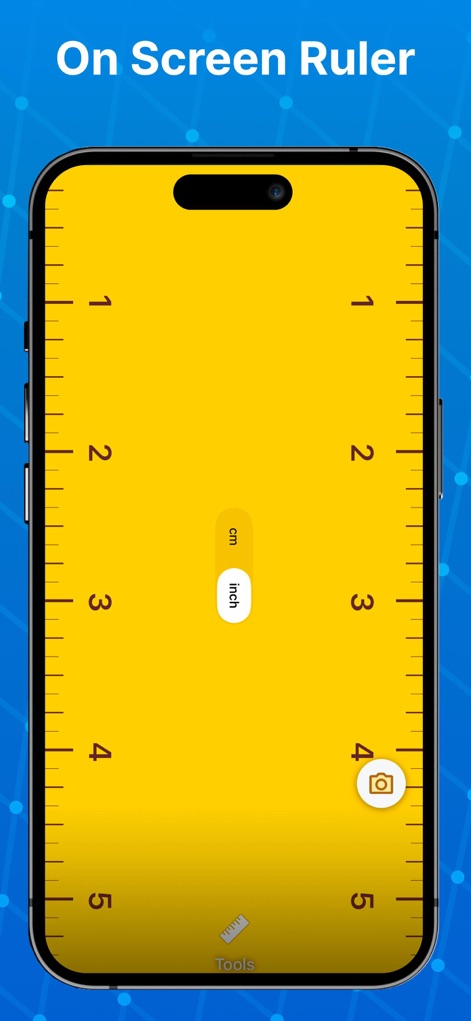
ユーザーは、この画面に表示されるオン・スクリーン定規を使って、携帯電話の画面上で直接インチとセンチメートルの両方でオブジェクトのサイズを測定できます。
画面で直接測定
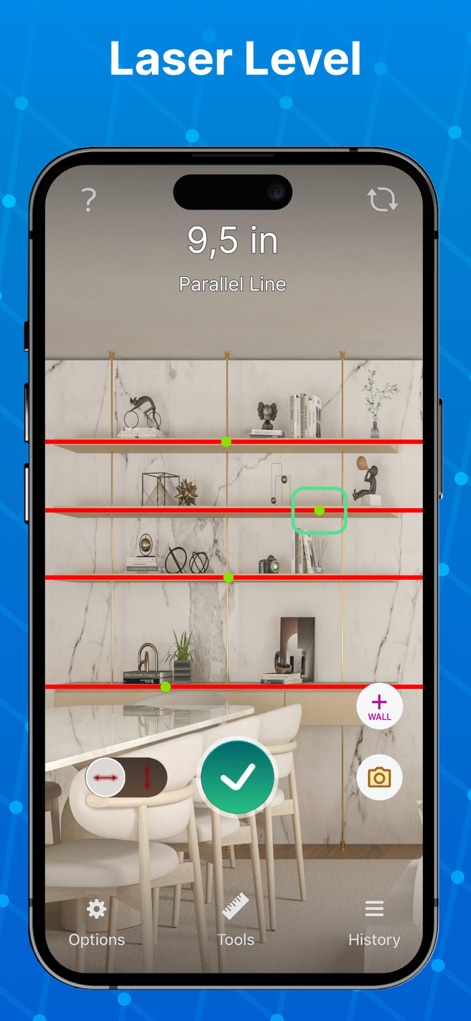
このスクリーンショットは、レーザーレベル機能が棚の水平線を赤い線で正確に示し、平行に配置されたアイテムの視覚的な整合性を確認できる様子を映しています。
レーザーレベルで水平確認
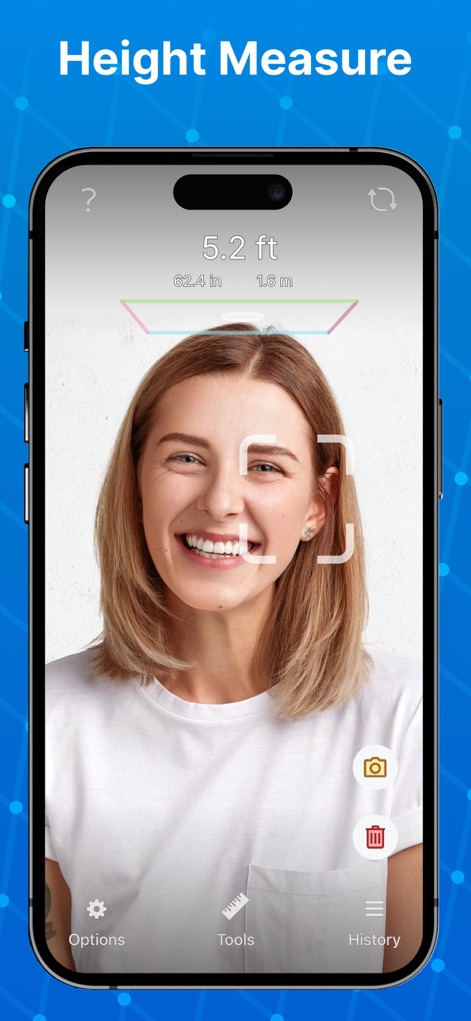
この機能は、ユーザーの身長を自動で測定し、フィート、インチ、メートルといった複数単位で表示します。これにより、簡単に人物の高さ情報を取得できます。
身長を瞬時に計測
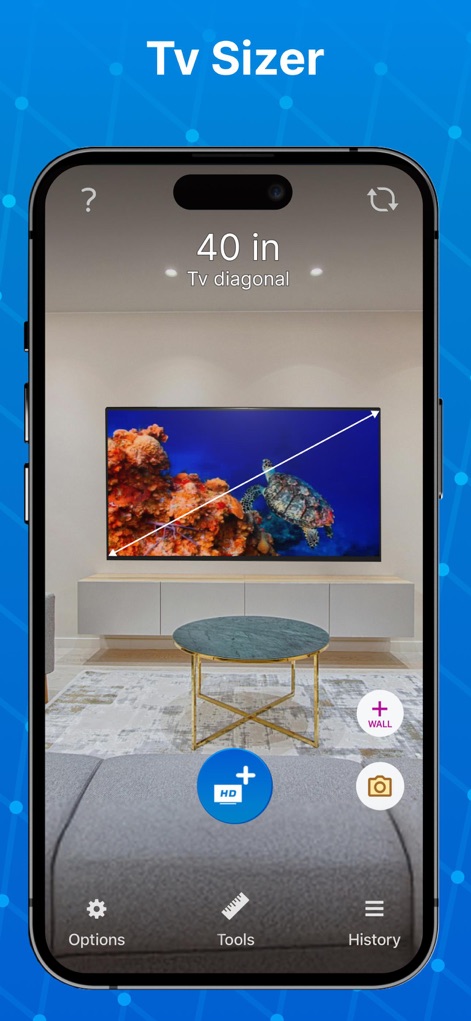
この画面では、仮想のテレビサイズを部屋に配置し、対角線の長さ(例:40インチ)を正確に表示することで、ユーザーが新しいテレビが空間にどのように収まるかを確認できます。
テレビサイズを試着
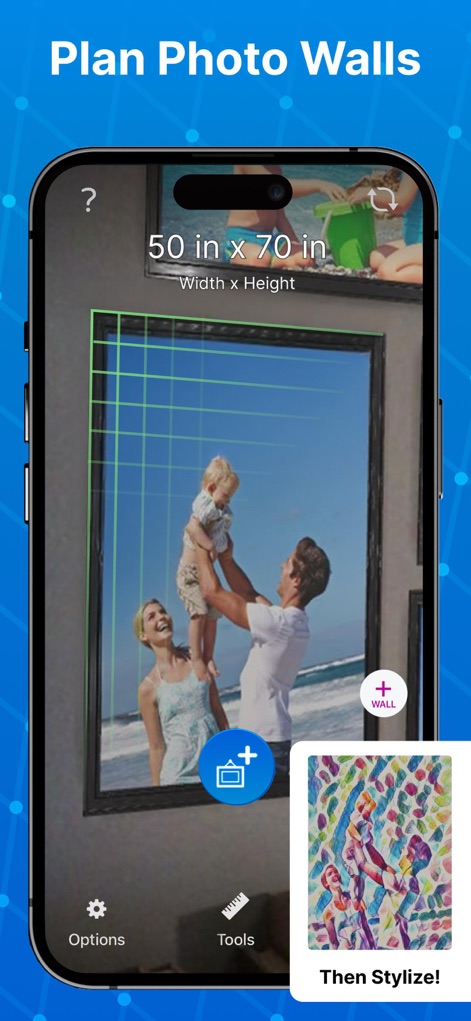
この機能は、ユーザーが写真やアートワークの配置をARで計画できるよう、フレームにグリッド線と寸法(例:50インチ x 70インチ)を表示し、壁のデコレーションを視覚的にサポートします。
写真壁のレイアウト
説明
Download
類似アプリ
似た機能とユーザー体験を持つアプリ

Pocket Bubble Level XXL
ExaMobile S.A.

Measuring Tape +ㅤ
Rocket Apps GmbH

CamToPlan - 3D Scanner & LiDAR
Tasmanic Editions

Tape Measure: AR Ruler
Veysel OTI

Home Planner - AI Room Design
Room Planner Ltd

Polycam 3D Scanner, LiDAR, 360
Polycam Inc.

Measuring Tape+ Measure AR app
MEASURE TECH SOCIEDAD LIMITADA

Bubble Level for iPhone
Lemondo Apps LLC
CamToPlan - AR tape measure
Tasmanic Editions
このページはアプリまたはその開発者の公式ページではなく、情報提供および論評を目的として作成された独立した編集出版物です。明示的に別段の記載がない限り、アプリおよびその開発者は、MWM、Apple、Google Play、アプリのパブリッシャー、またはアプリの開発者と提携、承認、後援、認可、またはその他の公式的な関係はなく、このページのいかなる内容も、アプリがMWMのサービスを使用して開発されたことを意味するものではありません。すべての商標、ロゴ、スクリーンショット、その他のコンテンツはそれぞれの所有者の財産です。