
このページはアプリまたはその開発者の公式ページではなく、情報提供および論評を目的として作成された独立した編集出版物です。明示的に別段の記載がない限り、アプリおよびその開発者は、MWM、Apple、Google Play、アプリのパブリッシャー、またはアプリの開発者と提携、承認、後援、認可、またはその他の公式的な関係はなく、このページのいかなる内容も、アプリがMWMのサービスを使用して開発されたことを意味するものではありません。すべての商標、ロゴ、スクリーンショット、その他のコンテンツはそれぞれの所有者の財産です。


Polycam 3D Scans & Floor Plans
現場の現実を寸分の狂いもなくデジタルデータへ。このアプリは、あなたのデバイスにプロ級の空間把握能力を授けることがわかる。
ダウンロード
12.5M+ユーザー評価
評価数
114.6K開発元
カテゴリ
Photo & Video対応言語
27最新バージョン
5.2.12サイズ
490.8 MBリリース日
2020年9月28日Polycam 3D Scans & Floor Plans の主要機能分析
プロフェッショナルな3Dスキャンとモデリングの核心
精密な間取り図と設計図の生成
本ツールは、3Dスキャンデータから、建築設計や不動産業務に不可欠な2D間取り図や正確な設計図を自動生成し、主要なCADソフトウェアと連携できる機能を提供します。
LiDARによる高精度な空間スキャン
このアプリは、LiDAR技術を活用し、空間を迅速かつ高精度に3Dスキャンする機能を提供します。これにより、建築現場や物件の正確なデジタル記録が可能です。
Roomモードによる室内空間の詳細モデル化
ユーザーは、LiDAR対応デバイスを用いて室内の詳細かつ正確な3Dモデルを生成できます。建築家、デザイナー、不動産業者にとって、設計の可視化とドキュメント化を大幅に効率化します。
プロフェッショナルなデータエクスポート機能
本ツールは、作成した3Dモデルや点群データを、業界標準のOBJ、FBX、DXFなどの形式で主要な3Dソフトウェア(Blender, SketchUpなど)に直接エクスポートする機能を提供します。
写真からの高品質3Dモデル生成
このアプリは、写真測量法やGaussian Splats技術により、通常の写真から精巧な3Dモデルを簡単に作成する機能を提供します。複雑なオブジェクトやシーンのデジタル化に役立ちます。
オンデバイスでの精密編集と計測
ユーザーは、3Dモデルをデバイス上で直接、クロップ、回転、リサイズ、計測などのツールで精密に調整できます。これにより、現場での即時修正と精度向上が可能です。
Webプラットフォームでの高度な編集と連携
このアプリは、PCのWebブラウザからスキャンデータにアクセスし、より高度な編集ツール、AIテクスチャ生成、クラウド同期を利用する機能を提供します。モバイルとデスクトップのシームレスな連携を実現します。
チームコラボレーションと共有ライブラリ
ユーザーは、作成した3Dキャプチャを簡単なリンクで共有し、チームメンバーとの共同作業や専門家からのフィードバックを効率的に行えます。
360°パノラマ画像の作成
このアプリは、iPhoneを360°カメラとして活用し、没入感のあるパノラマ体験を生成する機能を提供します。AI技術により、視界外の領域もシームレスに補完されます。
無制限のフォトグラメトリとGaussian Splats
プロユーザーは、品質を損なうことなく、必要に応じた数のフォトグラメトリモデルやGaussian Splatsをキャプチャおよび処理できます。
よくある質問
について知っておくべきこと Polycam 3D Scans & Floor Plans
What is Polycam used for?
Polycam is a 3D scanning platform for iPhone and iPad. It creates high-quality 3D models from photos, generates LiDAR scans, and captures 360° images for editing and export to industry-standard software.
Can Polycam generate 3D models from photos?
Yes, Polycam generates high-quality 3D models from photos using photogrammetry and Gaussian splats. This feature functions across all iPhones and iPads.
Does Polycam support LiDAR scanning?
Yes, Polycam offers top-rated LiDAR scanning for rapid, accurate captures of space. This feature requires an iPhone or iPad equipped with LiDAR technology.
What devices are compatible with Polycam's 360° camera feature?
Polycam's 360° camera feature is compatible with iPhone 11 and later models. It transforms the device into a full-fledged 360° camera for immersive panoramic experiences.
Can Polycam create floor plans from 3D scans?
Yes, Polycam generates detailed 3D models of rooms using LiDAR in Room Mode, and instantly creates 2D floor plans and scale-accurate blueprints from these scans.
What file formats can Polycam export 3D models in?
Polycam exports detailed 3D models in .obj, .dae, .fbx, and .stl formats, and color point clouds as .dxf and .ply. Floor plans are exported for AutoCAD, SketchUp, and Adobe Illustrator.
Does Polycam offer on-device editing tools?
Yes, Polycam provides powerful on-device tools for precise editing and measuring. Users can crop, rotate, rescale, and measure their 3D models directly on their iPhone or iPad.
How does Polycam facilitate collaboration on projects?
Polycam facilitates collaboration through easy sharing via simple links and streamlined teamwork using shared libraries. Users can also connect with a community of creators on Polycam Explore.
Is Polycam Web Access included with the app?
Yes, Polycam Web Access is included free. It allows users to edit, enhance, and share models from their computer, featuring advanced editing, AI texture generation, and cloud syncing.
Does Polycam Pro offer unlimited 3D model creation?
Yes, Polycam Pro offers unlimited photogrammetry and Gaussian splats. This allows users to capture and process any number of high-quality 3D models for their projects without restrictions.
Can Polycam be used for measuring distances in 3D scans?
Yes, Polycam allows precise measurement within 3D scans. The app provides tools to measure distances in seconds directly on the device, as shown with dimensions displayed on screen.
How can I view the Privacy Policy for Polycam?
The Privacy Policy for Polycam is accessible via the link: https://poly.cam/privacy_policy.pdf. This document details how Polycam handles user data and privacy practices.
以下のスクリーンショットと説明は、アプリの公式ストアリスティングから直接取得されたものであり、アプリ開発者の所有物です。
アプリストア
スクリーンショット
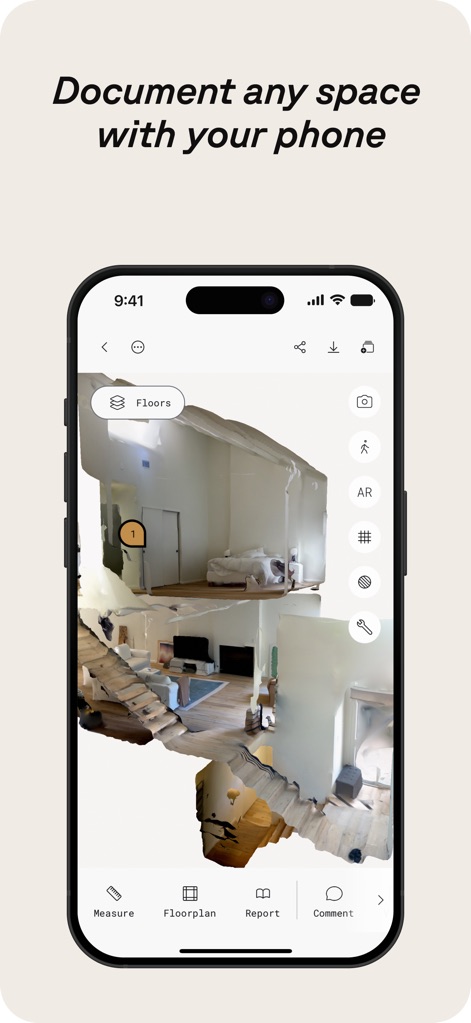
空間を3Dスキャン
このアプリは、iPhoneで空間を簡単に3Dスキャンし、詳細なメジャー機能とフロアプラン生成機能を提供します。
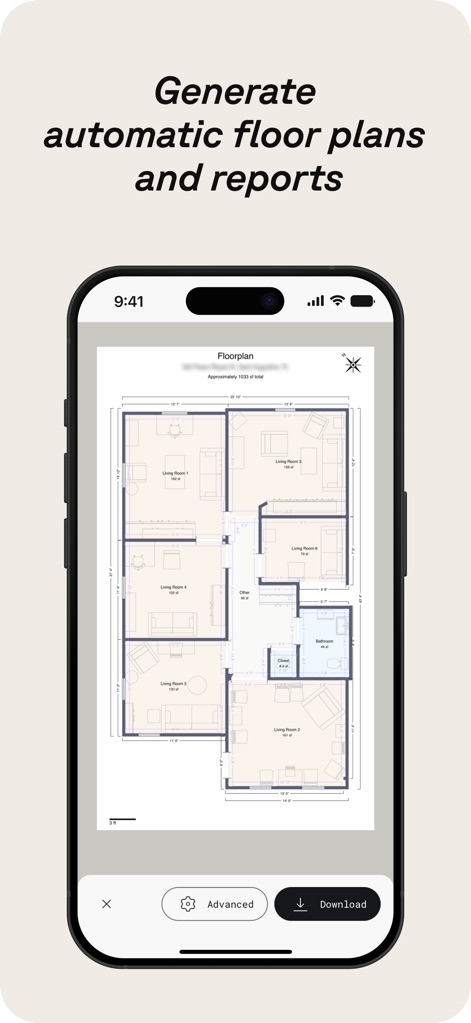
精密フロアプラン作成
高精度な3Dスキャンから、詳細な自動フロアプランとレポートを瞬時に生成し、設計や不動産のワークフローを効率化します。
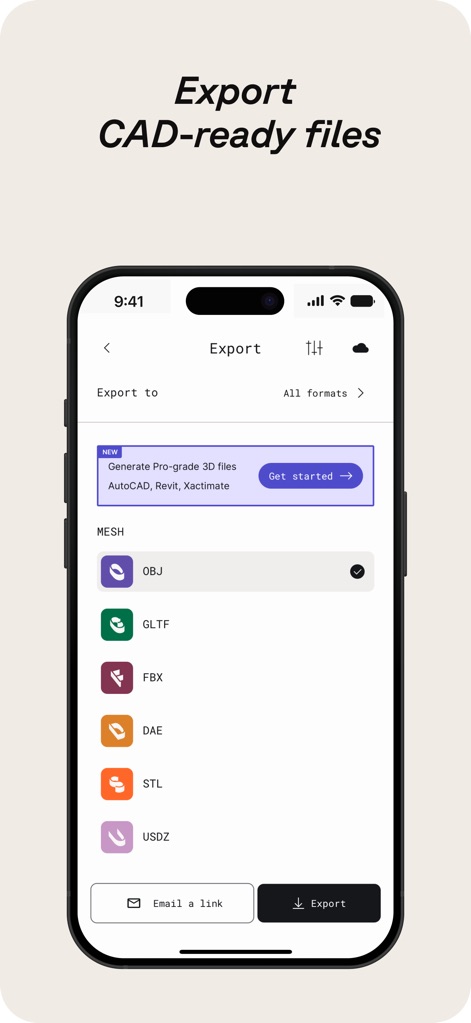
CAD対応ファイル出力
作成した3Dモデルを、業界標準のOBJやFBXなど、多様なCAD対応ファイル形式でエクスポートし、他ソフトウェアとの連携をシームレスに行えます。
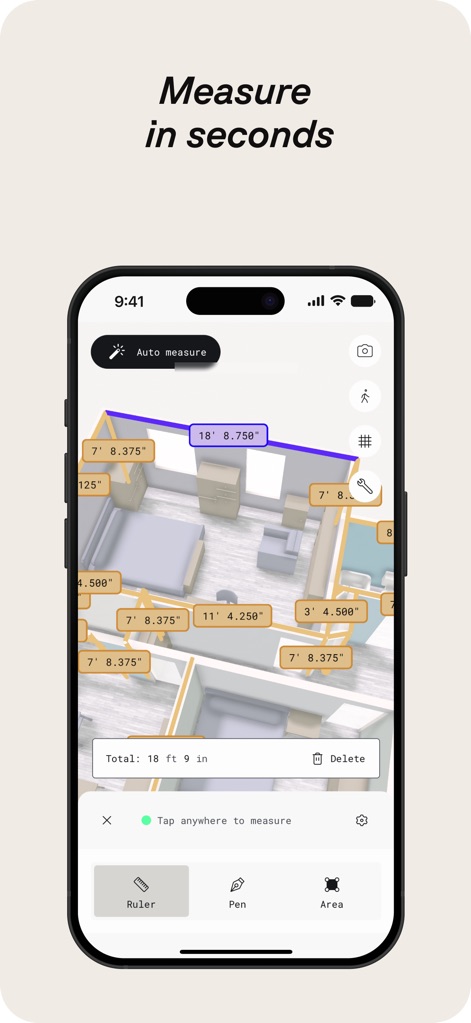
瞬時に正確な計測
3Dモデル上で、自動計測機能と精密な距離測定を活用し、迅速かつ正確な寸法データを取得することで、プロジェクトの計画と実行をサポートします。
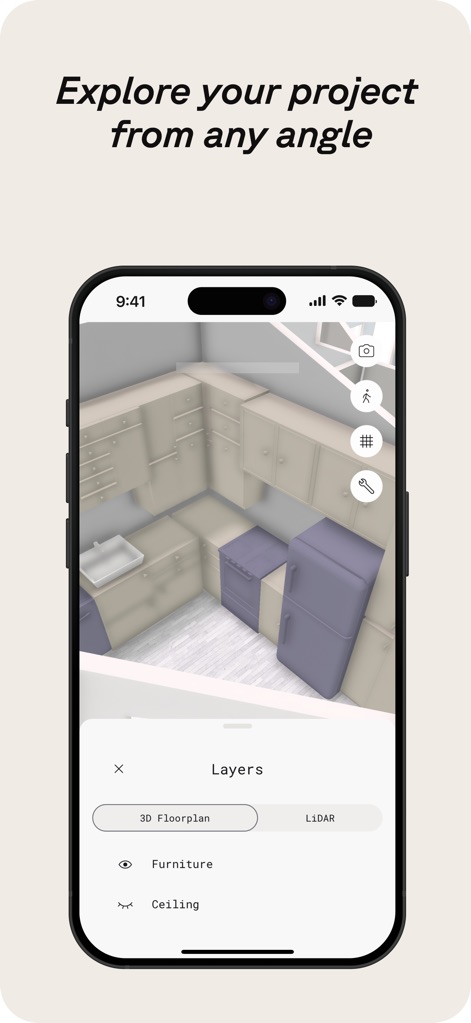
あらゆる角度から探究
3Dモデル内で、3DフロアプランビューとLiDARデータレイヤーを切り替えることで、家具配置や構造を詳細に確認し、多角的な視点からプロジェクトを検討できます。
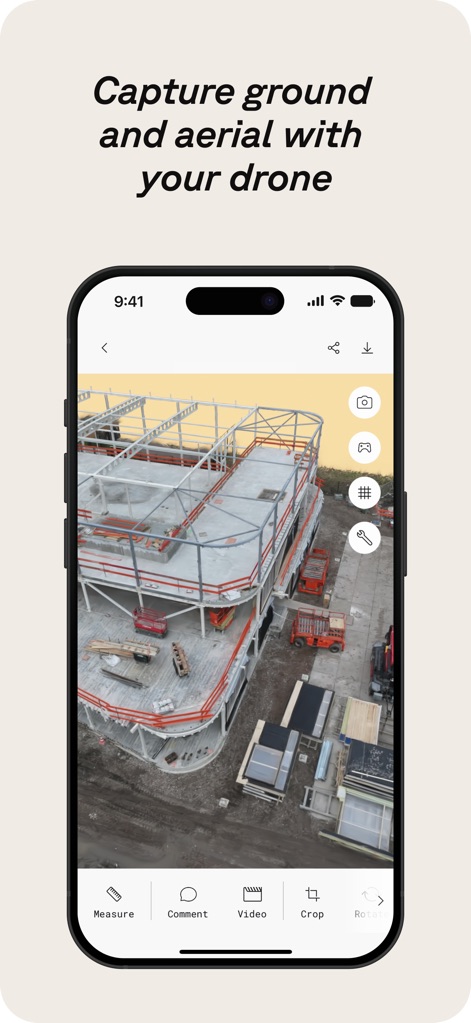
ドローンで広範囲撮影
ドローンを使って、建設現場などの地上データと空撮データを効率的にキャプチャし、広範囲にわたる高精細な3Dモデルを生成できます。
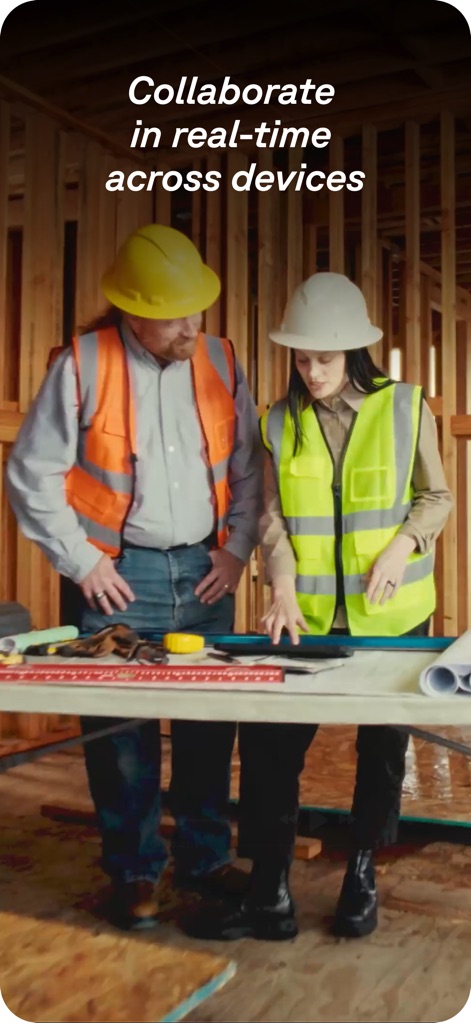
リアルタイムで共同作業
複数のデバイス間でリアルタイムな共有機能と共同編集ツールを活用することで、チームメンバー間の連携を強化し、プロジェクトの進行をスムーズにします。
説明
Download
類似アプリ
似た機能とユーザー体験を持つアプリ

Pocket Bubble Level XXL
ExaMobile S.A.

Measuring Tape +ㅤ
Rocket Apps GmbH

CamToPlan - 3D Scanner & LiDAR
Tasmanic Editions

Tape Measure: AR Ruler
Veysel OTI

Home Planner - AI Room Design
Room Planner Ltd

Measuring Tape+ Measure AR app
MEASURE TECH SOCIEDAD LIMITADA

Tape Measure®
AI Photo Editor Lab SRL

Bubble Level for iPhone
Lemondo Apps LLC
CamToPlan - AR tape measure
Tasmanic Editions
このページはアプリまたはその開発者の公式ページではなく、情報提供および論評を目的として作成された独立した編集出版物です。明示的に別段の記載がない限り、アプリおよびその開発者は、MWM、Apple、Google Play、アプリのパブリッシャー、またはアプリの開発者と提携、承認、後援、認可、またはその他の公式的な関係はなく、このページのいかなる内容も、アプリがMWMのサービスを使用して開発されたことを意味するものではありません。すべての商標、ロゴ、スクリーンショット、その他のコンテンツはそれぞれの所有者の財産です。