Salesforce Authenticator

Salesforce Authenticator


ダウンロード: App Store
ロゴ: Salesforce Authenticator

Salesforce Authenticator:プロフェッショナルなワークフローのためのワンタップセキュリティ

超高速プッシュ通知とインテリジェントな位置情報ベースの自動化により、アカウントを保護しましょう。これにより、遅延なくデータを保護できます。

ダウンロード: App Store

開発元

salesforce.com

カテゴリ

Business

ダウンロード

5M+

ユーザー評価

4.6/5

評価数

7K+

対応言語

26

タップするだけのセキュリティ

このインターフェースを利用する 5M+ 人のユーザー.

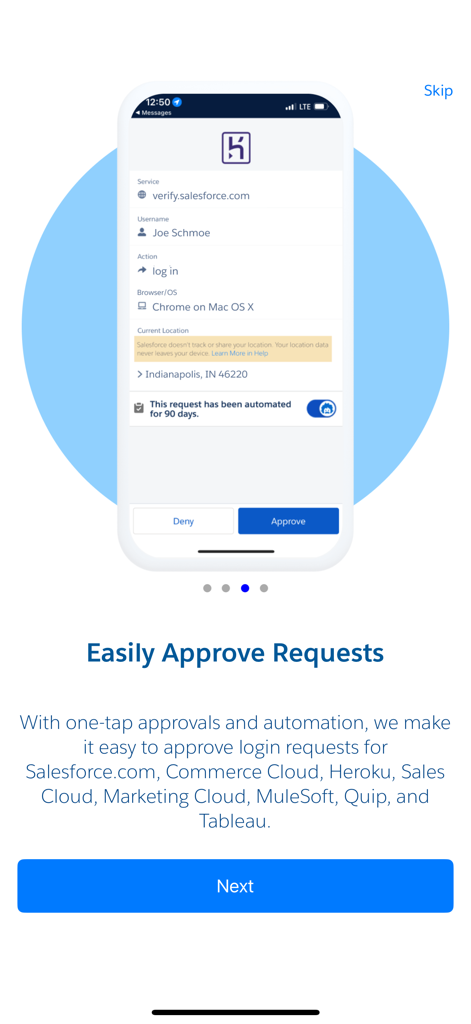
Salesforce Authenticatorアプリのインターフェースにログイン試行を承認するリクエストが表示されている。

Salesforce Authenticatorアプリのインターフェースにログイン試行を承認するリクエストが表示されている。

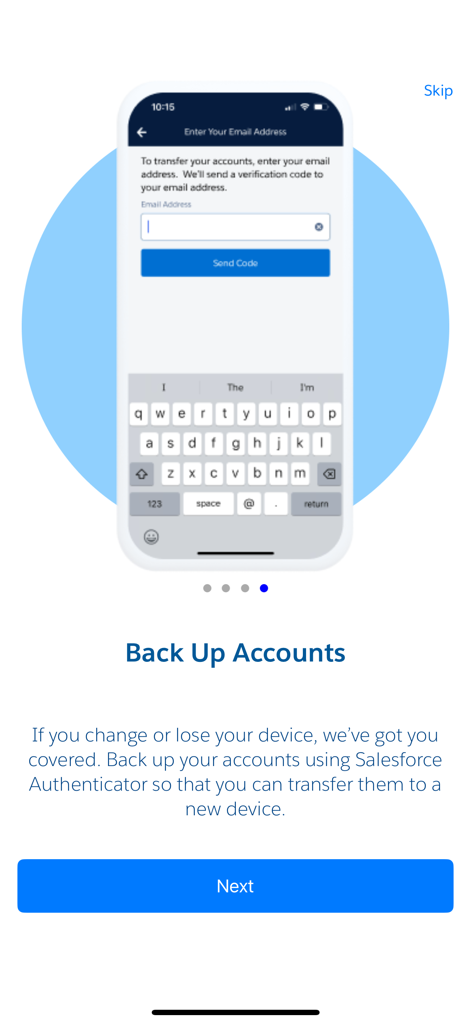
Salesforce Authenticatorモバイルアプリの画面にアカウントバックアップオプションが表示されている。

Salesforce Authenticatorモバイルアプリの画面にアカウントバックアップオプションが表示されている。

Salesforce Authenticatorアプリのウェルカム画面に、多要素認証とパスワードレスログイン機能が強調表示されている。

Salesforce Authenticatorアプリのウェルカム画面に、多要素認証とパスワードレスログイン機能が強調表示されている。

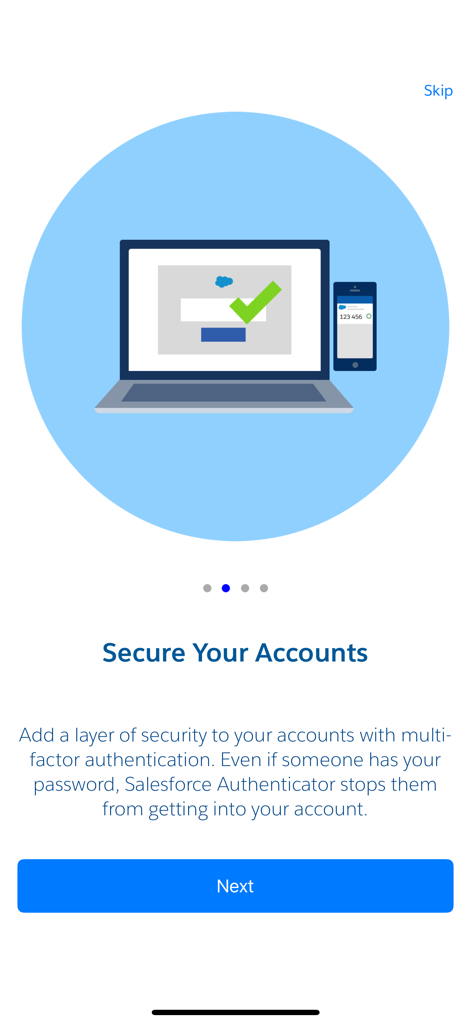
Salesforce Authenticatorアプリのオンボーディング画面に「アカウントを保護する」というタイトルと、ラップトップとスマートフォンのイラストが表示されている。

Salesforce Authenticatorアプリのオンボーディング画面に「アカウントを保護する」というタイトルと、ラップトップとスマートフォンのイラストが表示されている。

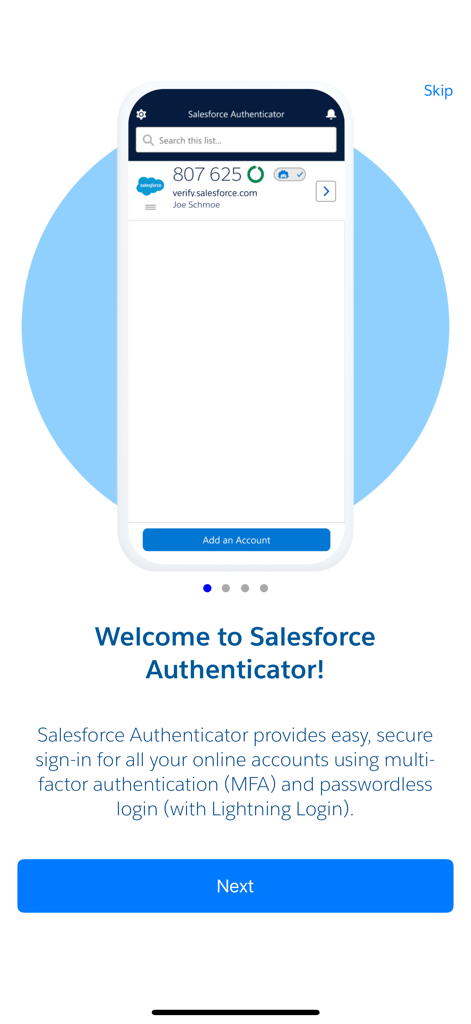
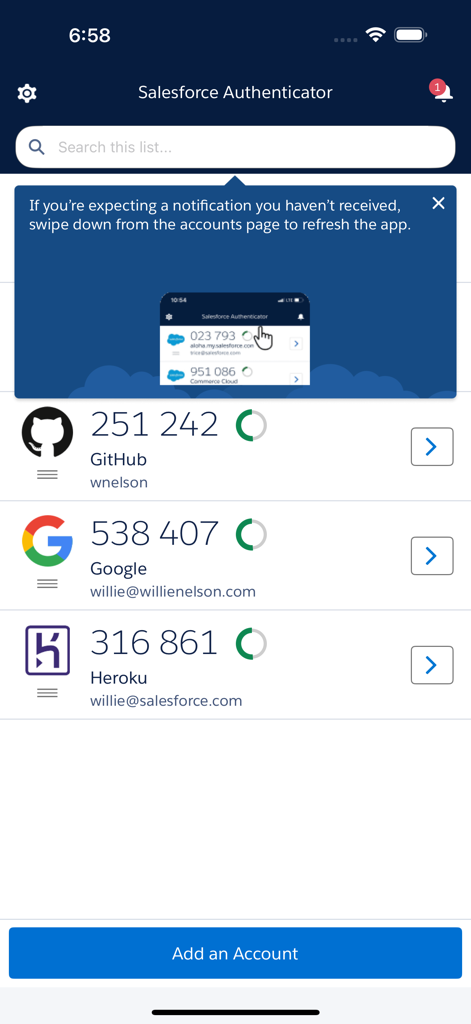
Salesforce Authenticatorアプリのメイン画面に、接続されているアカウントのリストとその6桁の確認コードが表示されている。

Salesforce Authenticatorアプリのメイン画面に、接続されているアカウントのリストとその6桁の確認コードが表示されている。

摩擦のない安全なアクセス

このアプリを際立たせるツール、 5M+ 人のユーザーが選択.

📲

ワンタップ認証

6桁のコード入力は不要です。iPhoneまたはApple Watchの通知をタップするだけで、ログインや重要なアクションを承認できます。

📍

スマート自動化

自宅やオフィスを信頼することで、ワークフローを自動化します。このアプリはジオフェンシングを使用して、安全なゾーンで自動的にIDを確認します。

🛡️

プライバシー重視のセキュリティ

プライバシーを尊重するエンタープライズグレードの保護。位置情報データはデバイス上に保存され、Salesforceによって共有または追跡されることはありません。

アプリについて

について知っておくべきこと Salesforce Authenticator.

説明

Salesforce Authenticator adds an extra layer of security for your online accounts with multi-factor authentication (also known as two-factor authentication). With Salesforce Authenticator, you use your mobile device to verify your identity when logging in to your account or performing critical actions. The app sends you a push notification, and you approve or deny the activity with just a tap. For even more convenience, Salesforce Authenticator can use your mobile device’s location services to automatically approve account activity that you trust. The app also provides one-time verification codes for use while you’re offline or have low connectivity. Use Salesforce Authenticator to secure all your online accounts that support time-based one-time passwords (TOTP). Any service that allows multi-factor authentication using an “Authenticator app” is compatible with Salesforce Authenticator. Location Data & Privacy If you enable location-based automation in Salesforce Authenticator, rest assured that Salesforce never tracks your location or shares it with anyone. Location data is stored securely on your mobile device, never in the cloud. You can delete all location data from your device or turn off location services at any time. Learn more about how the app uses location data in Salesforce Help. Battery Usage Rather than getting precise location updates, Salesforce Authenticator only receives updates when you enter or leave the approximate area, or “geofence,” of a location that you trust. By minimizing the frequency of location updates, Salesforce Authenticator conserves your mobile device’s battery life. To reduce battery usage even more, you can turn off location services and stop automating your activity.

最新バージョン

4.7.0

サイズ

62.9 MB

リリース日

2014年1月8日

摩擦なくワークフローを保護する準備はできましたか?

ワンタップ承認とインテリジェントな位置情報ベースの自動化のためにSalesforce Authenticatorを使用している500万人以上のプロフェッショナルに加わりましょう。

ダウンロード: App Store
FAQ

よくある質問

について知っておくべきこと Salesforce Authenticator

Salesforce Authenticatorとは何ですか?

Salesforce Authenticatorは、オンラインアカウントの多要素認証(MFA)を提供するモバイルアプリです。ログイン中にプッシュ通知またはワンタイム認証コードで本人確認を要求することで、セキュリティを強化します。

ログイン時、Salesforce Authenticatorはどのように機能しますか?

Salesforce Authenticatorは、ログイン時にモバイルデバイスにプッシュ通知を送信します。アプリから直接、タップするだけでアクティビティを承認または拒否することで、本人確認を行います。

Salesforce Authenticatorはログインを自動的に承認できますか?

はい、Salesforce Authenticatorはモバイルデバイスの位置情報サービスを使用して、信頼できるアカウントアクティビティを自動的に承認できます。この機能により、ログインのセキュリティを維持しながら利便性が向上します。

Salesforce Authenticatorはオフラインでも機能しますか?

はい、Salesforce Authenticatorはワンタイム認証コードを提供します。これらのコードは、モバイルデバイスがオフラインまたは接続性が低い場合でも、安全なログイン認証を可能にします。

Salesforce Authenticatorと互換性のあるアカウントは何ですか?

Salesforce Authenticatorは、多要素認証のために時間ベースのワンタイムパスワード(TOTP)をサポートするあらゆるオンラインサービスと互換性があります。「認証アプリ」MFAを許可するサービスが含まれます。

Salesforce Authenticatorは私の位置情報を追跡しますか?

いいえ、Salesforce Authenticatorはあなたの位置情報を追跡したり共有したりしません。自動承認のための位置情報データは、モバイルデバイス上でのみ安全に保存され、クラウドには保存されません。

Salesforce Authenticatorから位置情報データを削除できますか?

はい、Salesforce Authenticator内でデバイスからすべての位置情報データを削除できます。いつでも位置情報サービスをオフにするオプションもあります。

Salesforce Authenticatorはバッテリー使用量をどのように管理しますか?

Salesforce Authenticatorは、信頼できる「ジオフェンス」に入退場したときにのみ位置情報更新を受信することで、バッテリーを節約します。頻繁な正確な位置情報追跡は行いません。

Salesforce Authenticatorでアカウントをバックアップできますか?

はい、Salesforce Authenticatorではアカウントをバックアップできます。この機能により、モバイルデバイスを変更または紛失した場合に、認証済みアカウントを転送できます。

App information, icons, screenshots, and descriptions displayed on this page are sourced from the Apple App Store and are the property of their respective developers. Download estimates and rankings are based on MWM's proprietary models and may not reflect actual figures. This page is provided for informational and analytical purposes only.

Believe this page infringes your intellectual property? File a dispute