Image Filters Photo Editor +

Image Filters Photo Editor +

ダウンロード: App Store
ロゴ: Image Filters Photo Editor +

Image Filters Photo Editor +: 広告なしのプロフェッショナルエフェクト

軽量で広告なしのアプリで、50以上の専門フィルターを使って写真を加工しましょう。芸術的なスタイルから書類の補正まで、高速でシンプルな、完全にアクセシブルな編集体験をお楽しみください。

ダウンロード: App Store

開発元

Paul Adam

カテゴリ

Photo & Video

ダウンロード

1K+

ユーザー評価

3.1/5

評価数

100

対応言語

1

ビジュアルの多様性

このインターフェースを利用する 1K+ 人のユーザー.

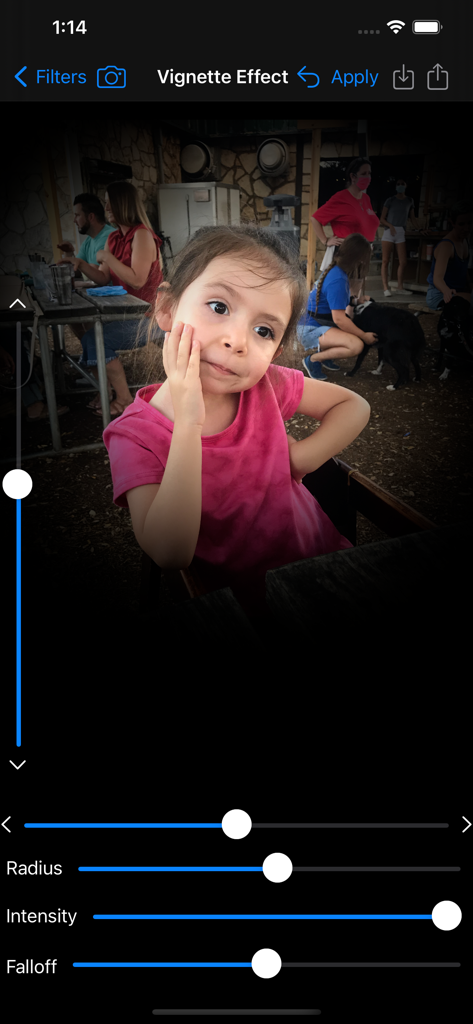
Image Filters Photo Editorアプリのスクリーンショット。若い女の子のポートレートに、半径、強度、フォールオフの調整スライダーを備えたビネット効果ツールが表示されています。

Image Filters Photo Editorアプリのスクリーンショット。若い女の子のポートレートに、半径、強度、フォールオフの調整スライダーを備えたビネット効果ツールが表示されています。

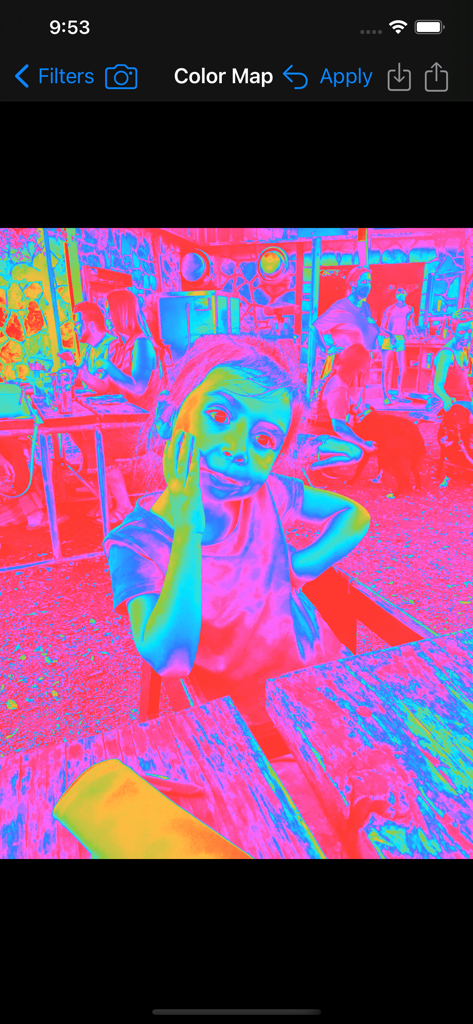
Image Filtersアプリのインターフェースで、子供の写真にサイケデリックなカラーマップフィルターが適用されています。

Image Filtersアプリのインターフェースで、子供の写真にサイケデリックなカラーマップフィルターが適用されています。

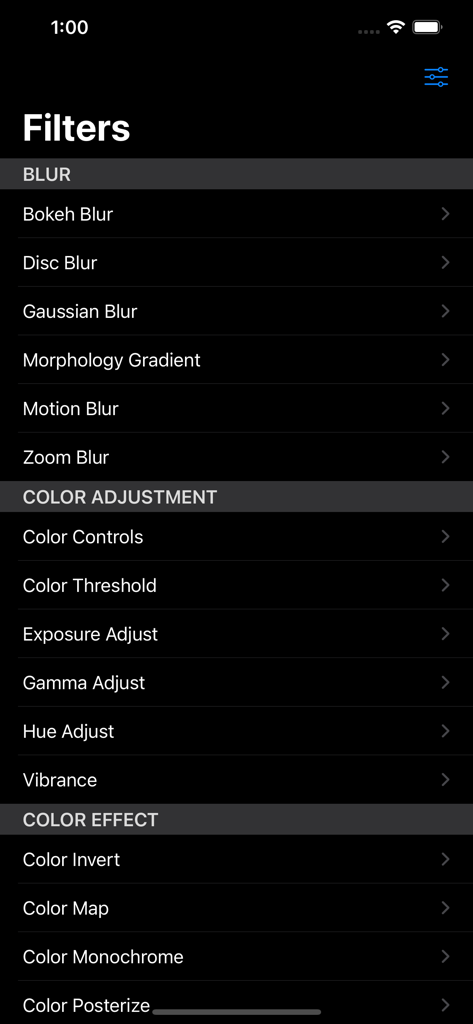
Image Filtersアプリのメニューのスクリーンショット。ダークモードインターフェースに、さまざまなぼかしとカラー調整フィルターオプションが表示されています。

Image Filtersアプリのメニューのスクリーンショット。ダークモードインターフェースに、さまざまなぼかしとカラー調整フィルターオプションが表示されています。

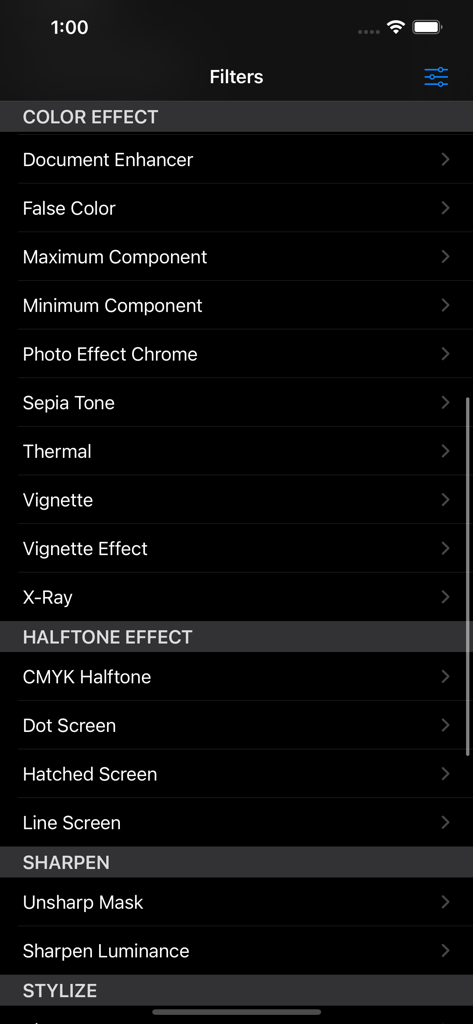
カラーエフェクト、ハーフトーン、シャープニングオプションを含む、アプリで利用可能な写真フィルターのリスト。

カラーエフェクト、ハーフトーン、シャープニングオプションを含む、アプリで利用可能な写真フィルターのリスト。

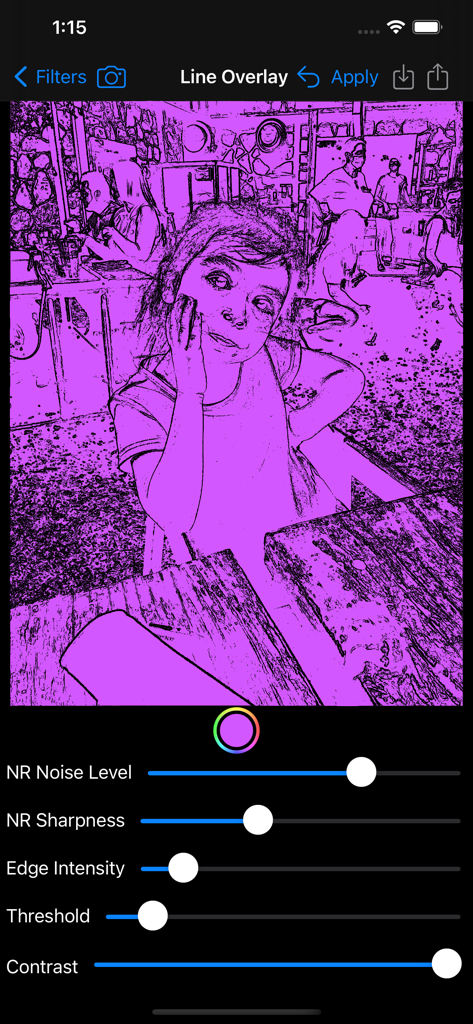
写真編集スライダーと紫色のスケッチ効果を示す、Line Overlayフィルターインターフェース。

写真編集スライダーと紫色のスケッチ効果を示す、Line Overlayフィルターインターフェース。

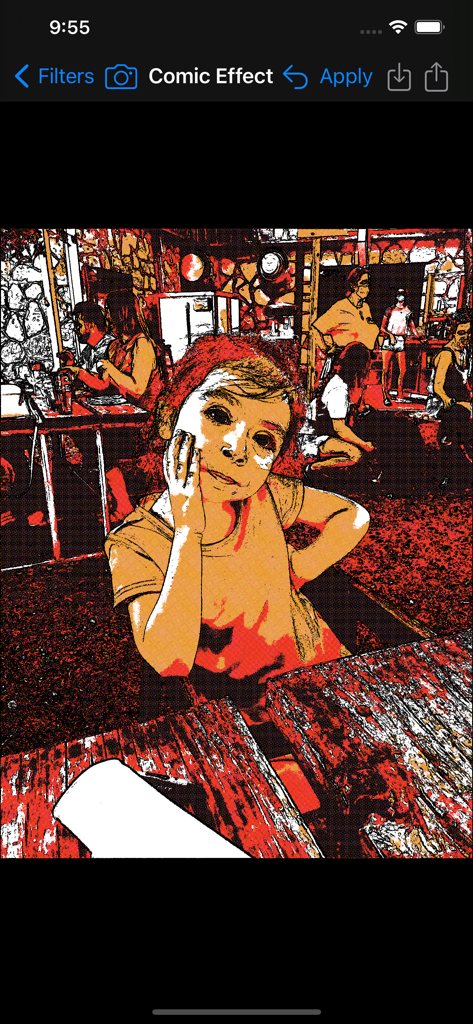
Image Filters Photo Editor + アプリでコミックエフェクトフィルターを適用した若い女の子のポートレート。

Image Filters Photo Editor + アプリでコミックエフェクトフィルターを適用した若い女の子のポートレート。

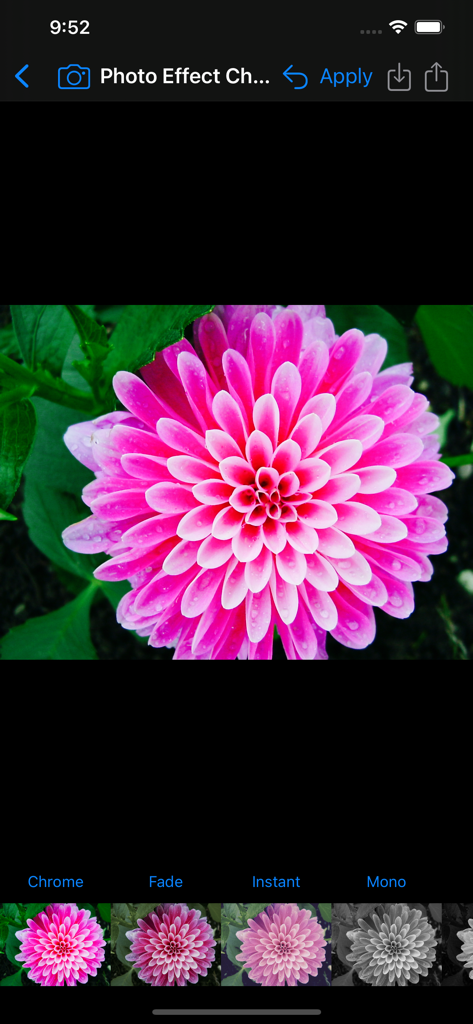
Image Filters Photo Editorアプリのインターフェース。ピンクの花にChromeフィルターが適用されています。

Image Filters Photo Editorアプリのインターフェース。ピンクの花にChromeフィルターが適用されています。

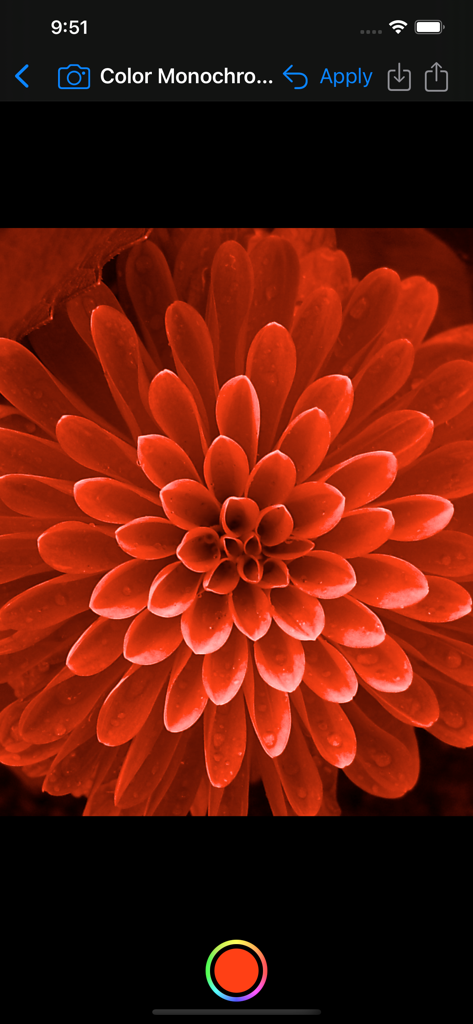
Image Filtersアプリのインターフェースで、赤のモノクロフィルターが適用された花の写真のクローズアップ。

Image Filtersアプリのインターフェースで、赤のモノクロフィルターが適用された花の写真のクローズアップ。

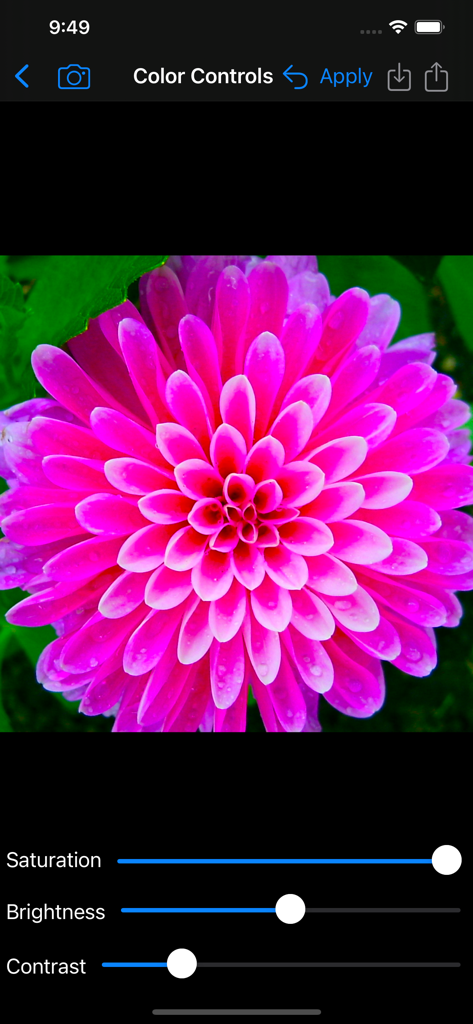
Image Filters Photo Editorアプリのカラーコントロール画面。ピンクの花に彩度、明るさ、コントラストを調整するためのスライダーが表示されています。

Image Filters Photo Editorアプリのカラーコントロール画面。ピンクの花に彩度、明るさ、コントラストを調整するためのスライダーが表示されています。

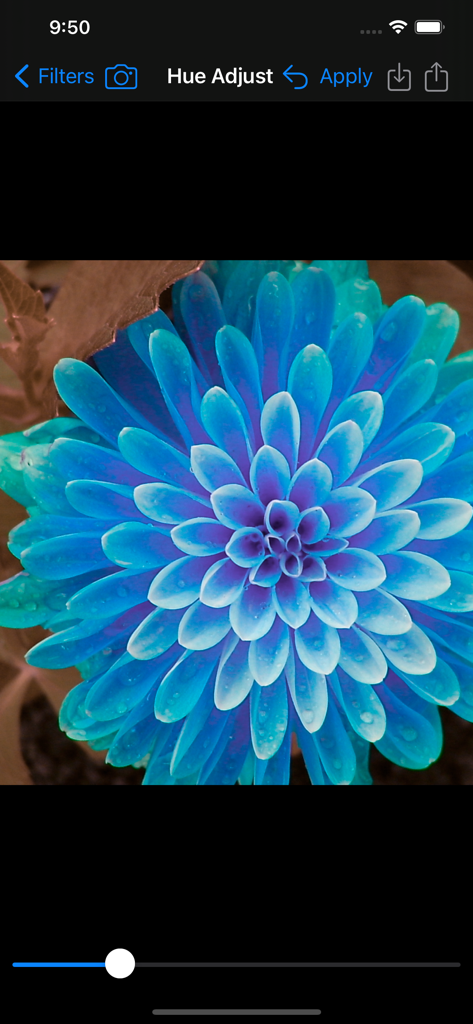
Image Filters Photo Editorの青い花を使用した色相調整フィルターインターフェース。

Image Filters Photo Editorの青い花を使用した色相調整フィルターインターフェース。

写真を瞬時にレベルアップ

このアプリを際立たせるツール、 1K+ 人のユーザーが選択.

🎨

プロ級の芸術的エフェクト

ヴィンテージフィルム、ボケ、ハーフトーンパターンから選択し、複雑さなしで写真にユニークでプロフェッショナルなエッジを与えましょう。

🚫

広告ゼロ、完全集中

ポップアップや隠れた料金のないクリーンなワークスペースをお楽しみください。わずか2MBで、お使いのデバイスで最も高速かつ効率的なエディターです。

包括的&実用的なユーティリティ

ロービジョンユーザー向けの完全なVoiceOverサポートと、クリアなスキャン用の専用ドキュメントエンハンサーを備えた唯一のフィルターアプリです。

アプリについて

について知っておくべきこと Image Filters Photo Editor +.

説明

Filters: BLUR ◆ Bokeh Blur – Applies a bokeh effect. ◆ Disc Blur – Blurs an image using disc shapes. ◆ Gaussian Blur – Blur and smooth out images. ◆ Morphology Gradient – Finds the edges of an image. ◆ Motion Blur – Blurs an image to simulate the effect of using a camera that moves a specified angle and distance while capturing the image. ◆ Zoom Blur – Simulates the effect of zooming the camera while capturing the image. COLOR ADJUSTMENT ◆ Color Controls – Greatly enhance colors, or remove them for a black & white photo. ◆ Color Threshold – Converts image into high-contrast color. ◆ Exposure Adjust – Brighten up dark photos or darken bright photos. ◆ Gamma Adjust – Darkens or lightens photos. ◆ Hue Adjust – Adjust photo’s hue/color tint. ◆ Vibrance – Make the photo’s color pop without looking fake. COLOR EFFECT ◆ Color Invert – Invert all colors as if image was converted to a negative. ◆ Color Map – Maps the colors from a psychedelic gradient to your image. ◆ Color Monochrome – Remaps colors so they fall within shades of a single color. ◆ Color Posterize – Turn images into posters, i.e. the “Andy Warhol” effect. ◆ Document Enhancer – Enhance a document image by removing unwanted shadows, whitening the background, and enhancing contrast. ◆ False Color – Maps luminance to a color ramp of two colors. ◆ Maximum Component – Returns a grayscale image from max(r,g,b). ◆ Minimum Component – Returns a grayscale image from min(r,g,b). ◆ Photo Effects: - Chrome – Vintage photography film with exaggerated color. - Fade – Vintage photography film with diminished color. - Instant – Vintage photography film with distorted colors. - Mono – Black-and-white photography film with low contrast. - Noir – Black-and-white photography film with exaggerated contrast. - Process – Vintage photography film with emphasized cool colors. - Tonal – Black-and-white photography film without significantly altering contrast. - Transfer – Vintage photography film with emphasized warm colors. ◆ Sepia Tone – Give an old-fashioned look to your photos. ◆ Thermal – Apply a Thermal image effect. ◆ Vignette – Soften photo’s edges and draw attention to its center. ◆ Vignette Effect – More advanced controls than basic Vignette. ◆ X-Ray – Apply a X-Ray style effect to an image. HALFTONE EFFECT ◆CMYK Halftone – Creates a color, halftoned rendition of the source image, using cyan, magenta, yellow, and black inks over a white page. ◆ Dot Screen – Simulates the dot patterns of a halftone screen. ◆ Hatched Screen – Simulates the hatched pattern of a halftone screen. ◆ Line Screen – Simulates the line pattern of a halftone screen. SHARPEN ◆ Sharpen Luminance – Increases image detail by sharpening. ◆ Unsharp Mask – Sharpen images to make them stand out. STYLIZE ◆ Bloom – Softens edges and applies a pleasant glow to an image. ◆ Comic Effect – Turn images into comic book pages. ◆ Crystallize – Creates polygon-shaped color blocks from image. ◆ Edges – Finds edges in image and displays them in color. ◆ Gabor Gradients – Linear filter used for texture analysis. ◆ Gloom – Dulls the highlights of an image. ◆ Hexagonal Pixellate – Maps an image to colored hexagons. ◆ Highlight and Shadows – Increase or decrease shadows and highlight. ◆ Line Overlay – Creates a sketch that outlines the edges of an image in black. ◆ Pixelate – Makes an image blocky by mapping to colored squares defined by the replaced pixels. ◆ Pointillize – Renders photo in a pointillistic style. Apply image filters in a quick, easy to use interface. Share filtered photos to text messages & save to your phone. Save full size image to Photo Library, Send via Email, Copy into other apps. No Ads! Post to the #ImageFilterApp Hashtag to see other's image filter creations on Instagram, Twitter, & Facebook. App will be updated over time with more filters. Supports Light and Dark Modes. Landscape and Portrait orientations supported. Fully Accessible with the VoiceOver screen reader for blind and low vision users.

最新バージョン

6.1

サイズ

2.1 MB

リリース日

2013年8月5日

ノイズのない写真加工の準備はできましたか?

50以上のプロフェッショナルフィルターと完全なVoiceOverアクセシビリティをすぐに利用できる、軽量で広告なしのエディターをダウンロードしましょう。

ダウンロード: App Store

App information, icons, screenshots, and descriptions displayed on this page are sourced from the Apple App Store and are the property of their respective developers. Download estimates and rankings are based on MWM's proprietary models and may not reflect actual figures. This page is provided for informational and analytical purposes only.

Believe this page infringes your intellectual property? File a dispute