iWriter 2

iWriter 2

ダウンロード: App Store
ロゴ: iWriter 2

iWriter 2: ディープワークのためのエレガントなMarkdownエディタ

集中とパフォーマンスのために設計された、邪魔のない環境に没頭してください。TextKit 2で再構築されたiWriter 2は、アイデアをプロフェッショナルなPDF、DOCX、またはLaTeXドキュメントに変えるための洗練された、キーボード中心の体験を提供します。

ダウンロード: App Store

開発元

Sergey Zorin

カテゴリ

Productivity

ダウンロード

300

ユーザー評価

4.8/5

評価数

0

対応言語

5

集中におけるシンプルさ

このインターフェースを利用する 300 人のユーザー.

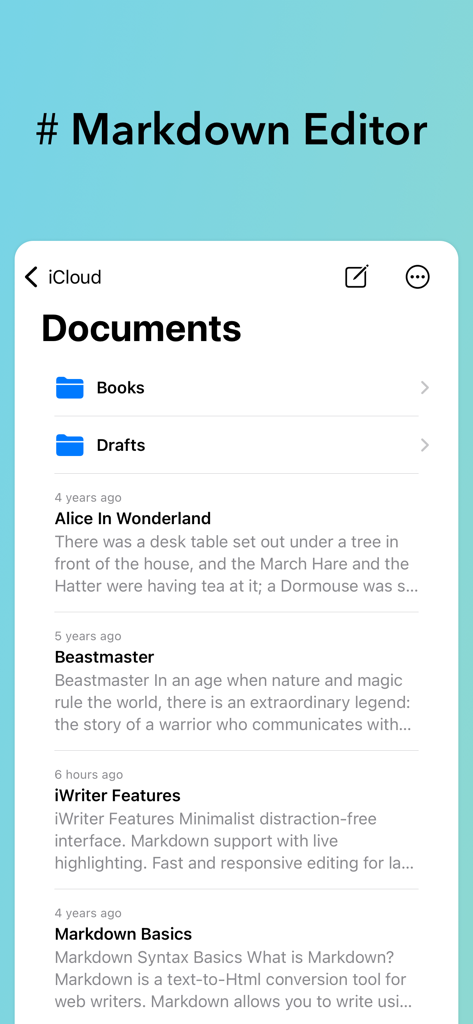
iWriter 2アプリのインターフェース。フォルダとMarkdownテキストファイルが表示されたドキュメントマネージャーを示しています。

iWriter 2アプリのインターフェース。フォルダとMarkdownテキストファイルが表示されたドキュメントマネージャーを示しています。

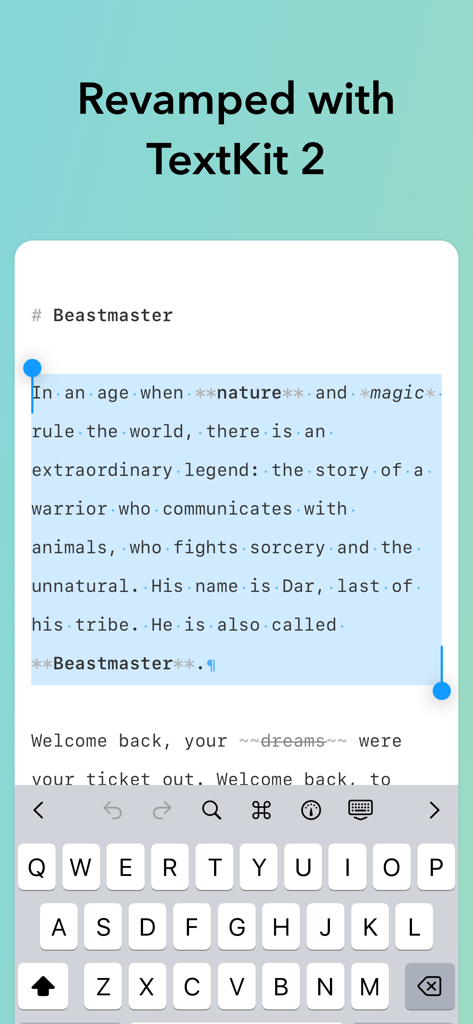
iWriter 2アプリのインターフェース。TextKit 2によるMarkdownテキスト選択と改善されたパフォーマンスを示しています。

iWriter 2アプリのインターフェース。TextKit 2によるMarkdownテキスト選択と改善されたパフォーマンスを示しています。

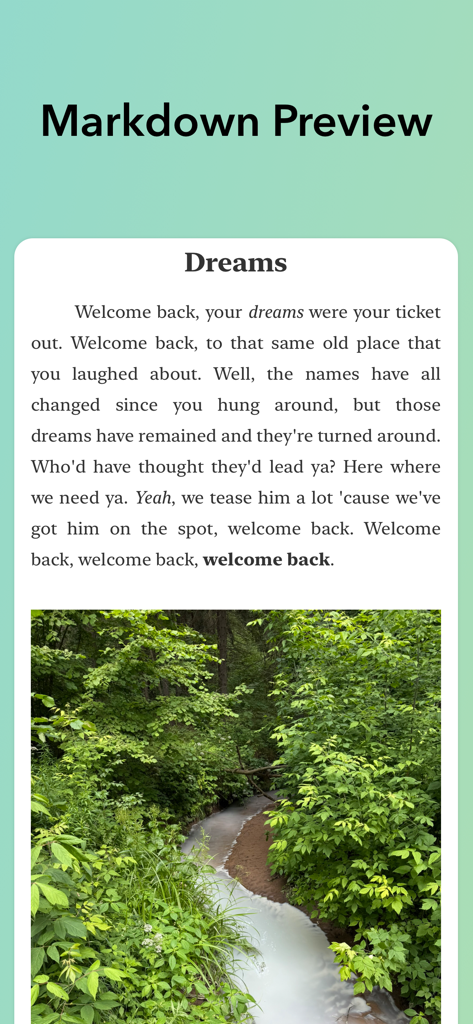
iWriter 2でのライブMarkdownプレビュー。レンダリングされたテキストと森の小川の埋め込み画像が表示されています。

iWriter 2でのライブMarkdownプレビュー。レンダリングされたテキストと森の小川の埋め込み画像が表示されています。

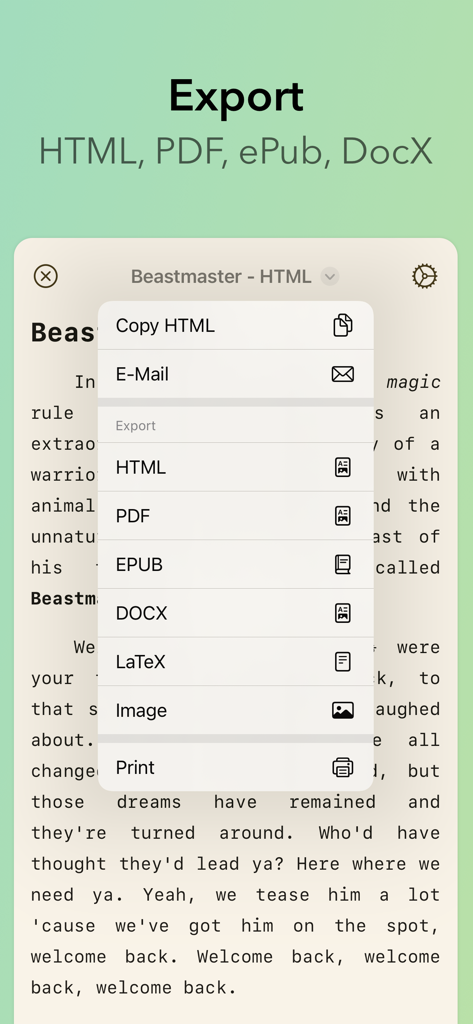
iWriter 2のエクスポートメニュー。HTML、PDF、EPUB、DOCX、LaTeXのオプションが表示されています。

iWriter 2のエクスポートメニュー。HTML、PDF、EPUB、DOCX、LaTeXのオプションが表示されています。

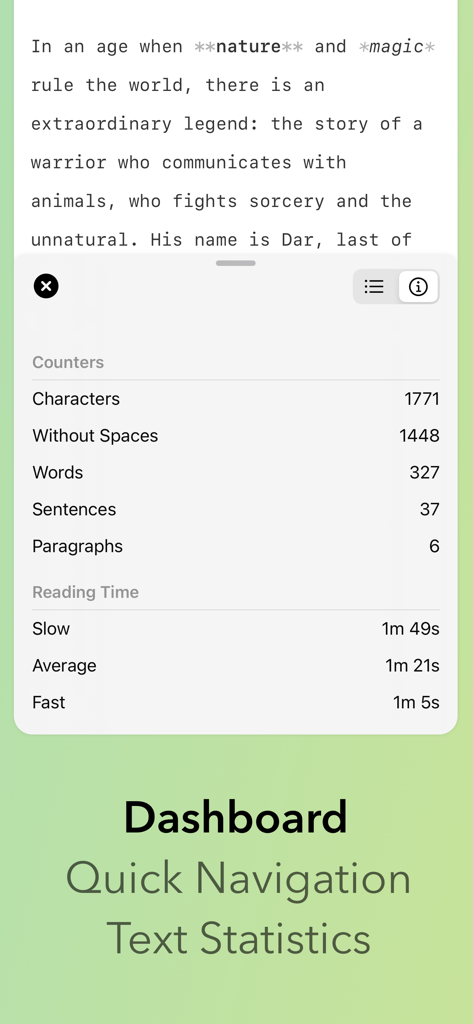
iWriter 2のダッシュボード。単語数、文字数、推定読書時間を含むテキスト統計が表示されています。

iWriter 2のダッシュボード。単語数、文字数、推定読書時間を含むテキスト統計が表示されています。

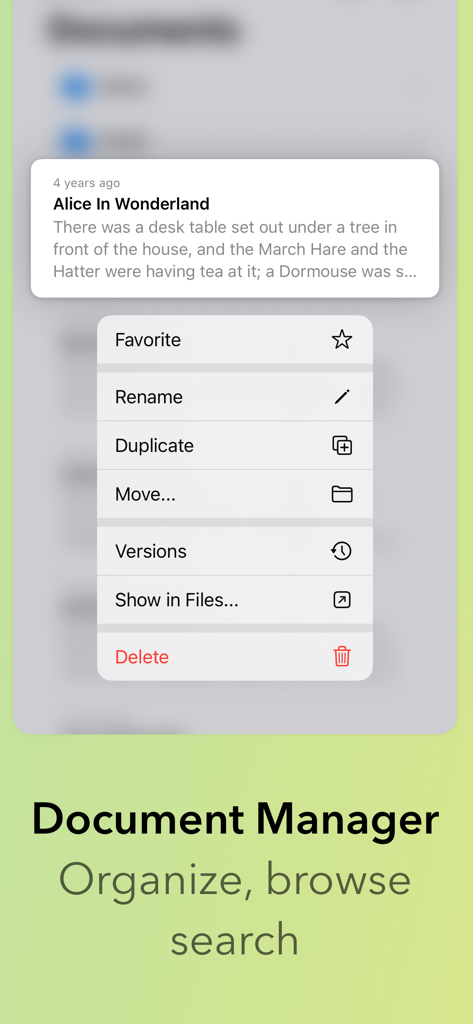
iWriter 2のドキュメントマネージャーインターフェース。ドキュメントの名前変更、複製、移動のオプションが表示されたファイルメニューを示しています。

iWriter 2のドキュメントマネージャーインターフェース。ドキュメントの名前変更、複製、移動のオプションが表示されたファイルメニューを示しています。

執筆フローをマスターする

このアプリを際立たせるツール、 300 人のユーザーが選択.

🧘

ディープフォーカスワークスペース

従来のワードプロセッサの煩雑さなしに、思考を主役にするための、洗練された邪魔のないインターフェース。

🚀

高性能編集

AppleのTextKit 2で再構築され、最も複雑な技術文書でも、驚くほど高速な応答性とスムーズなスクロールを実現します。

📄

ユニバーサルプロフェッショナルエクスポート

Markdownを、あらゆるプロフェッショナルなパブリッシングプラットフォームに対応できる、洗練されたPDF、EPUB、DOCX、またはLaTeXファイルに変換します。

アプリについて

について知っておくべきこと iWriter 2.

説明

iWriter 2 is an elegant and minimalist Markdown text editor designed for distraction-free writing. # iWriter 2 is the next generation of the beloved iWriter text editor. "Simple & beautiful" App Store Review, 2019 "Terrific Writing and Notes App" App Store Review, 2015 "Great simple text editor" App Store Review, 2014 Immerse yourself in a minimalist writing environment designed to enhance focus and productivity. Say goodbye to clutter and hello to structured, professional documents that effortlessly transform your ideas. ## MultiMarkdown Support A full-featured Markdown editor built for precision and flexibility. iWriter 2 supports MultiMarkdown with live preview and syntax highlighting. Easily create task lists, code blocks, and use inline formatting with keyboard shortcuts. The app saves your progress automatically and exports seamlessly to multiple formats. Perfect for writers, developers, technical writers, and anyone who values clean, structured text. ## Built-in Document Manager A built-in document manager that lets you easily organize, browse, and manage all your files in one place — complete with powerful document search to quickly find exactly what you need. ## Rebuilt with TextKit 2 iWriter 2 has been completely rebuilt from the ground up using Apple’s modern TextKit 2 framework, delivering faster performance, smoother scrolling, and a more responsive writing experience. ## Refined Interface A refined, user-friendly interface designed for focus and productivity, offering intuitive formatting options and seamless export to multiple formats including HTML, PDF, EPUB, DOCX (Microsoft Word), and LaTeX. --- Terms of Use: http://www.apple.com/legal/itunes/appstore/dev/stdeula Privacy Policy: https://serpensoft.com/privacy-policy/

最新バージョン

8

サイズ

15.8 MB

リリース日

2025年10月16日

集中した執筆の技術を体験してください

シームレスで高性能なMarkdown体験のためにiWriter 2を信頼する、デジタルミニマリストとテクニカルプロフェッショナルのコミュニティに参加しましょう。

ダウンロード: App Store

App information, icons, screenshots, and descriptions displayed on this page are sourced from the Apple App Store and are the property of their respective developers. Download estimates and rankings are based on MWM's proprietary models and may not reflect actual figures. This page is provided for informational and analytical purposes only.

Believe this page infringes your intellectual property? File a dispute