Lighting Designer

Lighting Designer

ダウンロード: App Store
ロゴ: Lighting Designer

ライティングデザイナー:映画、演劇、舞台のためのプロフェッショナルな照明図面

使い古された紙に描くのはやめて、プロのように図面を描きましょう。直感的な照明セットアップをデザインし、機材リストを管理し、テック・スカウトから最終公演まで、すべてのAppleデバイスで作業を同期しましょう。

開発元

Scenario Software LLC

カテゴリ

Photo & Video

ダウンロード

85K+

ユーザー評価

4.0/5

評価数

500

対応言語

1

正確に図面を描く

このインターフェースを利用する 85K+ 人のユーザー.

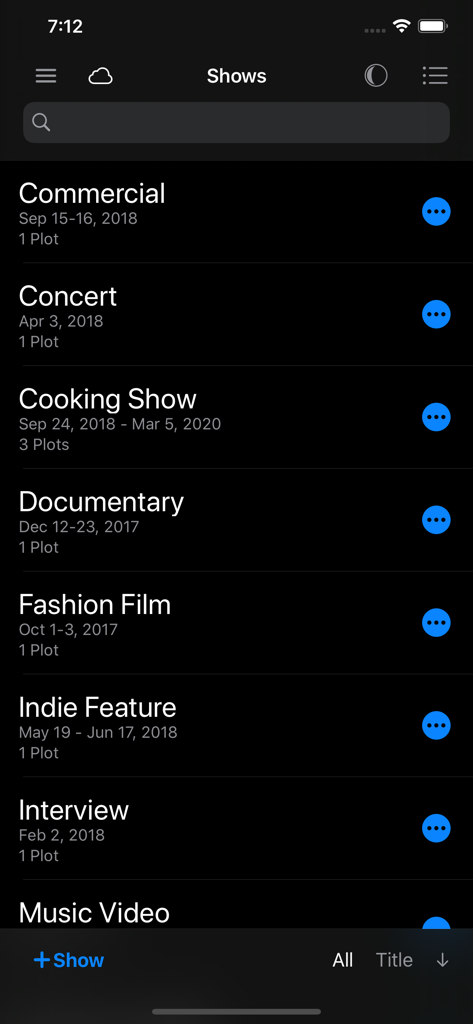
Lighting Designerアプリのショープロジェクトリスト。Commercial、Concert、Documentaryプロジェクトがダークモードで表示されています。

Lighting Designerアプリのショープロジェクトリスト。Commercial、Concert、Documentaryプロジェクトがダークモードで表示されています。

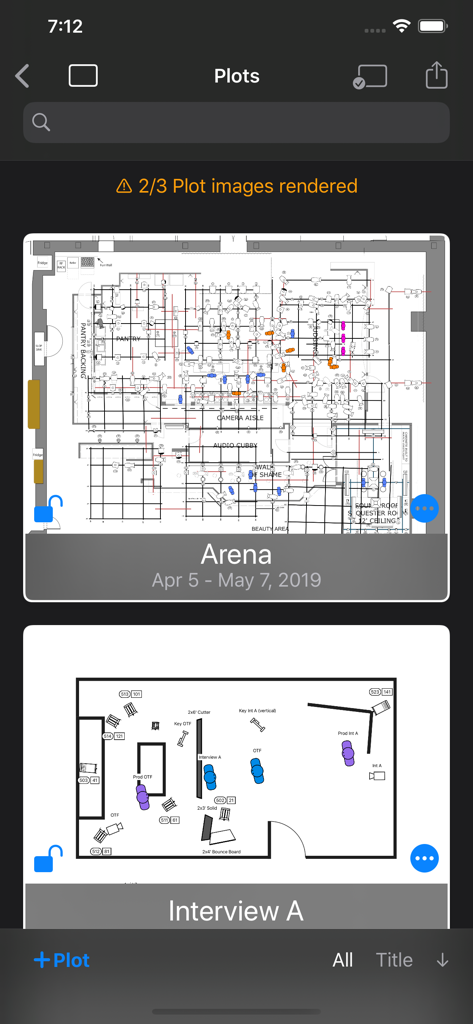
Lighting Designerアプリのインターフェース。保存された技術照明図面のリストがダークモードで表示されています。

Lighting Designerアプリのインターフェース。保存された技術照明図面のリストがダークモードで表示されています。

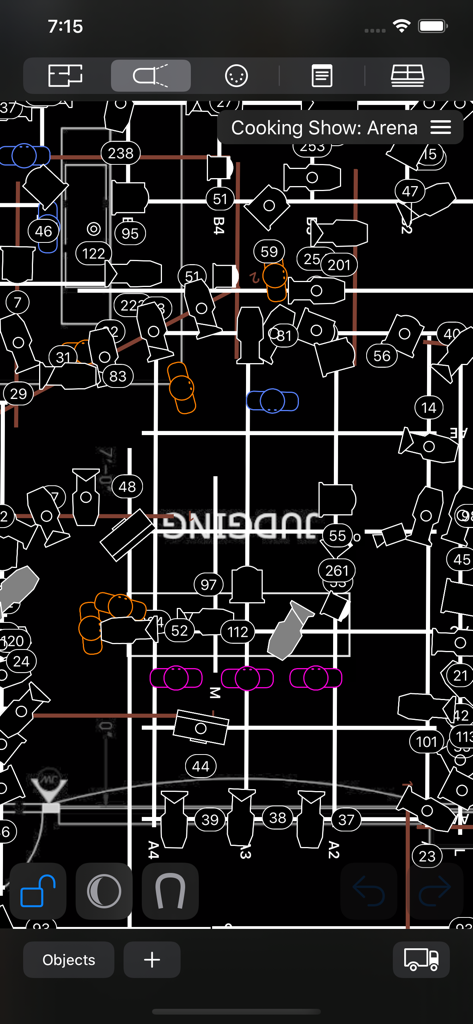
テレビセット用のプロフェッショナルなオーバーヘッド照明デザイン図面(ダークモード)。

テレビセット用のプロフェッショナルなオーバーヘッド照明デザイン図面(ダークモード)。

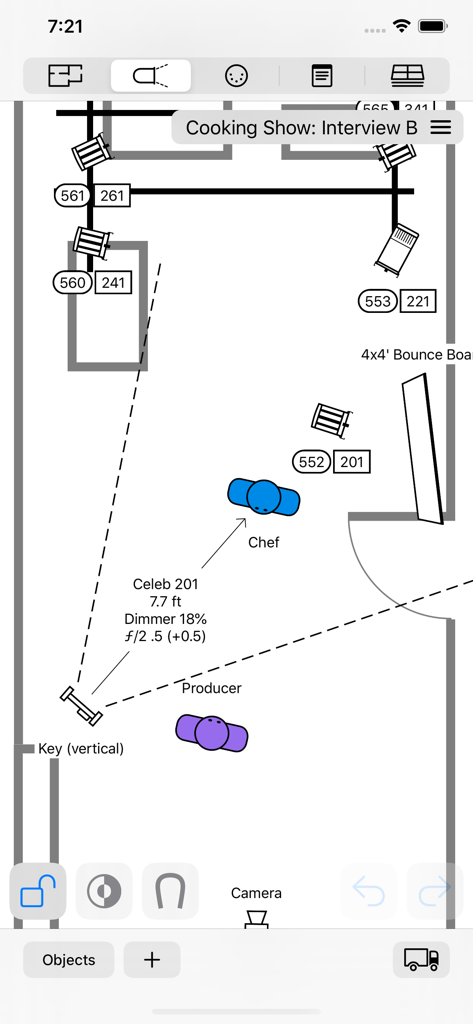
映画セット用のトップダウン照明図面。モバイルインターフェース上に照明器具とタレントの位置が表示されています。

映画セット用のトップダウン照明図面。モバイルインターフェース上に照明器具とタレントの位置が表示されています。

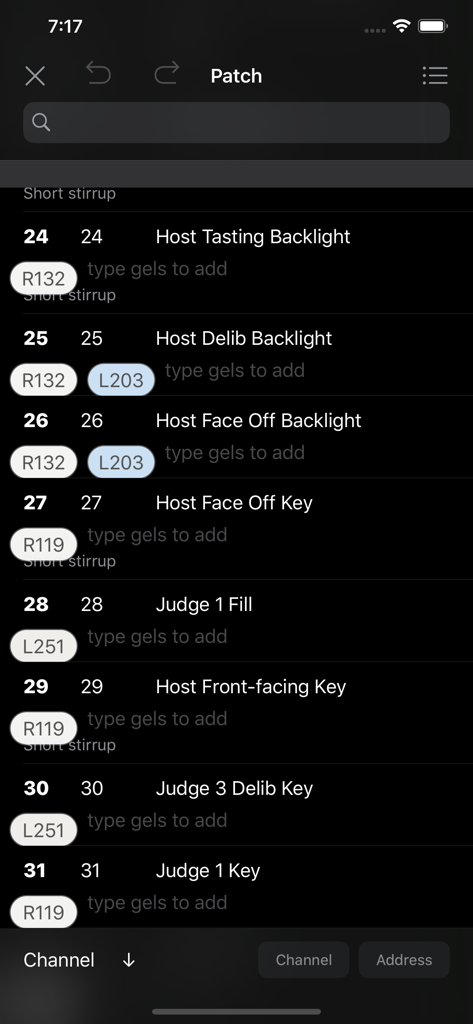
Lighting Designerアプリのインターフェース。チャンネル番号とカラーフィルターの割り当てが表示されたデジタルパッチリスト(ダークモード)。

Lighting Designerアプリのインターフェース。チャンネル番号とカラーフィルターの割り当てが表示されたデジタルパッチリスト(ダークモード)。

プロフェッショナルな精度、ストレスフリー

このアプリを際立たせるツール、 85K+ 人のユーザーが選択.

📱

どこでもデザイン、どこでも同期

Appleのエコシステム全体でシームレスに作業できます。Macで図面を作成し、iPadで洗練させ、セットを歩きながらiPhoneで参照できます。iCloudの完全同期により、あらゆるデバイスで最新の状態を保てます。

💡

業界標準の機材ライブラリ

2,000以上の内蔵ライトやオブジェクトにアクセスするか、Crescit経由で25,000以上のプロフェッショナルな照明器具を利用しましょう。SkypanelsからSource Foursまで、実際に使用する機材で図面を計画できます。

📋

自動化された機材・クルーリスト

ビジュアルな図面を、実行可能な技術文書に変えましょう。機材リストとトラックパックを瞬時に生成し、ギャファー、レンタルハウス、制作クルーと共有できます。

アプリについて

について知っておくべきこと Lighting Designer.

説明

Never draw a lighting setup on a scrap of paper again. Lighting Designer is a quick and intuitive way to create overhead lighting plots for film, theater, television, concerts, and anything else you can light. The wide selection of equipment and simple yet powerful interface makes it easier than ever to illustrate and communicate your lighting setups, from most Apple devices. Your Silicon Mac is powerful and gives you the most screen to work with; your iPad is large and versatile; your iPhone will go with you anywhere. And if you like, your work can sync among all your Apple devices using iCloud, so you can start plotting on one and finish on another. LD is perfect for tech scouts, working while traveling, or just choosing the couch over your desk chair. While expensive drafting programs can take hours to use and years to master, Lighting Designer is an accessible way to plan your next show! Features: • Organize your setups into Shows, with details like shooting dates and crew members • Choose from over 2000 built-in types of lights, grip equipment, camera gear, actors, and objects like furniture and musical instruments • With a Crescit Premium account, you can have access to an additional 25,000+ pieces of lighting equipment, gels, and gobo templates • Use your own images to create custom fixtures on your Plots (read the User Guide for image specs) • For each light, specify wattage, beam spread, light output, DMX address, color, and many other details • Certain fixtures include info for exposure approximation; all can be user-configured and have their exposure reverse-calculated from real-world readings • Use Groups to create flexible collections of lights • Notes allow you to describe every detail of your setup • Pack your Truck to share gear among multiple Plots • Draw a Floor Plan using basic shapes, and images from your device • Lights can target other objects, and objects can rig onto each other for easy adjustments • Email editable Plots to the crew, with images, equipment, and crew lists • Undo/Redo functionality • Optional iCloud sync • Dark Mode presents a dark workspace to reduce eyestrain and minimize your device's light in a dark environment

最新バージョン

4.0.4

サイズ

79.6 MB

リリース日

2012年4月24日

光を自在に操る

ナプキンはもう不要。プロフェッショナルなワークフローをアップグレードしましょう。今すぐLighting Designerをダウンロードして、iPhoneまたはiPadから直接、本番用の図面を作成、同期、共有しましょう。

ダウンロード: App Store

App information, icons, screenshots, and descriptions displayed on this page are sourced from the Apple App Store and are the property of their respective developers. Download estimates and rankings are based on MWM's proprietary models and may not reflect actual figures. This page is provided for informational and analytical purposes only.

Believe this page infringes your intellectual property? File a dispute