MATLAB Mobile

MATLAB Mobile

ダウンロード: App Storeダウンロード: Google Play
ロゴ: MATLAB Mobile

MATLAB Mobile: エンジニアリングとデータサイエンスをどこへでも

iPhoneまたはiPadからMATLABのパワーを解き放ちます。コマンドの実行、3Dプロットの可視化、リアルタイムセンサーデータの取得を、シームレスなクラウド同期で行えます。

開発元

The MathWorks, Inc.

カテゴリ

Business

ダウンロード

1M+

ユーザー評価

3.3/5

評価数

600

対応言語

8

ポケットの中のラボ

このインターフェースを利用する 1M+ 人のユーザー.

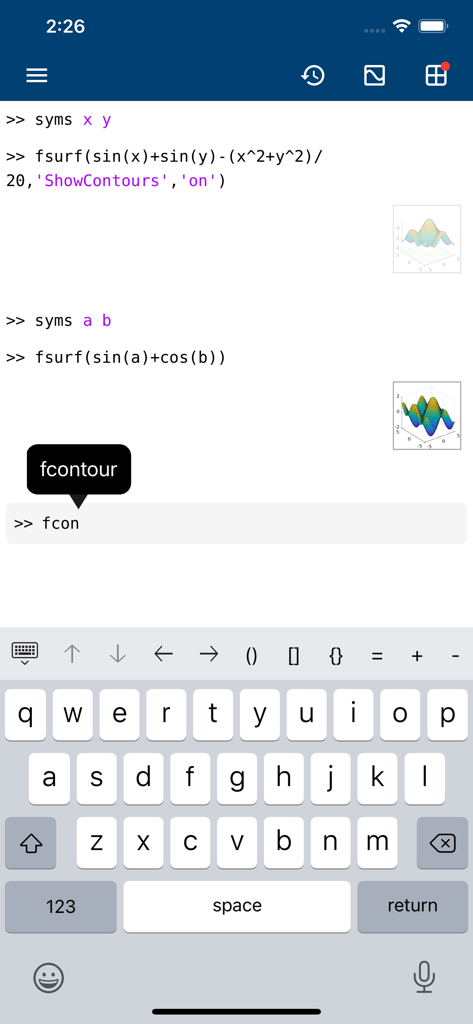
MATLAB Mobileコマンドラインインターフェイス。数学コード、3Dプロットプレビュー、特殊キーボードが表示されています。

MATLAB Mobileコマンドラインインターフェイス。数学コード、3Dプロットプレビュー、特殊キーボードが表示されています。

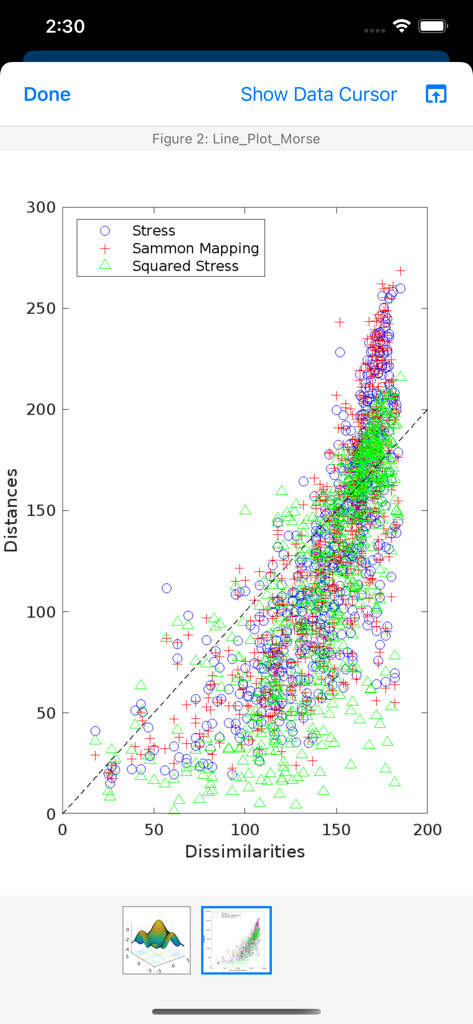
MATLAB Mobileでの散布図。応力とSammonマッピングのデータポイントが座標平面上に表示されています。

MATLAB Mobileでの散布図。応力とSammonマッピングのデータポイントが座標平面上に表示されています。

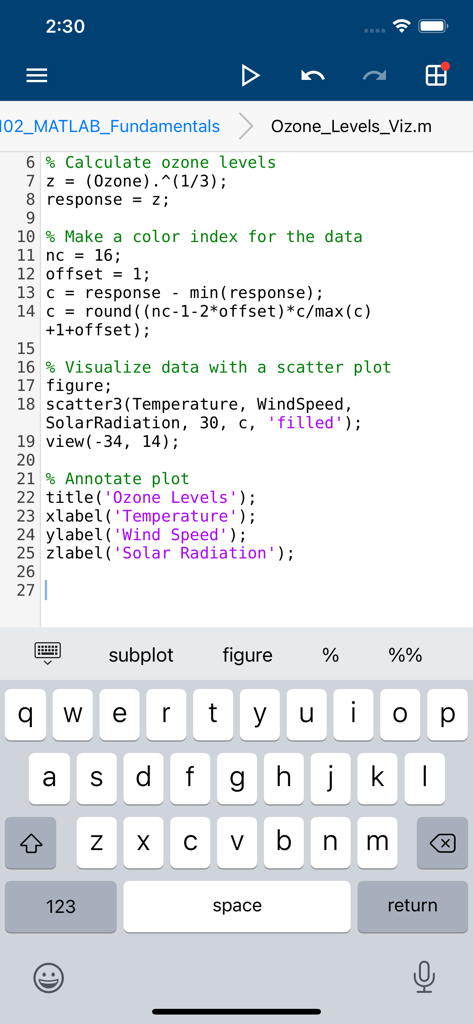
MATLAB Mobileアプリインターフェイス。カスタムコーディングキーボードを備えたスクリプトエディタが表示されています。

MATLAB Mobileアプリインターフェイス。カスタムコーディングキーボードを備えたスクリプトエディタが表示されています。

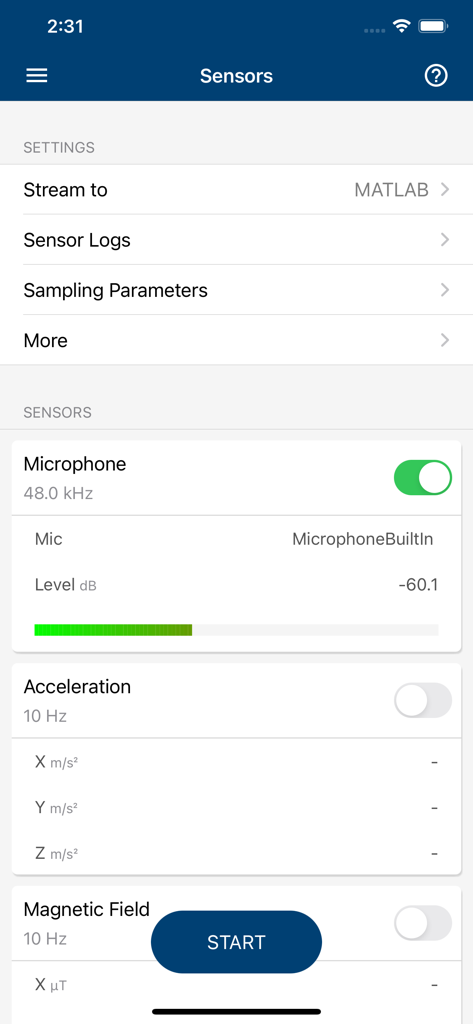
MATLAB Mobileセンサー画面。マイクロフォンデータ取得と設定が表示されています。

MATLAB Mobileセンサー画面。マイクロフォンデータ取得と設定が表示されています。

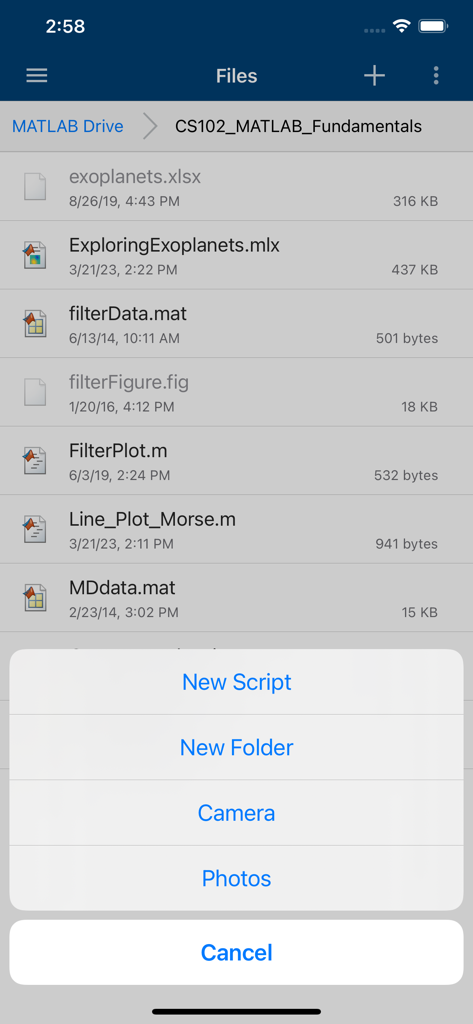
MATLAB Mobileアプリインターフェイス。MATLAB Driveのプロジェクトファイルリストと、新しいスクリプトの作成またはカメラへのアクセスオプションを含むメニューが表示されています。

MATLAB Mobileアプリインターフェイス。MATLAB Driveのプロジェクトファイルリストと、新しいスクリプトの作成またはカメラへのアクセスオプションを含むメニューが表示されています。

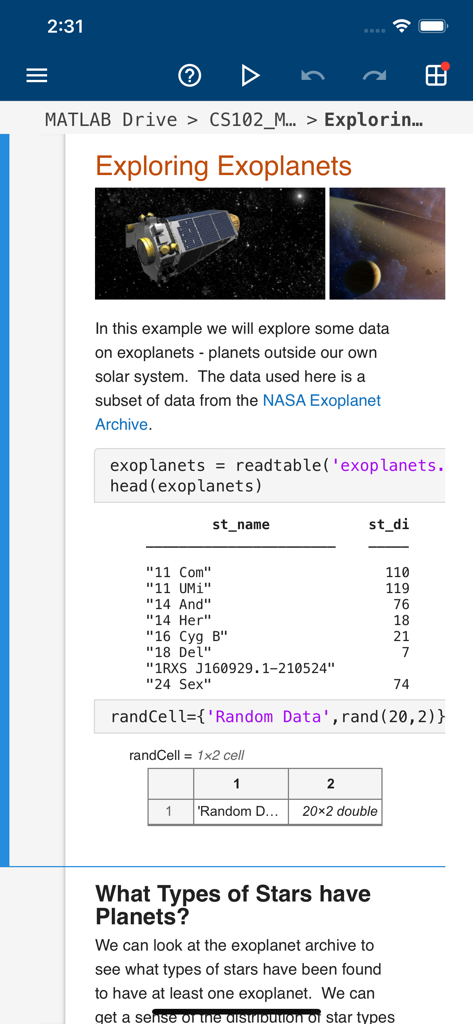
MATLAB Mobile。系外惑星に関するデータ分析スクリプトが表示されており、コードと結果が含まれています。

MATLAB Mobile。系外惑星に関するデータ分析スクリプトが表示されており、コードと結果が含まれています。

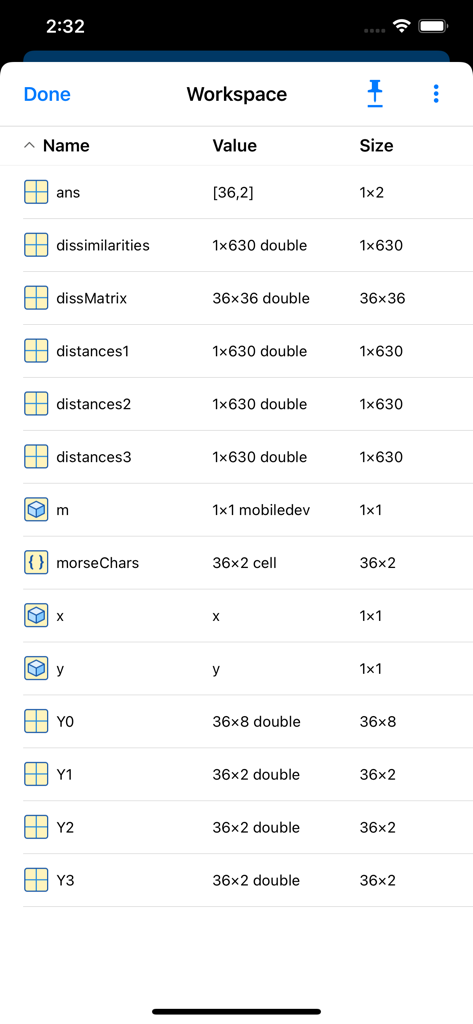
MATLAB Mobileワークスペースの変数リスト。名前、値、サイズが表示されています。

MATLAB Mobileワークスペースの変数リスト。名前、値、サイズが表示されています。

外出先での優れたエンジニアリング

このアプリを際立たせるツール、 1M+ 人のユーザーが選択.

📍

インスタントセンサー連携

iPhoneまたはiPadをモバイルラボに変えます。GPS、加速度計、カメラなどのオンボードセンサーから、ワークスペースに直接データをストリーミングおよび記録します。

⌨️

妥協のないコマンドアクセス

MATLAB構文専用キーボードを使用して、スクリプトを実行し、コマンドを評価します。デスクを離れても生産性は止まりません。

📊

ダイナミックなデータ可視化

複雑なデータセットを瞬時に可視化する、見事な2Dおよび3Dプロットを生成します。最大20GBのクラウドストレージにアクセスして、プロジェクトを同期させます。

アプリについて

について知っておくべきこと MATLAB Mobile.

説明

Connect to MATLAB® from your iPhone or iPad. Evaluate MATLAB commands, create and edit files, view results, acquire data from sensors, and visualize data – from the convenience of your mobile device. CONNECT TO THE CLOUD Use your MathWorks Account to connect to MathWorks Cloud from MATLAB Mobile™. Linking a license that is current on MathWorks Software Maintenance Service to your MathWorks Account increases your storage quota and unlocks access to other add-on products on the license. With your MathWorks Account, you can: • Access MATLAB from the command-line • View, run, edit and create files from the Editor • Acquire data from device sensors • Store your files and data on MATLAB Drive (you receive 5 GB of cloud storage) Link a license that is current on MathWorks Software Maintenance Service to your MathWorks Account to unlock the following features: • Access to other add-on products on your license • 20 GB of cloud storage on MATLAB Drive FEATURES • Command-line access to MATLAB and add-on products • 2D and 3D plots to visualize data • Editor to view, run, edit and create MATLAB files • Data acquisition from device sensors • Image and video acquisition from the camera • Cloud storage and synchronization with MATLAB Drive • Custom keyboard to enter typical MATLAB syntax LIMITATIONS The following features are not supported: • Using MATLAB Apps, such as Curve Fitting • Creating apps with App Designer • Interacting with 3D figures • Opening or creating models using the Simulink graphical environment Note: Continued use of GPS running in the background can dramatically decrease battery life. ABOUT MATLAB  MATLAB is the leading technical computing software for algorithm development, data visualization, data analysis, and numeric computation. MATLAB is used in a wide range of applications, including signal and image processing, communications, control design, test and measurement, financial modeling and analysis, and computational biology.

最新バージョン

9.10

サイズ

25.5 MB

リリース日

2010年5月22日

MATLABのパワーをどこへでも

100万人以上のエンジニア、科学者、学生に加わりましょう。iPhoneまたはiPadから直接、コマンドの実行、センサーデータの取得、結果の可視化ができます。

ダウンロード: App Storeダウンロード: Google Play
FAQ

よくある質問

について知っておくべきこと MATLAB Mobile

MATLAB Mobileとは何ですか?

MATLAB Mobileは、iPhoneまたはiPadからMATLABに接続します。コマンドの評価、ファイルの作成/編集、結果の表示、センサーデータの取得、データの視覚化を行います。

MATLAB Mobileを使用してMATLABコマンドを実行できますか?

はい、MATLAB Mobileを使用すると、ユーザーはコマンドラインからMATLABにアクセスできます。モバイルデバイスでMATLABコマンドを直接評価できます。

MATLAB Mobileは2Dおよび3Dプロットを表示しますか?

はい、MATLAB Mobileは2Dおよび3Dプロットでデータを視覚化します。ユーザーは複雑なデータ表現をデバイス上で直接表示できます。

MATLAB Mobileでファイルを管理するにはどうすればよいですか?

MATLAB Mobileは、MATLABファイルの表示、実行、編集、作成のためのエディターを提供します。また、MATLAB Driveを介したクラウドストレージと同期も提供します。

MATLAB Mobileはデータ取得のためにデバイスのセンサーを使用できますか?

はい、MATLAB Mobileは、マイク、加速度、磁場を含むデバイスセンサーからデータを取得します。この機能により、リアルタイムのデータ収集が可能になります。

MATLAB Mobileユーザーのクラウドストレージ容量はどれくらいですか?

MATLAB Mobileは、MathWorksアカウントを持つユーザーにMATLAB Driveで5GBのクラウドストレージを提供します。現在のライセンスをリンクすると、この容量は20GBに増加します。

MATLAB Mobileでサポートされていない機能は何ですか?

MATLAB Mobileは、MATLABアプリ、App Designer、3D図形との対話、またはSimulinkグラフィカル環境を使用したモデルの開閉/作成をサポートしていません。

MATLAB MobileにはMATLAB構文用の専用キーボードがありますか?

はい、MATLAB Mobileにはカスタムキーボードが含まれています。このキーボードは、コマンドライン操作やスクリプト編集中に、ユーザーが一般的なMATLAB構文を効率的に入力するのに役立ちます。

MATLAB Mobile内で新しいスクリプトやフォルダーを作成できますか?

はい、MATLAB Mobileでは、アプリ内で直接新しいスクリプトや新しいフォルダーを作成できます。これにより、プロジェクトファイルの整理が容易になります。

MATLAB Mobileは画像とビデオの取得をどのように処理しますか?

MATLAB Mobileは、デバイスのカメラから直接画像とビデオを取得します。これにより、視覚データをMATLABプロジェクトに統合できます。

App information, icons, screenshots, and descriptions displayed on this page are sourced from the Apple App Store and are the property of their respective developers. Download estimates and rankings are based on MWM's proprietary models and may not reflect actual figures. This page is provided for informational and analytical purposes only.

Believe this page infringes your intellectual property? File a dispute