Python Coding
Python Coding
ダウンロード: App Store

このページはアプリまたはその開発者の公式ページではなく、情報提供および論評を目的として作成された独立した編集出版物です。明示的に別段の記載がない限り、アプリおよびその開発者は、MWM、Apple、Google Play、アプリのパブリッシャー、またはアプリの開発者と提携、承認、後援、認可、またはその他の公式的な関係はなく、このページのいかなる内容も、アプリがMWMのサービスを使用して開発されたことを意味するものではありません。すべての商標、ロゴ、スクリーンショット、その他のコンテンツはそれぞれの所有者の財産です。

ロゴ: Python Coding
ダウンロード: App Store

Python Coding

iPhoneやiPadを強力なコーディングワークステーションに変えましょう。NumPy、pandas、Matplotlibなどの必須ライブラリと組み込みチュートリアルを使って、オフラインでPython 3を書き、実行し、学習しましょう。

主要数値

ダウンロード

51K+

ユーザー評価

4.8/5

評価数

800

開発元

婉媚 邵

カテゴリ

Developer Tools

対応言語

1

最新バージョン

2.0.4

サイズ

347.3 MB

リリース日

2024年11月20日
機能

自分のペースでPythonをマスター

次世代の開発者とデータサイエンティストのために構築されたフル機能のIDEで、iPhoneまたはiPadをポータブルなパワーハウスに変えましょう。

プロレベルのデータサイエンス

NumPy、pandas、Matplotlibなどの業界標準ライブラリをプリインストールして、外出先でデータを分析・可視化しましょう。

完全なオフライン自由

Wi-Fiなしで生産的な通勤、フライト、学習セッションに最適な、どこでもPython 3スクリプトを書き、実行し、デバッグできます。

以下のスクリーンショットと説明は、アプリの公式ストアリスティングから直接取得されたものであり、アプリ開発者の所有物です。

アプリストア

スクリーンショット
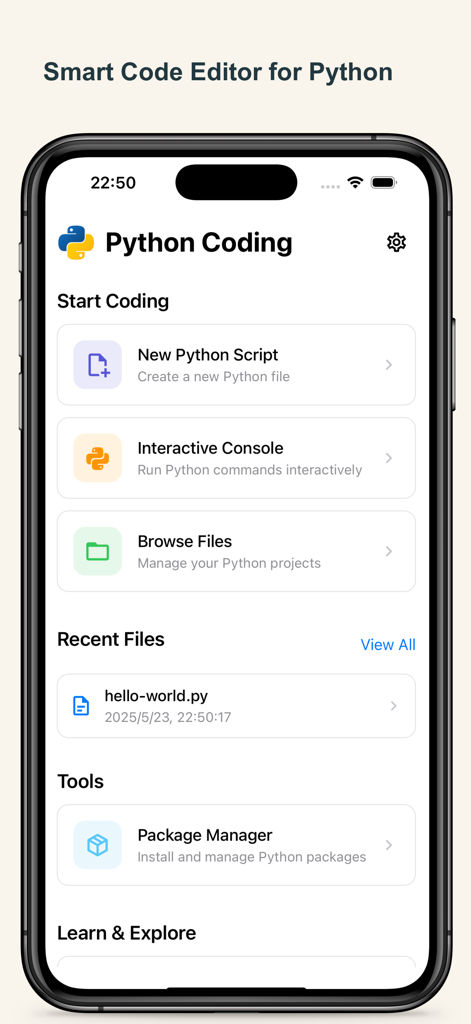
Python Coding - iPhone上のPython Codingアプリのホーム画面。新規スクリプト、インタラクティブコンソール、ファイル管理ツールのオプションが表示されています。
iPhone上のPython Codingアプリのホーム画面。新規スクリプト、インタラクティブコンソール、ファイル管理ツールのオプションが表示されています。

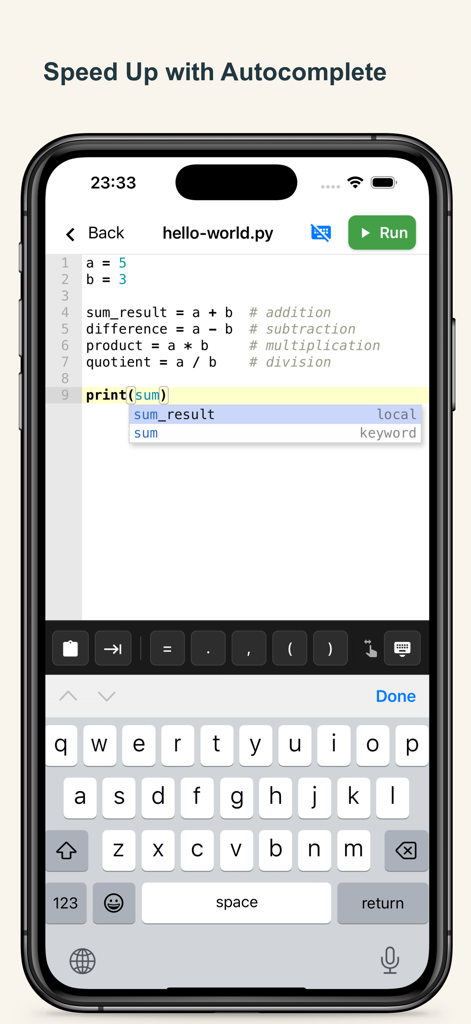
Python Coding - モバイルPython IDEエディタ。コード補完の候補と特殊なコーディングキーボードが表示されています。
モバイルPython IDEエディタ。コード補完の候補と特殊なコーディングキーボードが表示されています。

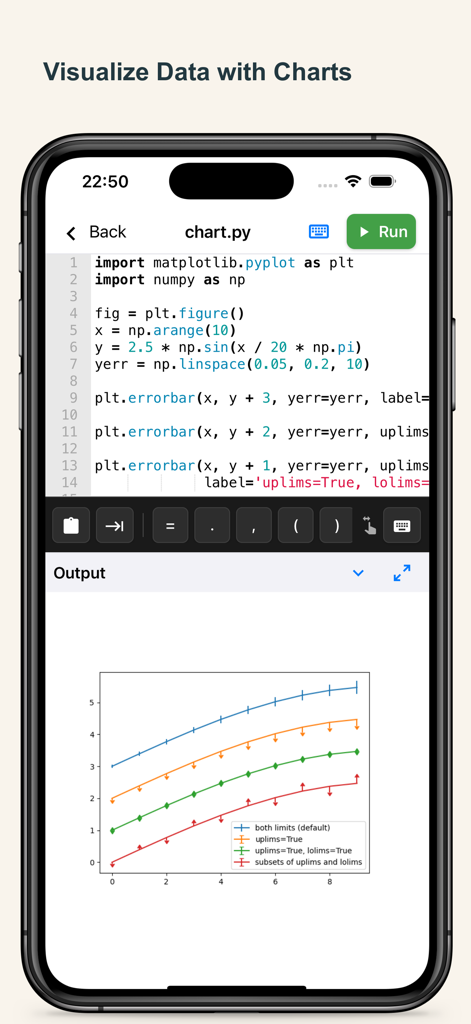
Python Coding - iPhone上のPythonコードエディタ。Matplotlibで作成されたデータ可視化チャートが表示されています。
iPhone上のPythonコードエディタ。Matplotlibで作成されたデータ可視化チャートが表示されています。

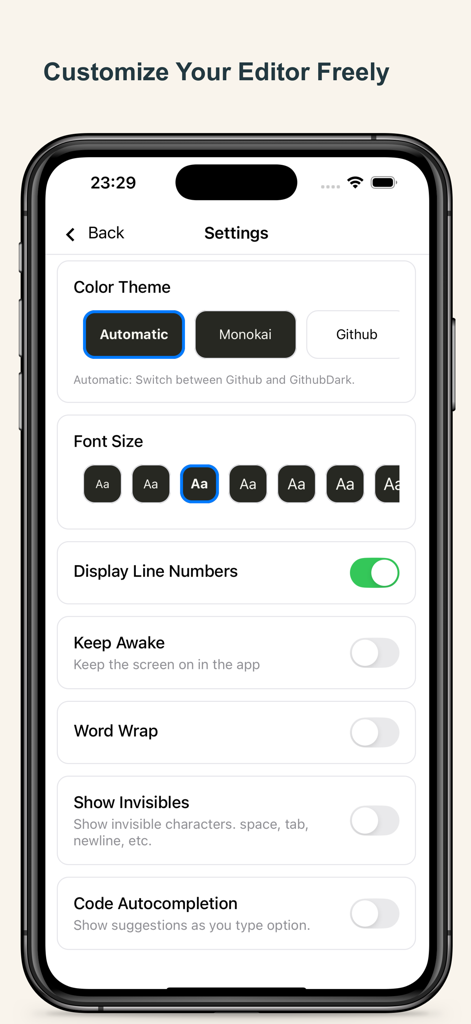
Python Coding - Python Codingアプリの設定ページインターフェース。エディタのテーマ、フォントサイズ、コーディング機能が表示されています。
Python Codingアプリの設定ページインターフェース。エディタのテーマ、フォントサイズ、コーディング機能が表示されています。

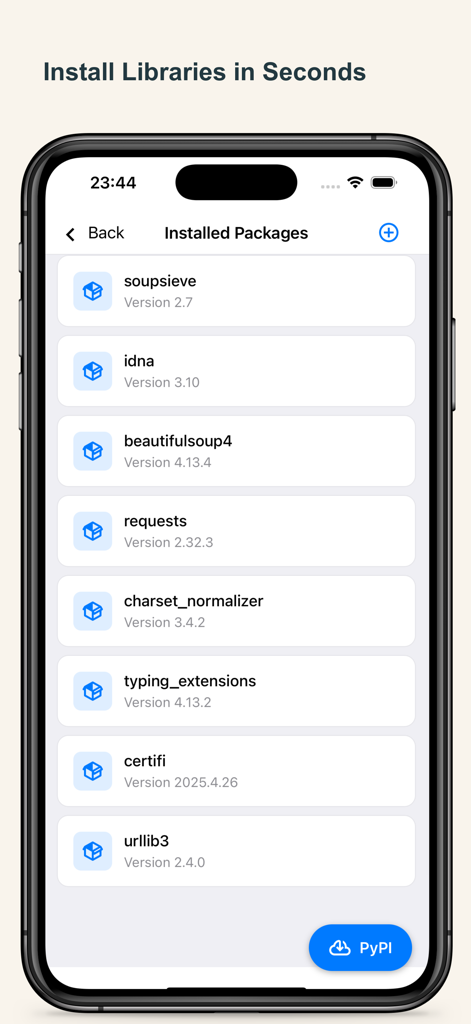
Python Coding - Python CodingアプリにインストールされているPythonライブラリとパッケージのリストを表示する画面。
Python CodingアプリにインストールされているPythonライブラリとパッケージのリストを表示する画面。

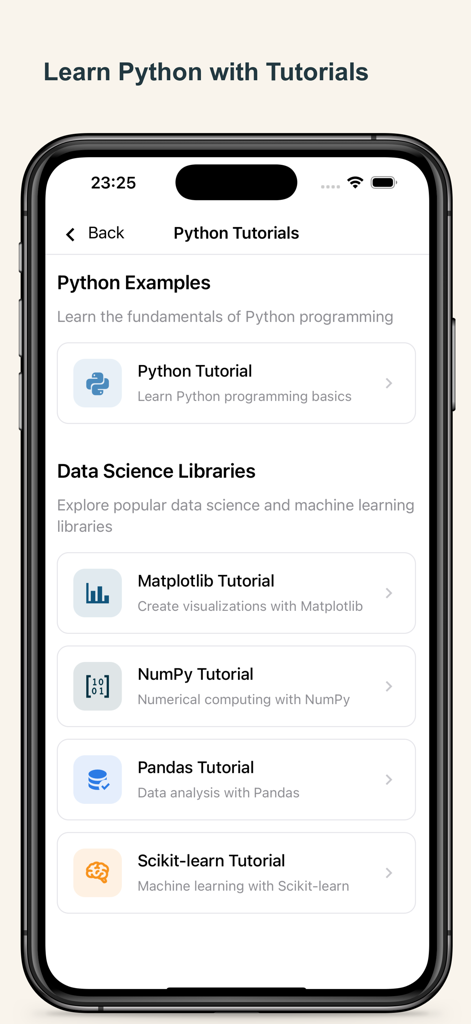
Python Coding - Pythonチュートリアル(基本、Matplotlib、NumPy、Pandas、Scikit-learnなどのデータサイエンスライブラリ)を表示するモバイル画面。
Pythonチュートリアル(基本、Matplotlib、NumPy、Pandas、Scikit-learnなどのデータサイエンスライブラリ)を表示するモバイル画面。

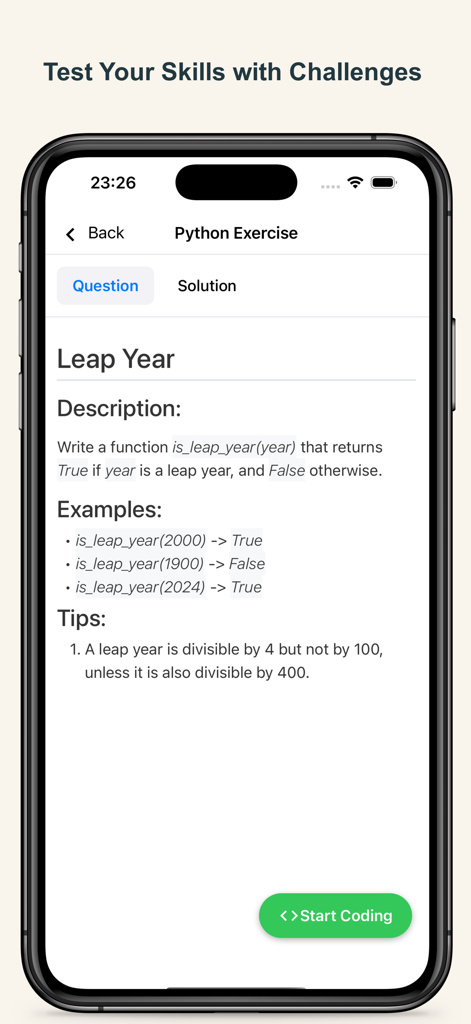
Python Coding - うるう年プログラミングチャレンジを表示するPythonコーディング演習画面。説明とロジックのヒントが含まれています。
うるう年プログラミングチャレンジを表示するPythonコーディング演習画面。説明とロジックのヒントが含まれています。

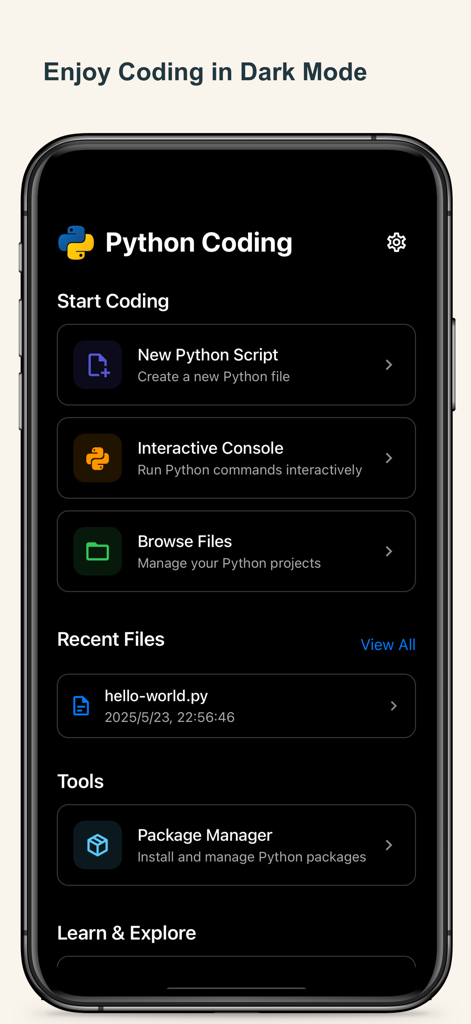
Python Coding - Python Codingアプリのダッシュボードインターフェース。iPhone上にダークモードテーマとメインメニューオプションが表示されています。

Python Codingアプリのダッシュボードインターフェース。iPhone上にダークモードテーマとメインメニューオプションが表示されています。

説明

Python Coding – Code Python Anytime, Anywhere Code and learn Python on your iPhone and iPad with Python Coding – a powerful Python IDE designed for learners, developers, and data enthusiasts. Write, run, and explore Python 3 with an advanced editor, full-featured runtime, and built-in tutorials. Whether you’re scripting simple programs or building data science models, Python Coding makes it seamless – even without internet. Core Features • Powerful Python IDE – A full-featured Python editor with syntax highlighting, auto-indentation, code completion, line numbers, indent guides, and bracket matching. Designed for a seamless and responsive coding experience on mobile. • Offline Python Runtime – Run Python 3 scripts and programs anytime, even without internet access. • Live Code Execution – Instantly run and test Python 3 code with real-time output. • Data Science Ready – Includes NumPy, pandas, Matplotlib, and scikit-learn for Python 3 data analysis. • Matplotlib Visualization – Create professional Python charts and graphs right on your device. • PyPI Package Manager – Install and manage Python 3 libraries directly in-app. • Project File System – Organize and manage multiple Python 3 scripts effortlessly. • Interactive Tutorials – Learn Python, NumPy, pandas and sklearn with step-by-step lessons. • Coding Challenges – Practice your skills with fun, interactive Python 3 challenges of varying difficulty. • Dark Mode & Themes – Personalize your Python IDE workspace with themes and fonts. • Quick Input Keyboard – Speed up Python coding with easy access to :, (), {}, and more. Turn your iPhone or iPad into a complete Python IDE. Download Python Coding today to learn Python, practice Python coding, and run Python 3 projects offline — the best way to master Python anywhere. --- Payment will be charged to iTunes Account at confirmation of purchase. Subscription automatically renews unless auto-renew is turned off at least 24-hours before the end of the current period. Account will be charged for renewal within 24-hours prior to the end of the current period, and identify the cost of the renewal. Subscriptions may be managed by the user and auto-renewal may be turned off by going to the user's Account Settings after purchase. Any unused portion of a free trial period, if offered, will be forfeited when the user purchases a subscription to that publication, where applicable. Terms of use https://septudio.com/terms-of-use and privacy policy https://septudio.com/privacy-policy

Download

ダウンロード: App Store

このページはアプリまたはその開発者の公式ページではなく、情報提供および論評を目的として作成された独立した編集出版物です。明示的に別段の記載がない限り、アプリおよびその開発者は、MWM、Apple、Google Play、アプリのパブリッシャー、またはアプリの開発者と提携、承認、後援、認可、またはその他の公式的な関係はなく、このページのいかなる内容も、アプリがMWMのサービスを使用して開発されたことを意味するものではありません。すべての商標、ロゴ、スクリーンショット、その他のコンテンツはそれぞれの所有者の財産です。