Memo-Only Memopad

Memo-Only Memopad

ダウンロード: App Store
ロゴ: Memo-Only Memopad

サブスクリプションなしで思考を整理できるMemo-Only Memopad

究極の整理術を実現する、超高速ミニマリストメモ帳。アイデアをキャプチャし、タスクをカラーコーディングし、フォルダを自分好みに構成できます。すべて買い切りで、広告も一切ありません。

ダウンロード: App Store

開発元

GIGABIT GAME LAB

カテゴリ

Productivity

ダウンロード

600

ユーザー評価

4.1/5

評価数

0

対応言語

2

ミニマリズムを実践

このインターフェースを利用する 600 人のユーザー.

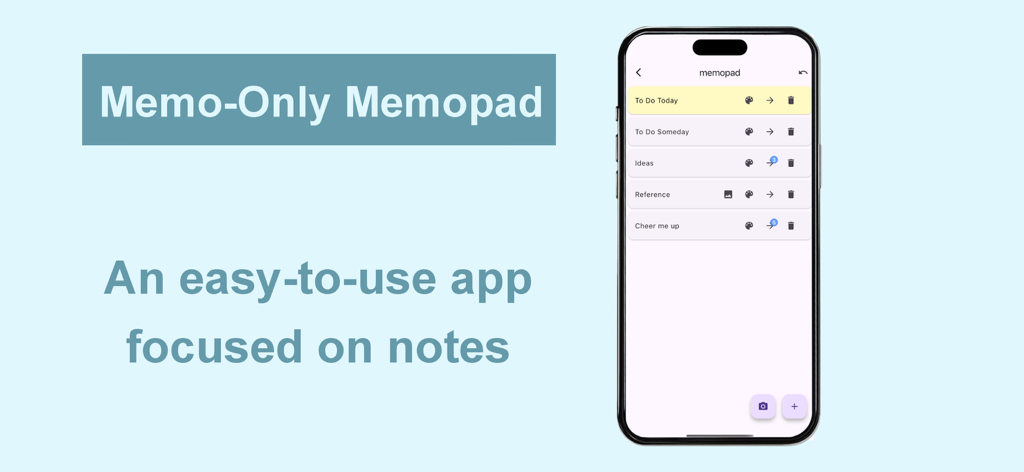
Memo-Only Memopadアプリのインターフェース。iPhone上に整理されたメモカテゴリのリストが表示されている。

Memo-Only Memopadアプリのインターフェース。iPhone上に整理されたメモカテゴリのリストが表示されている。

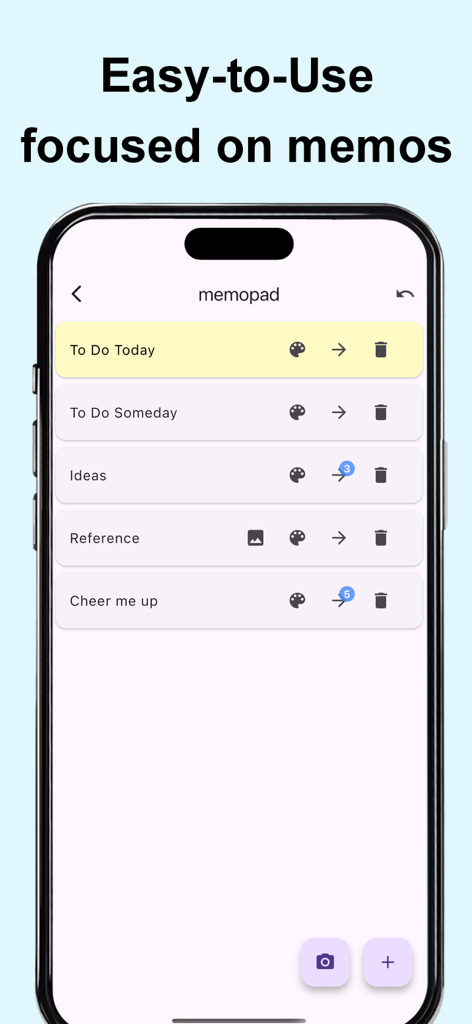
Memo-Only MemopadアプリのミニマリストUI。スマートフォン画面に、カテゴリ分けされカラーコーディングされたメモのリストが表示されている。

Memo-Only MemopadアプリのミニマリストUI。スマートフォン画面に、カテゴリ分けされカラーコーディングされたメモのリストが表示されている。

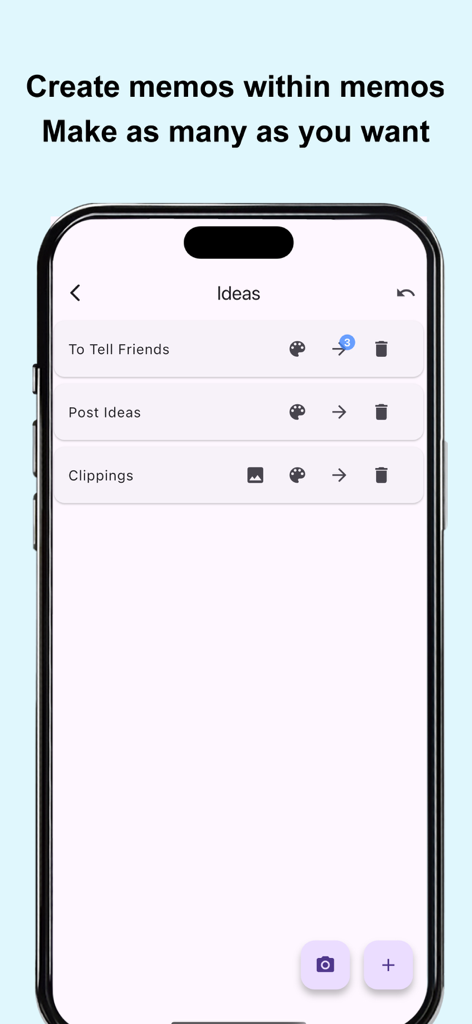
Memo-Only Memopadアプリのインターフェースのスクリーンショット。ネストされたフォルダ構造と階層化されたメモリストが表示されている。

Memo-Only Memopadアプリのインターフェースのスクリーンショット。ネストされたフォルダ構造と階層化されたメモリストが表示されている。

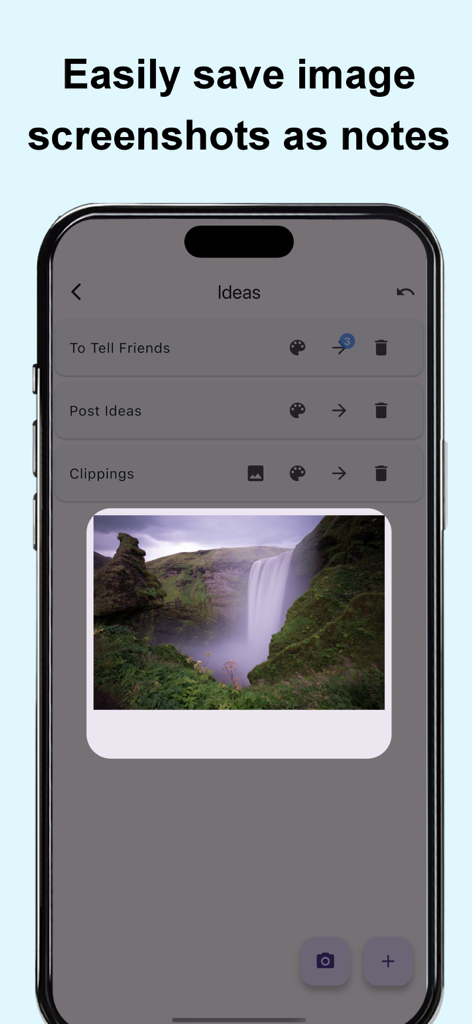
Memo-Only Memopadアプリが表示されたスマートフォン画面。滝の画像がビジュアルメモとして保存されている。

Memo-Only Memopadアプリが表示されたスマートフォン画面。滝の画像がビジュアルメモとして保存されている。

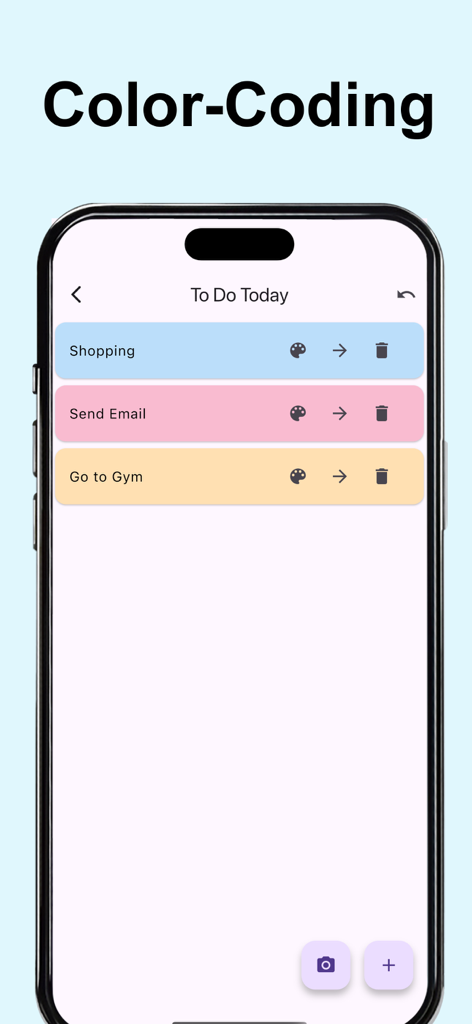
Memo-Only MemopadアプリでカラーコーディングされたメモやToDoリストが表示されているモバイル画面。

Memo-Only MemopadアプリでカラーコーディングされたメモやToDoリストが表示されているモバイル画面。

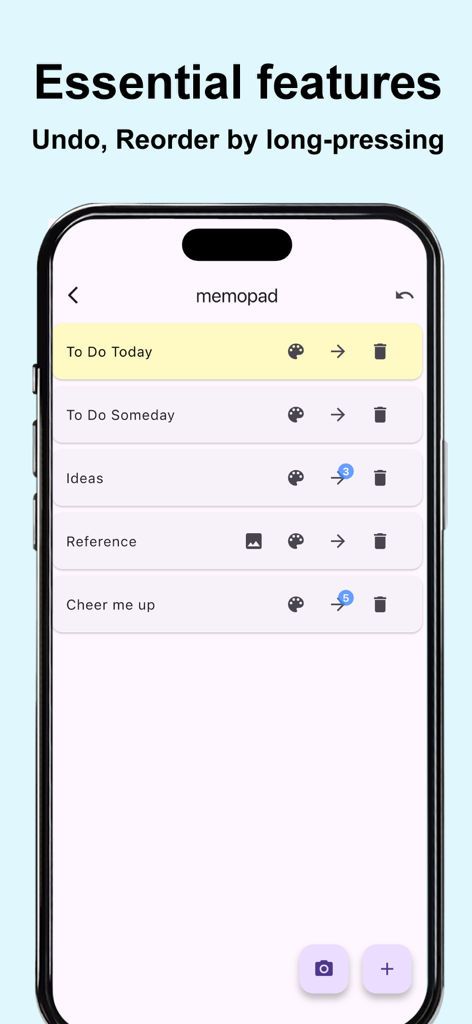
Memo-Only Memopadのミニマリストインターフェース。取り消し機能や並べ替え機能を持つメモのリストが表示されている。

Memo-Only Memopadのミニマリストインターフェース。取り消し機能や並べ替え機能を持つメモのリストが表示されている。

ノイズのない生産性

このアプリを際立たせるツール、 600 人のユーザーが選択.

💸

一度購入すれば、ずっとあなたのもの

一度の買い切りで、サブスクリプション疲れから解放されます。広告なし、毎月の請求なし—ただ、あなたのメモだけがあります。

📂

階層構造をマスター

フォルダの中にフォルダを作成できる、フラットリストを超えた整理機能。構造を求める小説家、学生、プロジェクトマネージャーに最適です。

即座にオフラインでキャプチャ

ロード画面ゼロ、100%オフライン機能。地下鉄の中、空の上、外出先でも、瞬時に思考をキャプチャできます。

アプリについて

について知っておくべきこと Memo-Only Memopad.

説明

This simple note app for person who wanted an app focused solely on making note-taking as easy as possible. The key point is its instant clarity and simple usability at a glance, yet it still includes all the essential features you’d expect from a memo app. ■ Memo-Only Memo App Features -Folder-in-folder organization: create memos within child folders, with automatic display of the number of child memos -Undo function: return to your previous action with a single tap -Easily reorder memos by long-pressing and dragging -Create image memos (use the camera or select from your photo library) -Color-code your memos -Autosave -Works offline—even without an internet connection -Supports eye-friendly, popular dark mode (automatically applies if your device is set to dark mode) -Lightweight app for fast startup -One-time purchase: no subscriptions or ads ■ Recommended Uses -Quickly jot down your ideas as soon as they come to mind! Use text or camera photos. Categorize freely for easy searching! -Shopping list memos: color-code items as you buy them! -To-do lists: create today’s or this week’s to-dos, easily categorize by type! Mark completed tasks with colors! -Save screenshots of news you see while browsing on your phone! -List memorable quotes by person for quick reference and motivation! -Draft notes for essays or novels—easy to reorder and organize! -Brainstorm ideas like sticking sticky notes—perfect for planning sessions! -Create separate memo folders for each person you interact with—use as a topic notebook for friends or family! -Perfect as a flashcard app for students or professionals: write the question on the memo, the answer in a child memo, and color memos as you master them for a sense of achievement! -Daily ranking check: record as text or screenshot! ■ How to Use ▶ Creating Memos -Tap the + icon at the bottom right to create a text memo. -Tap the camera icon at the bottom right to take a photo or select one from your album to create an image memo. ▶ Operating Memos -Tap memo text to edit. -Use the icons on the right to “Change color,” “Move to child folder,” or “Delete.” -For image memos, an image icon will appear—tap it to view the saved image. -The number of child memos is shown as a number on the arrow to the child folder. ▶ Undo Action -Use the Undo button at the top right to return to your previous action—rest easy, even if you delete something by mistake!

最新バージョン

1.0.6

サイズ

24.5 MB

リリース日

2025年6月10日

集中力を取り戻す準備はできましたか?

サブスクリプション疲れに終止符を打った、何千人もの整理好きなミニマリストたちに加わりましょう。買い切り型で、即座に広告なしのメモ体験を手に入れられます。あなたのアイデア、あなたのフォルダ、すべてが永遠にあなたのものです。

ダウンロード: App Store

App information, icons, screenshots, and descriptions displayed on this page are sourced from the Apple App Store and are the property of their respective developers. Download estimates and rankings are based on MWM's proprietary models and may not reflect actual figures. This page is provided for informational and analytical purposes only.

Believe this page infringes your intellectual property? File a dispute