Miracast + Screen Mirror

Miracast + Screen Mirror

ダウンロード: App Store
ロゴ: Miracast + Screen Mirror

Miracast + Screen Mirror:画面を数秒でどのデバイスにも共有

エコシステムの壁を壊しましょう。iPhoneまたはiPadをWindows PC、スマートTV、複数のブラウザに、ケーブルや追加のハードウェアなしで、ほぼゼロ遅延で簡単にミラーリングできます。

開発元

枭波 王

カテゴリ

Photo & Video

ダウンロード

116K+

ユーザー評価

4.0/5

評価数

1K+

対応言語

1

あなたの画面、どこでも

このインターフェースを利用する 116K+ 人のユーザー.

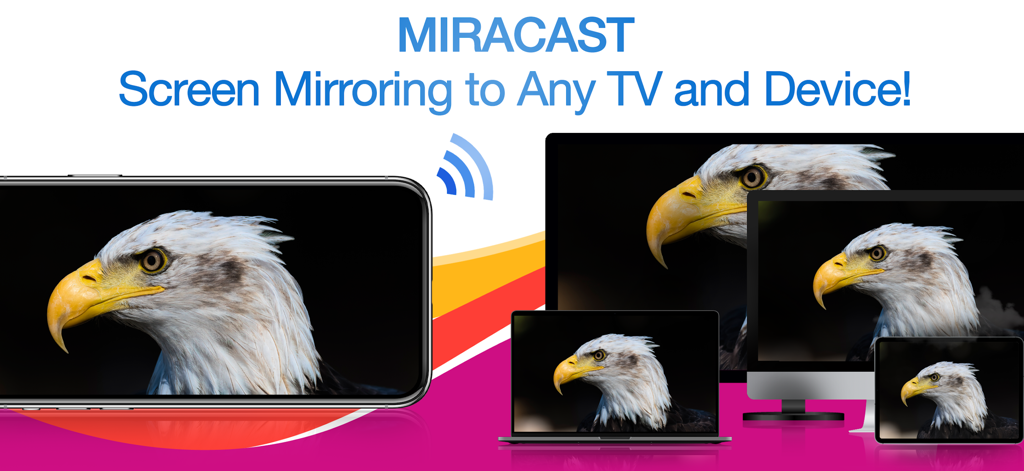
iPhoneがイーグルの画像をワイヤレスでラップトップ、デスクトップモニター、タブレットに同時にミラーリングしている様子

iPhoneがイーグルの画像をワイヤレスでラップトップ、デスクトップモニター、タブレットに同時にミラーリングしている様子

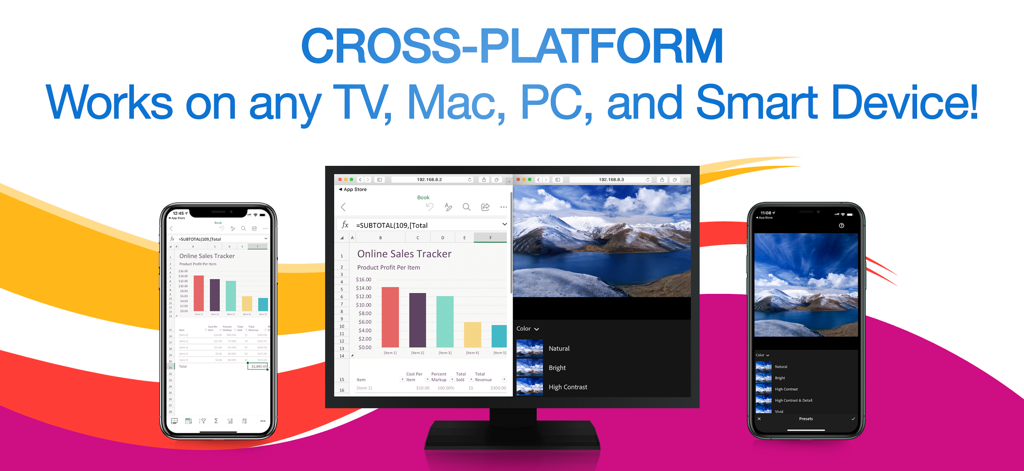
Miracastアプリが複数のiPhoneでスプレッドシートと写真を同時にコンピューターモニターにミラーリングしている様子

Miracastアプリが複数のiPhoneでスプレッドシートと写真を同時にコンピューターモニターにミラーリングしている様子

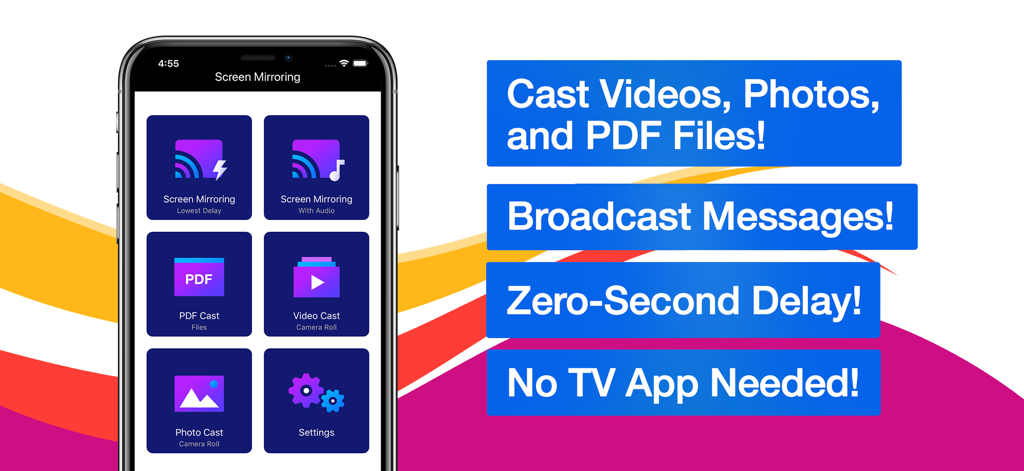
Miracastおよびスクリーンミラーリングアプリのインターフェース。ビデオ、写真、PDFファイルをキャストするオプションがあります。

Miracastおよびスクリーンミラーリングアプリのインターフェース。ビデオ、写真、PDFファイルをキャストするオプションがあります。

あなたのミックスされた世界のためのシームレスなミラーリング

このアプリを際立たせるツール、 116K+ 人のユーザーが選択.

💻

ユニバーサルクロスプラットフォームサポート

互換性の問題はもうありません。ケーブルや追加のハードウェアなしで、Webブラウザのみを使用してiPhoneをWindows PC、Mac、非Apple TVに直接ミラーリングできます。

📡

同時マルチデバイスキャスティング

プレゼンテーションや教室に最適です。画面を複数の受信者に同時にブロードキャストし、部屋の全員が同じページにいることを保証します。

超低遅延パフォーマンス

リアルタイムのスピードを体験してください。アプリをデモしている場合でも、ビデオを共有している場合でも、不快な遅延なしに、あらゆる動きに追従するほぼ瞬時のミラーリングをお楽しみください。

レビュー分析

ユーザーレビューの分析.

感情スコア

5%
ネガティブ

概要

Users express strong dissatisfaction with the app, primarily due to its aggressive and often misleading subscription model, where many features are locked behind paywalls even after supposed "free trials." Many reviewers report that the app simply "doesn't work" or fails to perform basic screen mirroring functions as advertised, with common issues including lack of video or audio. Furthermore, users frequently highlight problems with device compatibility, such as non-functionality with Samsung devices, iPads, or specific dongles like Anycast, and difficulty obtaining refunds for non-working purchases.

主なテーマ

Subscription Model(35)
App Functionality(20)
Screen Mirroring Issues(10)
Misleading Practices(9)
Refund Process(3)
General Satisfaction(1)

アプリについて

について知っておくべきこと Miracast + Screen Mirror.

説明

** Instantly mirror your iPhone or iPad's screen and media to multiple devices simultaneously – quickly, easily & nearly no delays! Mirror your iPhone/iPad screen to multiple computers or devices in near real time. Your iPhone/iPad screen can be viewed on a web browser on any computer or device with zero interruptions or uncomfortable delays. Everything you do on your iPhone/iPad is wirelessly mirrored without cables or adapters. Stay connected on the go, wherever you are. You can wirelessly mirror your iPhone/iPad's screen or stream files to receivers such as Smart TVs, PCs, Macs, Smartphones, Tablets, Laptops, Game Consoles, etc. Exclusive Features: • Multi-Screen Mirroring - Mirror your iPhone/iPad's screen and audio to a number of computers and devices, even simultaneously. • Cross-Platform - Never worry about compatibility issues again – any computer or device with a web browser is supported. • Virtually No Delays - Enjoy quick and easy screen mirroring and media casting with almost no delays at all. • Multi-Media Support - Beside your iPhone or iPad's screen, you can also cast videos, photos, or PDFs to multiple digital devices simultaneously. • Broadcast Messages - While mirroring your screen, you can broadcast text messages or images to your viewers at the same time. • Mirror Multiple Screens - You can view multiple mirrored screens on the same device simultaneously. • Simple and Intuitive UI - Beautiful, modern icons and other interface design elements make this app a brand new experience on iOS and iPadOS. NOTES: • Please make sure all of your computers and devices are connected to the same network. This app is unavailable on complex network environments, such as Firewall on Private Network, VLANs, Subnets, VPN, or Proxy. It only work on simple network environment, such as ordinary home networks (home use wireless router or switch). • Mirroring performance and quality depends on your network health and hardware devices. *** Upgrade to Premium to unlock all the great features *** Information about the auto-renewable subscription: • Payment will be charged to iTunes Account at confirmation of purchase. • Subscription automatically renews unless auto-renew is turned off at least 24-hours before the end of the current period. • Account will be charged for renewal within 24-hours prior to the end of the current period. The cost depends on the selected plan. • Subscriptions may be managed by the user and auto-renewal may be turned off by going to the user's Account Settings after purchase. • Any unused portion of the free trial will be forfeited when the user purchases a subscription. Privacy Policy: https://appsupport11.blogspot.com/2020/07/privacy-policy.html Terms of Use: https://appsupport11.blogspot.com/2020/10/terms.html

最新バージョン

4.5

サイズ

13.8 MB

リリース日

2020年9月4日

iPhoneをどの画面にもミラーリングする準備はできましたか?

Appleのエコシステムから抜け出しましょう。ゼロ遅延、ケーブル不要で、画面、動画、PDFをWindows、スマートTV、または複数のブラウザに同時にキャストし始めましょう。

ダウンロード: App Store

App information, icons, screenshots, and descriptions displayed on this page are sourced from the Apple App Store and are the property of their respective developers. Download estimates and rankings are based on MWM's proprietary models and may not reflect actual figures. This page is provided for informational and analytical purposes only.

Believe this page infringes your intellectual property? File a dispute