Moment Stamp for DateTime Pics

Moment Stamp for DateTime Pics


ダウンロード: App Store
ロゴ: Moment Stamp for DateTime Pics

Moment Stamp for DateTime Pics:すべての思い出を時代を超えたものに

数秒で写真にスタイリッシュでカスタマイズ可能な日付と時刻のスタンプを追加。フィットネスの進捗を追跡する場合でも、家のプロジェクトを記録する場合でも、家族の節目を捉える場合でも、クラシックなタッチで思い出を整理しましょう。

ダウンロード: App Store

開発元

Chirag Gabani

カテゴリ

Photo & Video

ダウンロード

2K+

ユーザー評価

4.4/5

評価数

0

対応言語

1

ピントが合った思い出

このインターフェースを利用する 2K+ 人のユーザー.

カスタム日付と時刻スタンプテンプレート付きの写真のコラージュ

カスタム日付と時刻スタンプテンプレート付きの写真のコラージュ

さまざまな装飾的な日付と時刻スタンプテンプレートを示す写真のコラージュ

さまざまな装飾的な日付と時刻スタンプテンプレートを示す写真のコラージュ

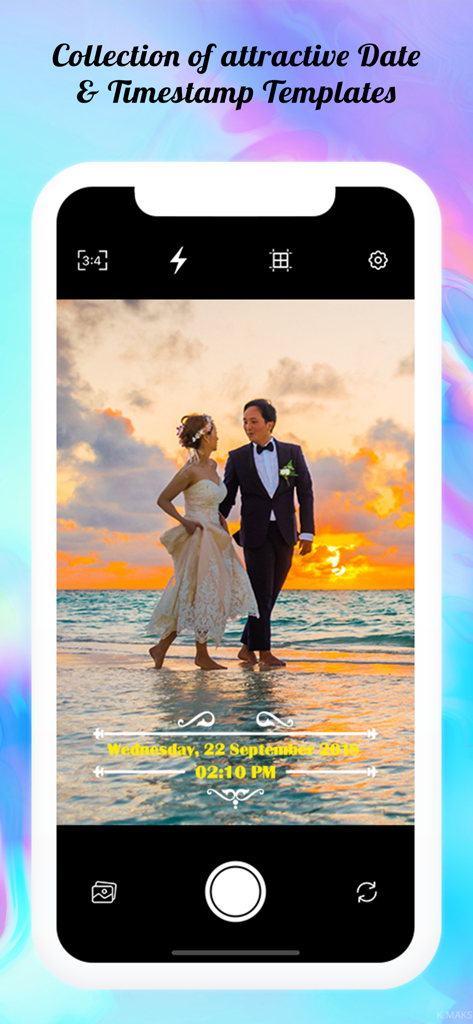
装飾的な黄色い日付と時刻スタンプのオーバーレイが付いた結婚式の写真を表示するスマートフォン画面

装飾的な黄色い日付と時刻スタンプのオーバーレイが付いた結婚式の写真を表示するスマートフォン画面

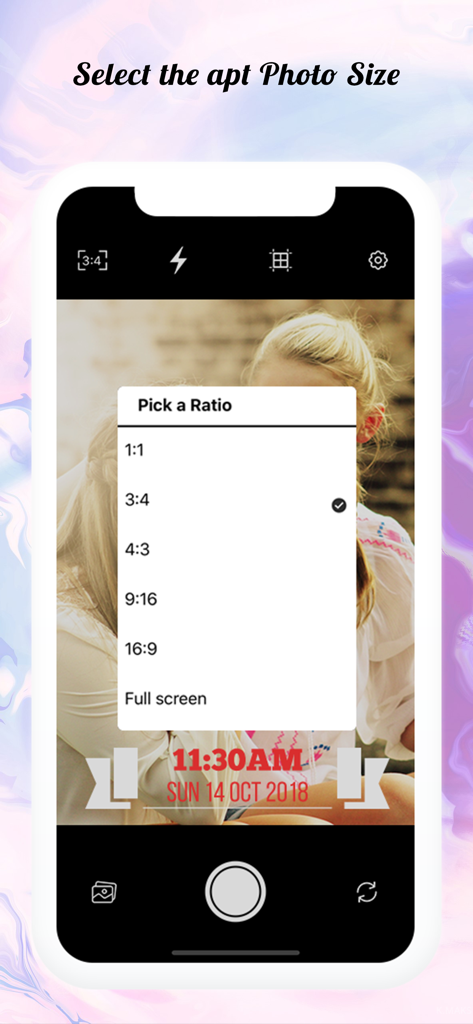
タイムスタンプ付き写真のアスペクト比選択メニューを表示するMoment Stampアプリインターフェイス

タイムスタンプ付き写真のアスペクト比選択メニューを表示するMoment Stampアプリインターフェイス

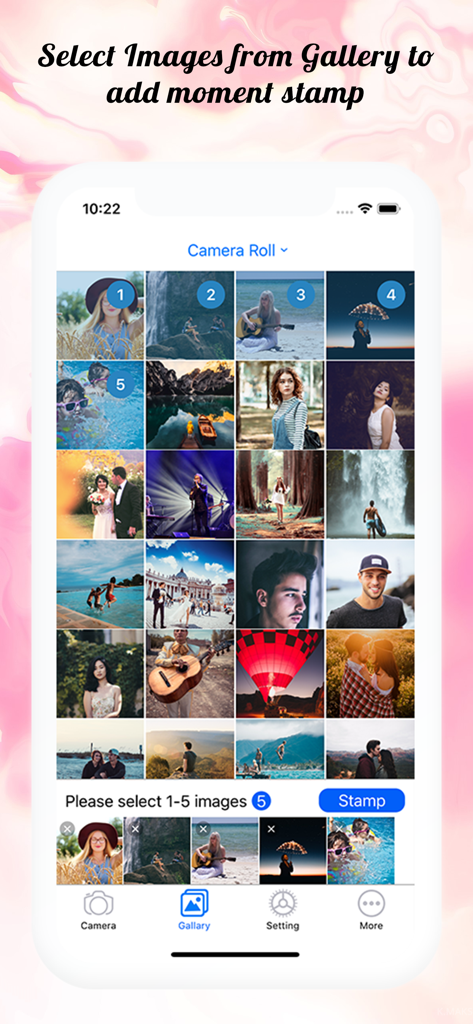
日付と時刻のウォーターマークを追加するために複数の写真が選択されたMoment Stampアプリの写真ギャラリーを表示する画面

日付と時刻のウォーターマークを追加するために複数の写真が選択されたMoment Stampアプリの写真ギャラリーを表示する画面

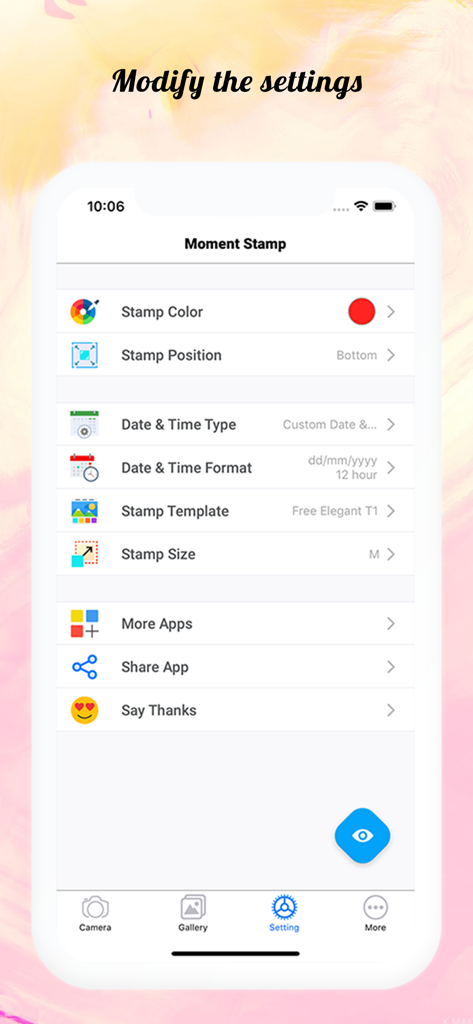
写真の日付と時刻スタンプのカスタマイズオプションを示すMoment Stampアプリの設定画面

写真の日付と時刻スタンプのカスタマイズオプションを示すMoment Stampアプリの設定画面

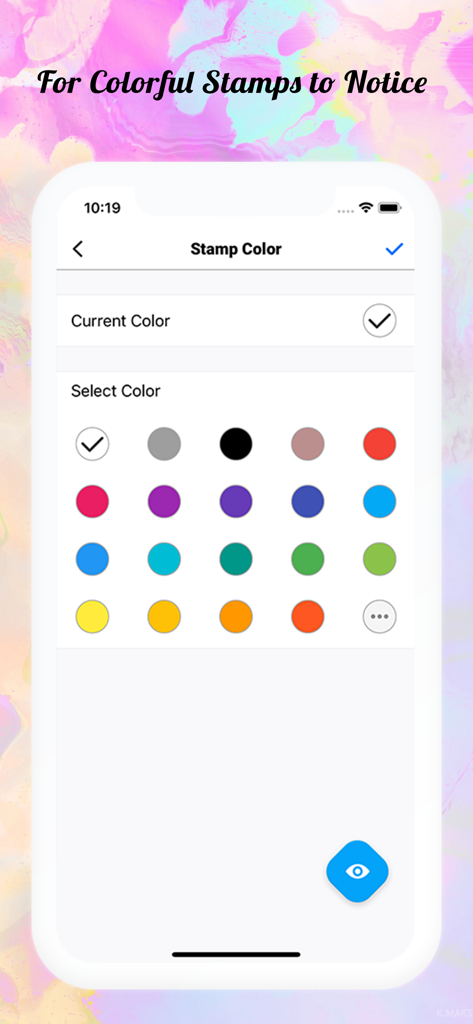
写真の日付と時刻スタンプのカスタマイズ用の色の選択肢を示すMoment Stampアプリのインターフェイス

写真の日付と時刻スタンプのカスタマイズ用の色の選択肢を示すMoment Stampアプリのインターフェイス

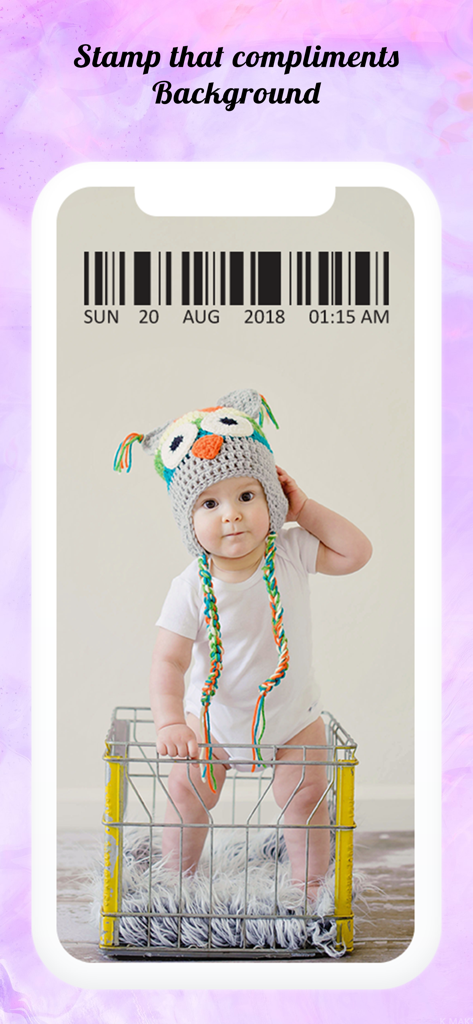
装飾的なバーコードの日付と時刻スタンプのオーバーレイが付いた、フクロウの帽子をかぶった赤ちゃんの写真

装飾的なバーコードの日付と時刻スタンプのオーバーレイが付いた、フクロウの帽子をかぶった赤ちゃんの写真

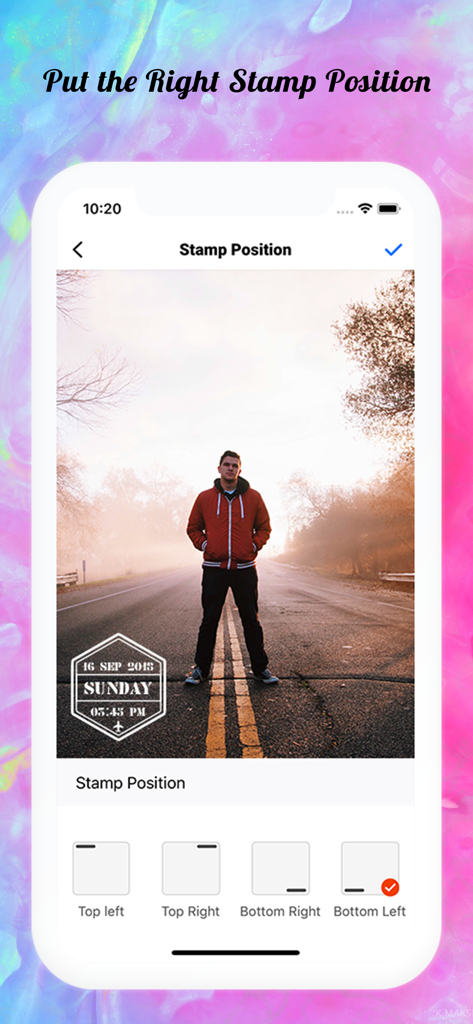
写真に日付と時刻スタンプを配置するオプションを示すMoment Stampアプリインターフェイス

写真に日付と時刻スタンプを配置するオプションを示すMoment Stampアプリインターフェイス

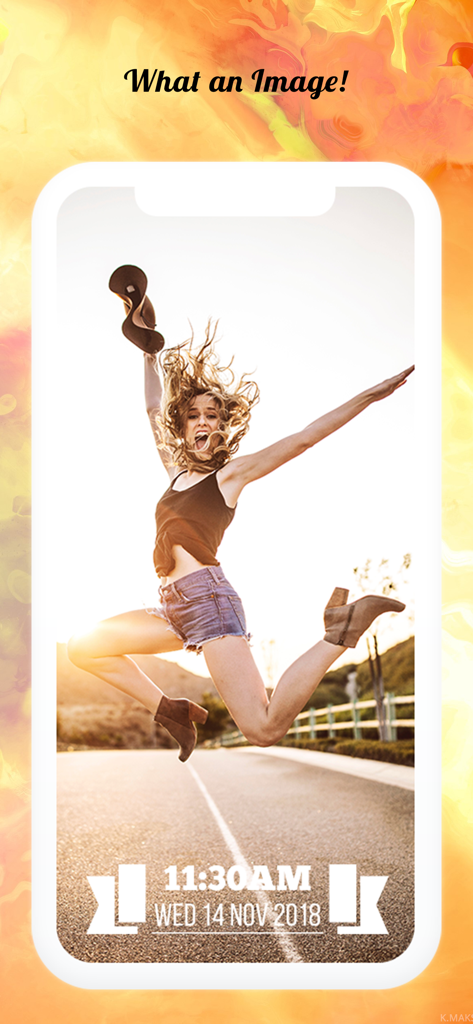
写真の下部にスタイリッシュな日付と時刻スタンプが付いた、喜んでジャンプする女性

写真の下部にスタイリッシュな日付と時刻スタンプが付いた、喜んでジャンプする女性

すべての写真は物語を語り、すべてのスタンプはそれをリアルに保ちます

このアプリを際立たせるツール、 2K+ 人のユーザーが選択.

美しいレトロテンプレート

25種類以上のデザイナーレイアウトとカスタムカラーから選択して、写真にトレンディなアナログフィルムの雰囲気やクリーンでプロフェッショナルな仕上がりを与えましょう。

📅

シームレスな思い出の追跡

現在の СДАТА を自動的に追加するか、ギャラリー写真の СДАТА を選択します。フィットネスの進捗、赤ちゃんの節目、旅行ログの追跡に最適です。

🎯

カスタム配置とフォーマット

調整可能な位置と複数の СДАТА フォーマット(DD/MM/YY または MM/DD/YY)で管理を維持し、スタンプが写真の最も良い部分を隠さないようにします。

アプリについて

について知っておくべきこと Moment Stamp for DateTime Pics.

説明

Capture all the precious moments you see and live them forever by adding ‘Date and Time Stamp on Photo’. So that, when you look back to those memories after a few years from now, they won’t fade away with time. With this ‘Moment Stamp App’, you can instantly capture moments of your surroundings and watermark on photos with Date Stamp Camera! Or if you want to add stunning date and time stamp on photos stored in phone gallery, you can customize that too by simply choosing the best template from our application. • What makes this app different? - You can add ‘Today’s Date (Current Date and Time)’ or the DateTime when that picture was captured! - Get a bunch of mind-boggling templates. - Set of ‘Stamp Colors’ to make your pictures more stunning! It furnishes a facility to watermark your pictures at the moment. With this date time stamper app, bring your photos to life and don’t just let that valuable moment go with time. • Check out some astonishing features of this photo Stamper app: Just click on the settings button and modify all the below mentioned features! i) Font Color Make sure your customized date stamps standout in the picture! In this Moment Stamp App, get the collection of font color and makes your picture look more attractive. You can also create your own DateTime pics colors by combining others! ii) Stamp Position Don't let the watermark settle at the same place! Keep it moving with variant photographs by making it more catchy with a Date Time stamp on photos. Get two distinct positions to set your customized date stamps for a neat & clean image!. - Top - Bottom iii) Templates With the above features, here is the special one which shall do a makeover when you add date stamp to photos. More than 25 dazzling templates are embedded in this date and time stamp app that will make you say “Woo-hoo! What an awesome Image!” • WHAT’S EXCITINGLY NEW? A) Custom Time Format Yeah, you’ve heard it right! Now, in this timestamp camera app, you can pick a time format as the way that you want and add time stamp on photos. - 12 hours format - 24 hours format B) Custom Date Format Select the format for the date stamp on photo: - dd/mm/yyyy - mm/dd/yyyy - yyyy/mm/dd • How to use this date and time stamp app? 1) Once you get this ‘Photo Stamper’ app into your mobile, you’ll see the home screen. 2) Select the appropriate ‘Font Color & Font Position for timestamp’. 3) You will find all the features mentioned above where you’ll be able to set toggle for ‘App Name Watermark’ or ‘Date and Time Format’! 4) Click on the ‘Stamp Template’ option and choose the one which you like the most! 5) Do you want to DateTime pics that you capture? Then click on the ‘Camera’ icon otherwise you can select the image from your ‘Phone Gallery’! That’s easy as pie! Isn’t it? So, install Moment Stamp application and start adding a Date Time stamp on photos NOW! And see the stunning difference between the images you capture simply and those images which you capture with our customized date stamp camera. Would you like to see how your pictures will look? Have a look at a set of pictures above!

最新バージョン

1.2.3

サイズ

37.3 MB

リリース日

2018年12月16日

お気に入りの瞬間を色褪せさせないで

Moment Stampを信頼して人生の節目を記録している何千人ものユーザーに参加しましょう。数回タップするだけで、思い出に必要なコンテキストを与えましょう。

ダウンロード: App Store

App information, icons, screenshots, and descriptions displayed on this page are sourced from the Apple App Store and are the property of their respective developers. Download estimates and rankings are based on MWM's proprietary models and may not reflect actual figures. This page is provided for informational and analytical purposes only.

Believe this page infringes your intellectual property? File a dispute