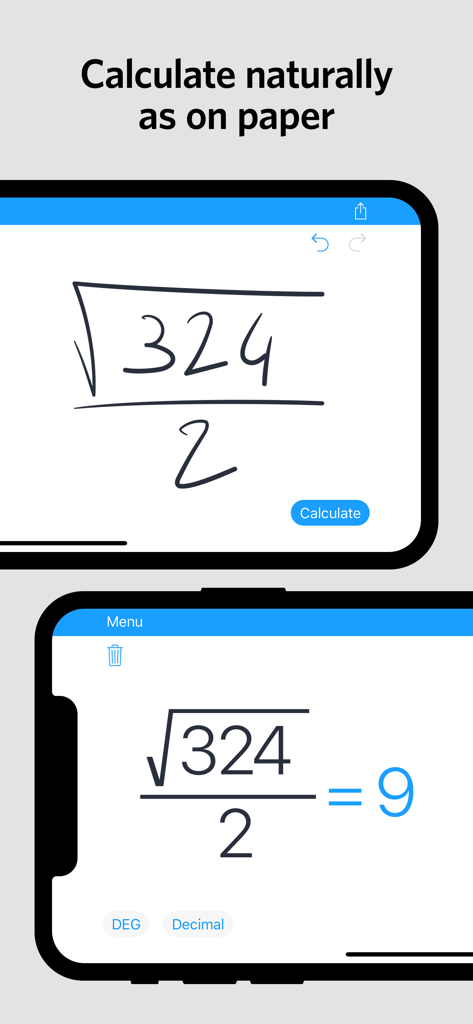
MyScript Calculator:手書きを強力なインタラクティブキャンバスに変える ボタン操作をやめて、自然に計算を解決しましょう。画面に計算式を書き込むだけで即座に結果が得られ、直感的なジェスチャーで編集し、必要な場所に回答をドラッグできます。
スクリーンショット 5 機能 3 レビュー 2 概要 類似アプリ 9
インクをインテリジェンスに このインターフェースを利用する 781K+ 人のユーザー.
書くように自然な数学 このアプリを際立たせるツール、 781K+ 人のユーザーが選択.
✍️
制限なく書く インターフェースではなく問題に集中しましょう。ボタンを探したりメニューを操作したりすることなく、複雑な数式を自然に入力できます。
✨
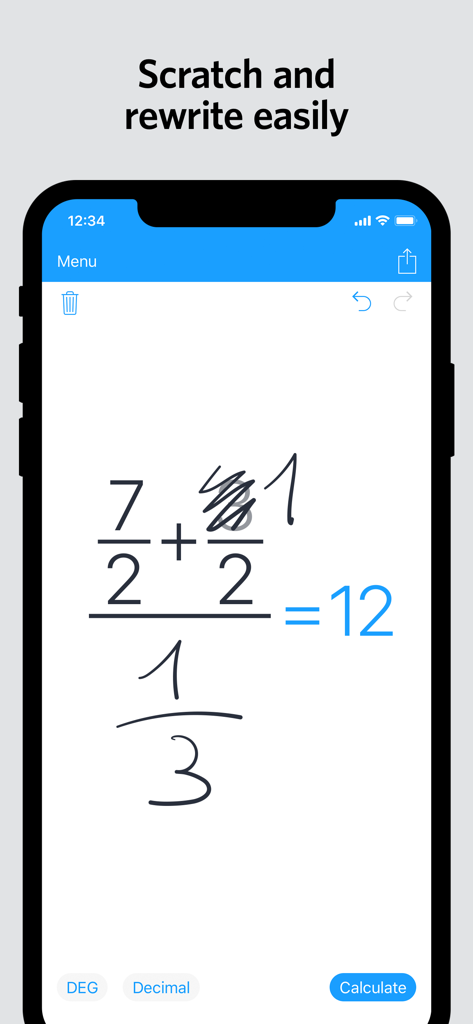
直感的な編集 間違いを犯しましたか?数字や記号をサッと消すだけで瞬時に削除できます。結果をドラッグ&ドロップして、新しい計算で再利用しましょう。
🎓
STEMのために作られました 基本的な分数から高度な三角法や対数まで、学生やプロフェッショナル向けに設計されたツールで複数行の数式を処理できます。
アプリについて について知っておくべきこと MyScript Calculator.
説明
The new MyScript© Calculator 2 makes daily math fun and easy!
Calculator 2 turns your device into an interactive piece of paper. Simply write a calculation and it gets you the result in real time. Develop it further with editing gestures or by adding new elements anywhere. Reuse previous results with drag and drop. Calculator 2 interprets everything you do on the fly.
Calculator 2 is based on MyScript Interactive Ink®, the next step for digital ink. It is the successor of the award-winning first handwriting calculator.
BENEFITS AND FEATURES
· Write calculations in an intuitive and natural way without a keyboard.
· Erase easily by using scratch-out gestures to remove symbols and numbers.
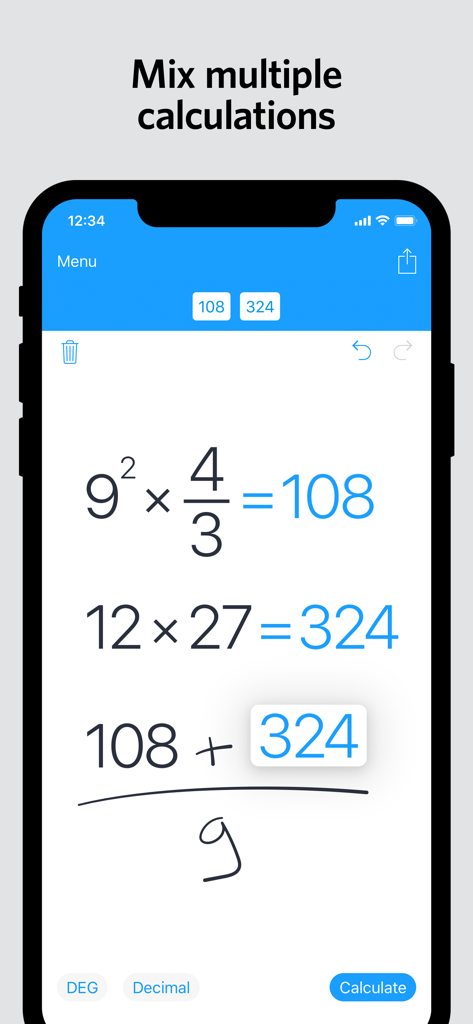
· Drag and drop numbers from and to the canvas, the memory bar or to an external app.
· Copy your results to the clipboard or export them to other apps.
· Fractions: Display results using decimals, fractions or mixed numbers.
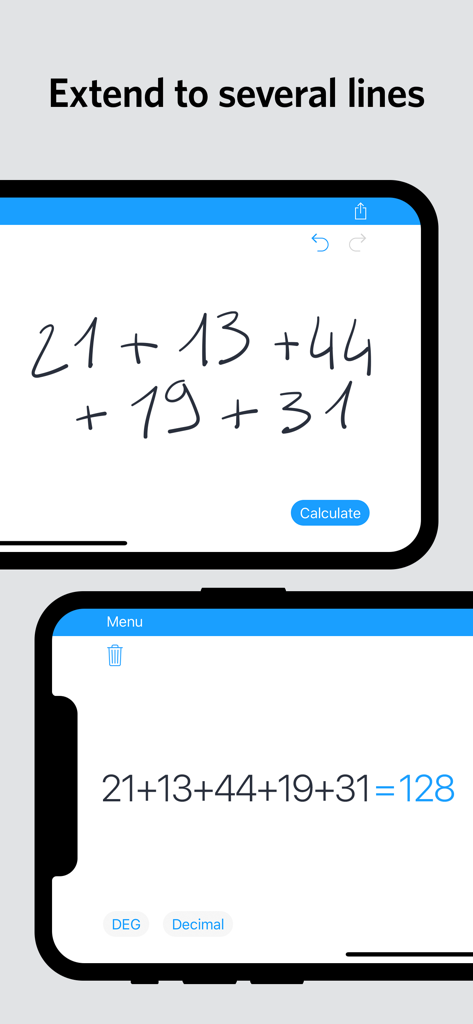
· Multi-line: Continue the same calculation on the next line or write several calculations on multiple lines.
· Memory: Save results into memory. Reuse them anytime in your calculations.
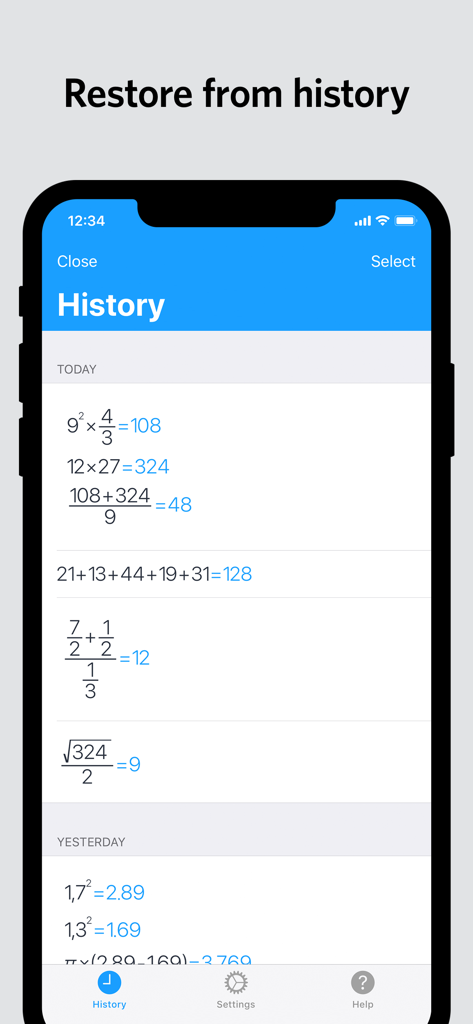
· History: Retrieve all your past calculations to reuse or export.
SUPPORTED OPERATORS
· Basic operations: +, -, ×, ÷, /, ·, :
· Powers, roots, exponentials: 7², √, ∛, e³
· Miscellaneous operations: %, |5|, 3!
· Brackets: ( )
· Trigonometry: sin, cos, tan, cot, cosh, sinh, tanh, coth
· Inverse trigonometry: asin, acos, atan, acot, arcsin, arccos, arctan, arccot, acosh, asinh, atanh, acoth, arcosh, arsinh, artanh, arcoth
· Logarithms: ln, log
· Constants: π, e, phi
ボタン操作をやめて、書き始める準備はできましたか? 78万人以上のSTEM分野の学生やプロフェッショナルに参加しましょう。MyScript Calculator 2を今すぐダウンロードして、お使いのデバイスを究極のインタラクティブな紙に変えましょう。
人気: Productivity 類似アプリ 同じカテゴリのトップランクアプリ
App information, icons, screenshots, and descriptions displayed on this page are sourced from the Apple App Store and are the property of their respective developers. Download estimates and rankings are based on MWM's proprietary models and may not reflect actual figures. This page is provided for informational and analytical purposes only.
Believe this page infringes your intellectual property? File a dispute