NotesHub: Notes, Kanban Boards

NotesHub: Notes, Kanban Boards


ダウンロード: App Store
ロゴ: NotesHub: Notes, Kanban Boards

NotesHub:Markdown、Kanban、ホワイトボードのためのGit搭載ワークスペース

ベンダーに依存せず、オフラインファーストの生産性スイートで、技術系パワーユーザーに力を与えます。GitHubまたはiCloud経由で同期してデータを完全に制御し、高度なMarkdown、統合プロジェクトボード、ビジュアルホワイトボードでワークフローを合理化します。

ダウンロード: App Store

開発元

Alex Titarenko

カテゴリ

Productivity

ダウンロード

6K+

ユーザー評価

4.8/5

評価数

0

対応言語

5

すべてのピクセルに精度を

このインターフェースを利用する 6K+ 人のユーザー.

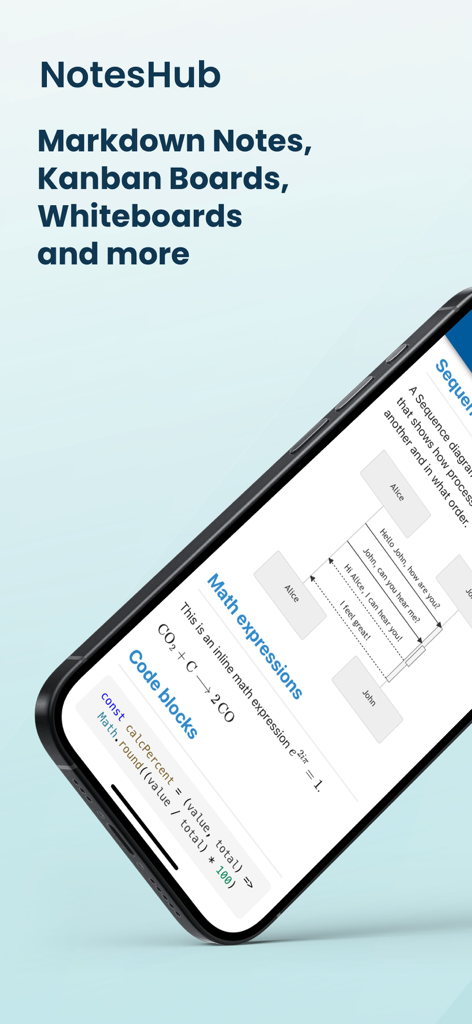
NotesHubアプリの表示画面。Markdownノート、数式、コードブロック、シーケンス図が表示されています。

NotesHubアプリの表示画面。Markdownノート、数式、コードブロック、シーケンス図が表示されています。

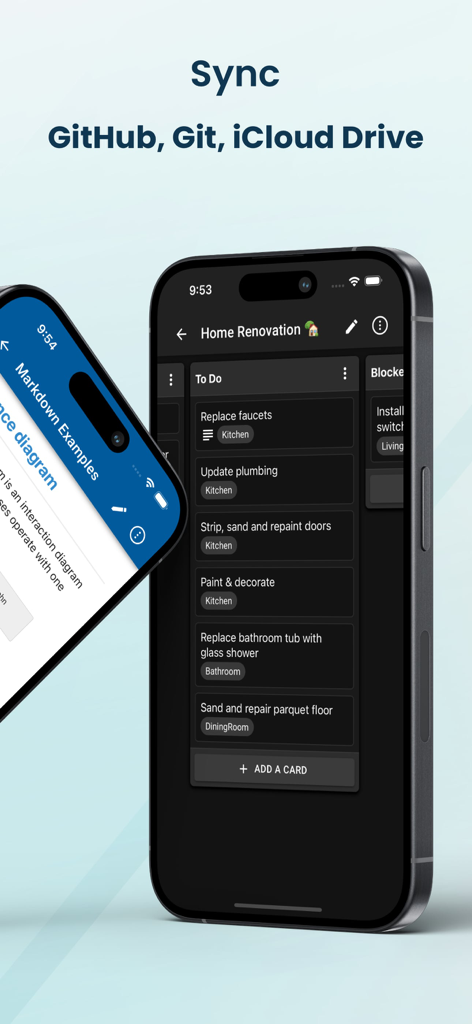
NotesHubアプリのインターフェース。ダークモードのKanbanボードとクラウド同期オプションが表示されています。

NotesHubアプリのインターフェース。ダークモードのKanbanボードとクラウド同期オプションが表示されています。

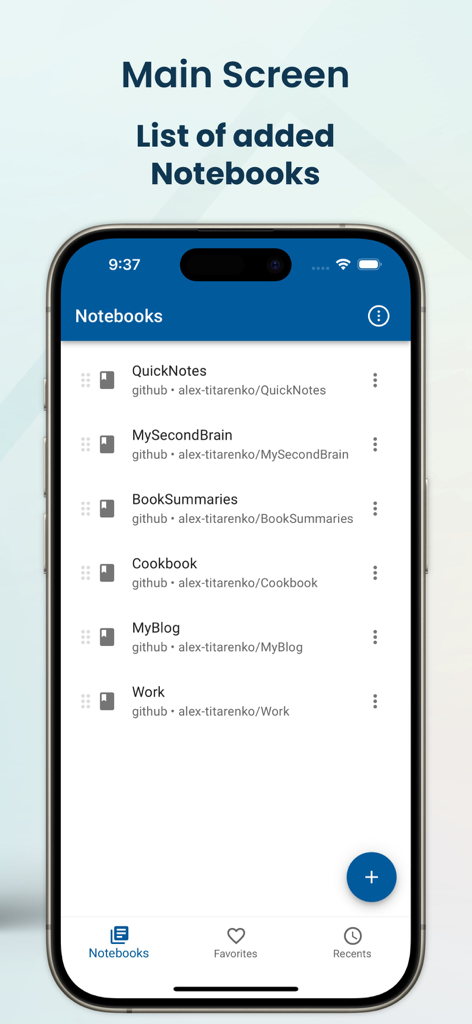
NotesHubアプリのメイン画面。GitHub経由で同期されたMarkdownノートブックのリストが表示されています。

NotesHubアプリのメイン画面。GitHub経由で同期されたMarkdownノートブックのリストが表示されています。

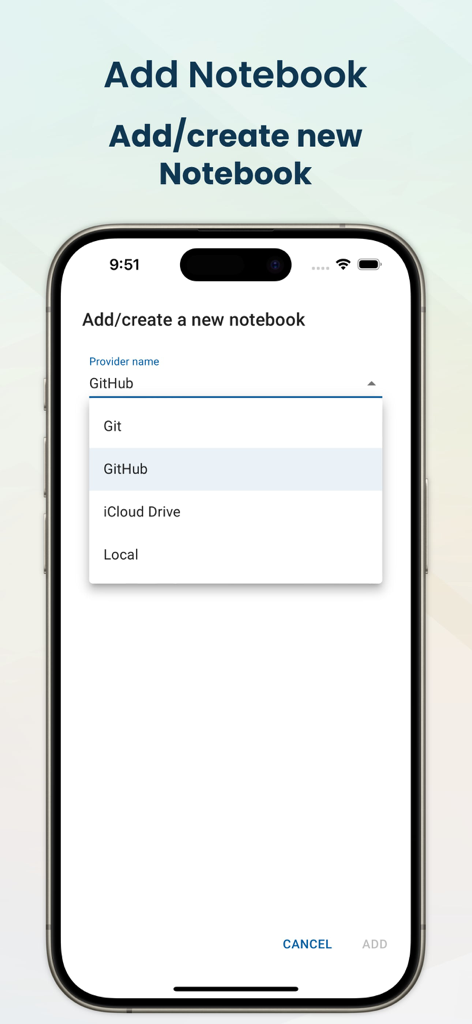
NotesHubモバイルアプリのインターフェース。GitHub、Git、iCloud Driveを含むノートブックストレージプロバイダーの選択画面が表示されています。

NotesHubモバイルアプリのインターフェース。GitHub、Git、iCloud Driveを含むノートブックストレージプロバイダーの選択画面が表示されています。

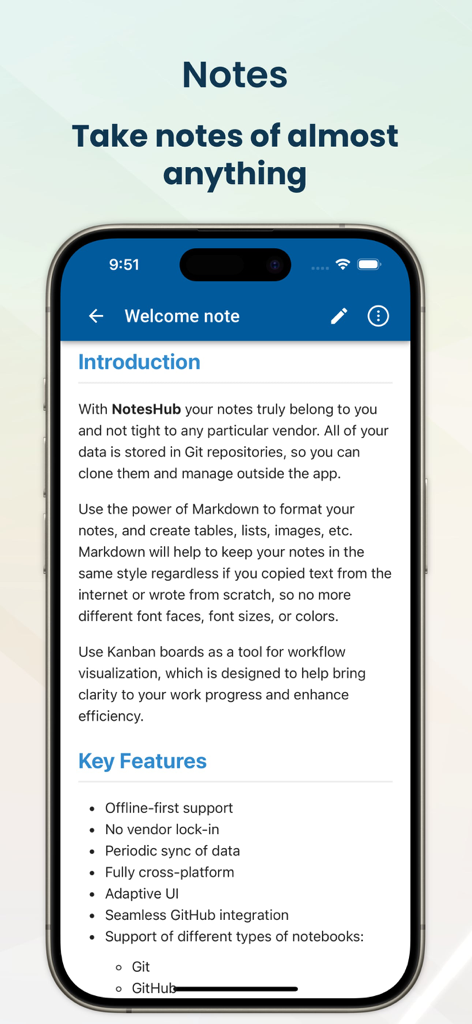
NotesHubアプリのウェルカムノート。MarkdownサポートやGit統合などの主要機能が表示されています。

NotesHubアプリのウェルカムノート。MarkdownサポートやGit統合などの主要機能が表示されています。

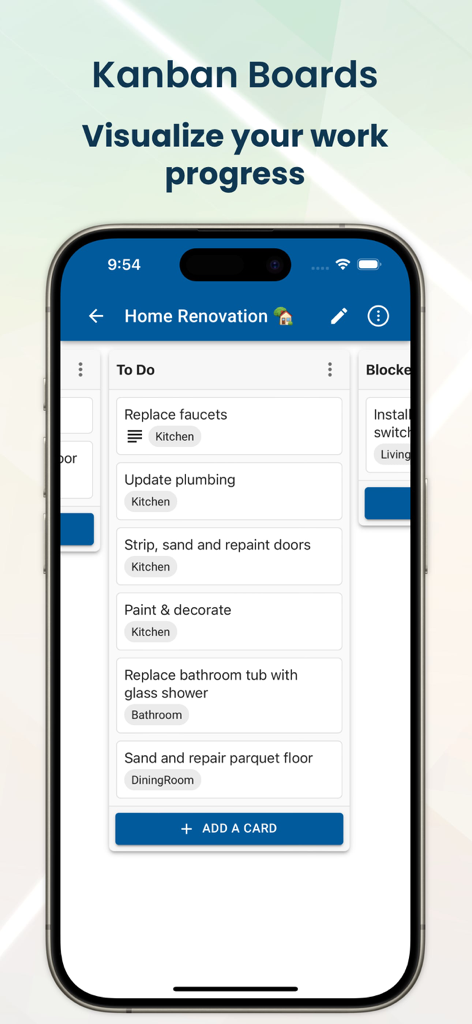
NotesHubモバイルアプリのインターフェース。プロジェクトタスクの進捗を追跡するためのKanbanボードが表示されています。

NotesHubモバイルアプリのインターフェース。プロジェクトタスクの進捗を追跡するためのKanbanボードが表示されています。

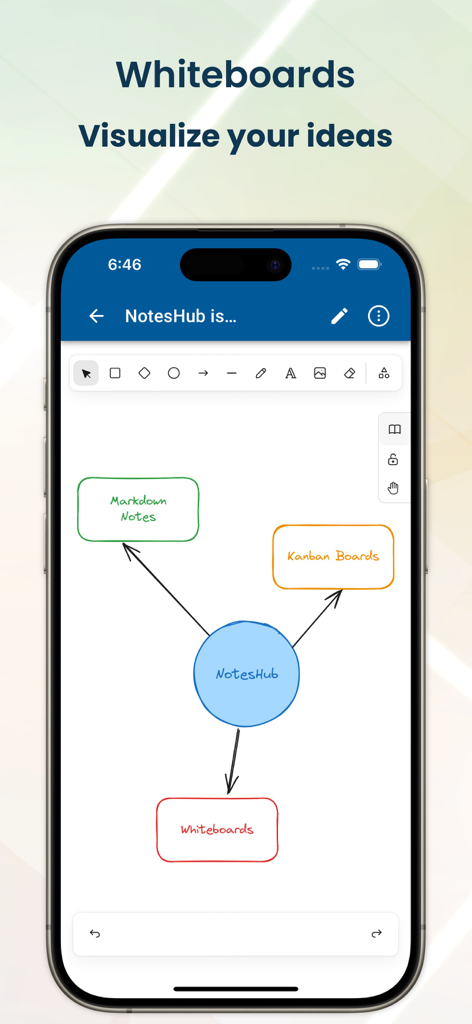
NotesHubアプリのスクリーンショット。手描きの機能図が表示されているホワイトボードツールが表示されています。

NotesHubアプリのスクリーンショット。手描きの機能図が表示されているホワイトボードツールが表示されています。

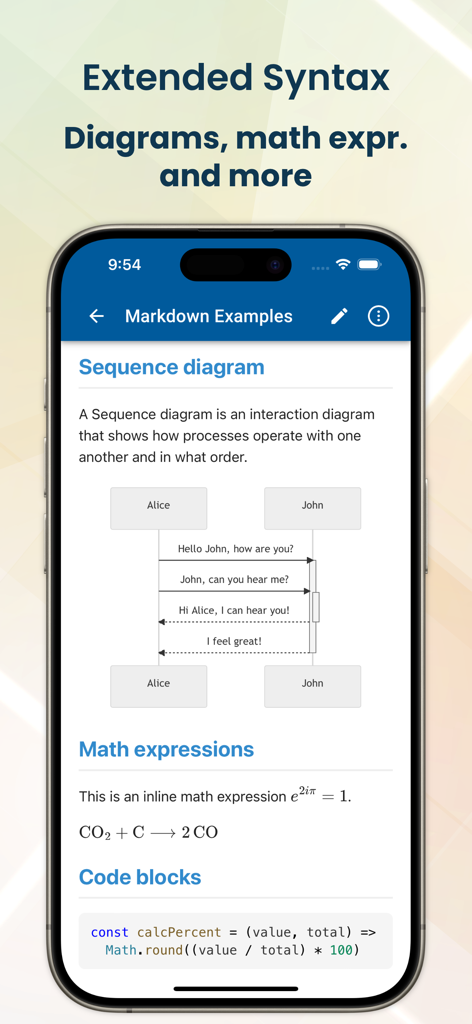
NotesHubモバイルアプリ。Markdown構文を使用してシーケンス図、数式、コードブロックが表示されています。

NotesHubモバイルアプリ。Markdown構文を使用してシーケンス図、数式、コードブロックが表示されています。

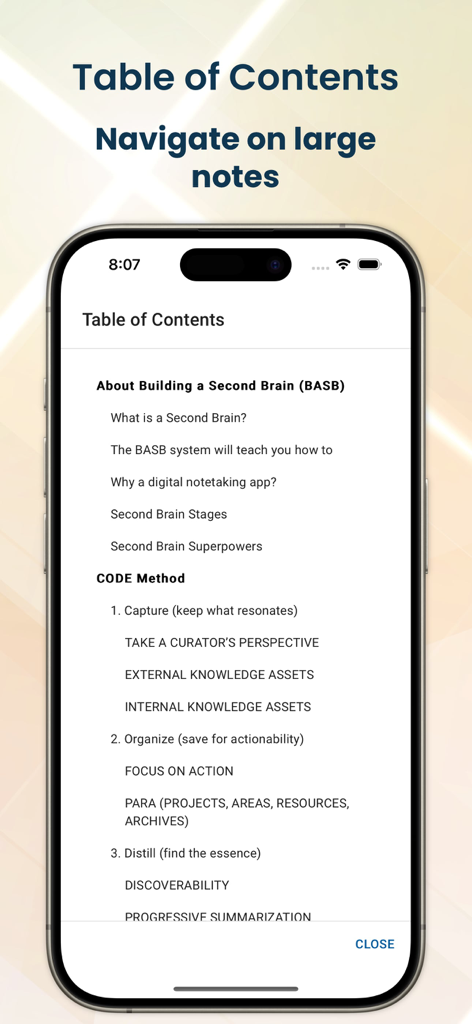
NotesHubアプリ。iPhoneで大規模なMarkdownノートをナビゲートするための目次が表示されています。

NotesHubアプリ。iPhoneで大規模なMarkdownノートをナビゲートするための目次が表示されています。

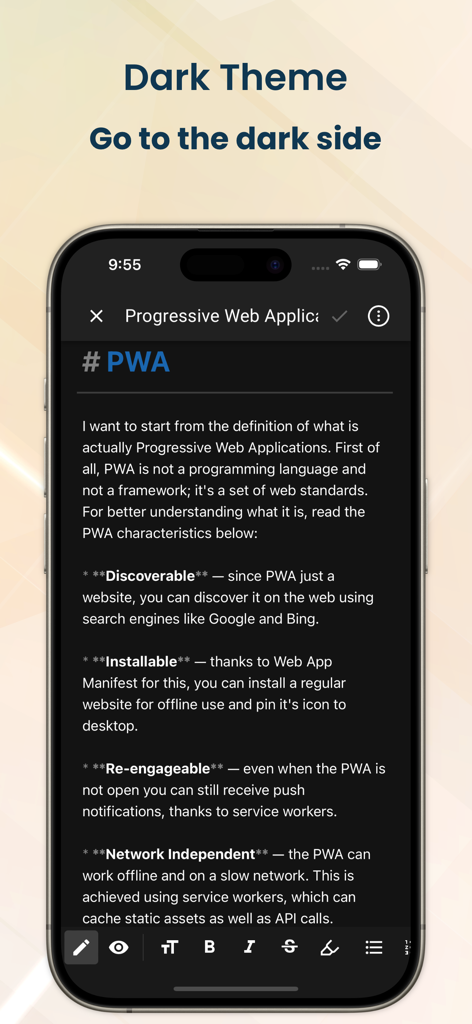
NotesHubアプリのインターフェース。ダークモードで技術的なMarkdownノートが表示されています。

NotesHubアプリのインターフェース。ダークモードで技術的なMarkdownノートが表示されています。

技術的な精度でワークフローをマスター

このアプリを際立たせるツール、 6K+ 人のユーザーが選択.

🛡️

真のデータ主権

NotesHubのノートをGitHubまたは独自のGitサーバーと同期することで、ベンダーロックインを解消します。データは、完全にあなたが所有する、オープンなMarkdown形式のままです。

💻

開発者ファーストのMarkdown

シンタックスハイライト、Mermaidダイアグラム、MathJaxサポートを使用して技術文書を作成します。コード中心のナレッジベースに最適な環境です。

🚀

統合されたプロジェクトライフサイクル

ホワイトボードでのブレインストーミングからKanbanボードでのタスク実行まで、デバイス間でドキュメントを同期しながらシームレスに移行します。<bos>

アプリについて

について知っておくべきこと NotesHub: Notes, Kanban Boards.

説明

Fully cross-platform, vendor-agnostic, Markdown-based note-taking app plus Kanban and whiteboarding tool. You can sync your data with GitHub, your own Git server, or iCloud Drive. Use the power of Markdown to format your notes, and create tables, lists, images, diagrams, etc. Markdown will help to keep your notes in the same style regardless of whether you copied text from the internet or wrote from scratch. Use Kanban boards as a tool to visualize your work and maximize your efficiency. This will help you to organize your time, focus on what matters, and achieve more. If you need quickly visualize your idea, our whiteboarding feature will be handy for you. Add different shapes, make connections between them, add hand-drawn notes, or add reusable elements from the library. KEY FEATURES • Offline-first approach • No vendor lock-in • Periodic sync of data • Fully cross-platform • Different notebook providers: Git, GitHub, iCloud Drive • Seamless GitHub integration • Advanced search • Notes printing • Export notes to PDF • Auto-generated table of contents (TOC) • Kanban boards • Whiteboards (based on Excalidraw) • Dark and light themes (with accent color picker) • Markdown preview with scroll sync • Extended Markdown syntax: Mermaid diagrams, math expressions (MathJax), callouts, ABC musical notation, etc. • Syntax highlighting for code blocks • File attachments • Convert HTML content to Markdown on paste • Editor toolbar with all necessary commands (bold, list, table, etc.) • Markdown syntax guidance • Automatic merge conflict resolution FREQUENTLY ASKED QUESTIONS Q: Why should I write my notes in Markdown? A: Markdown is a widely popular open format with support in many applications. By choosing Markdown you can be confident if you decide to switch to a different application you can easily move all of your data without any conversion needed. Also, Markdown is incredibly easy to understand even in raw view as it's just plain text content with human-readable syntax. Last but not least, Markdown helps you to keep all of your notes in a uniform format, with no more mismatches in font size, font face, etc. when you import data from different sources. Q: What are the benefits of using Git to store notes? A: You will get a lot of things for free: • Unlimited version history, and information on when and who did what changes • Ability to share notebooks with others, you can add anyone as a collaborator or viewer to your Git repository • Easy self-hosting with plenty open open-source options, so notes will truly belong to you • Better merge conflict resolution compared to traditional cloud-based file storage solutions • Ability to create public websites/blogs from your notebooks

最新バージョン

3.10.0

サイズ

44.7 MB

リリース日

2022年5月3日

ナレッジベースをコマンド

ベンダーロックインから解放。Markdown、Kanban、シームレスなGit統合同期で、将来性のあるワークスペースを構築します。

ダウンロード: App Store

App information, icons, screenshots, and descriptions displayed on this page are sourced from the Apple App Store and are the property of their respective developers. Download estimates and rankings are based on MWM's proprietary models and may not reflect actual figures. This page is provided for informational and analytical purposes only.

Believe this page infringes your intellectual property? File a dispute