OneCam 2 (with Effects)

OneCam 2 (with Effects)

ダウンロード: App Store
ロゴ: OneCam 2 (with Effects)

OneCam 2 (エフェクト付き):iPhone写真撮影のためのプロレベルのコントロール

マニュアルフォーカス、高解像度手ぶれ補正、カスタマイズ可能なレトロタイムスタンプで、レンズの全能力を引き出しましょう。すべては、稲妻のように速い、ジェスチャー操作のインターフェースで。

ダウンロード: App Store

開発元

masahiro seto

カテゴリ

Photo & Video

ダウンロード

17K+

ユーザー評価

4.5/5

評価数

300

対応言語

2

あなたのビジョンを洗練させる

このインターフェースを利用する 17K+ 人のユーザー.

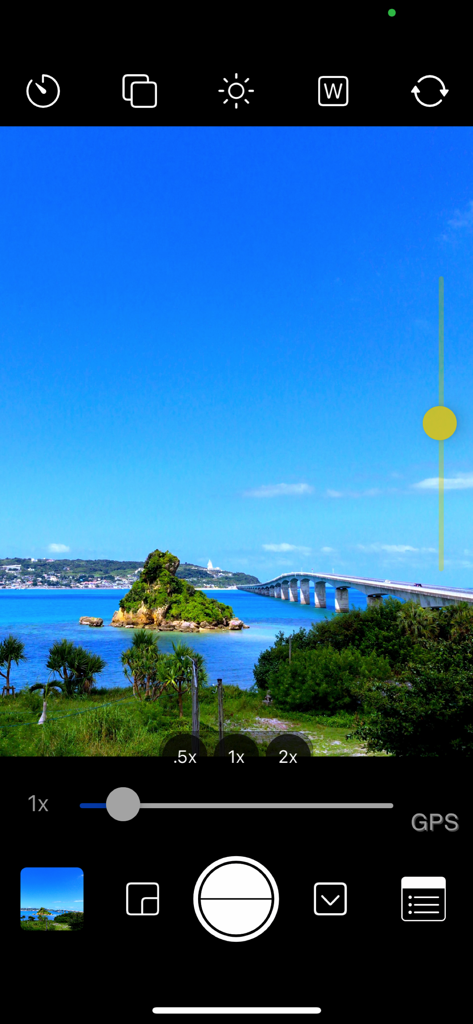
OneCam 2モバイルアプリのインターフェースのスクリーンショット。風景写真を撮影中のマニュアル露出とズームコントロールを表示しています。

OneCam 2モバイルアプリのインターフェースのスクリーンショット。風景写真を撮影中のマニュアル露出とズームコントロールを表示しています。

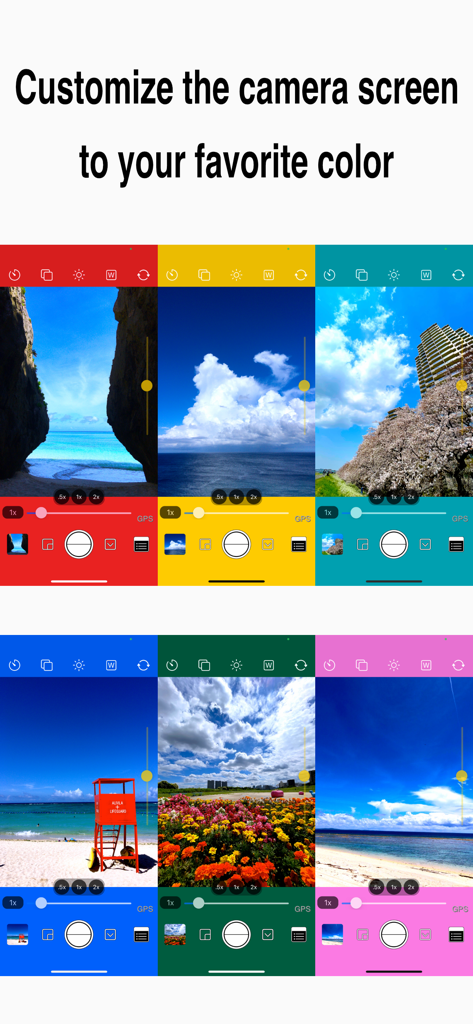
UIカスタマイズオプションを示す、鮮やかな異なる色のカメラインターフェースモックアップ6点。

UIカスタマイズオプションを示す、鮮やかな異なる色のカメラインターフェースモックアップ6点。

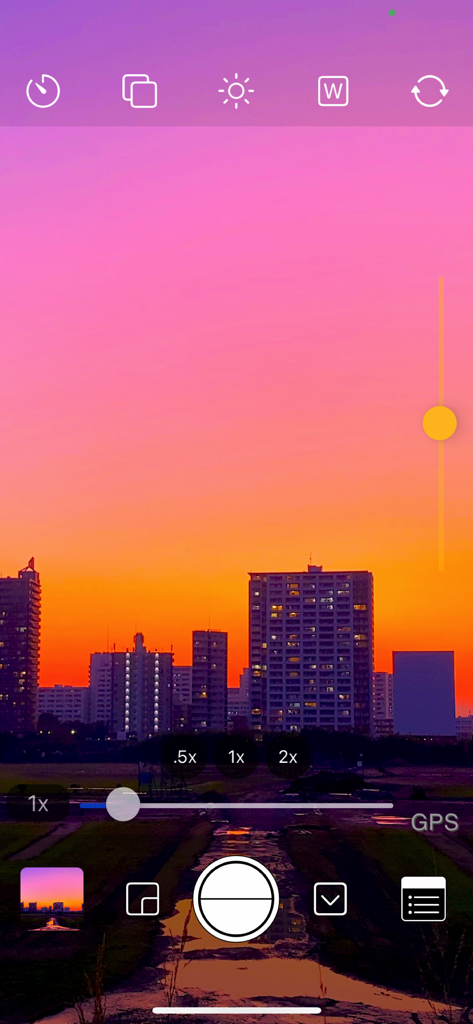
露出コントロールと夕暮れの街並みの景色を備えたOneCam 2マニュアルカメラインターフェース。

露出コントロールと夕暮れの街並みの景色を備えたOneCam 2マニュアルカメラインターフェース。

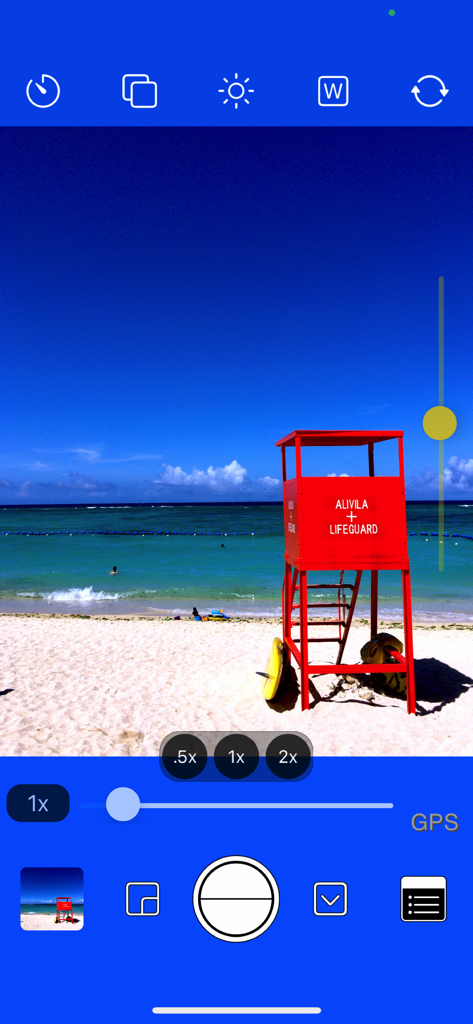
ビーチ写真をオーバーレイしたマニュアル露出コントロールとレンズ倍率設定を備えたOneCam 2カメラアプリインターフェース。

ビーチ写真をオーバーレイしたマニュアル露出コントロールとレンズ倍率設定を備えたOneCam 2カメラアプリインターフェース。

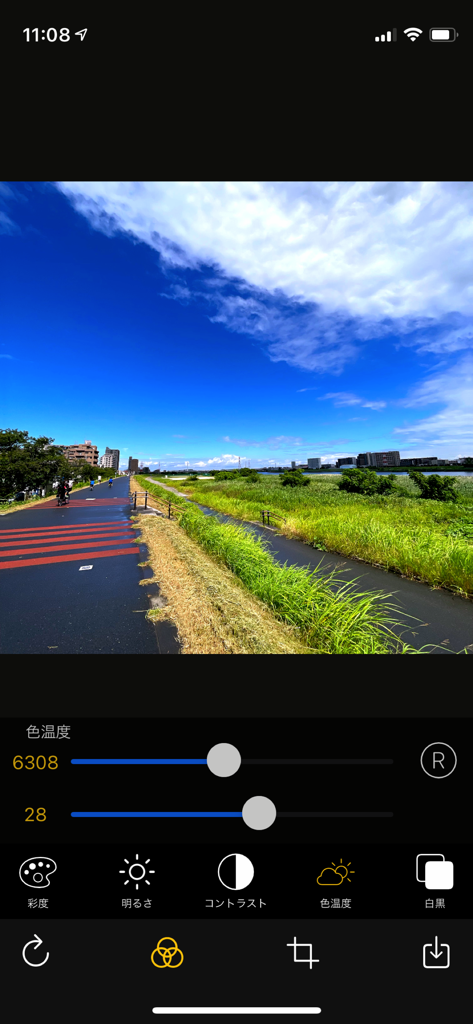
風景写真に対する色温度と手動写真編集調整を示す、OneCam 2アプリインターフェース。

風景写真に対する色温度と手動写真編集調整を示す、OneCam 2アプリインターフェース。

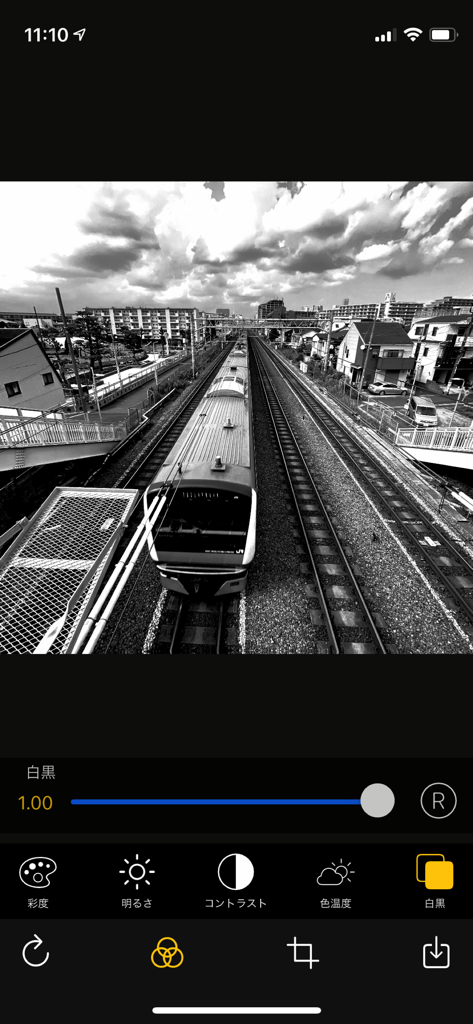
編集スライダーとエフェクトを備えた、電車の白黒写真を示すOneCam 2モバイルアプリインターフェース。

編集スライダーとエフェクトを備えた、電車の白黒写真を示すOneCam 2モバイルアプリインターフェース。

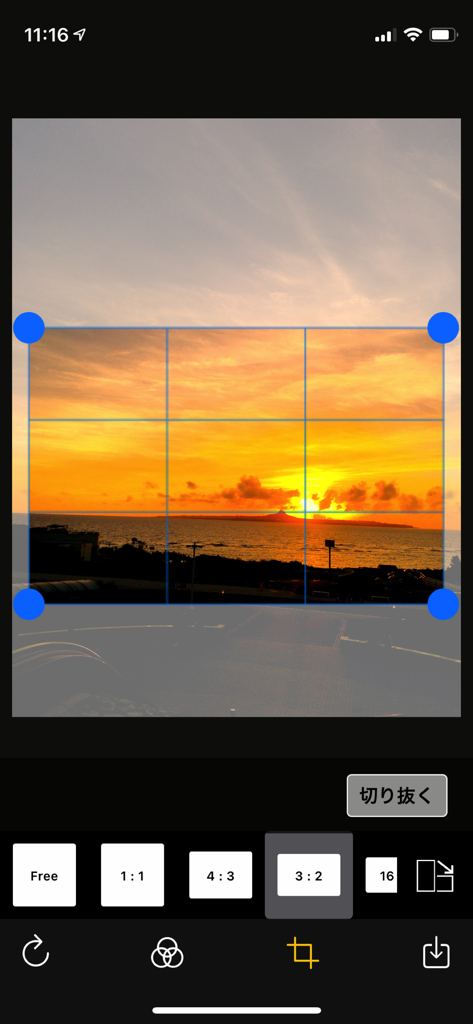
夕日の画像を備えた、OneCam 2アプリの写真切り抜きおよびアスペクト比選択画面。

夕日の画像を備えた、OneCam 2アプリの写真切り抜きおよびアスペクト比選択画面。

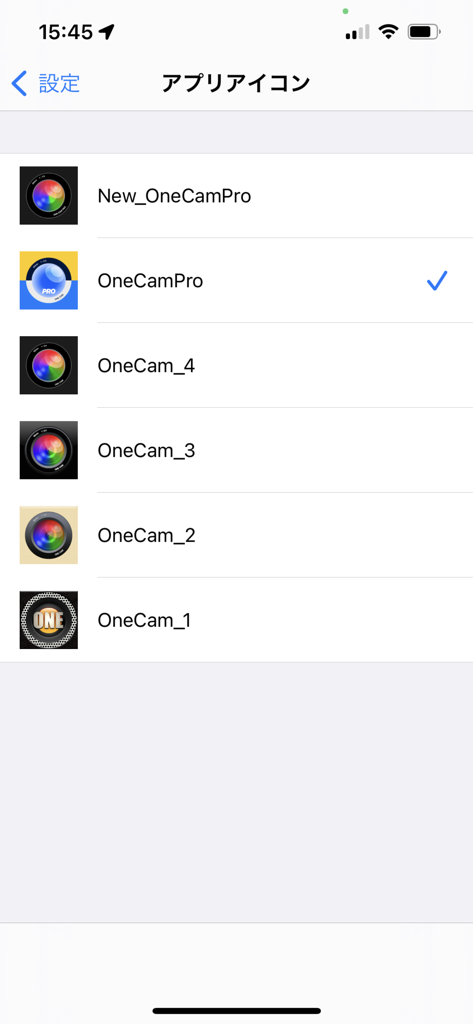
様々なレンズデザインを備えた、カスタマイズ可能なOneCam 2アプリアイコンの選択画面。

様々なレンズデザインを備えた、カスタマイズ可能なOneCam 2アプリアイコンの選択画面。

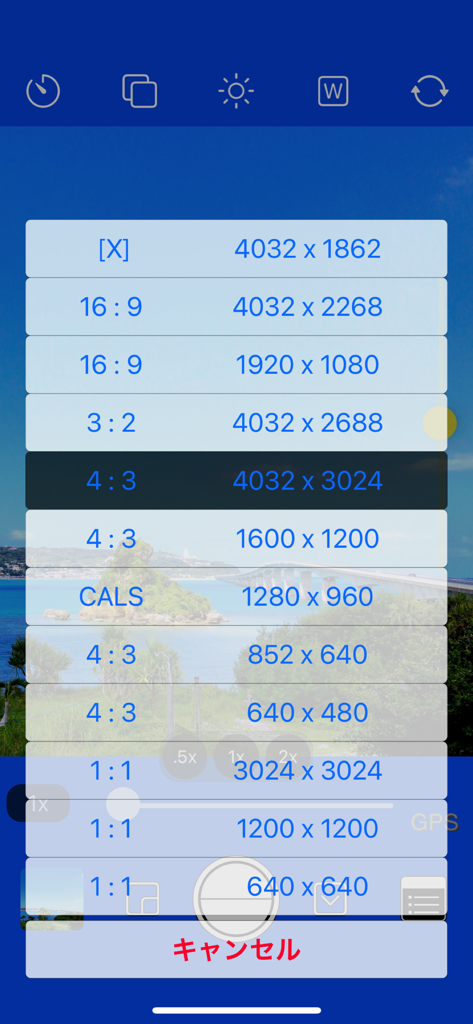
16:9、4:3、1:1などの様々な写真解像度とアスペクト比設定を示すOneCam 2のメニュー。

16:9、4:3、1:1などの様々な写真解像度とアスペクト比設定を示すOneCam 2のメニュー。

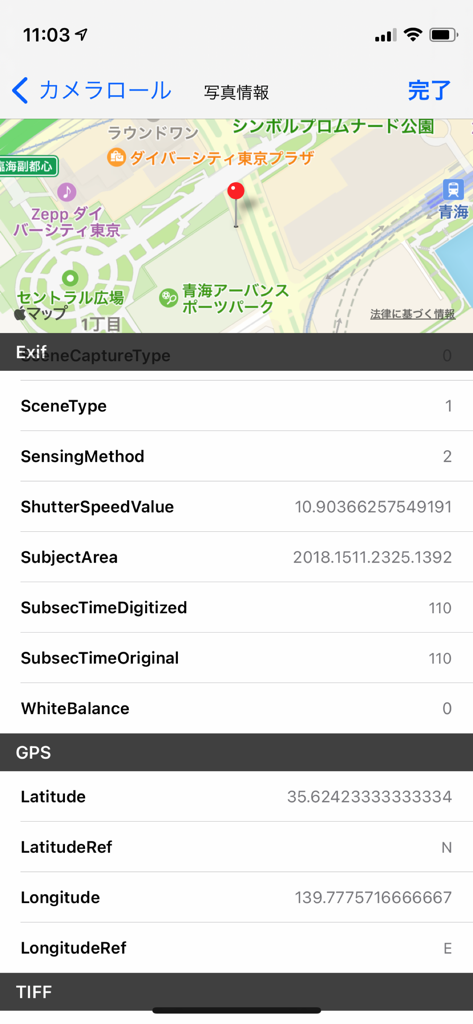
地図上に詳細な写真EXIFデータとGPS位置を表示するOneCam 2のスクリーンショット。

地図上に詳細な写真EXIFデータとGPS位置を表示するOneCam 2のスクリーンショット。

あらゆるフレームで完璧を捉える

このアプリを際立たせるツール、 17K+ 人のユーザーが選択.

🎛️

プロレベルのマニュアルコントロール

過度に処理されたAI風の見た目を避けるために、マニュアルフォーカス、露出ロック、ホワイトバランスでショットを完全にコントロールしましょう。

ジェスチャー操作のワークフロー

直感的なスワイプジェスチャーでショットを即座にレビュー。プレビューするには上にスワイプし、撮影に戻るには下にスワイプ—一瞬たりとも逃しません。

📸

ハードウェア最適化

高解像度手ぶれ補正とHEICサポートで、超広角、望遠、マクロレンズの全能力を引き出しましょう。

アプリについて

について知っておくべきこと OneCam 2 (with Effects).

説明

OneCam Pro is the highest quality iPhone and can shoot in high resolution with the help of image stabilization. It supports fixing ultra-wide-angle lenses and telephoto lenses, and you can easily switch lenses with the magnification button. It also supports macro photography of iPhone13 Pro and ProMax and 3x of telephoto lens. You can easily adjust the brightness with the exposure (brightness) slider on the left side of the camera screen. You can customize the color of the camera screen to your liking, so you can enjoy the atmosphere of the camera different from humans. You can freely edit the photo such as simple effect adjustment, cropping, rotating and flipping. After taking a photo with the quick preview function, swipe the camera screen upward to display the photo view directly. (Double-tap to enlarge and check) Swipe down on the photo view to return to the camera screen as if you pressed the cancel button. You can also view and delete the previous and next photos by swiping left and right, including the album. 【 function 】 - Effects (Saturation, Brightness, Contrast, Temperature, Black and white) (Press and hold the edit screen to check the original image) - Photo editing (crop, rotate, flip) - HEIC format compatible. (Only compatible models) - Customize the camera screen to your favorite color by setting - You can now select the icon - Manual mode (for lock) - Focus, exposure, and white balance - Reception desk camera, digital zoom, and light - View Exif meta data such as in the photo view - Geotag (location information) and grid - The brightness of iPhone can be changed now. - date+time stamp (white, black, orange, and custom color) - Self-timer - Burst mode You can shoot continuously.)(iPhone8 and later) - iPhoneX and later new size added (4032x1862) - photo size(4032x3024 , 3024x3024, 4032x2688, 4032x2268, 1600x1200 , 1200x1200 , 1280 x960) - The resolution is 1920x1080 and 640x480 size of 852x640 and square size of 640x640 =========================== - Corresponding model iPhone corresponding to iOS version. - iPad, iPod touch are not supported. ===========================

最新バージョン

2.1.0

サイズ

2.2 MB

リリース日

2021年8月29日

iPhoneの真の可能性を引き出す準備はできましたか?

「オート」以上のものを求める何千人ものクリエイターに加わりましょう。OneCam 2のスピードで、プロ用カメラの精度を手に入れましょう。

ダウンロード: App Store

App information, icons, screenshots, and descriptions displayed on this page are sourced from the Apple App Store and are the property of their respective developers. Download estimates and rankings are based on MWM's proprietary models and may not reflect actual figures. This page is provided for informational and analytical purposes only.

Believe this page infringes your intellectual property? File a dispute