Outliner

Outliner

ダウンロード: App Store
ロゴ: Outliner

アウトライナー:思考を構造化し、複雑なプロジェクトをマスターする

プロフェッショナル向けの信頼できる階層ツール。ネストされたリストを作成し、視覚的な円グラフで進捗を追跡し、DropboxまたはOneDrive経由でシームレスに同期します。

ダウンロード: App Store

開発元

Jeremy Dewey

カテゴリ

Productivity

ダウンロード

195K+

ユーザー評価

4.0/5

評価数

1K+

対応言語

1

構造化されたアクション

このインターフェースを利用する 195K+ 人のユーザー.

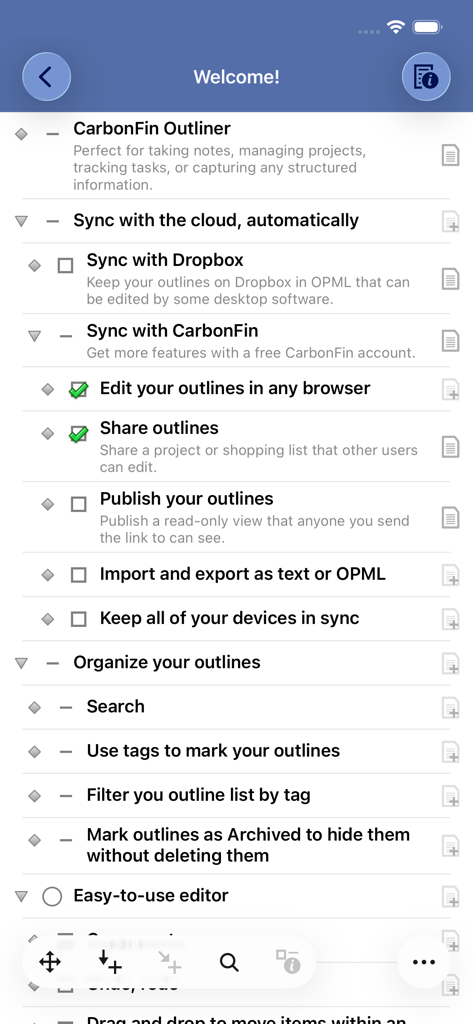
アウトライナーアプリのウェルカムスクリーンを写したスクリーンショット。クラウド同期、整理ツール、エディター機能などの主要機能の階層リストが表示されています。

アウトライナーアプリのウェルカムスクリーンを写したスクリーンショット。クラウド同期、整理ツール、エディター機能などの主要機能の階層リストが表示されています。

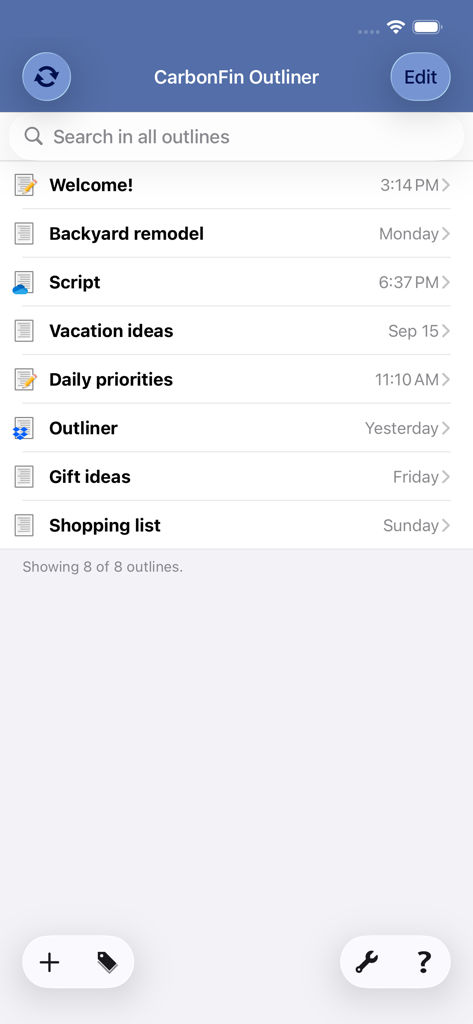
CarbonFin Outlinerアプリのメインインターフェース。プロジェクトアウトラインのリストが表示されています。

CarbonFin Outlinerアプリのメインインターフェース。プロジェクトアウトラインのリストが表示されています。

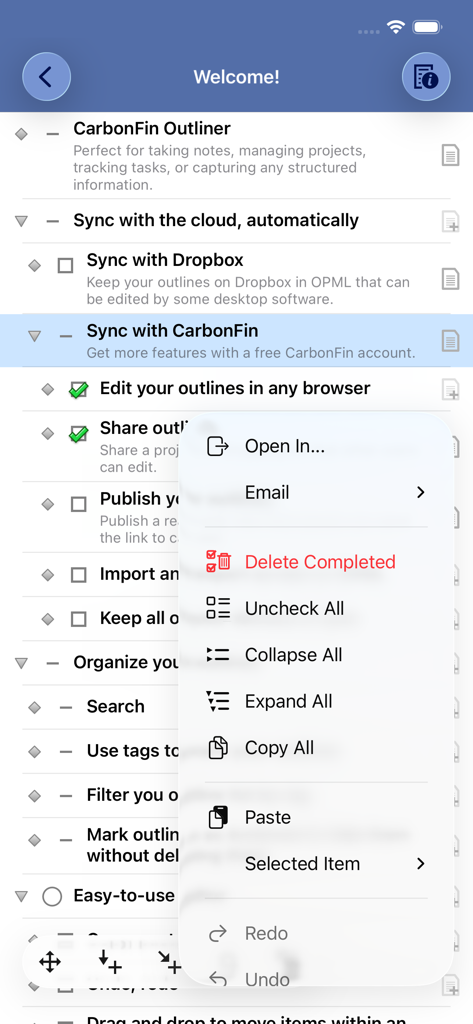
CarbonFin Outlinerアプリの階層的なタスクリスト。整理メニューが表示されています。

CarbonFin Outlinerアプリの階層的なタスクリスト。整理メニューが表示されています。

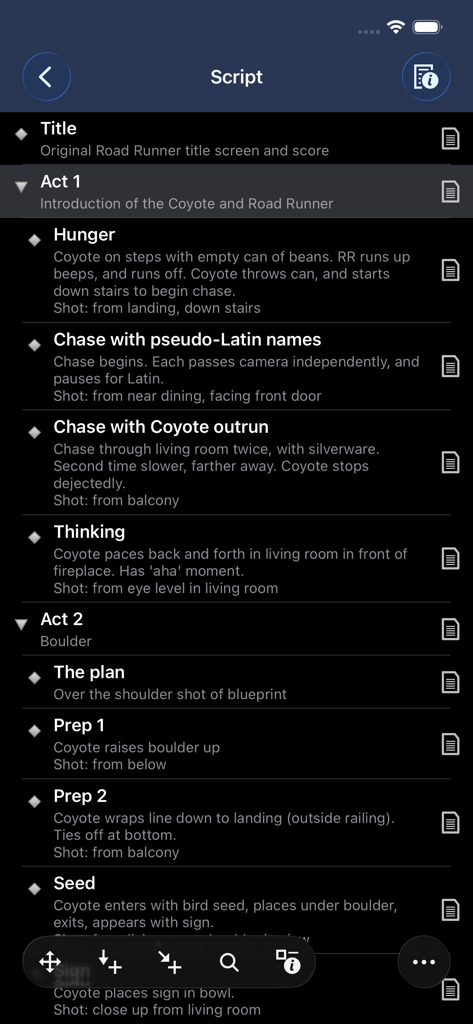
アウトライナーアプリのスクリーンショット。プロジェクトのスクリプトの階層的な内訳がダークモードで表示されています。

アウトライナーアプリのスクリーンショット。プロジェクトのスクリプトの階層的な内訳がダークモードで表示されています。

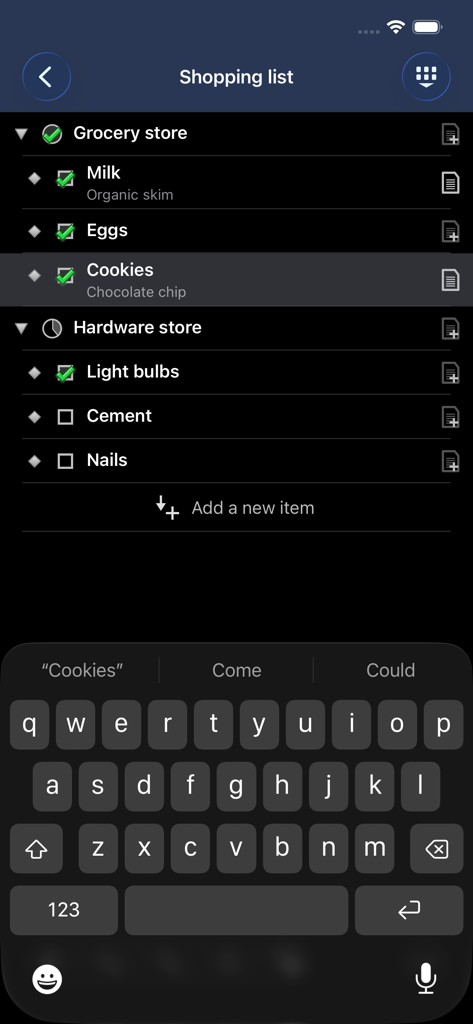
アウトライナーアプリのインターフェース。ダークモードでネストされたショッピングリストが表示されています。

アウトライナーアプリのインターフェース。ダークモードでネストされたショッピングリストが表示されています。

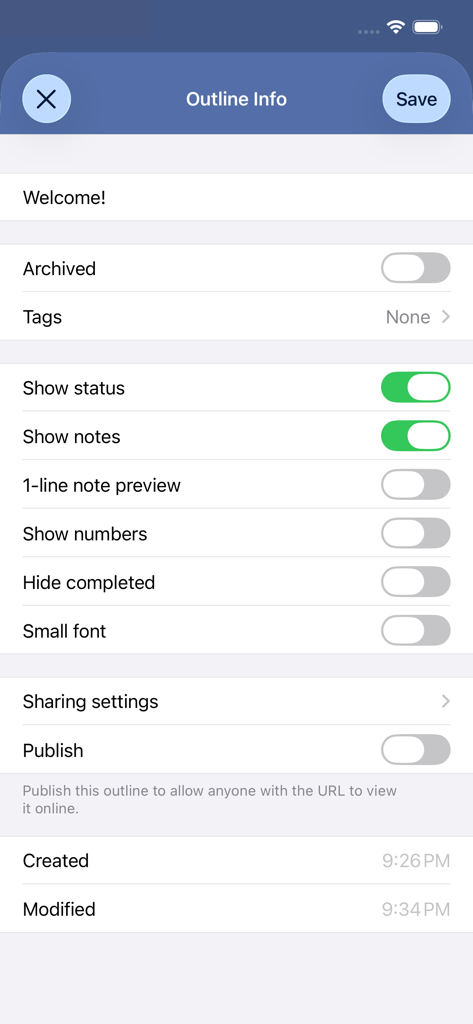
CarbonFin Outlinerアプリのアウトライン設定メニュー。タグ、表示設定、オンライン公開のオプションが表示されています。

CarbonFin Outlinerアプリのアウトライン設定メニュー。タグ、表示設定、オンライン公開のオプションが表示されています。

複雑さをマスターする

このアプリを際立たせるツール、 195K+ 人のユーザーが選択.

📑

無限の階層ロジック

思考の構造を、まさにあなたが考えるように。深いネストされたリストを作成し、特定のサブツリーにズームして、最も複雑なプロジェクトに集中し続けます。

📊

視覚的な進捗追跡

視覚的なインジケーターで推測を排除します。サブタスクを完了すると、自動円グラフが完了率を計算し、目標を軌道に乗せます。

🔄

プロフェッショナルな同期と主権

あなたのデータはあなたのものです。DropboxまたはOneDrive経由でiPhone、iPad、Web間でシームレスに同期し、どこで作業していても信頼性の高いワークフローを確保します。

アプリについて

について知っておくべきこと Outliner.

説明

CarbonFin Outliner allows you to organize your thoughts, tasks, and projects. Easily create a todo list for today, or track an entire project anywhere you are. Share your outlines, edit them online, and collaborate with other Outliner users. Highlights • Create outlines full of notes, structured lists, tasks, or detailed projects • Sync your outlines automatically to Outliner Online, OneDrive, or Dropbox for web or desktop editing • Get a quick view of project progress - tasks with subtasks show a pie-chart indicating percent completed Organize • Search through all your outlines or an individual outline • Tag your outlines, and filter based on tag • Archive old outlines to hide them from view without deleting Easy-to-use Editor • Drag and drop to move items within an outline • Copy, paste • Undo, redo • Expand all, collapse all • Optional outline numbering • Zoom in to focus on a single subtree Outliner Online • Securely synchronize your outlines with Outliner Online • View and edit your outlines in any web browser • Import and export outlines as plain text or OPML • Keep all your devices synchronized • Share an outline with other Outliner users to collaborate OneDrive and Dropbox • Sync your outlines with OneDrive or Dropbox to allow quick import/export • Seamlessly access and edit across your iOS devices and PCs -= Recent version history =- Version 3.19 • iOS 26 support and adoption of liquid glass Version 3.18 • iOS 18 support • Dark and tinted app icons Version 3.17 • Minor bug fixes Version 3.16 • Minor bug fixes • iOS 17 support Version 3.15 • Fixed Dropbox integration • Show a warning when unlinking Dropbox/OneDrive if there are unsynced outlines • iOS 16 support Version 3.12 • Dark mode • Added confirmation to "Delete Completed" • Changing "Archived" won't update the outline's modification time • iOS 13 support Version 3.11 • OneDrive sync support Version 3.10 • Sync the order of outlines across devices (CarbonFin outlines only) • iOS 12 support Version 3.9 • iPhone X support • iOS 11 support Version 3.8 • Open In... support • Ability to hide the outline list on iPad • Minor UI tweaks

最新バージョン

3.19.2

サイズ

11.7 MB

リリース日

2019年2月12日

今日から成功の構造化を始めましょう

複雑なアイデアを行動可能な階層に変換する195,000人以上のプロフェッショナルに加わりましょう。CarbonFin Outlinerをダウンロードして、iOSとWeb間でプロジェクトを同期させましょう。

ダウンロード: App Store

App information, icons, screenshots, and descriptions displayed on this page are sourced from the Apple App Store and are the property of their respective developers. Download estimates and rankings are based on MWM's proprietary models and may not reflect actual figures. This page is provided for informational and analytical purposes only.

Believe this page infringes your intellectual property? File a dispute