Panasonic Image App

Panasonic Image App

ダウンロード: App Storeダウンロード: Google Play
ロゴ: Panasonic Image App

Panasonic Image App: プロ仕様のカメラ操作とインスタントSNS共有

Panasonic Lumixカメラとスマートフォンをつなぎます。リモートライブビュー撮影で操作し、旅行の思い出にジオタグを付け、高解像度コンテンツを即座にSNSに転送しましょう。

開発元

Panasonic Holdings Corporation

カテゴリ

Photo & Video

ダウンロード

2M+

ユーザー評価

3.9/5

評価数

12K+

対応言語

12

指先で操作

このインターフェースを利用する 2M+ 人のユーザー.

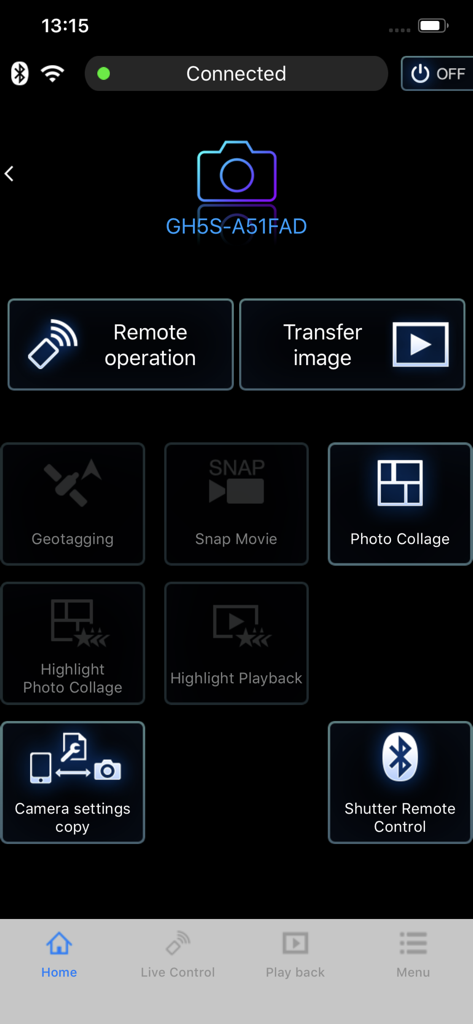
Panasonic Image Appのメインメニュー。接続されたLUMIX GH5Sカメラのリモートコントロールと画像転送オプションが表示されています。

Panasonic Image Appのメインメニュー。接続されたLUMIX GH5Sカメラのリモートコントロールと画像転送オプションが表示されています。

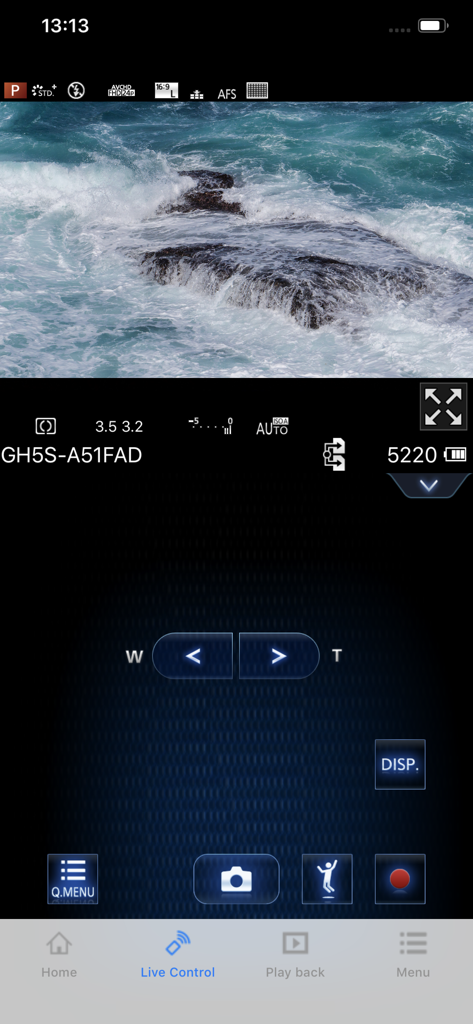
Panasonic Image Appのリモートシューティングインターフェース。海の波とカメラ設定のライブビューが表示されています。

Panasonic Image Appのリモートシューティングインターフェース。海の波とカメラ設定のライブビューが表示されています。

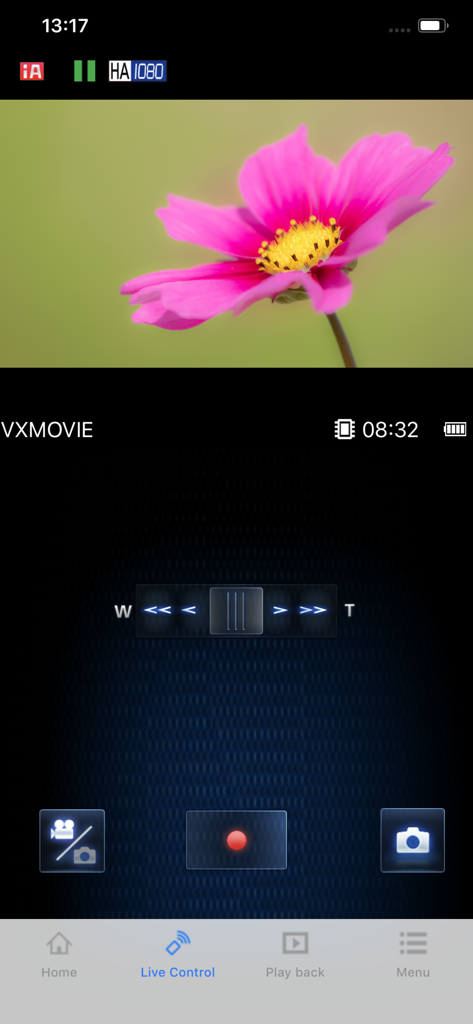
スマートフォン画面に、Panasonic Image Appのライブコントロールインターフェースが表示され、ピンクの花のライブカメラフィードとリモート録画コントロールが示されています。

スマートフォン画面に、Panasonic Image Appのライブコントロールインターフェースが表示され、ピンクの花のライブカメラフィードとリモート録画コントロールが示されています。

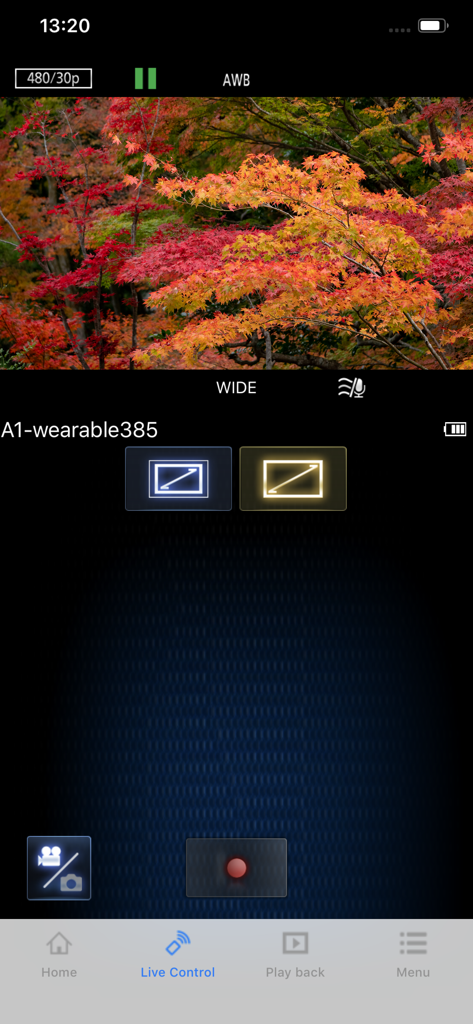
Panasonic Image Appのライブコントロールインターフェース。秋の木々のリモートビデオプレビューと録画設定が表示されています。

Panasonic Image Appのライブコントロールインターフェース。秋の木々のリモートビデオプレビューと録画設定が表示されています。

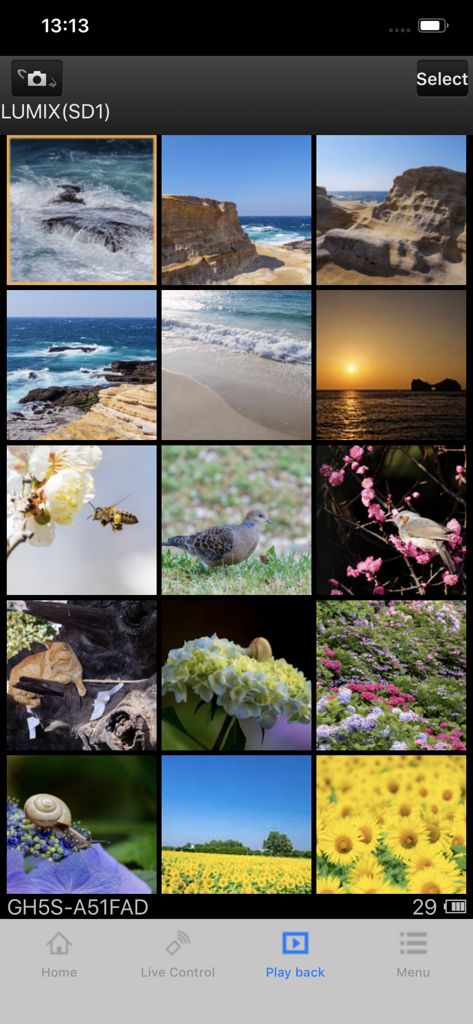
スマートフォン画面に、Panasonic Image Appの再生メニューに高画質の自然や風景写真のグリッドが表示されています。

スマートフォン画面に、Panasonic Image Appの再生メニューに高画質の自然や風景写真のグリッドが表示されています。

クリエイティブワークフローを向上させる

このアプリを際立たせるツール、 2M+ 人のユーザーが選択.

🤳

ワイヤレスリモートスタジオ

スマートフォンを高解像度ライブモニターとして使用できます。ショットをフレーミングし、設定を調整し、リモートでシャッターをトリガーします。ソロVloggerやコンテンツクリエイターに最適です。

インスタントSNS同期

キャプチャした瞬間から、高解像度の写真や動画を直接スマホに転送できます。数秒でInstagramやTikTokにプロ品質のコンテンツを編集して共有しましょう。

📍

スマートトラベルタグging

スマートフォンのGPSデータをカメラと自動同期します。場所ごとにポートフォリオを整理し、最高の旅行の瞬間をどこで撮影したか忘れることはありません。

アプリについて

について知っておくべきこと Panasonic Image App.

説明

“Panasonic Image App” is an application that makes it possible to use your smartphone to remotely control the shooting and playback functions of a Wi-Fi-compatible digital camera/digital video camera, and to perform upload operations to SNS (Social Networking Service) sites. The following major functions are available with this application. ・You can watch the same image as on the Live View screen of your digital camera/digital video camera on your smartphone, and control shooting and other camera operations as with a wireless remote controller. (*1) ・You can play back still pictures and videos recorded using your digital camera/digital video camera on your smartphone. (*2) (*3) You can also copy them to your smartphone, and upload them to SNS sites. (*3) Additional functions for digital cameras ・This app allows you to implement continuous connection with a digital camera that has Bluetooth function and make Wi-Fi connections and perform remote operation just with your smart phone. It also allows you to apply location information to recorded images and easily perform automatic transfer of images.(*4) ・You can make settings to automatically transfer still pictures recorded with your digital camera to your smartphone. ・You can add location information acquired with your smartphone to pictures recorded using your digital camera. (*1) With DMC-SZ8/SZ9/SZ10/TZ55/TZ56/TZ57/TZ58/ZS35/ZS45, it is not possible to remotely record videos from a smartphone. (*2) With DMC-FT5/GF6/LF1/SZ8/SZ9/SZ10/TS5/TZ37/TZ40/TZ41/TZ55/TZ56/TZ57/TZ58/ZS27/ZS30/ZS35/ZS45, it is only possible to play back still pictures. (*3) Not supported on HC-X1000. (*4) This function can only be used with devices that support Bluetooth 4.0 or above (Bluetooth low energy technology). [Compatible Operating Systems]   iOS 15 – 18 [Notes] ・Bluetooth function can only be used with smart phones equipped with Bluetooth 4.0 and above (Bluetooth low energy technology). ・When using the location information recording function, note that high accuracy location information cannot be acquired with the iPod touch or the Wi-Fi version of the iPad that is not equipped with a GPS sensor. ・When using an iPhone or iPad that is equipped with a GPS sensor, be aware that continued use of the GPS function can lead to a dramatic decrease in battery capacity. ・In order to use the SNS upload functions or the Cloud Sync. Service, you must first obtain a service user ID for Panasonic’s LUMIX CLUB (free of charge). ・Continued use of GPS/Bluetooth running in the background can dramatically decrease battery life. ・The function to transfer images to an AV device can no longer be used. (Version 1.10.7 and later) ・The function to delete images can no longer be used. (Version 1.10.15 and later) ・The function of "Home Monitor" can no longer be used. (Version 1.10.19 and later) ・The function of "Baby Monitor" can no longer be used. (Version 1.10.19 and later)

最新バージョン

1.10.28

サイズ

50.4 MB

リリース日

2013年1月16日

あなたのSNSフィードをレベルアップさせませんか?

プログレードのハードウェアとモバイルの利便性を融合させましょう。今すぐアプリをダウンロードして、リモート撮影を開始し、高解像度コンテンツを即座に共有しましょう。

ダウンロード: App Storeダウンロード: Google Play
FAQ

よくある質問

について知っておくべきこと Panasonic Image App

パナソニックのカメラを、パナソニック Image App でリモート操作できますか?

はい、パナソニック Image App を使用すると、Wi-Fi 対応のデジタルカメラやビデオカメラの撮影および再生をリモートで制御できます。ライブビューモニタリングとリモートカメラ操作が可能です。

パナソニック Image App は、写真をソーシャルメディアにアップロードできますか?

はい、パナソニック Image App は、スマートフォンにコピーした後、SNS サイトに静止画や動画をアップロードすることを容易にします。このサービスには、無料の LUMIX CLUB ユーザー ID が必要です。

パナソニック Image App は、どの iOS バージョンをサポートしていますか?

パナソニック Image App は、iOS 15 から 18 までのバージョンをサポートしています。完全な互換性を確保するには、ユーザーはデバイスのオペレーティング システムがこの指定された範囲内にあることを確認する必要があります。

パナソニック Image App は、カメラ接続に Bluetooth を利用しますか?

はい、パナソニック Image App は、互換性のあるデジタルカメラとの連続接続のために Bluetooth 4.0 以上を使用します。これにより、Wi-Fi 接続と、シャッター制御を含むリモート操作が可能になります。

パナソニック Image App は、私の写真に GPS 位置情報を追加できますか?

はい、パナソニック Image App は、スマートフォン経由で取得した位置情報を、デジタルカメラで記録した写真に追加できます。高精度には GPS 搭載スマートフォンが必要です。

パナソニック Image App は、自動画像転送をサポートしていますか?

はい、パナソニック Image App では、デジタルカメラからスマートフォンに直接静止画を自動転送するように設定できます。この機能により、画像管理が簡素化されます。

パナソニック Image App でのリモートビデオ録画には制限がありますか?

はい、パナソニック Image App では、DMC-SZ8/SZ9/SZ10、TZ55/TZ56/TZ57/TZ58、ZS35/ZS45 などの特定のモデルでは、スマートフォンからのリモートビデオ録画は許可されていません。

パナソニック Image App で廃止された機能は何ですか?

パナソニック Image App では、最近のバージョンで AV 機器への画像転送、画像の削除、および「ホームモニター」や「ベビーモニター」機能などの機能が廃止されました。

パナソニック Image App は、フォトコラージュを作成できますか?

はい、パナソニック Image App には、「フォトコラージュ」機能と「ハイライトフォトコラージュ」オプションの両方が用意されています。これらは、アプリケーションのメインインターフェイスからアクセスできます。

パナソニック Image App を使用して、カメラに保存されている画像を表示するにはどうすればよいですか?

パナソニック Image App は、「再生」セクションを提供しており、ユーザーはデジタルカメラで記録された静止画や動画を表示できます。これにより、スマートフォンで直接確認できます。

App information, icons, screenshots, and descriptions displayed on this page are sourced from the Apple App Store and are the property of their respective developers. Download estimates and rankings are based on MWM's proprietary models and may not reflect actual figures. This page is provided for informational and analytical purposes only.

Believe this page infringes your intellectual property? File a dispute