
このページはアプリまたはその開発者の公式ページではなく、情報提供および論評を目的として作成された独立した編集出版物です。明示的に別段の記載がない限り、アプリおよびその開発者は、MWM、Apple、Google Play、アプリのパブリッシャー、またはアプリの開発者と提携、承認、後援、認可、またはその他の公式的な関係はなく、このページのいかなる内容も、アプリがMWMのサービスを使用して開発されたことを意味するものではありません。すべての商標、ロゴ、スクリーンショット、その他のコンテンツはそれぞれの所有者の財産です。


ダウンロード
50M+ユーザー評価
評価数
330.8K開発元
カテゴリ
Photo & Video対応言語
15最新バージョン
2.7.8サイズ
1.7 GBリリース日
2018年12月12日DJI Mimo アプリの機能分析
DJI Mimoは、DJIジンバルおよびアクションカメラユーザー向けの包括的なキャプチャおよび編集ソリューションを提供します。
DJIデバイスとの連携操作
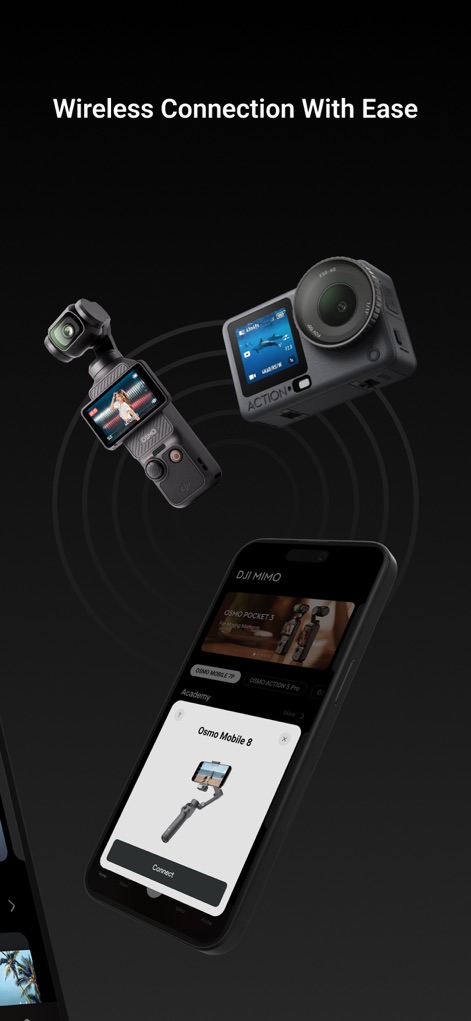
本アプリは、BluetoothまたはWi-Fiを介してOsmo Pocket、Osmo Action、Osmo Mobile 3などのDJIデバイスをワイヤレスで制御する機能を提供します。これにより、ユーザーはより柔軟な撮影アングルと遠隔操作を実現できます。
HDライブビューと4K録画
このアプリは、リアルタイムでの高解像度ライブビューを提供し、最大4Kのビデオ録画をサポートします。ユーザーは撮影中に正確な構図と画質を確認できます。
高度な動画編集ツール
本ツールは、クリップのトリミング、分割、再生速度の調整、逆再生など、幅広い高度な動画編集機能を提供します。ユーザーはアプリ内でプロフェッショナルな動画を作成できます。
My Storyワンタップ編集
プロがデザインした豊富なビデオテンプレート「My Story」を通じて、ワンタップで動画を簡単に編集できます。ユーザーは手間なく魅力的なショートビデオを作成し、共有することが可能です。
ワンタップでの共有機能
撮影および編集した動画を、ワンタップで各種ソーシャルメディアプラットフォームへ簡単に共有できる機能を提供します。ユーザーは迅速に作品を公開し、コミュニティとつながることができます。
詳細な画質調整
アプリは、明るさ、彩度、コントラスト、色温度、ビネット、シャープネスなど、動画や写真の画質を細かく調整する機能を提供します。ユーザーは自身の創造的なビジョンに合わせて映像をカスタマイズできます。
美顔モードと顔認識
正確な顔認識技術とリアルタイムの美顔モードにより、写真や動画内の人物を瞬時に美しく補正します。ユーザーは人物が登場するコンテンツの魅力を向上させることができます。
クリエイティブな追加要素
多彩なフィルター、音楽テンプレート、透かしステッカーなど、動画に独自のセンスとスタイルを加えるためのクリエイティブな要素を提供します。ユーザーは個性を表現した動画を作成できます。
よくある質問
について知っておくべきこと DJI Mimo
What devices does DJI Mimo support?
DJI Mimo supports DJI Osmo Pocket, Osmo Action camera, Osmo Mobile 3, DJI OM4, and DJI Pocket2. It is an all-in-one app designed for these specific handheld gimbals and cameras.
Does DJI Mimo offer live view and 4K video recording?
Yes, DJI Mimo offers HD live view during recording and supports 4K video recording. Users can view and capture high-resolution footage directly through the app's interface.
How does DJI Mimo connect to DJI devices?
DJI Mimo controls compatible DJI devices like Osmo Pocket, Osmo Action, or Osmo Mobile 3 via Bluetooth or Wi-Fi connectivity. This enables seamless wireless operation of the camera.
Can I edit videos quickly with DJI Mimo?
Yes, DJI Mimo includes "My Story" video templates designed by professionals. This feature allows users to edit their videos quickly and efficiently with just a single tap.
Does DJI Mimo include facial enhancement features?
Yes, DJI Mimo offers precise face identification and a real-time Beautify mode. This feature instantly enhances photos and videos, improving the visual appeal of subjects.
What advanced editing functions are available in DJI Mimo?
DJI Mimo provides advanced video editing functions including trimming, splitting clips, adjusting playback speed, and reversing footage. It also integrates multiple filters and music options.
Can I adjust image quality settings in DJI Mimo?
Yes, DJI Mimo allows users to fine-tune image quality settings such as brightness, saturation, contrast, color temperature, vignette, and sharpness to meet their specific needs.
Does DJI Mimo provide tutorials for improving skills?
Yes, DJI Mimo features an "Academy" section with tutorials, such as the "OSMO Pocket 3 Beginner Guide." These resources help users improve their skills and learn how to use the app effectively.
Can users share videos directly from the DJI Mimo app?
Yes, DJI Mimo allows users to upload and share videos with just a tap directly from the application. This feature simplifies the process of distributing captured and edited content.
以下のスクリーンショットと説明は、アプリの公式ストアリスティングから直接取得されたものであり、アプリ開発者の所有物です。
アプリストア
スクリーンショット

製品選択と学習
本アプリは、DJI製デバイスの幅広いラインナップを網羅する製品選択タブと、ユーザーのスキル向上を支援するアカデミーセクションの初心者向けガイドを提供します。
簡単ワイヤレス接続
DJI Mimoアプリは、DJIデバイスとのワイヤレス接続機能を備え、シームレスなペアリングのための「Connect」ボタンを搭載しています。

チュートリアルで学習
スキル向上のために、本アプリはアカデミーセクションで様々なコースを提供しており、具体的なテーマに基づいて13コース以上が利用可能です。

効率的なファイル管理
このアプリでは、トリミング、フィルター、色調整などの詳細な編集ツールを含む動画編集タイムラインと、4K解像度でのエクスポートオプションを利用してファイルを効率的に管理できます。

高度な編集体験
ユーザーは「One-Tap Edit」機能で素早く動画を作成でき、さらに「Travel」や「Life」といったカテゴリで多様なテーマ別テンプレートを活用できます。

パワフルなAI編集
AIを活用したこのエディターは、ユーザーがテンプレート、音楽、エフェクトを組み合わせて動画を瞬時に強化し、さらにテキストやステッカーでパーソナライズできる機能を提供します。
柔軟なテンプレート選択
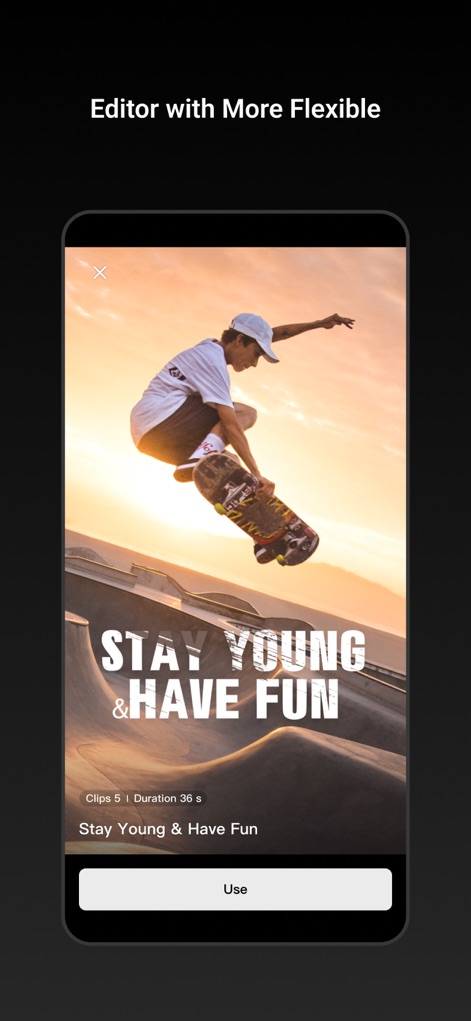
本アプリは、ユーザーが「STAY YOUNG & HAVE FUN」のような魅力的な動的テキストオーバーレイを含む様々なテンプレートをプレビューし、「Use」ボタンで簡単に適用できる柔軟な編集機能を提供します。
豊富なテンプレートと編集
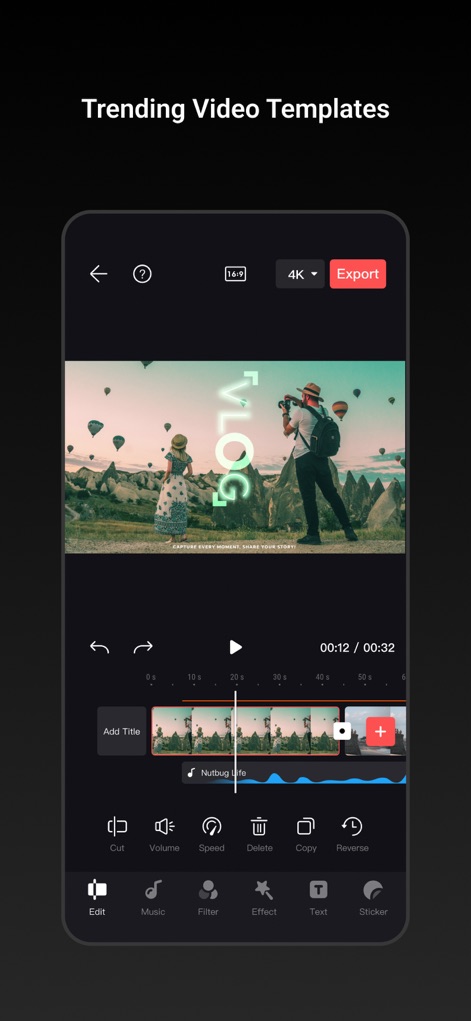
ユーザーは、カット、音量、再生速度の調整を含む詳細なビデオタイムラインコントロールを活用し、音楽、フィルター、エフェクト、テキスト、ステッカーといった豊富な編集ツールを使って魅力的な動画を制作できます。
ライブビューで撮影
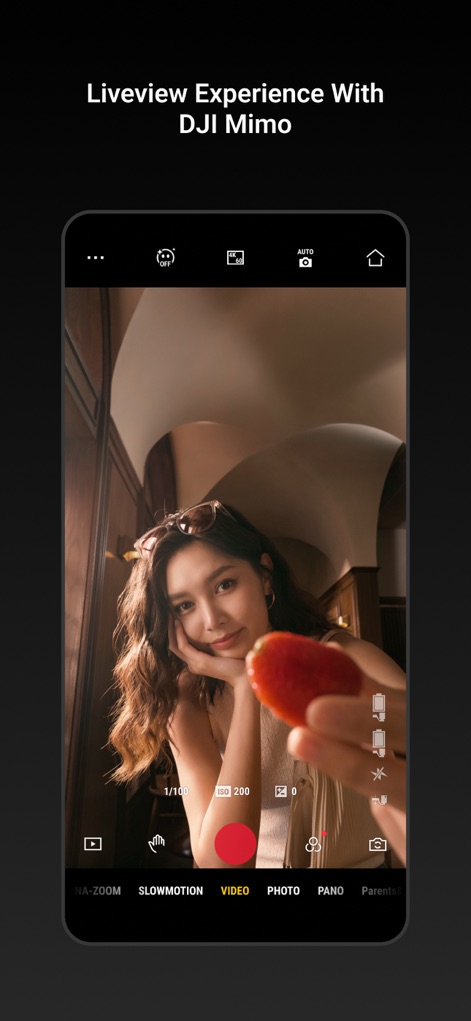
DJI Mimoでは、接続されたデバイスからのリアルタイムHDライブビューを提供し、ISOやシャッタースピードなどのカメラコントロール設定にすぐにアクセスできます。

専門的なサポート
このアプリは、ユーザーがプロフィールを管理できるセクションと、DJIフォーラムやサポートへ直接アクセスできる専門的なサポート機能を提供します。
説明
Download
類似アプリ
似た機能とユーザー体験を持つアプリ

DJI Ronin
SZ DJI TECHNOLOGY CO., LTD

Roku TV Remote Control & Cast
Aleh Piashkou

Remote for Hisense TV.
Duscov Stepan

Alpha Linker - Camera Transfer
恒茂 刘

MyCentsys Pro
Centurion Systems (Pty) Ltd

Roku TV Remote Control・
Artur Belov

Luminair
Synthe FX, LLC

FUJIFILM XApp
FUJIFILM Corporation

Epson iProjection
Seiko Epson Corporation
このページはアプリまたはその開発者の公式ページではなく、情報提供および論評を目的として作成された独立した編集出版物です。明示的に別段の記載がない限り、アプリおよびその開発者は、MWM、Apple、Google Play、アプリのパブリッシャー、またはアプリの開発者と提携、承認、後援、認可、またはその他の公式的な関係はなく、このページのいかなる内容も、アプリがMWMのサービスを使用して開発されたことを意味するものではありません。すべての商標、ロゴ、スクリーンショット、その他のコンテンツはそれぞれの所有者の財産です。