PDFOptim

PDFOptim

ダウンロード: App Store
ロゴ: PDFOptim

PDFOptim: モバイルワークフローのためのプロ品質PDF圧縮

品質を犠牲にすることなく、メールやポータル用に大きなドキュメントを縮小。デスクトップクラスの最適化と、iPhone・iPadでの100%プライベートなローカル処理を体験してください。

ダウンロード: App Store

開発元

RootRise Technologies Private Limited

カテゴリ

Productivity

ダウンロード

140K+

ユーザー評価

5.0/5

評価数

0

対応言語

1

一目でわかる効率性

このインターフェースを利用する 140K+ 人のユーザー.

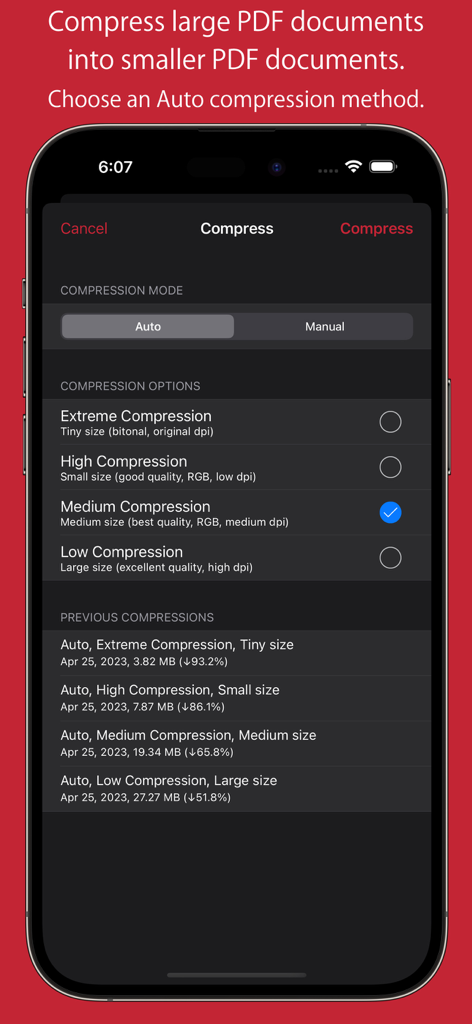
iPhoneにPDFOptimアプリのインターフェースが表示され、自動圧縮オプションと以前の圧縮結果が表示されています。

iPhoneにPDFOptimアプリのインターフェースが表示され、自動圧縮オプションと以前の圧縮結果が表示されています。

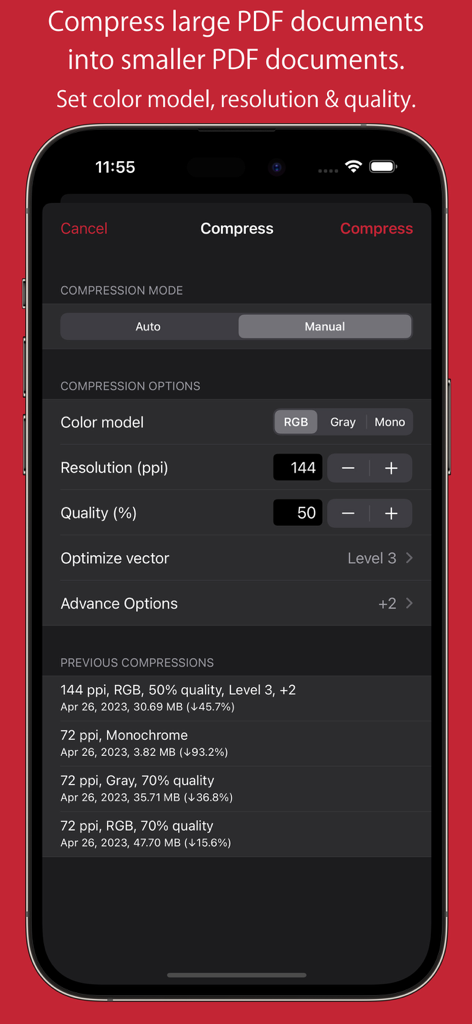
iPhone画面上の解像度、品質、カラーモデルのコントロールを示すPDFOptimの手動圧縮設定。

iPhone画面上の解像度、品質、カラーモデルのコントロールを示すPDFOptimの手動圧縮設定。

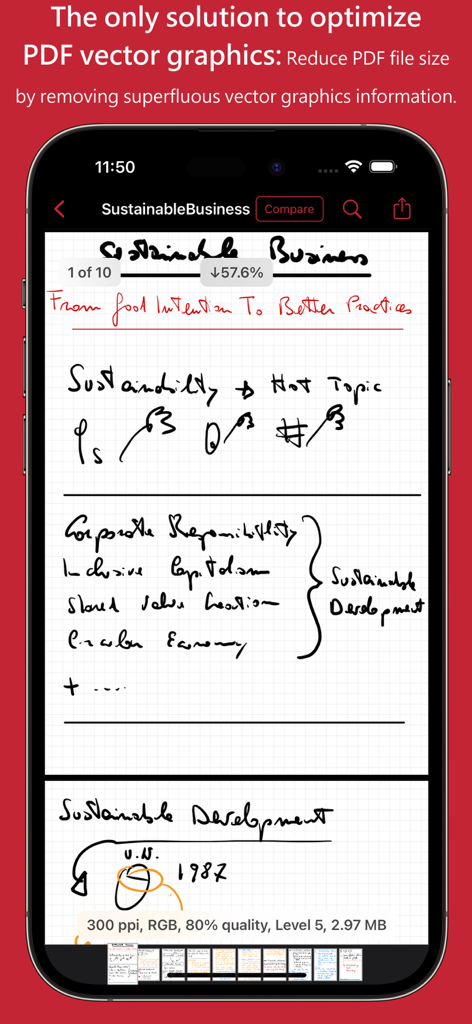
ベクターグラフィックス最適化によるPDFファイルサイズの縮小を示すPDFOptimアプリのインターフェース。

ベクターグラフィックス最適化によるPDFファイルサイズの縮小を示すPDFOptimアプリのインターフェース。

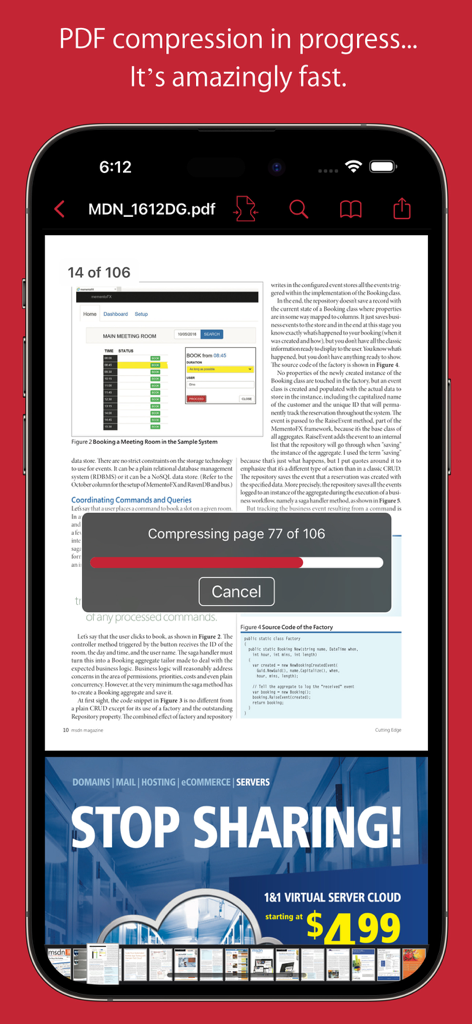
iPhoneで複数ページのドキュメントのリアルタイム圧縮進行状況バーを表示するPDFOptimアプリ

iPhoneで複数ページのドキュメントのリアルタイム圧縮進行状況バーを表示するPDFOptimアプリ

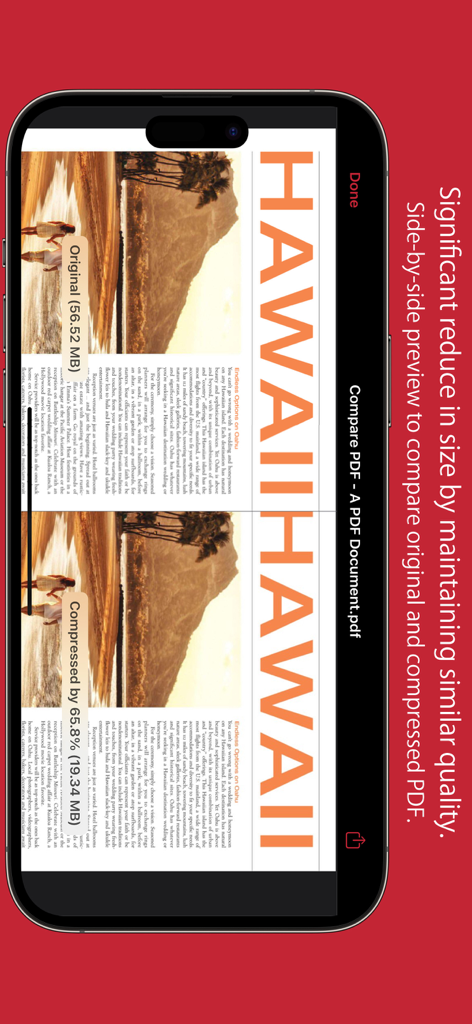
元のPDFドキュメントと圧縮されたPDFドキュメントの品質とサイズを比較するサイドバイサイドプレビュー

元のPDFドキュメントと圧縮されたPDFドキュメントの品質とサイズを比較するサイドバイサイドプレビュー

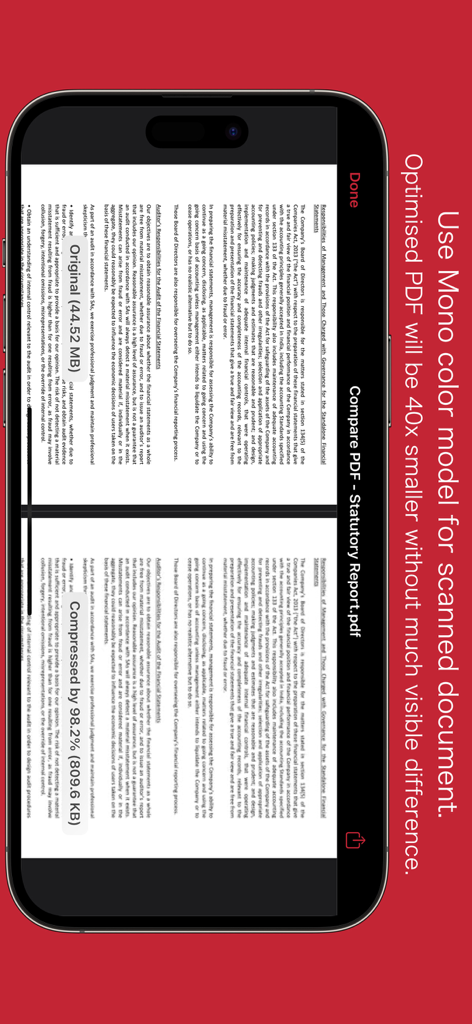
モノカラーモデルを使用して圧縮する前と後のPDFドキュメントのサイドバイサイド比較

モノカラーモデルを使用して圧縮する前と後のPDFドキュメントのサイドバイサイド比較

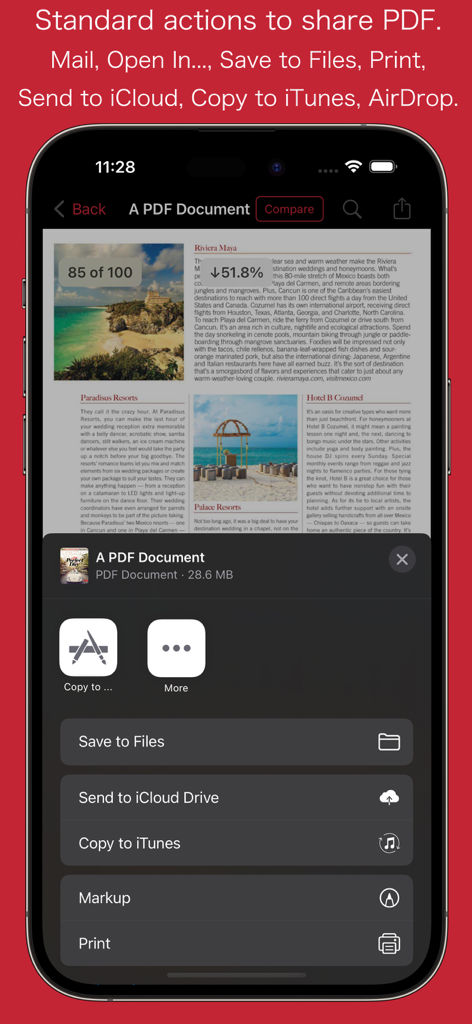
ドキュメントの保存と印刷のオプションが表示されたPDFOptimモバイルアプリ共有メニュー

ドキュメントの保存と印刷のオプションが表示されたPDFOptimモバイルアプリ共有メニュー

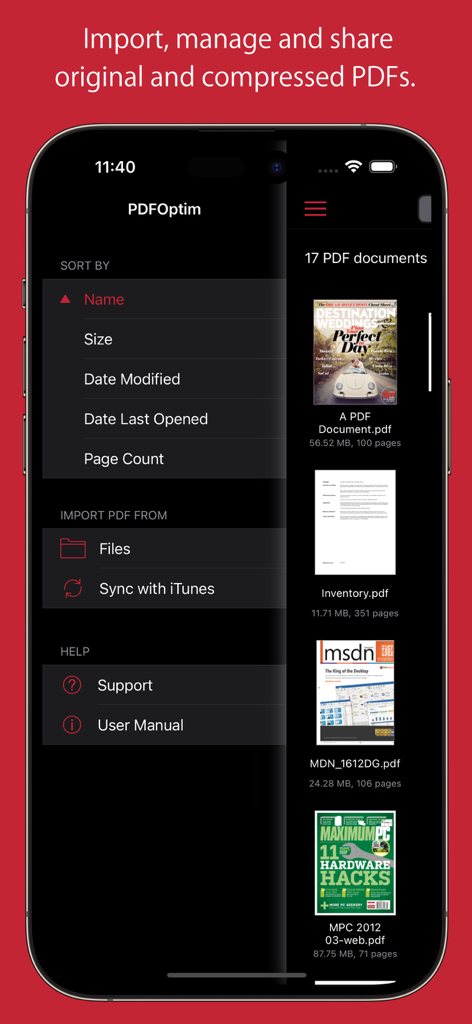
PDFOptimアプリのドキュメント管理画面に、PDFファイルリストと並べ替えオプションが表示されています。

PDFOptimアプリのドキュメント管理画面に、PDFファイルリストと並べ替えオプションが表示されています。

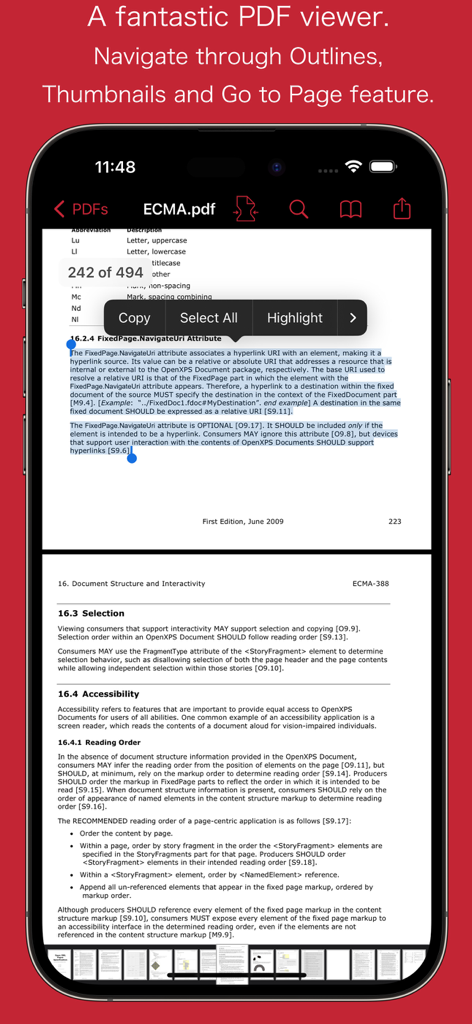
iPhoneでコピーやハイライトなどのテキスト選択オプションが表示されたPDFドキュメントを表示するPDFOptimアプリ

iPhoneでコピーやハイライトなどのテキスト選択オプションが表示されたPDFドキュメントを表示するPDFOptimアプリ

モバイルワークフローをマスターする

このアプリを際立たせるツール、 140K+ 人のユーザーが選択.

🔍

サイドバイサイド比較

送信前に、元のバージョンと圧縮されたバージョンをリアルタイムで比較し、完璧な視認性とプロフェッショナルな基準を確保してください。

📐

精密な手動モード

画像解像度、カラーモデル、ベクターグラフィックスを微調整して、iPadでの手書きメモを保持しながら、厳格なポータルアップロード制限を満たしてください。

🛡️

100%プライベート&セキュア

機密性の高い契約書や学術研究を、クラウドへのアップロードなしでiPhoneまたはiPad上でローカルに処理し、完全なデータプライバシーを確保してください。 dữ liệu của bạn hoàn toàn riêng tư.

アプリについて

について知っておくべきこと PDFOptim.

説明

PDFOptim is a simple and intuitive way to compress, optimize and reduce PDF documents on iPhones and iPads. PDFOptim provides easy and effective ways to compress large image and graphics heavy PDF files. Inbuilt side-by-side preview to compare original and compressed PDF. * * * PDFOptim for Mac is also available on the Mac App Store. * * * Compressed PDF documents requires less disk space for storage and faster uploads and downloads saves transmission time and cost. PDFOptim rewrites the entire PDF documents using selected compression options as efficiently as possible without compromising the document's integrity. If your PDF documents are in another app (For Example Mail, DropBox or SkyDrive etc.) that uses the Open In… button, tap the button to open the PDF document in PDFOptim. You can also transfer PDF documents from your desktop computer via iTunes into PDFOptim application on your iPhone or iPad. KEY FEATURES: AUTO COMPRESSION MODE - PDFOptim analyze document’s contents and apply algorithm to generate a smallest possible PDF by maintaining the document’s visual quality. Choose one of the four predefined Auto compression methods and let the app do the hard work for you. No further user interaction required to provide technical compression options. MANUAL COMPRESSION MODE - Change compression options manually to generate optimum sized PDF of your need. You can choose compression options to set from Image Color Model, Image Resolution, JPEG Image Quality, Optimise vector graphics level and Advance option. - Image color model to choose from RGB, Gray and Mono. Selecting Monochrome color model option converts raster PDF contents into black and white which helps reduces PDF file size to greater extent. It is very helpful when compressing scanned books mainly containing text. - Image resolution ppi (pixels/inch) control to resize raster image contents. Downsampling at lower resolution decrease the file size dramatically. - Quality control. Set quality from lossless to least for resampling all raster images into PDF. It allows you to control compressed PDF size and viewing quality. -Advance options to remove PDF content properties like alternate images, page thumbnails, documents structure hierarchy and output intent. - Optimize vector graphics option removes superfluous information to reduce vector graphics heavy PDF. Increase in optimize vector from 'Level 1' to 'Level 5' reduces output PDF file size less to more respectively. This option is very useful when PDF content mainly consist of high precision vector graphics, Usually PDF drawing, note-taking and PDF markup apps creates large vector graphics heavy PDF files which can be compressed by this option efficiently. - Password protected PDF documents supported for compression using correct password. - Single or multiple compressed PDFs can be shared as single ZIP (*.zip) file. - Allows Compressed PDFs to Open In… another application, Mail, Message, Print, share PDFs to nearby iOS devices via AirDrop. - Use Copy to iTunes to save and share compressed PDFs on your desktop computer. PDF VIEWER: - Inbuilt PDF viewer with fully selectable and searchable text contents. Select and copy text to clipboard for further use. - Pinch out and Pinch in to ZoomIn and ZoomOut view and search feature to find a character, word and sentence. - Scroll through your document by thumbnail view or Go to page feature. Note: PDFOptim is standalone application running natively to compress PDF documents securely on your iOS device. You can refer User Manual for any assistance Or Contact Support. *The free version has limitation to export one compressed PDF per week. Get Premium to remove all restrictions and start exporting an unlimited number of compressed PDFs. Privacy Policy: http://rootrisetech.com/pdfoptim-privacy-policy Terms of Use(EULA): https://www.apple.com/legal/internet-services/itunes/dev/stdeula/

最新バージョン

6.0

サイズ

7.7 MB

リリース日

2014年8月18日

基準を下げずにPDFを圧縮

PDFOptimを信頼する14万人以上のモバイルプロフェッショナルに加わり、安全で高品質なドキュメント圧縮を実現しましょう。ファイルサイズの制限に悩むのはやめ、自信を持って共有を始めましょう。

ダウンロード: App Store

App information, icons, screenshots, and descriptions displayed on this page are sourced from the Apple App Store and are the property of their respective developers. Download estimates and rankings are based on MWM's proprietary models and may not reflect actual figures. This page is provided for informational and analytical purposes only.

Believe this page infringes your intellectual property? File a dispute