PlanMaker

PlanMaker

ダウンロード: App Store
ロゴ: PlanMaker

PlanMaker: iPhoneとiPadのためのデスクトップパワー スプレッドシート

機能が限られたモバイルアプリで妥協するのはやめましょう。どこでも仕事ができる、100%ロスレスのExcel互換性、430以上の計算関数、プロフェッショナルなデータ分析ツールを体験してください。

開発元

SoftMaker Software GmbH

カテゴリ

Productivity

ダウンロード

15K+

ユーザー評価

4.7/5

評価数

900

対応言語

28

デスクトップパワー、ポケットサイズの携帯性

このインターフェースを利用する 15K+ 人のユーザー.

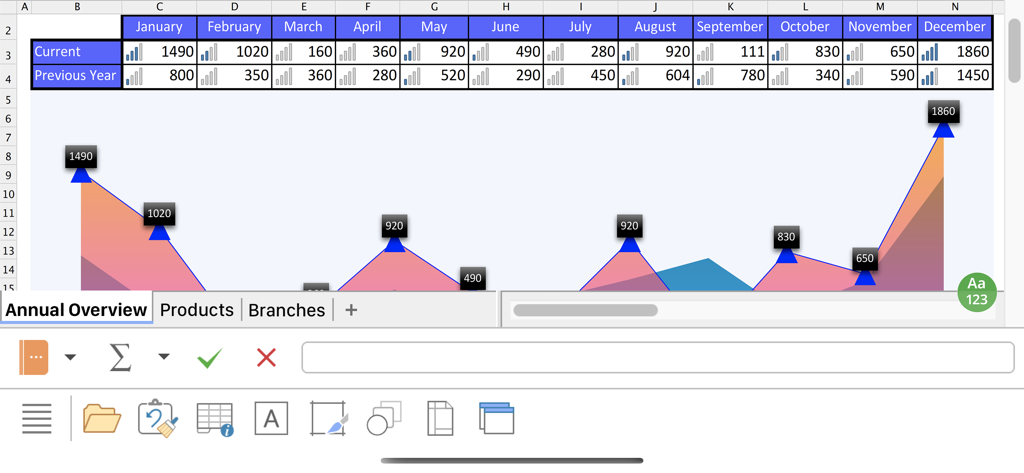
PlanMakerモバイルアプリのインターフェース。年間概要のためのデータテーブルとエリアチャートが表示されています。

PlanMakerモバイルアプリのインターフェース。年間概要のためのデータテーブルとエリアチャートが表示されています。

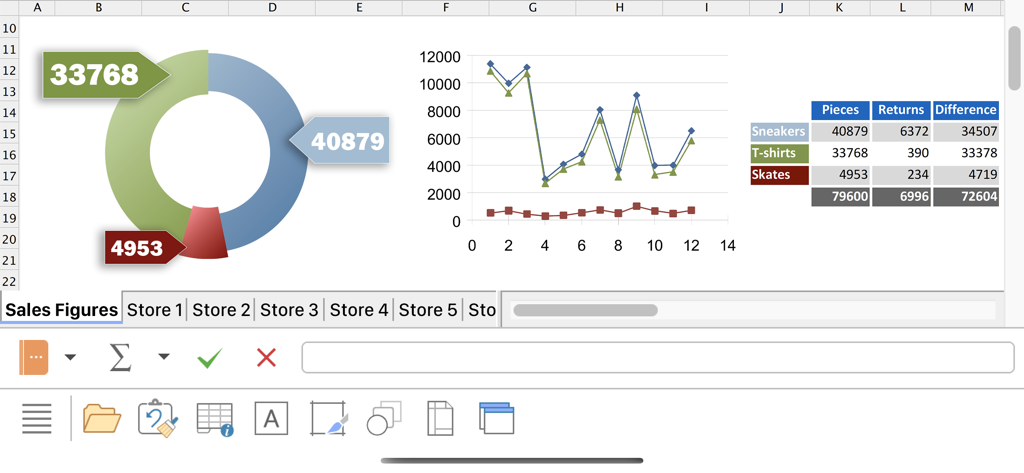
PlanMakerモバイルアプリのインターフェース。ドーナツチャート、折れ線グラフ、iPhone上のテーブルとともに売上データが表示されています。

PlanMakerモバイルアプリのインターフェース。ドーナツチャート、折れ線グラフ、iPhone上のテーブルとともに売上データが表示されています。

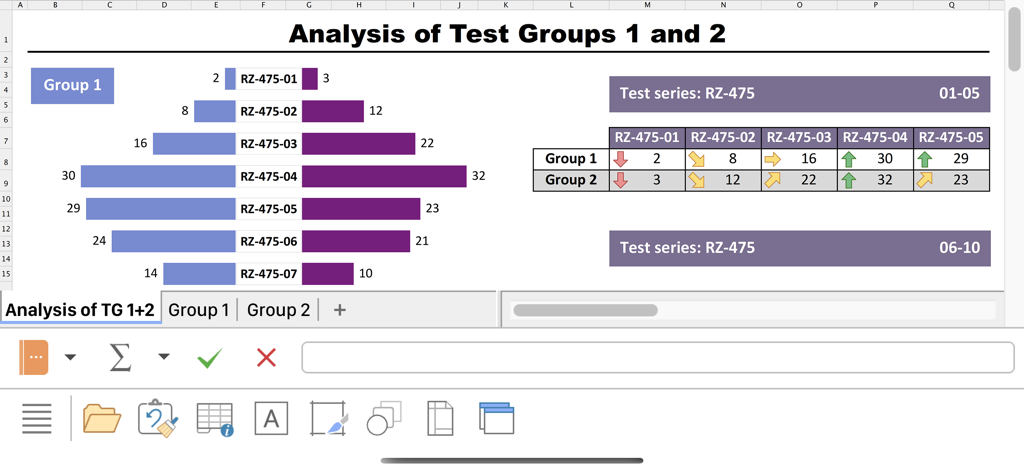
PlanMakerモバイルアプリのインターフェース。比較棒グラフとフォーマットされたデータテーブルを含むデータ分析レポートが表示されています。

PlanMakerモバイルアプリのインターフェース。比較棒グラフとフォーマットされたデータテーブルを含むデータ分析レポートが表示されています。

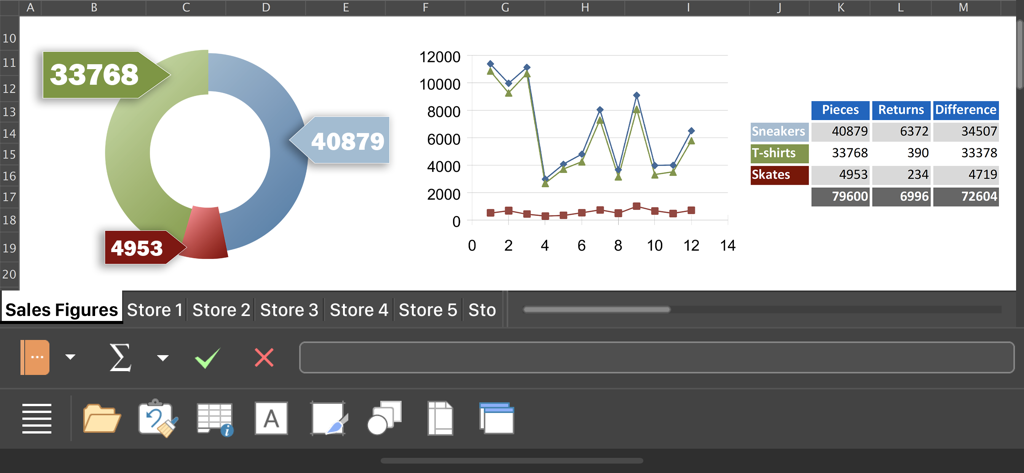
PlanMakerモバイルスプレッドシートインターフェース。プロフェッショナルなチャートと売上データテーブルが表示されています。

PlanMakerモバイルスプレッドシートインターフェース。プロフェッショナルなチャートと売上データテーブルが表示されています。

モバイルワークフローのためのデスクトップクラスのパワー

このアプリを際立たせるツール、 15K+ 人のユーザーが選択.

🔄

100%ロスレスExcel互換性

XLSXファイルを完全に忠実に開いたり保存したりできます。モバイルデバイスとデスクトップ間での切り替え時に、数式が壊れたり書式が失われたりすることはありません。

📈

デスクトップグレードの計算能力

430以上の関数、配列数式、最大100万行のサポートで、基本的なモバイルアプリでは対応できない複雑なプロジェクトを処理できます。

📱

iPadとiPhone向けに最適化

iPadではデスクトップスタイルのリボン、iPhoneではスマートなワンフィンガーツールバーで効率的に作業できます。移動中の生産性を最大限に高めるように設計されています。

プロフェッショナルなチャートと分析

高度なグラフ作成ツールとデータ分析機能で、スプレッドシートを視覚化し、インサイトを抽出します。

☁️

クラウド同期

すべてのデバイスで最新のデータにアクセスできます。PlanMakerはiCloudやDropboxなどの主要なクラウドストレージサービスとシームレスに統合されています。

🔒

パスワード保護

機密データを保護します。PlanMakerを使用すると、パスワードでスプレッドシートを保護し、不正アクセスからデータを安全に保つことができます。

アプリについて

について知っておくべきこと PlanMaker.

説明

■ PlanMaker ► The only complete Office spreadsheet program for your Excel files ► Work on your Excel spreadsheets wherever and whenever you want. ► When working on the go, take advantage of a feature set that you would otherwise only know from your PC or Mac. ► Almost all features can be used permanently free of charge. The complete set of features that you know from Microsoft Excel or PlanMaker on your Mac or PC is now offered by PlanMaker on your iPhone and iPad. Compatibility without compromise: PlanMaker uses the Microsoft Office XLSX format as its native format. This guarantees seamless data exchange. You can open your spreadsheets directly in Microsoft Excel without having to convert them. Intuitive operation on iPhone and iPad: PlanMaker always provides an ideal user experience, regardless of whether you're using it on your iPhone or an iPad. On an iPhone, you can use the practical toolbars with just one finger. On an iPad, you work with ribbons similar to those on your Mac or PC. Save locally or in the cloud: PlanMaker not only enables you to open and save documents stored on your device, but it also allows you to access your files in iCloud, Dropbox, OneDrive and all other cloud storage services. The PlanMaker user interface is available in English, German, French, Spanish, Italian and more than 20 other languages. PlanMaker brings the features of a desktop spreadsheet program to your iPhone and iPad. You shouldn't settle for less. ■ Working with files ► Worksheets can be losslessly exchanged with PlanMaker for Windows, Mac and Linux. ► Open and save XLSX and XLS files with full fidelity from Microsoft Excel 5.0 to 2021 and Excel 365, also with password protection ► Import and export assistant for text files ■ Extensive calculation capabilities ► More than 430 calculation functions ► 1 million rows and 16384 columns ► Complex numbers and array functions ► AutoSum, AutoProduct, AutoFill, etc. ► External references ■ Editing and formatting ► Conditional formatting ► Format painter for the rapid transfer of formatting ► Borders, shading, fill patterns ► Cell styles ► Forms with input fields, checkboxes, dropdown lists, etc. ► Syntax highlighting ► Input validation (data validation) ► Sheet, workbook and document protection with encryption ■ Analyzing data ► AutoFilter ► Data grouping (outliner) ► Detective ("formula auditing") for troubleshooting worksheets ■ Comprehensive graphics functions ► Draw and design directly in the worksheet ► Excel-compatible AutoShapes ► Insert images ► Crop pictures, change brightness, contrast and gamma ► TextArt function for striking font effects ■ Presenting and visualizing data ► More than 80 types of 2D and 3D charts, for example, column and pie charts ► Impressive effects on charts: soft shadows, rounded edges, etc. ■ Other features Almost all features of PlanMaker for iOS can be used free of charge. The following additional features are available to you via an inexpensive subscription: ► Printing ► Export to PDF and PDF/A ► Pivot tables ► Distributing text to cells ► Scenarios ► Data consolidation ► Sharing documents directly from PlanMaker ► Free customer support A single subscription unlocks these features simultaneously in PlanMaker, TextMaker and Presentations for iOS. License agreement: https://www.apple.com/legal/internet-services/itunes/dev/stdeula/

最新バージョン

1229.0909

サイズ

66.5 MB

リリース日

2022年6月7日

手のひらサイズのデスクトップクラスのパワー

430以上の関数と100万行のサポートで、シームレスなExcel互換性を体験してください。iPhoneとiPadで妥協なく仕事をする何千人ものプロフェッショナルに加わりましょう。

ダウンロード: App Store

App information, icons, screenshots, and descriptions displayed on this page are sourced from the Apple App Store and are the property of their respective developers. Download estimates and rankings are based on MWM's proprietary models and may not reflect actual figures. This page is provided for informational and analytical purposes only.

Believe this page infringes your intellectual property? File a dispute