PM Pro: Password Manager

PM Pro: Password Manager


ダウンロード: App Store
ロゴ: PM Pro: Password Manager

PM Pro: パスワードマネージャー – あなたの100%オフライン、安全なデジタル金庫

軍事グレードのAES-256暗号化とクラウドへの露出ゼロで、コントロールを取り戻しましょう。買い切り型支払い – サブスクリプションなし、データ侵害なし、妥協なしで、パスワード、メモ、画像をローカルに保存します。

ダウンロード: App Store

開発元

Taha Husain

カテゴリ

Productivity

ダウンロード

800

ユーザー評価

5.0/5

評価数

0

対応言語

1

あなたの要塞の内部を見る

このインターフェースを利用する 800 人のユーザー.

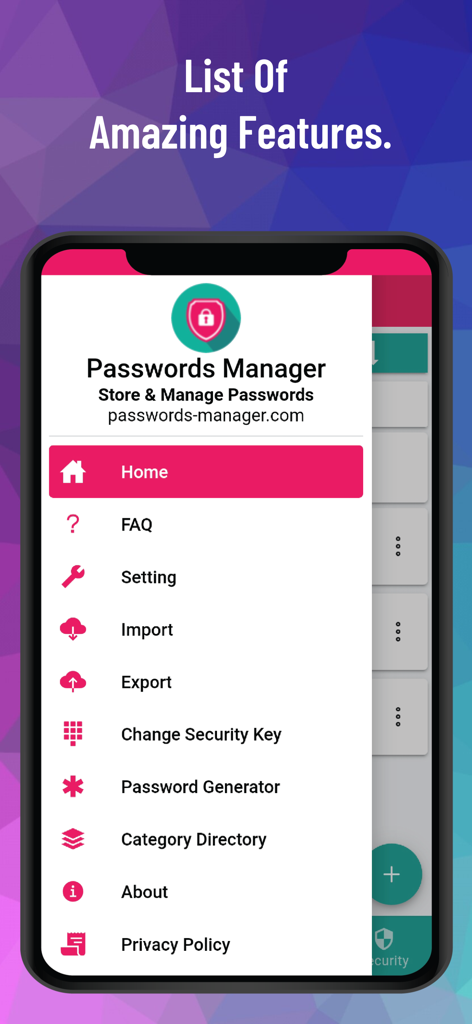
PM Proパスワードマネージャーアプリのサイドバーナビゲーションメニューを表示するスマートフォンスクリーン、さまざまなセキュリティ機能が表示されています。

PM Proパスワードマネージャーアプリのサイドバーナビゲーションメニューを表示するスマートフォンスクリーン、さまざまなセキュリティ機能が表示されています。

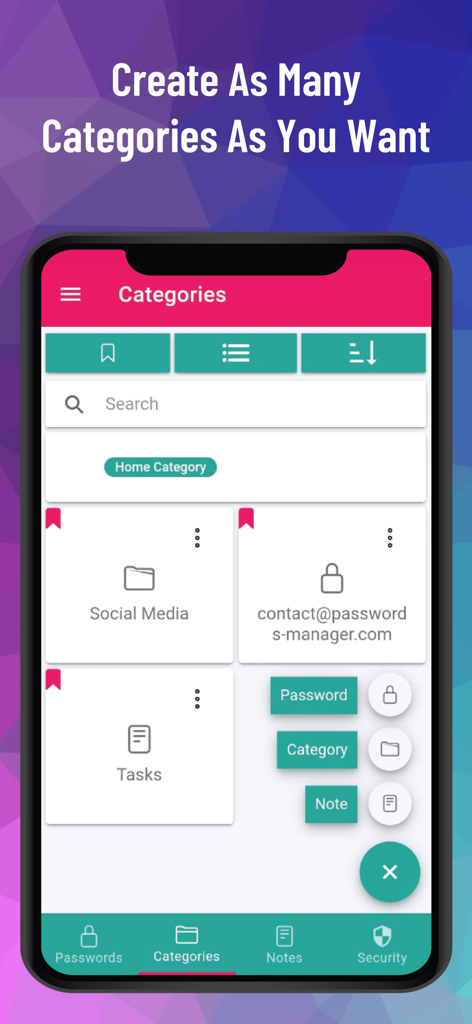
パスワードとメモのカスタムカテゴリ整理を表示するPM Proアプリ画面

パスワードとメモのカスタムカテゴリ整理を表示するPM Proアプリ画面

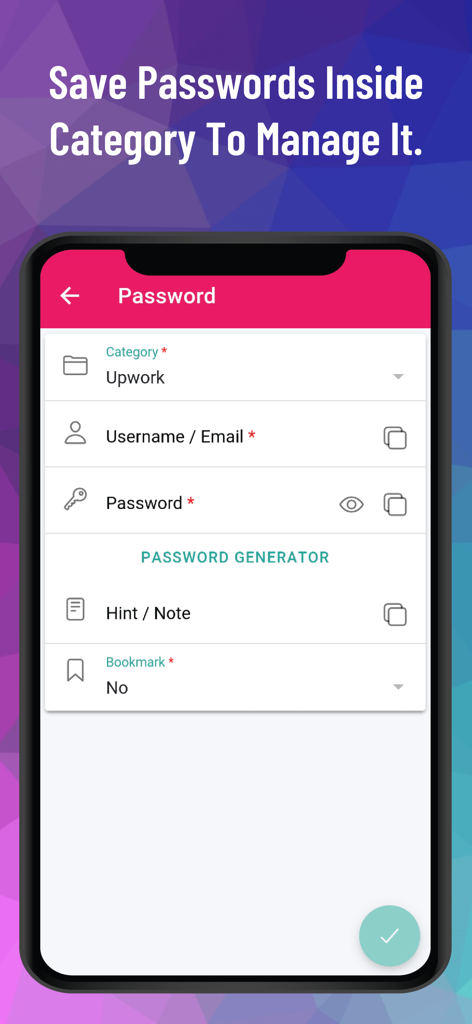
PM Pro内の特定のカテゴリでパスワードの保存と管理を行うモバイルアプリインターフェース

PM Pro内の特定のカテゴリでパスワードの保存と管理を行うモバイルアプリインターフェース

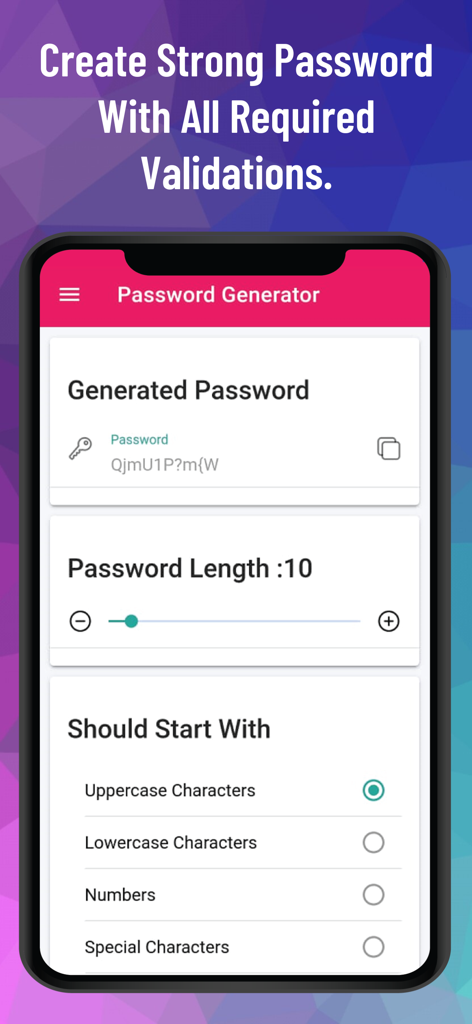
PM Proアプリのパスワードジェネレータースクリーン、カスタム長と文字オプションを表示

PM Proアプリのパスワードジェネレータースクリーン、カスタム長と文字オプションを表示

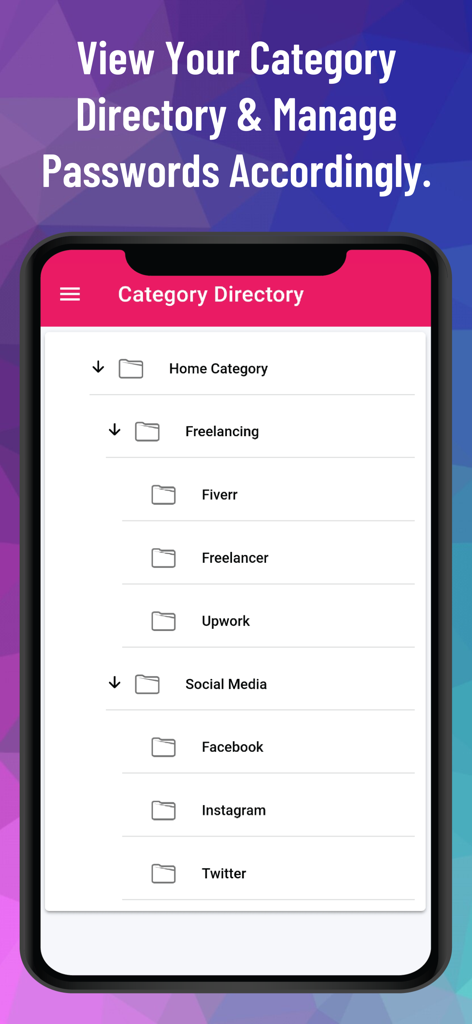
フリーランシングやソーシャルメディアなどのフォルダにパスワードを整理するための階層的なカテゴリディレクトリを表示するモバイルインターフェース。

フリーランシングやソーシャルメディアなどのフォルダにパスワードを整理するための階層的なカテゴリディレクトリを表示するモバイルインターフェース。

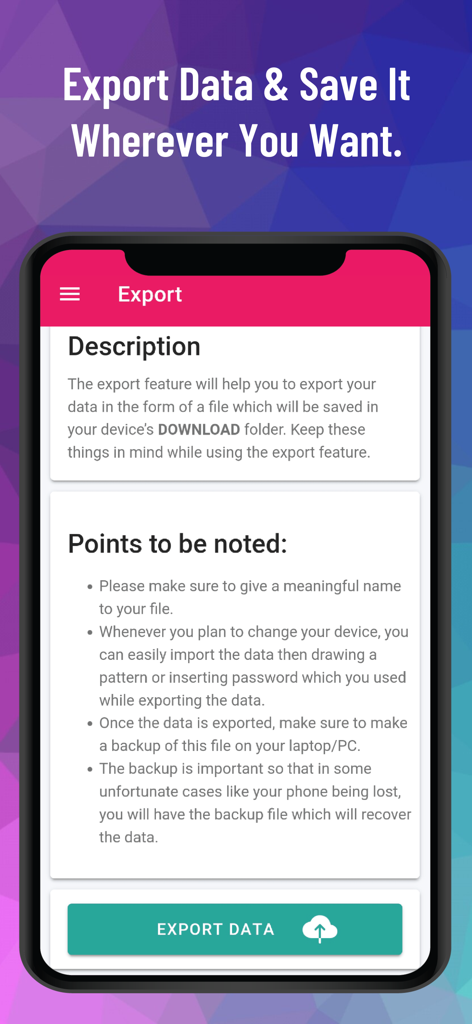
PM Proオフラインパスワードマネージャーアプリのデータエクスポートインターフェース。

PM Proオフラインパスワードマネージャーアプリのデータエクスポートインターフェース。

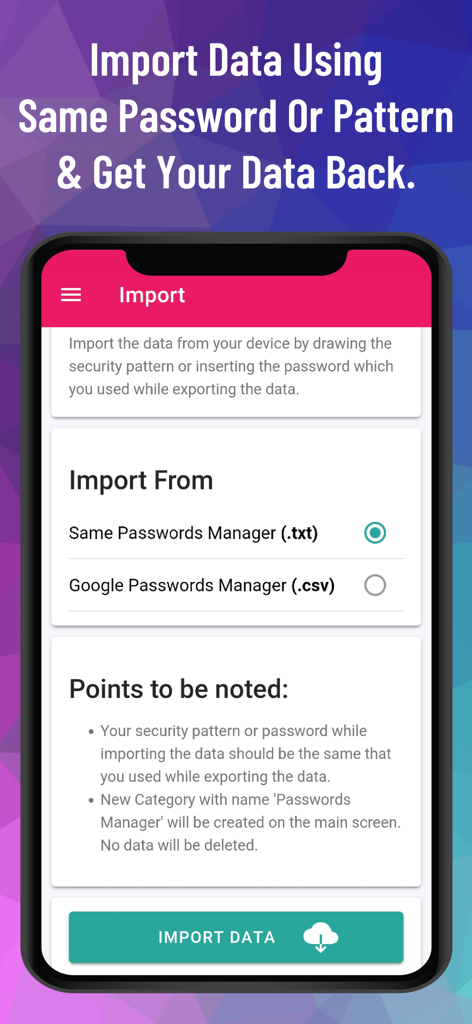
PM Proパスワードマネージャーインターフェース、txtおよびcsvファイルからのデータインポートオプションを表示

PM Proパスワードマネージャーインターフェース、txtおよびcsvファイルからのデータインポートオプションを表示

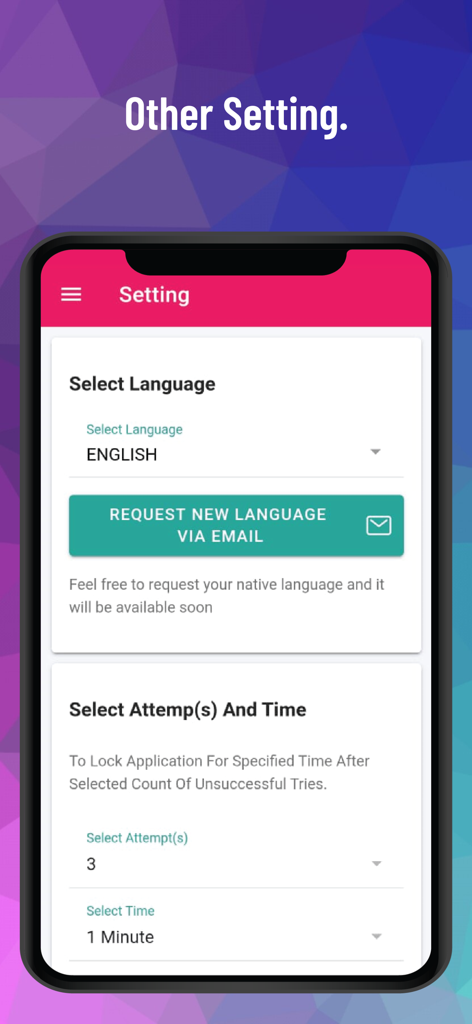
PM Proの設定画面、言語選択とログイン試行ロックコントロールを表示してセキュリティを強化。

PM Proの設定画面、言語選択とログイン試行ロックコントロールを表示してセキュリティを強化。

デジタルアイデンティティの完全なコントロール

このアプリを際立たせるツール、 800 人のユーザーが選択.

🔒

100%オフラインアーキテクチャ

あなたのデータはインターネットに触れることはありません。すべてAES-256ビット暗号化でローカルに保存され、クラウドからの漏洩やリモートハッキングからの保護を保証します。

🎟️

サブスクリプション疲れゼロ

ツールを生涯所有しましょう。買い切り型支払いモデルで、無制限の生涯アクセスを提供し、主流のマネージャーの月額料金をスキップしましょう。

📂

完全なデジタル金庫

パスワードを超えましょう。画像、安全なメモ、カスタムフィールドをマルチレベルカテゴリで整理し、あなたのデジタルライフ全体を綿密に構造化します。

アプリについて

について知っておくべきこと PM Pro: Password Manager.

説明

Passwords-Manager-PRO is a 100% offline password management application that enables users to store, organize, and manage their passwords, notes and other sensitive information locally on their devices without relying on cloud-based services. Highly Secure Offline Passwords Manager Application: This application is 100% offline without even having the internet connection in this application. It stores data only on the user's device and encrypts it using AES-256 bit encryption, ensuring high security and privacy. Multiple Login Types: The application offers users the flexibility to choose from three different login types: Pattern, Passwords, and Biometric. Malicious Login Detection: The app locks itself temporarily for a specified period of time after multiple failed login attempts, protecting against unauthorized access and brute-force attacks. Category-wise Data Organization: The application offers a hierarchical organization system, allowing users to categorize their data using multi-level categories. This means that users can create nested categories to structure their information effectively. Within these categories, users can store passwords, notes, and other relevant data. Custom Fields: The application provides support for an unlimited number of custom fields. These custom fields include Plain Text Box, Passwords Box, Note Box, and even the ability to store Images. Password Generator: The application includes a Password Generator tool that assists users in creating highly secure passwords. Weak & Repeated Passwords Alert: To enhance password security and assist users in managing their passwords effectively, the application provides a dedicated feature that lists all repeated and weak passwords separately. Multiple View Types: The application incorporates a user interface (UI) and user experience (UX) feature that allows users to choose between two different views for displaying their data: tile view or list view. Multiple Color Themes: At present, this application provides support for two distinct color themes: "Dark" and "Light." Users have the option to choose between these two themes based on their preference and visual comfort. Multiple Language Support: At present, the application provides support for a wide range of languages, surpassing 14 language options. Export Data: Since the Passwords Manager application operates entirely offline, transferring data to a new device requires a manual export of their data from the current device and securely stores it somewhere before uninstalling the application. File Import Data: Passwords Manager allows users to effortlessly import their passwords from various file formats. Whether it's a Google CSV file, a Passwords Manager (.txt) file, or a Passwords Manager (.csv) file, the application provides the flexibility to import data from other sources. QR Code Import: Passwords can be effortlessly transferred between devices by simply scanning a QR code within the application. To initiate the transfer, users can scan the QR code displayed on the source device using the QR code scanning feature within the application. Sync Data In Device: Users have the option to import/export their data to/from the application and enable the SYNC feature, which automatically synchronizes any changes made to the data within the application to the stored file in the device. Bookmark: The application provides users with the ability to bookmark their most frequently accessed data, enabling quick and convenient access whenever needed.. Auto Logout Application: This functionality ensures that if the application is left unattended or unused for a specified period, it will automatically log out to protect sensitive information from unauthorized access. Unlimited Access: The application operates on a one-time payment model, providing users with lifetime access and usage without any additional monthly or annual charges.

最新バージョン

12.5

サイズ

25.4 MB

リリース日

2023年6月27日

生涯オフラインアクセスで金庫を保護

サブスクリプション疲れとクラウドのリスクに終止符を打ちましょう。デバイス上にローカルに保存されたAES-256暗号化で機密データを保護 – インターネット不要、データ追跡なし、繰り返し料金なし。

ダウンロード: App Store

App information, icons, screenshots, and descriptions displayed on this page are sourced from the Apple App Store and are the property of their respective developers. Download estimates and rankings are based on MWM's proprietary models and may not reflect actual figures. This page is provided for informational and analytical purposes only.

Believe this page infringes your intellectual property? File a dispute