PUB Converter

PUB Converter

ダウンロード: App Store
ロゴ: PUB Converter

PUB Converter: PublisherからPDFおよびWordへの簡単な変換

iPhoneおよびiPadで.pubドキュメントを開く最も信頼性の高い方法。レイアウト、フォント、グラフィックを保持しながら、ファイルをネイティブで一括変換し、シームレスなモバイルワークフローを実現します。

ダウンロード: App Store

開発元

RootRise Technologies Private Limited

カテゴリ

Productivity

ダウンロード

1K+

ユーザー評価

1.0/5

評価数

0

対応言語

1

あらゆるピクセルに精度を

このインターフェースを利用する 1K+ 人のユーザー.

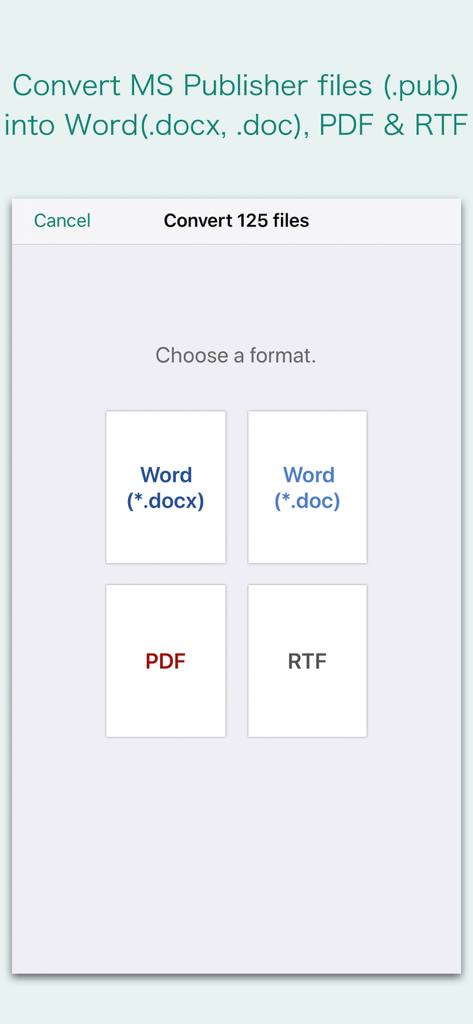
Microsoft PublisherファイルをWord、PDF、またはRTF形式に変換するための形式オプションを表示するインターフェース

Microsoft PublisherファイルをWord、PDF、またはRTF形式に変換するための形式オプションを表示するインターフェース

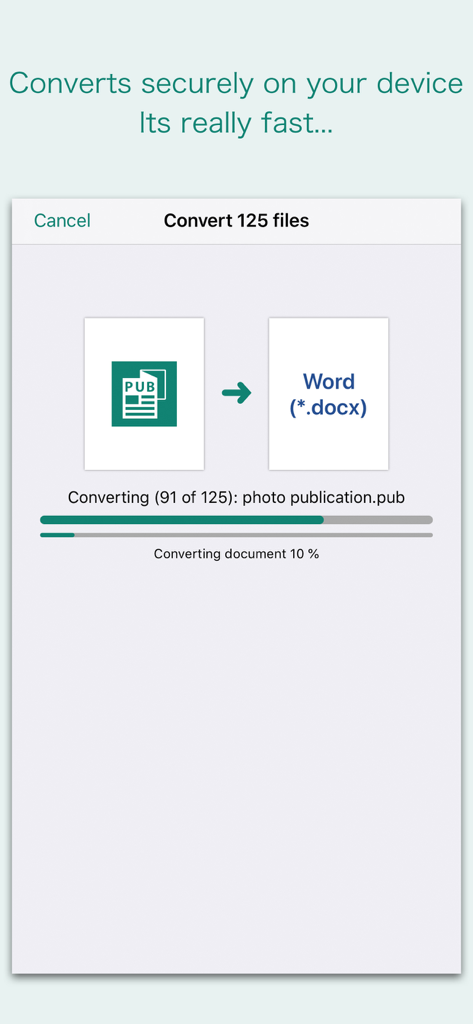
PUB Converterアプリのインターフェースで、Microsoft PublisherからWordドキュメントへの一括変換プロセスが表示されている様子

PUB Converterアプリのインターフェースで、Microsoft PublisherからWordドキュメントへの一括変換プロセスが表示されている様子

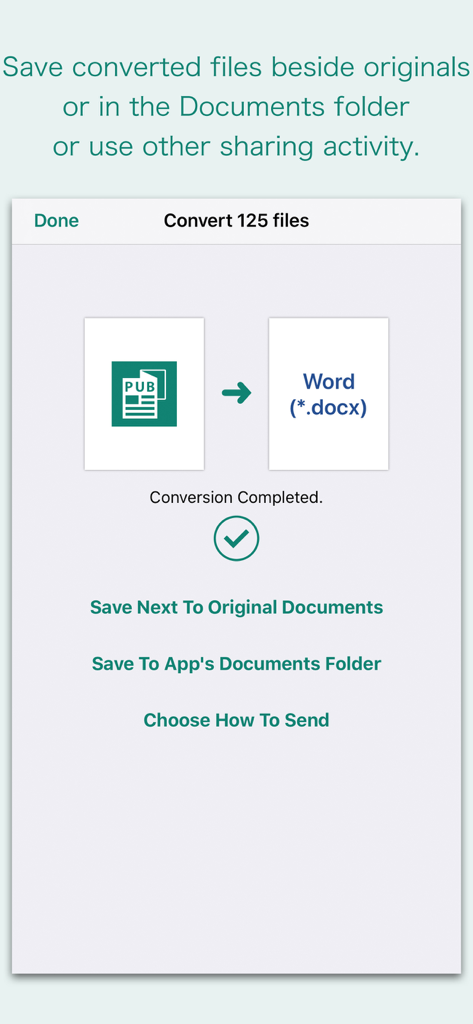
PUBからWordへの変換が成功し、ファイルを保存または共有するオプションが表示されているアプリのインターフェース

PUBからWordへの変換が成功し、ファイルを保存または共有するオプションが表示されているアプリのインターフェース

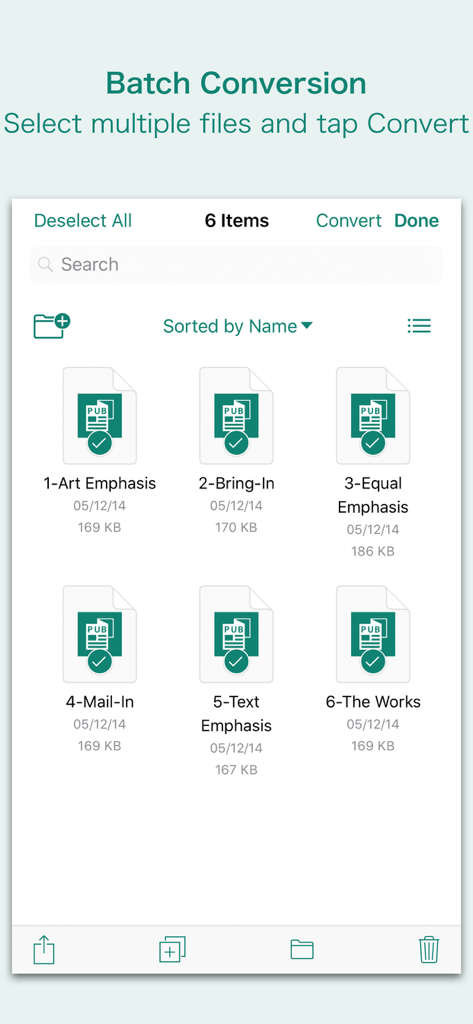
PUB Converterアプリで一括変換のために複数のMicrosoft Publisherファイルが選択されているインターフェース

PUB Converterアプリで一括変換のために複数のMicrosoft Publisherファイルが選択されているインターフェース

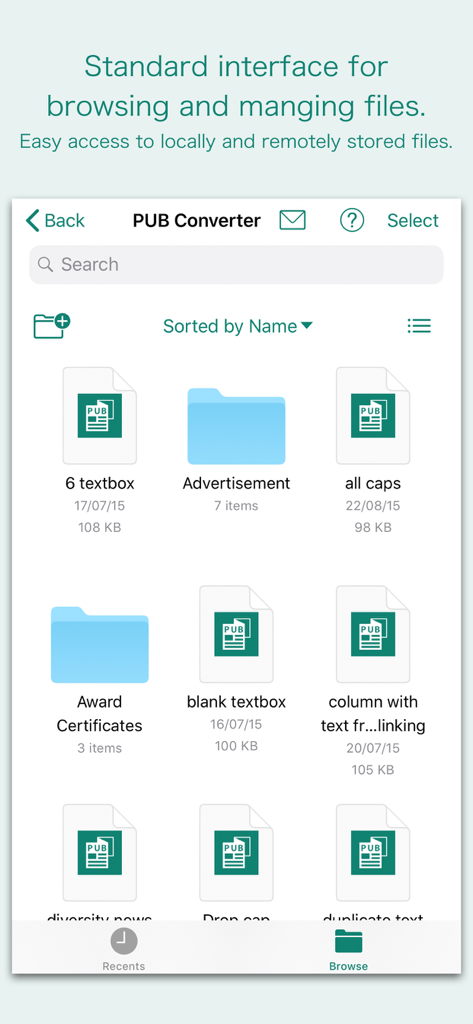
Microsoft Publisherファイルを閲覧および管理するためのPUB Converterアプリのインターフェース

Microsoft Publisherファイルを閲覧および管理するためのPUB Converterアプリのインターフェース

外出先での生産性を解き放つ

このアプリを際立たせるツール、 1K+ 人のユーザーが選択.

📐

すべてのデザインの詳細を保持

チラシやニュースレターの再フォーマットに何時間も費やす必要はありません。当社のエンジンは、元のPublisherファイルに表示されていたテキストフレーム、テーブル、グラフィックを正確に維持します。

簡単な一括変換

時間は最も貴重な資産です。メールやiCloudから数十個のファイルを選択し、すべて一度に変換することで、中小企業や非営利団体の運営をスムーズに保ちます。

🔒

ネイティブで安全な処理

機密性の高いビジネスデータはプライベートに保たれます。変換はiPhoneまたはiPad上でネイティブに行われるため、ドキュメントが外部サーバーやクラウドにアップロードされることはありません。

アプリについて

について知っておくべきこと PUB Converter.

説明

“PUB Converter” offers to batch convert Microsoft Publisher documents (.pub) into Microsoft Word documents (.docx and .doc), PDF and RTF. Converts every Publisher page into an equivalent page in the target conversion format document. Converts the text, text characteristics, paragraphs, text frames linking, text frame columns, tables, graphics and other Publisher objects and properties to the matching Microsoft Word format objects and properties by preserving layout. Do you receive Microsoft Publisher documents (.pub) as email attachments on you iPhone and iPad? Are you having plenty of Microsoft Publisher files that no decent viewer available to open on your iPhone and iPad? The easiest way to circumvent these problems is to convert all such files to either Microsoft Word (.doc, .docx) format, PDF or RTF files using "PUB Converter". “PUB Converter” eliminates the need of recreating the contents of an Publisher file in Microsoft Word resulting in efficient workflow automation that can save time by avoiding cumbersome task. “PUB Converter” supports batch conversion. Select multiple PUB files in document browser view and tap Convert button at top to start batch conversion. DESTINATION PATH : Convenient options to store converted documents at your easily accessible location. Choose from following Save Next to Original Documents - Tap this button to save a converted file into the same location and directory as an existing original document. The converted document with unique name with target format extension will be saved beside original document. Save to App’s Documents Folder - Tap this button to save a converted file with unique name with target format extension into “PUB Converter” Documents folder. Choose How to Send - Tap on this button to popup standard iOS activity controller. Tap one of the option in activity controller for sending, saving or posting a converted document. Choose a location, or provide the requested information (for example, an email address if you are sending an email) then send or post a copy of converted document. DOCUMENT MANAGEMENT - The inbuilt document browse view automatically gives you the option to share documents using the Share button or a drag-and-drop action. It also provides a standard interface for browsing and managing documents. - Automatically handles access to iCloud for you within the app. It also provides access to documents managed by third-party storage service extensions installed on your device. - Browse, find and sort documents to help you locate the document you want. Tap the PUB file that you want to open. - You can move, delete, duplicate and rename a document with document manager in browser view. - In the document manager, you can group related documents into folders so they’re easy to find. Note: “PUB Converter” is standalone application running natively to open and convert Microsoft Publisher documents (.pub) securely right on your iOS device. You can refer inbuilt User Manual for any assistance Or Contact Support.

最新バージョン

3.0

サイズ

163.2 MB

リリース日

2018年4月3日

再作成をやめて、変換を開始しましょう

デスクに戻るまで待つ必要はありません。iPhoneまたはiPadでPublisherファイルをプロフェッショナルなPDFまたはWordドキュメントに瞬時に変換し、完璧なレイアウトをそのまま維持します。

ダウンロード: App Store

App information, icons, screenshots, and descriptions displayed on this page are sourced from the Apple App Store and are the property of their respective developers. Download estimates and rankings are based on MWM's proprietary models and may not reflect actual figures. This page is provided for informational and analytical purposes only.

Believe this page infringes your intellectual property? File a dispute