Reaction Cam Vlog Video Maker

Reaction Cam Vlog Video Maker

ダウンロード: App Store
ロゴ: Reaction Cam Vlog Video Maker

リアクションカム VLOG動画メーカー: バイラルコンテンツのためのオールインワンスタジオ

あなたのリアクションを再生数に変えましょう。FaceCamを録画し、専門的なナレーションを追加し、携帯電話から直接プロフェッショナルなVLOGを編集して、ソーシャルメディアブランドとYouTubeのプレゼンスを成長させましょう。

ダウンロード: App Store

開発元

Joy Sarkar

カテゴリ

Photo & Video

ダウンロード

1K+

ユーザー評価

4.1/5

評価数

100

対応言語

1

アクションを体験

このインターフェースを利用する 1K+ 人のユーザー.

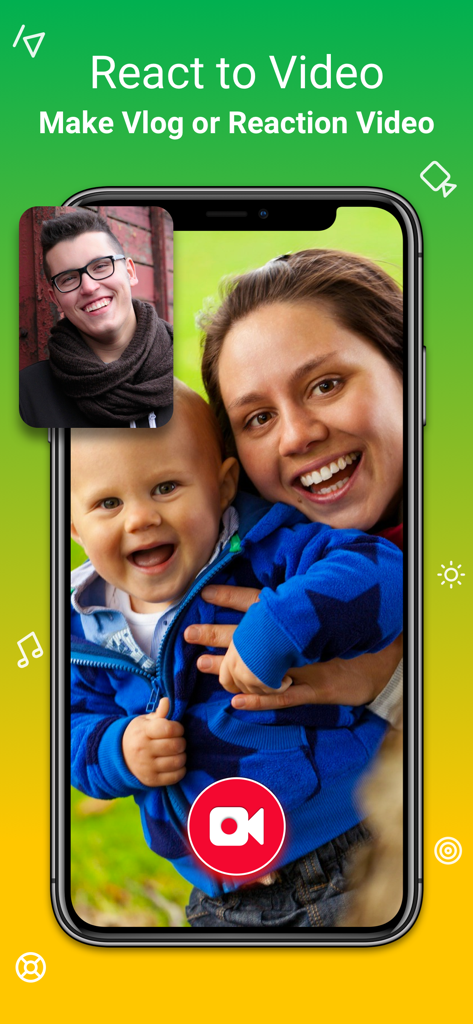
リアクションカムアプリの家族向け動画の上にFaceCamリアクション動画オーバーレイが表示されているスマートフォンの画面

リアクションカムアプリの家族向け動画の上にFaceCamリアクション動画オーバーレイが表示されているスマートフォンの画面

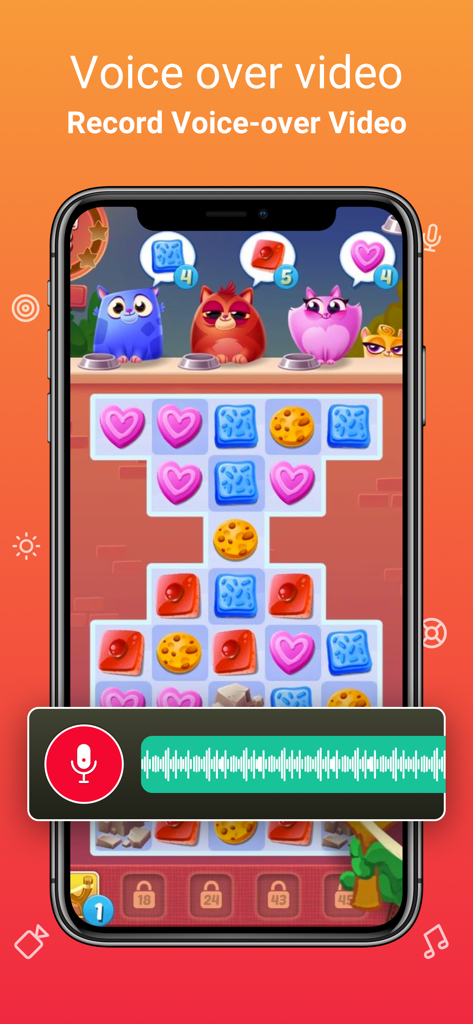
リアクションカムアプリを使用してモバイルゲーム動画のボイスオーバーを録音している様子。

リアクションカムアプリを使用してモバイルゲーム動画のボイスオーバーを録音している様子。

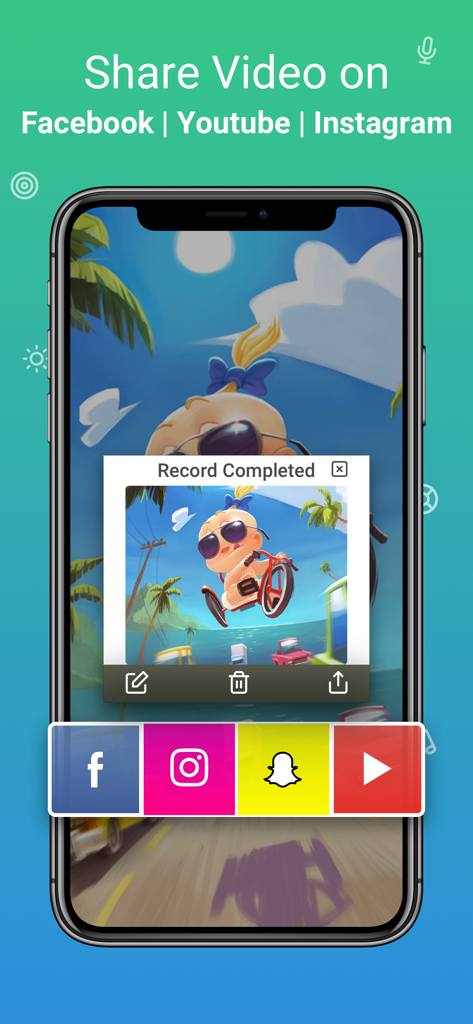
完了した録画と、Facebook Instagram Snapchat YouTubeへの共有オプションが表示されているリアクションカムアプリのインターフェース

完了した録画と、Facebook Instagram Snapchat YouTubeへの共有オプションが表示されているリアクションカムアプリのインターフェース

携帯電話からクリエイターキャリアをスタート

このアプリを際立たせるツール、 1K+ 人のユーザーが選択.

🤳

インスタントFaceCamオーバーレイ

顔と画面を同時に録画して、YouTubeやTikTokのファンとつながる本物のリアクションを捉えましょう。

🎙️

スタジオ品質のナレーション

クリアなボイスオーバーを追加し、オーディオレベルを完璧に調整して、洗練されたプロフェッショナルなインフルエンサーサウンドを実現しましょう。

✂️

ワンタップソーシャル最適化

水平YouTube動画から垂直ReelsやTikTokへ瞬時に移動できるよう、キャンバスをトリミング、フィルタリング、リサイズしましょう。

アプリについて

について知っておくべきこと Reaction Cam Vlog Video Maker.

説明

** Top Reaction Cam & vlog video maker app on app store. ** The Reaction Cam App allows you to create your own Vlogs, youtube reaction video, App tutorial, Video Game explainer video. Commentary features allows record voice to create reaction video which enhance your video recording project. REACTION VIDEO MAKER FOR YOUTUBE • Add FaceCam Reactions to your recordings • React on youtube video & publish it on social media AUDIO COMMENTARY • Record & add voice to video • Adjust proper volume EDIT EDITOR • Add video filter • Trim your video • Change canvas • Rotate video SHARE • Share directly on YouTube, facebook or anywhere • Save directly to camera roll # Subscription Information: Reaction Cam contains 1 Month & yearly Pro Subscription with 3 days free trial. * Your subscription will automatically start after the 3 days free trial & automatically renew unless auto-renew is turned off at least 24-hours before the end of the current period * You can cancel subscription anytime cancelling your subscription through your iTunes account settings. This must be done 24 hours before the end of subscription period to avoid being charged. The cancellation will take effect the day after the last day of the current subscription period, and you will be downgraded to the free service. * Payment will be charged to your iTunes Account at confirmation of purchase * Your account will be charged for renewal within 24-hours prior to the end of the current period and the cost will be identified. * Subscriptions may be managed by the user and auto-renewal may be turned off by going to the user’s Account Settings after purchase EULA: https://sites.google.com/view/kinggamesstudio/privacy-tos/reaction-cam-tos Privacy Policy: https://sites.google.com/view/kinggamesstudio/privacy-tos/reaction-cam-privacy-policy ◉ Support: For any recommendations, general ideas and arising faults please don’t hesitate to email us at kinggamesstudio.com@gmail.com Or reach us on Facebook to get immediate support Facebook : https://www.facebook.com/kingappsstudio/ We will constantly keep "Reaction Cam App" updated for our users by adding new features & fixing bugs, so please write your review by rating us, it will help us to improve the Reaction Cam App.

最新バージョン

2.0

サイズ

39.3 MB

リリース日

2020年4月2日

今日からクリエイターとしての旅を始めましょう

次世代のVLOGGERに参加しましょう。リアクションカムをダウンロードして、携帯電話から録画、リアクション、バイラルヒットを生み出しましょう。

ダウンロード: App Store

App information, icons, screenshots, and descriptions displayed on this page are sourced from the Apple App Store and are the property of their respective developers. Download estimates and rankings are based on MWM's proprietary models and may not reflect actual figures. This page is provided for informational and analytical purposes only.

Believe this page infringes your intellectual property? File a dispute