Reciprocity Timer

Reciprocity Timer

ダウンロード: App Store
ロゴ: Reciprocity Timer

Reciprocity Timer:アナログ写真家向けの精密長露光

reciprocity failure(順応遅延)の推測作業から解放されましょう。iPhoneとApple Watchでプログレードの精度で露光を計算、タイマー設定、記録しましょう。

開発元

Pump Interactive

カテゴリ

Photo & Video

ダウンロード

160K+

ユーザー評価

2.7/5

評価数

100

対応言語

1

すべてのフレームに精度を

このインターフェースを利用する 160K+ 人のユーザー.

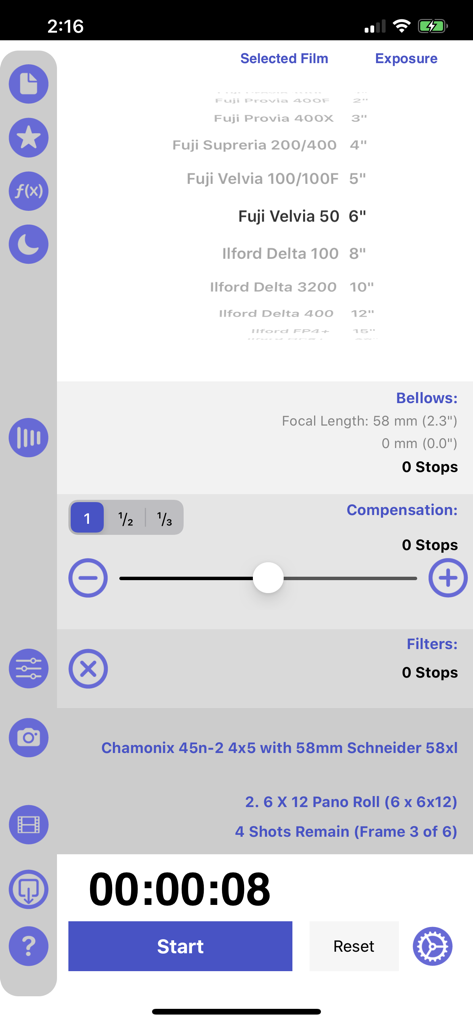
Reciprocity Timerアプリのインターフェース。フィルム選択、ベローズ補正、長露光タイマーが表示されています。

Reciprocity Timerアプリのインターフェース。フィルム選択、ベローズ補正、長露光タイマーが表示されています。

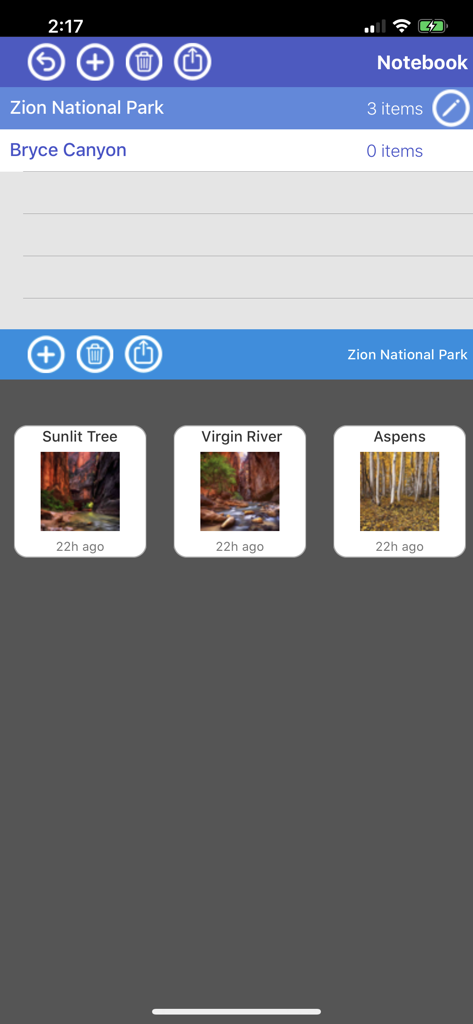
Reciprocity Timerアプリのノートブック画面。ザイオン国立公園とブライスキャニオンの写真エントリーが整理されています。

Reciprocity Timerアプリのノートブック画面。ザイオン国立公園とブライスキャニオンの写真エントリーが整理されています。

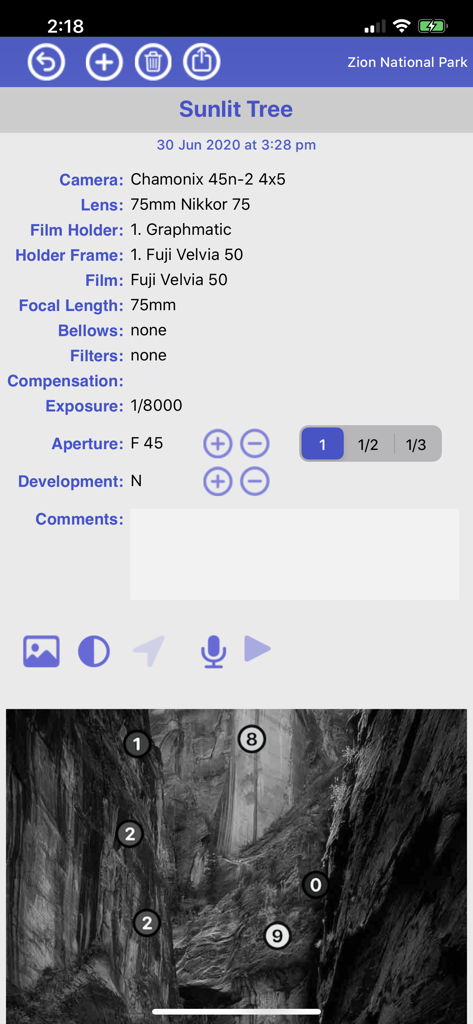
Reciprocity Timerアプリのフィルム写真の詳細ログ。カメラ設定とZone Systemのマッピングが風景画像に表示されています。

Reciprocity Timerアプリのフィルム写真の詳細ログ。カメラ設定とZone Systemのマッピングが風景画像に表示されています。

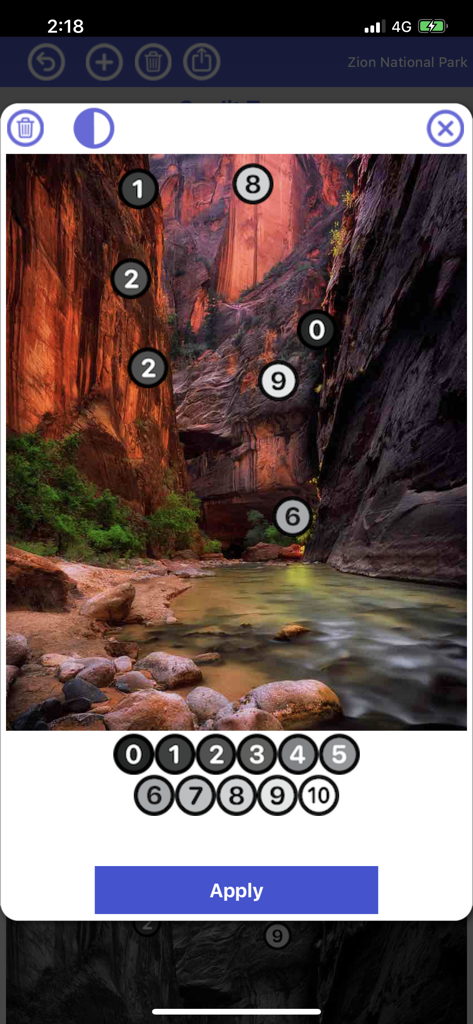
Reciprocity Timerアプリのインターフェース。ザイオン国立公園の風景写真にトーンゾーンマーカーが表示されたZone Systemエディタが表示されています。

Reciprocity Timerアプリのインターフェース。ザイオン国立公園の風景写真にトーンゾーンマーカーが表示されたZone Systemエディタが表示されています。

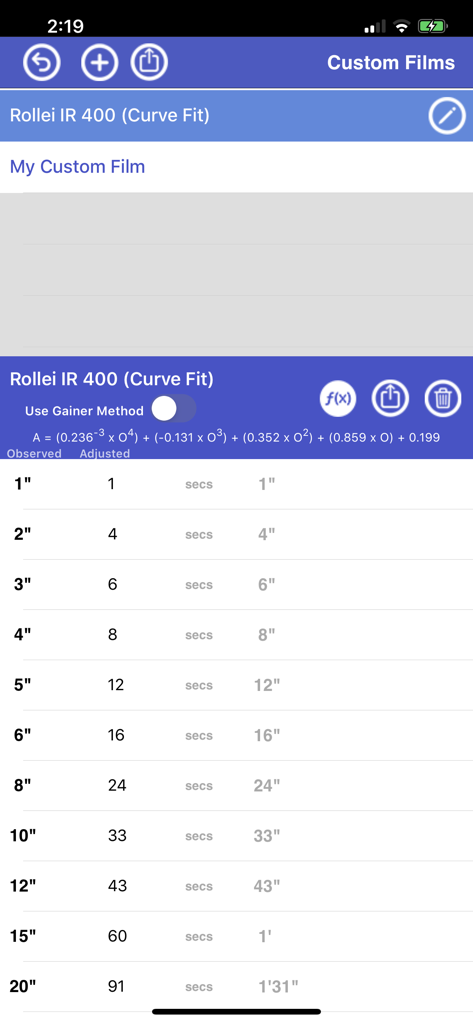
Reciprocity Timerアプリのインターフェース。Rollei IR 400のカスタムフィルム露光調整テーブルが表示されています。

Reciprocity Timerアプリのインターフェース。Rollei IR 400のカスタムフィルム露光調整テーブルが表示されています。

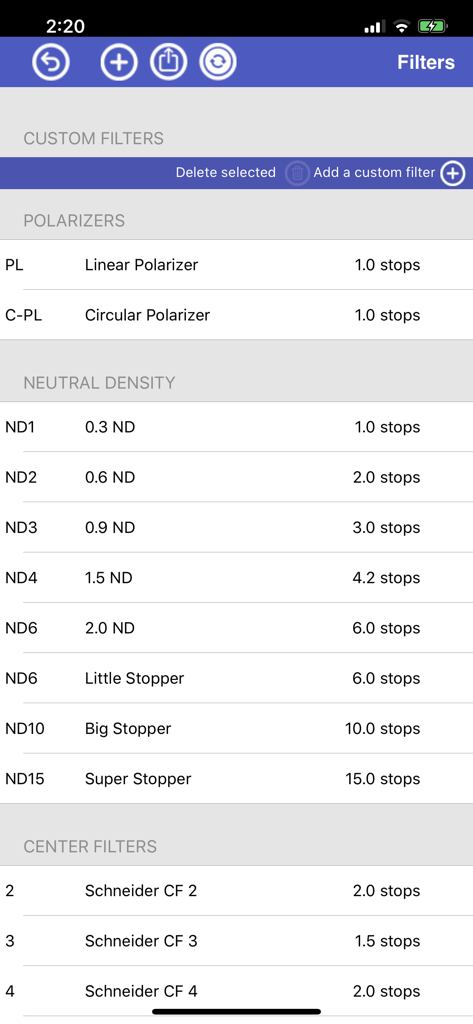
Reciprocity Timerアプリのメニュー。減光フィルター(ND)や偏光フィルターなど、露光段数値を含むカメラフィルターのリストが表示されています。

Reciprocity Timerアプリのメニュー。減光フィルター(ND)や偏光フィルターなど、露光段数値を含むカメラフィルターのリストが表示されています。

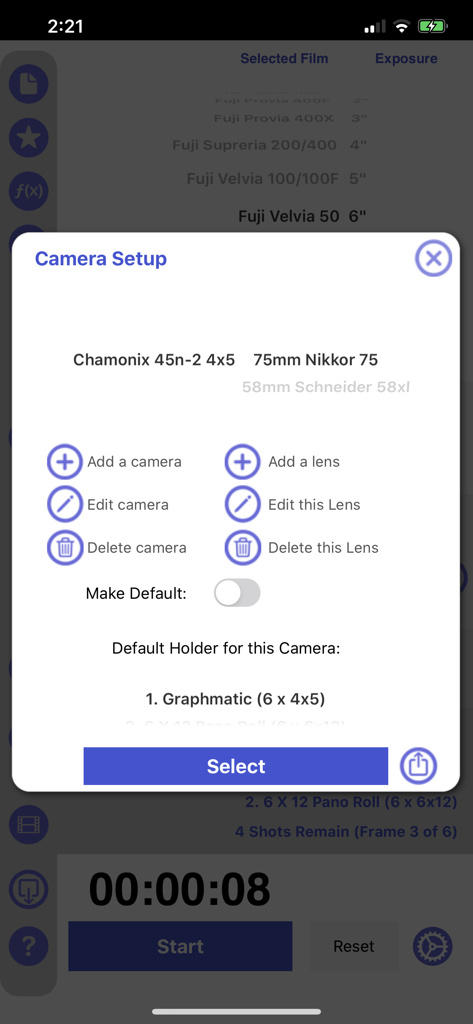
Reciprocity Timerモバイルアプリ内のカメラとレンズのセットアップインターフェース。

Reciprocity Timerモバイルアプリ内のカメラとレンズのセットアップインターフェース。

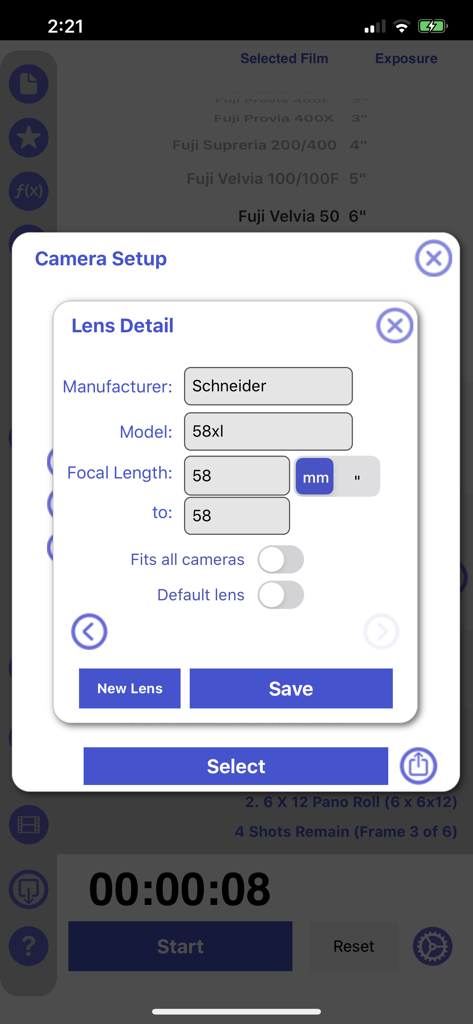
Reciprocity Timerアプリ内のカメラレンズの詳細およびセットアップ画面。

Reciprocity Timerアプリ内のカメラレンズの詳細およびセットアップ画面。

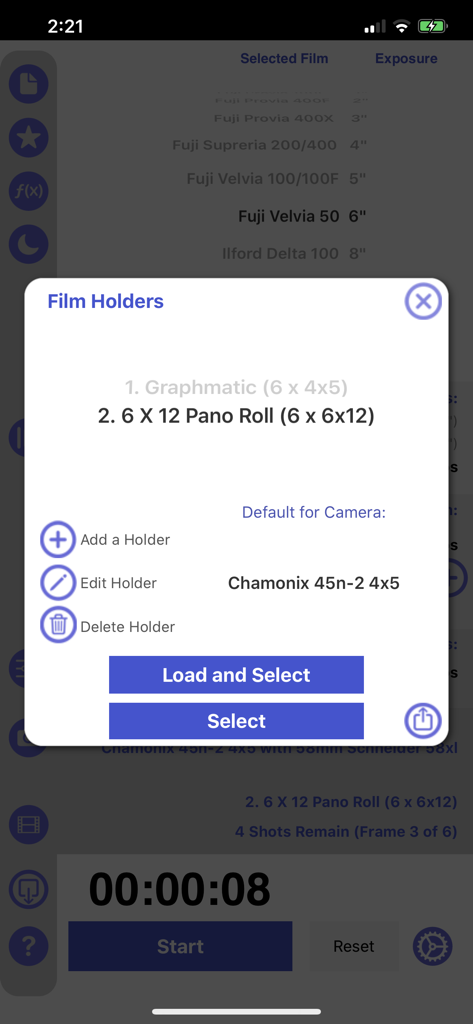
Reciprocity Timerアプリのフィルムホルダー管理インターフェース。

Reciprocity Timerアプリのフィルムホルダー管理インターフェース。

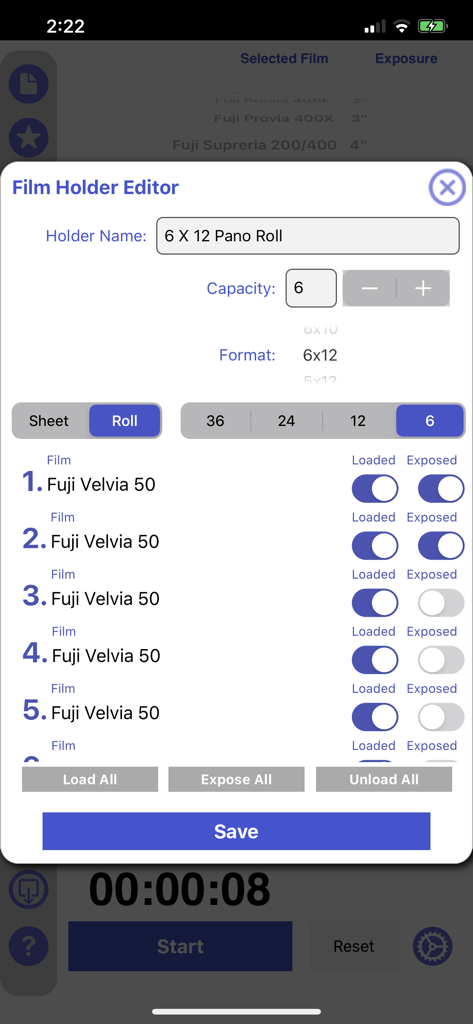
Reciprocity Timerアプリのインターフェース。Fuji Velvia 50フィルムストックのステータスを追跡するためのフィルムホルダーエディタ画面が表示されています。

Reciprocity Timerアプリのインターフェース。Fuji Velvia 50フィルムストックのステータスを追跡するためのフィルムホルダーエディタ画面が表示されています。

すべてのフレームをマスターする

このアプリを際立たせるツール、 160K+ 人のユーザーが選択.

⚖️

精密なReciprocity計算

長露光および低照度セッション中に、Kodak、Ilford、Fujifilmフィルムストックの即時補正で露光失敗を回避しましょう。

Apple Watchコンパニオン

シーンに集中し続けましょう。携帯電話を操作することなく、手首から直接長露光を監視およびタイマー設定しましょう。

📂

プログレードの機材管理

フィルムホルダー、Zone System、カスタムフィルターセットのための統合データベースであなたの技術を整理し、真にプロフェッショナルなワークフローを実現しましょう。

アプリについて

について知っておくべきこと Reciprocity Timer.

説明

Manage your film photography from start to finish!  Reciprocity Timer has 2 Version - the "Standard" Version does NOT include advanced features but can be used to calculate reciprocity on a range of common films. The "Pro" Version is available for an additional $9.99 USD (via in-app-purchase) unlocks a range of advanced features. The initial purchase price allows you to calculate reciprocity for all the films included by selecting an observed exposure time. This $1.99 US non-pro version is suitable for people who just need to calculate an exposure that includes reciprocity adjustments for commonly used films. It will suit many users who don't require or need to upgrade to the pro version for features like note keeping or a camera database etc. It's most suitable if you are new to film. More advanced film users and photographers may want to pay to upgrade after their initial purchase to the pro version. If you use a pro-feature you'll be prompted to upgrade for an additional $9.99 US. This will unlock all the additional features including the Zone Editor, Note, Camera and Film Holder database as well as custom films and filters. There is no need to upgrade if you just want to calculate and time reciprocity for a particular film and you always use the same camera. The app includes in-app purchase to unlock pro features including a note-keeping feature, the ability to add custom films and the ability to select often used film stock as favorites. Once you upgrade then the one app does it all - notes, filters, exposure calculations, custom films, zone system editor, film holder management as well as the reciprocity math! A comprehensive film reciprocity calculator for photographers. Select a film type and metered exposure time - the calculator will provide a reciprocity compensated exposure time. The app includes an exposure timer so you can time your long exposures. You can also use a slider to adjust exposure when you have filters attached. The app supports a wide range of film stocks and allows the user to add various common exposure filters such as NDs and Polarizers. Keep detailed notes and share them. Share your adjusted exposure times with colleagues. This app makes film photography a breeze. You may need to setup Reciprocity Timer in Settings -> Notification Center to ensure the app's timer can notify you when exposures are ending and your device is asleep. Watch companion app now included. To install the app use the Apple Watch App on your phone. Ensure your watch and phone are paired an unlocked and scroll down the list of available apps to Reciprocity Timer. Select Install. You can also turn on "Automatically Install Apps".

最新バージョン

3.99

サイズ

27.5 MB

リリース日

2011年8月31日

光をマスターし、フィルムをマスターせよ。

チャートは捨てて、あなたの技術に集中しましょう。Reciprocity Timerを精密な長露光と完璧なアナログ結果のために信頼する16万人以上の写真家コミュニティに参加しましょう。

ダウンロード: App Store

App information, icons, screenshots, and descriptions displayed on this page are sourced from the Apple App Store and are the property of their respective developers. Download estimates and rankings are based on MWM's proprietary models and may not reflect actual figures. This page is provided for informational and analytical purposes only.

Believe this page infringes your intellectual property? File a dispute