RemotePC Remote Desktop

RemotePC Remote Desktop


ダウンロード: App Store
ロゴ: RemotePC Remote Desktop

RemotePC Remote Desktop:ポケットに入るデスクトップクラスのパフォーマンス

60 FPSの超高速4KストリーミングでPCまたはMacにアクセスできます。ファイル転送からリモート印刷まで、プロフェッショナル向けの最も強力なリモートアクセスツールで、どこにいても生産性を維持できます。

ダウンロード: App Store

開発元

IDrive Incorporated

カテゴリ

Productivity

ダウンロード

148K+

ユーザー評価

4.6/5

評価数

3K+

対応言語

30

あなたのワークスペースを解き放つ

このインターフェースを利用する 148K+ 人のユーザー.

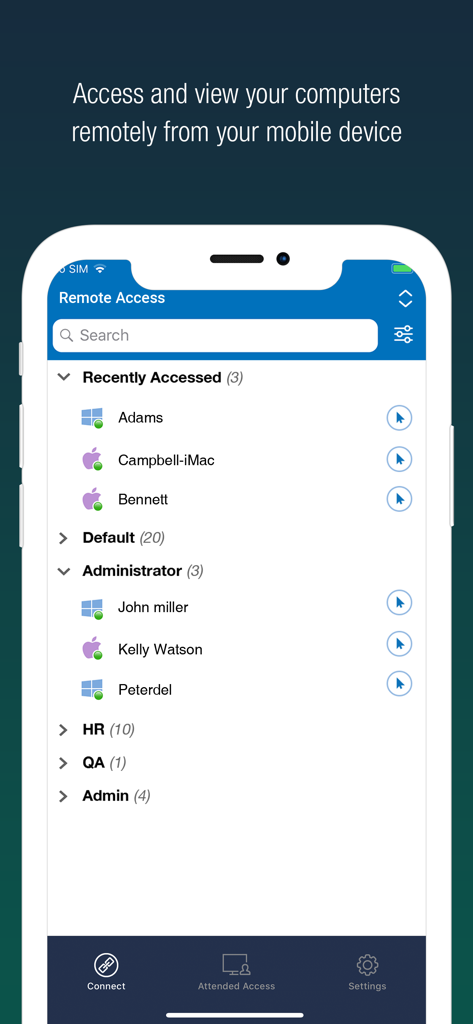
RemotePCモバイルアプリに、クイックアクセスのためにグループ化されたリモートコンピュータのリストを表示

RemotePCモバイルアプリに、クイックアクセスのためにグループ化されたリモートコンピュータのリストを表示

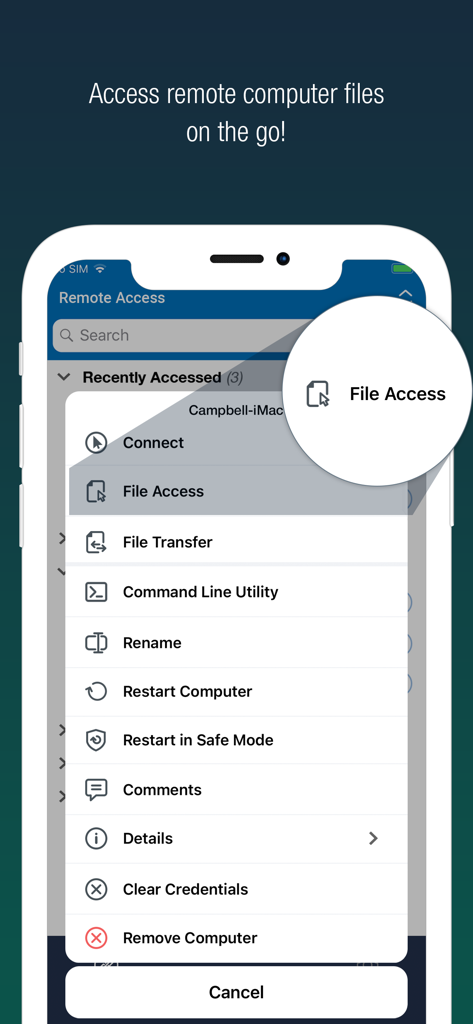
RemotePCモバイルアプリのインターフェースに、ファイルアクセスオプションが強調表示されたリモート管理ツールのリストを表示

RemotePCモバイルアプリのインターフェースに、ファイルアクセスオプションが強調表示されたリモート管理ツールのリストを表示

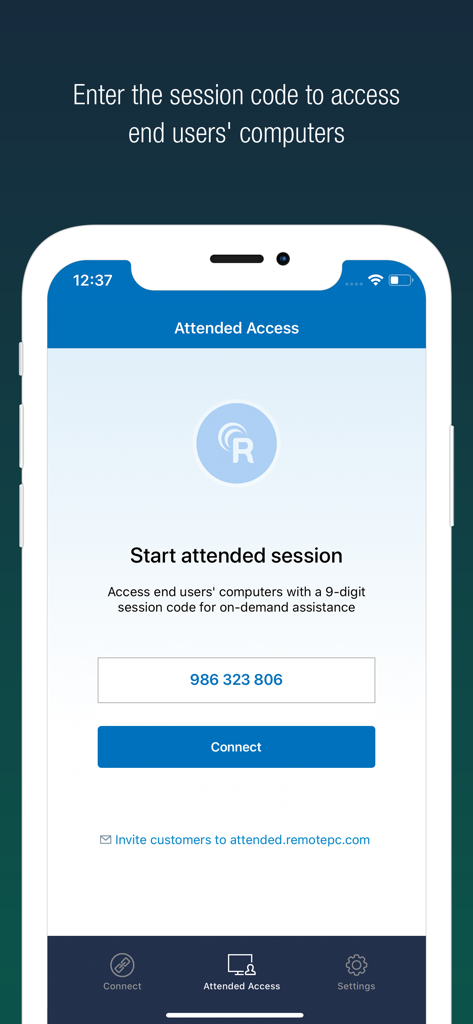
RemotePCモバイルアプリのインターフェースに、リモートアシスタンスのために9桁のセッションコードを入力するためのAttended Access画面を表示

RemotePCモバイルアプリのインターフェースに、リモートアシスタンスのために9桁のセッションコードを入力するためのAttended Access画面を表示

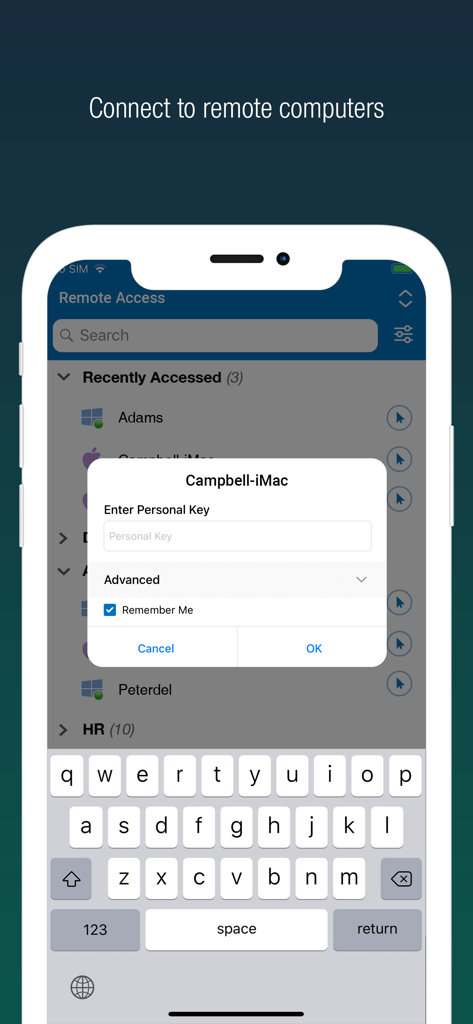
スマートフォンでRemotePC Remote Desktopのセキュアログインインターフェースを表示。リモートコンピュータのリストと個人キーのプロンプトを表示

スマートフォンでRemotePC Remote Desktopのセキュアログインインターフェースを表示。リモートコンピュータのリストと個人キーのプロンプトを表示

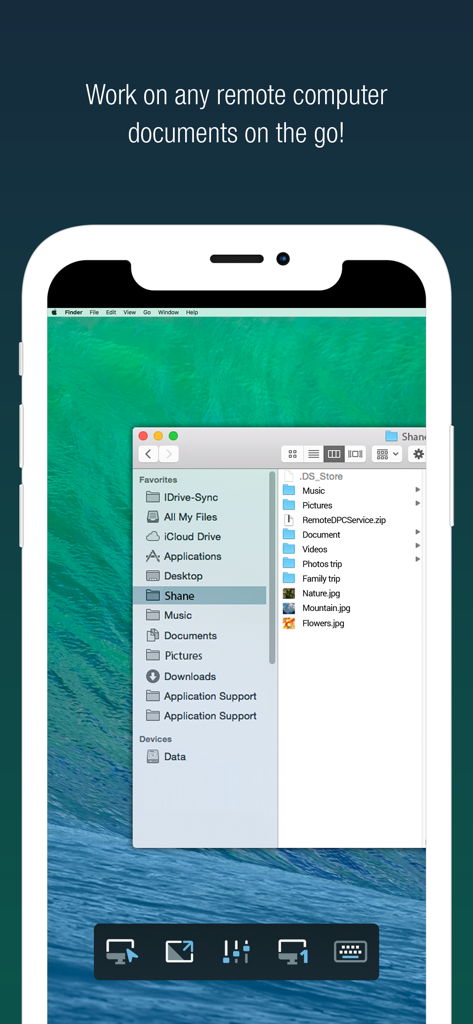
iPhone上のRemotePCアプリに、リモートMacデスクトップと開いたファイルフォルダを表示

iPhone上のRemotePCアプリに、リモートMacデスクトップと開いたファイルフォルダを表示

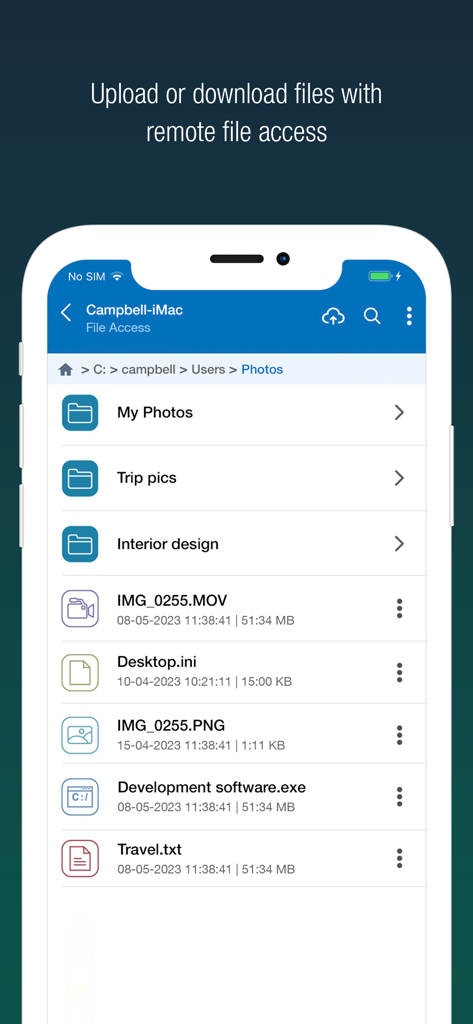
RemotePCモバイルアプリのインターフェースに、リモートファイルアクセスおよび管理オプションを表示

RemotePCモバイルアプリのインターフェースに、リモートファイルアクセスおよび管理オプションを表示

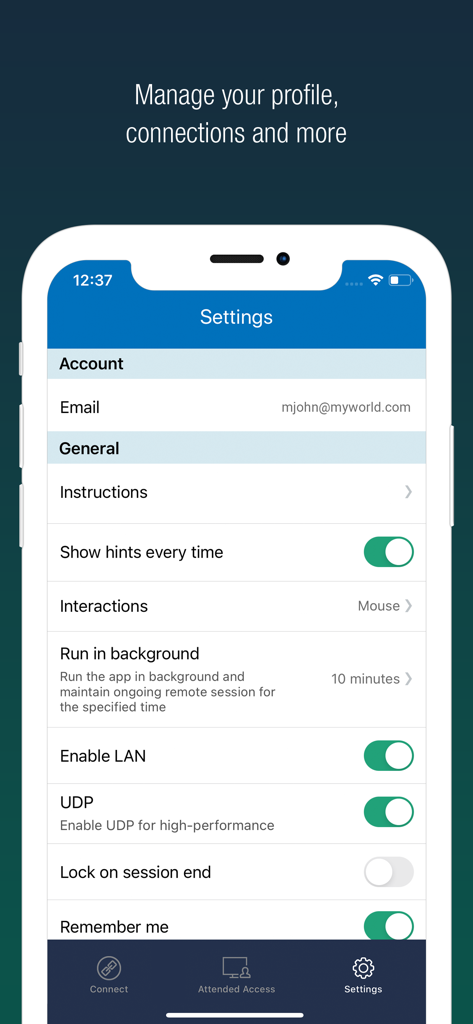
iPhone上のRemotePCアプリの設定インターフェースに、パフォーマンスとプロファイルオプションを表示

iPhone上のRemotePCアプリの設定インターフェースに、パフォーマンスとプロファイルオプションを表示

デスクトップパフォーマンス、モバイルの自由

このアプリを際立たせるツール、 148K+ 人のユーザーが選択.

プログレードの4Kパフォーマンス

60 FPSストリーミングと4K品質により、遅延ゼロで作業できます。ビデオ編集、デザイン、ハイエンドゲームに最適です。

📁

シームレスなワークフロー統合

ファイルを即座に転送し、ローカルプリンターにドキュメントを印刷し、組み込みのホワイトボードツールを使用してリアルタイムで共同作業します。

🛡️

エンタープライズクラスのセキュリティ

「Blank Host Screen」モード、リモートシステムロック、多要素認証により、どこにいてもプライベートに作業できます。

🎦

リモート印刷とホワイトボード

どこからでもプリンターに接続し、リアルタイムでブレインストーミングし、チームのアイデアを共有します。

アプリについて

について知っておくべきこと RemotePC Remote Desktop.

説明

Access remote computers anytime by installing the RemotePC application on your iOS devices. Connect to your office or home computers from anywhere with a speed of 60 FPS and 4K quality. Access files, folders, emails, and software applications on remote machines, whether it's after-hours or while on the go. Features: • Instant remote computer access, provided there is an active internet connection and RemotePC application installed on it •. Connect to multiple remote computers at the same time and manage each session independently. • Provides efficient team work with friends or colleagues by accessing their remote computers to work on presentations, documents, view/edit media files, etc. • Access PCs and MACs using your iOS devices. • Enhanced performance and low latency • Cross-platform compatibility • 60 FPS speed allowing 4K quality  • Faster remote streaming for gamers Functionalities: • Transfer files via your iOS devices and computers with/without remote session. • Access files/folders on remote computers from your iOS device. • Perform search, upload, and download operations on files while accessing them on remote computers. • Enable inactivity timeout to retain remote session running in the background for the specified time. • Lock the remote system via your iOS device. • Configure the display quality and speed of the remote session. • Modify the screen resolution of the remote display • Record remote sessions while accessing via iOS devices. • Control clipboard actions (copy and paste) from your iOS devices. • Access and manage logged off and locked devices remotely. • Remote printing of documents and images using a local printer. • Chat with the recipients for effective communication. • Enable ‘Trusted Devices’ for enhanced security of your RemotePC account. • Enable ‘Blank Host Screen’ to work privately on your remote device by turning the screen blank. • View multiple monitors at the same time for Enterprise accounts. • Restart your remote system via the iOS device in a safe mode. • Collaborate effectively by using Whiteboard to draw on the remote screen. • Multiple users can simultaneously access and work on a single remote machine. • Multitask during remote sessions by opening multiple iPad apps simultaneously

最新バージョン

8.9.0

サイズ

42.0 MB

リリース日

2010年12月1日

どこからでもデスクトップを操作

外出先での4Kパフォーマンスと完全なセキュリティを要求する148,000人以上のパワーユーザーに参加しましょう。今日、iOSデバイス用のRemotePCを入手してください。

ダウンロード: App Store

App information, icons, screenshots, and descriptions displayed on this page are sourced from the Apple App Store and are the property of their respective developers. Download estimates and rankings are based on MWM's proprietary models and may not reflect actual figures. This page is provided for informational and analytical purposes only.

Believe this page infringes your intellectual property? File a dispute