Screenshot To PDF

Screenshot To PDF

ダウンロード: App Store
ロゴ: Screenshot To PDF

Screenshot To PDF: 画像を安全にプロフェッショナルPDFに変換

写真を整理されたドキュメントに変換する、最速で透かしのない方法。サイズ制限なし、クラウドアップロードなし—学生やプロフェッショナル向けの安全でオフラインな変換機能のみです。

ダウンロード: App Store

開発元

Riadh Daoued

カテゴリ

Photo & Video

ダウンロード

200

ユーザー評価

1.0/5

評価数

0

対応言語

1

内部を垣間見る

このインターフェースを利用する 200 人のユーザー.

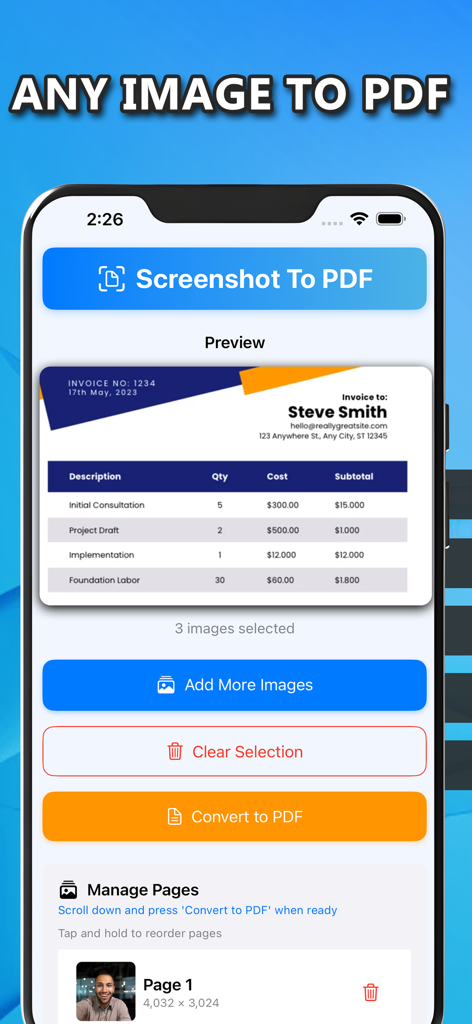
請求書のプレビューと画像追加またはPDFへの変換ボタンを示すモバイルアプリインターフェイス。

請求書のプレビューと画像追加またはPDFへの変換ボタンを示すモバイルアプリインターフェイス。

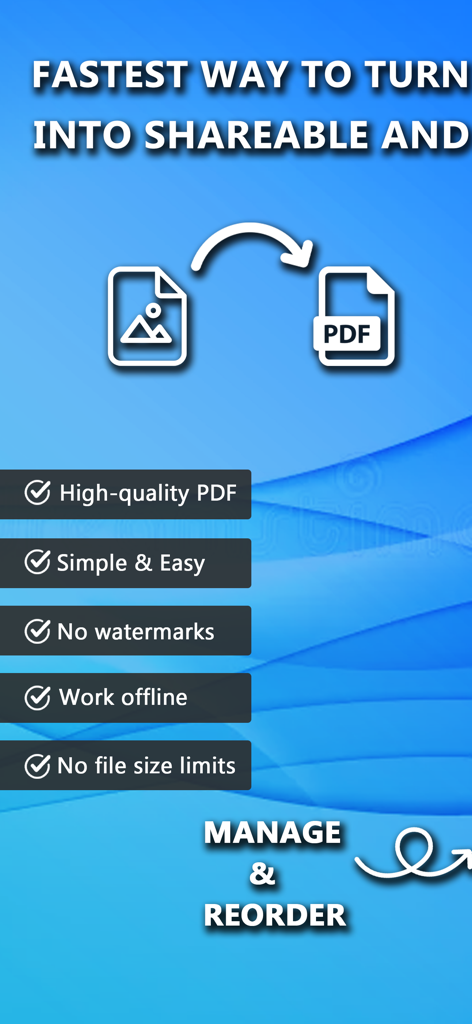
オフライン作業や透かしなしなどの主要機能を強調するScreenshot To PDFアプリのプロモーション画面

オフライン作業や透かしなしなどの主要機能を強調するScreenshot To PDFアプリのプロモーション画面

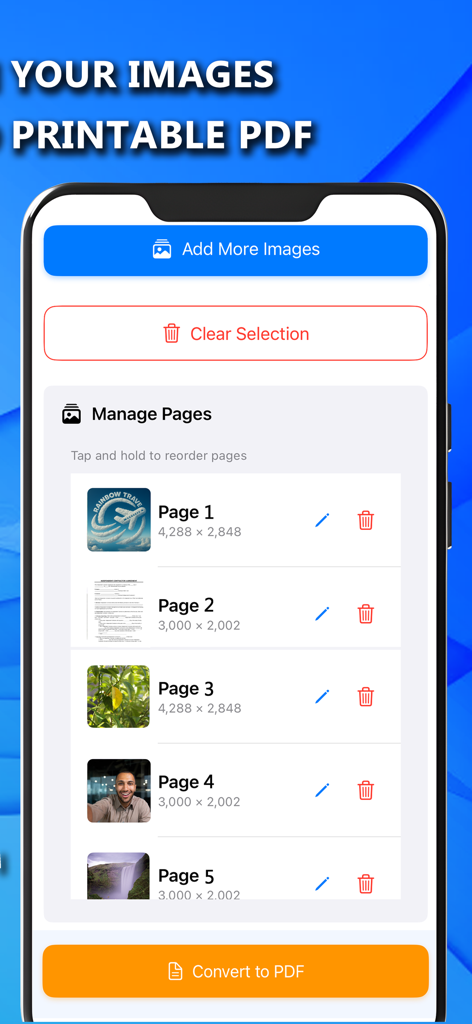
PDFに変換する前に、ページを並べ替え、編集、または削除するオプションとともに選択された画像のリストを示すモバイルアプリ画面

PDFに変換する前に、ページを並べ替え、編集、または削除するオプションとともに選択された画像のリストを示すモバイルアプリ画面

ペーパーレス化に必要なすべて

このアプリを際立たせるツール、 200 人のユーザーが選択.

🔒

プライベートなオフライン変換

機密性の高いIDやドキュメントをすべてデバイス上で処理します。インターネットは不要で、データが携帯電話を離れることはありません。完全なプライバシーを保証します。

📄

透かしや制限なし

迷惑な透かしやファイルサイズの制限なしで、クリーンで高品質なPDFを生成します。プロフェッショナルな請求書や学術提出物に最適です。

高速マルチページ結合

複数の画像を1つの整理されたPDFに素早く結合します。講義ノートをまとめる場合でも、旅行の領収書を整理する場合でも、時間を節約できます。

アプリについて

について知っておくべきこと Screenshot To PDF.

説明

Screenshot To PDF is the fastest way to turn your images into shareable and printable PDF documents. Whether you're a student, professional, or traveler, this app helps you stay organized and productive by transforming your images into neat, single or multi-page PDFs. Turn your images into high-quality PDF documents with ease! Screenshot To PDF Converter is a fast, secure, and offline tool. Why Use Screenshot To PDF Converter? - No watermarks: Get clean, professional PDF files. - No file size limits – Convert images without restrictions. - Lightweight & Fast – Designed for efficiency without compromising quality. - Completely Private – All conversions happen on your device, keeping your files secure. Use Cases: - Personal Documents: Digitize and store your ID, passport, insurance card, or birth certificate securely. - For Students: Combine notes, diagrams, or assignments into a single PDF for exams and submissions. - Professional Use: Save and send invoices, contracts, meeting notes, or receipts in organized PDF format. - Travel Essentials: Keep your flight tickets, hotel bookings, visas, and other travel documents in one PDF. - Applications & Forms: Take photos of official forms, certificates, or tax documents and convert them into shareable PDFs. - Creative Projects: Turn your artwork, collages, or photo collections into portable PDF files.

最新バージョン

1.0

サイズ

4.3 MB

リリース日

2025年4月29日

今すぐ画像をプロフェッショナルPDFに変換しよう

スピードとプライバシーを選ぶ学生やプロフェッショナルに加わりましょう。当社の100%オフラインで安全なコンバーターで、透かしなしの高品質ドキュメントを入手しましょう。

ダウンロード: App Store

App information, icons, screenshots, and descriptions displayed on this page are sourced from the Apple App Store and are the property of their respective developers. Download estimates and rankings are based on MWM's proprietary models and may not reflect actual figures. This page is provided for informational and analytical purposes only.

Believe this page infringes your intellectual property? File a dispute