Secure Notepad

Secure Notepad

ダウンロード: App Store
ロゴ: Secure Notepad

Secure Notepad:最も機密性の高い情報を保管するプライベート保管庫

パスワード、連絡先、個人的なメモを覗き見から隠しておきましょう。プライバシーのために設計された、クリーンで広告なしの環境で、Face IDとTouch IDによるシームレスな保護を体験してください。

ダウンロード: App Store

開発元

Dmytro Vynokurov

カテゴリ

Productivity

ダウンロード

400K+

ユーザー評価

4.7/5

評価数

17K+

対応言語

1

あなたのプライバシーに焦点を当てる

このインターフェースを利用する 400K+ 人のユーザー.

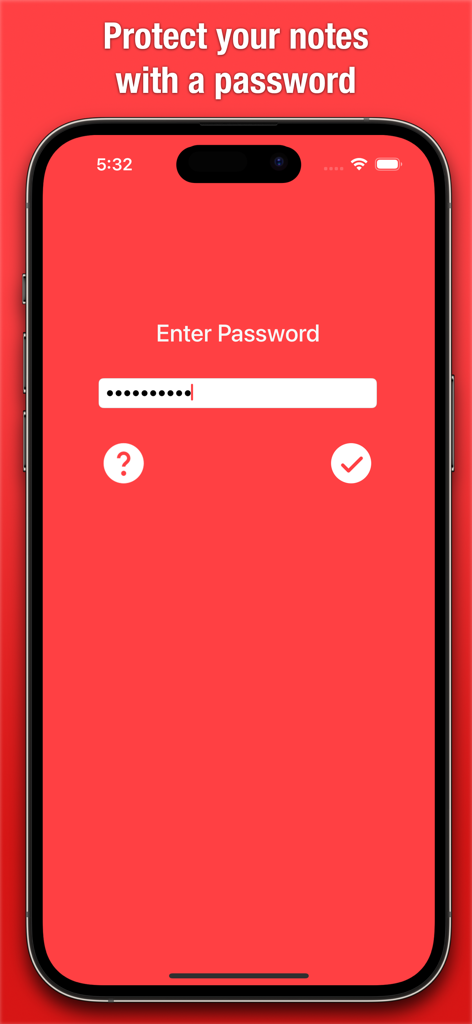
Secure Notepadアプリのパスワード入力画面、ミニマリストな赤いインターフェース。

Secure Notepadアプリのパスワード入力画面、ミニマリストな赤いインターフェース。

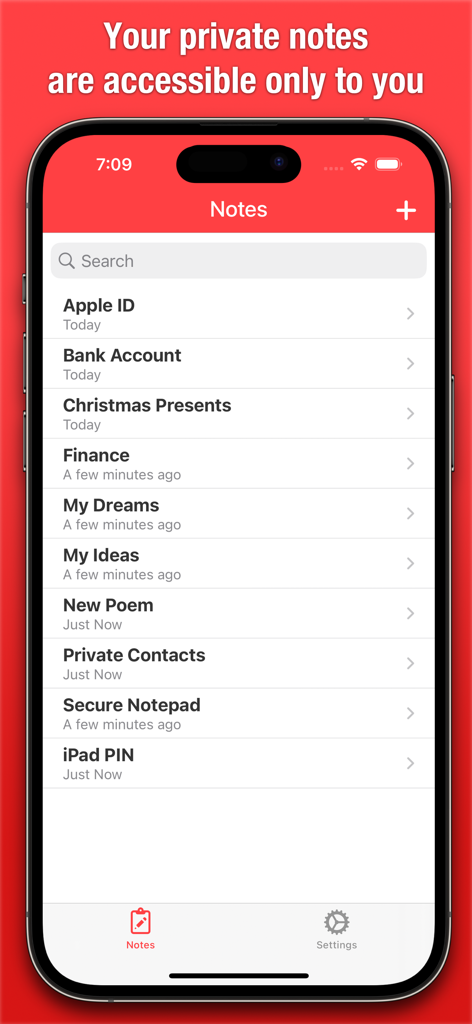
Secure Notepadアプリのインターフェース、パスワードや財務情報を含むプライベートノートのリストを表示。

Secure Notepadアプリのインターフェース、パスワードや財務情報を含むプライベートノートのリストを表示。

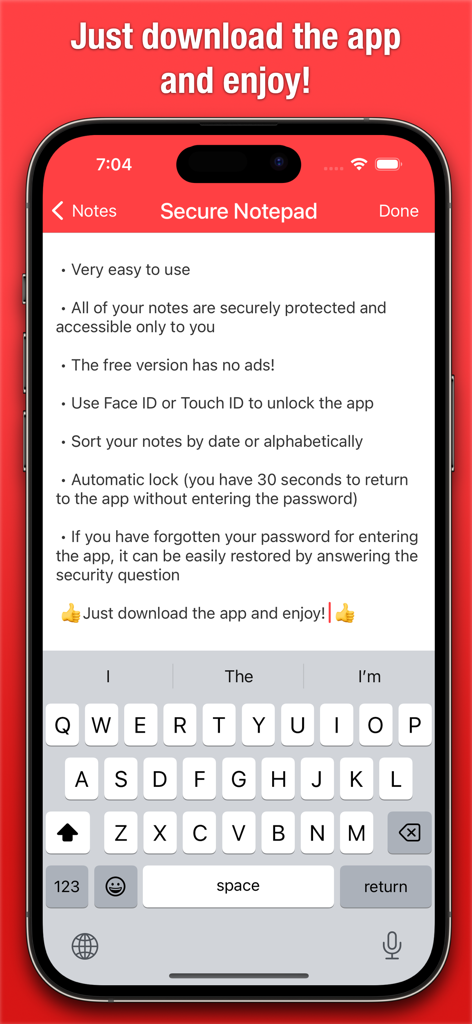
iPhone上のSecure Notepadアプリのインターフェース、プライバシー機能と生体認証ログインオプションをリスト表示。

iPhone上のSecure Notepadアプリのインターフェース、プライバシー機能と生体認証ログインオプションをリスト表示。

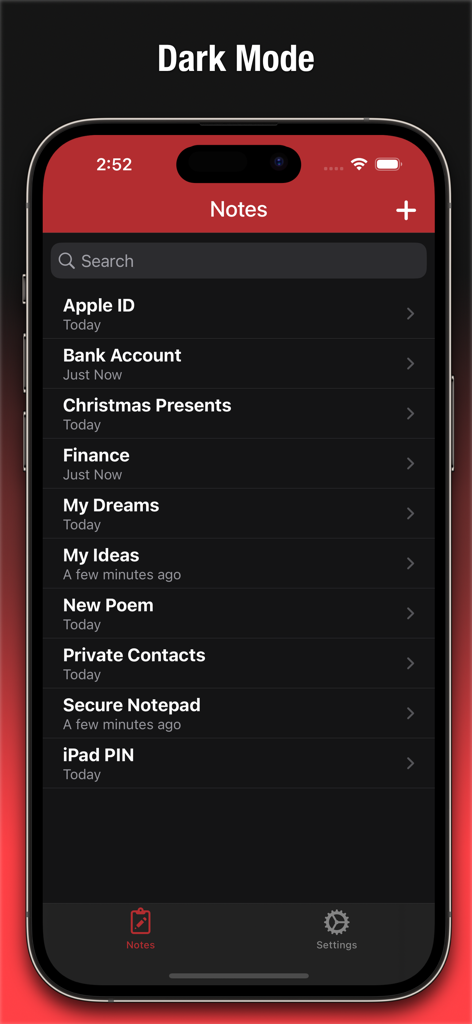
Secure Notepadアプリのメイン画面、ダークモードでプライベートノートのリストを表示。

Secure Notepadアプリのメイン画面、ダークモードでプライベートノートのリストを表示。

Secure Notepadアプリの共有機能を示すインターフェース。

Secure Notepadアプリの共有機能を示すインターフェース。

Secure Notepadアプリの設定画面、セキュリティとプライバシーオプションを表示。

Secure Notepadアプリの設定画面、セキュリティとプライバシーオプションを表示。

Secure Notepadアプリの検索機能、ノートやパスワードを検索。

Secure Notepadアプリの検索機能、ノートやパスワードを検索。

Secure Notepadアプリのバックアップ機能、データの安全性を確保。

Secure Notepadアプリのバックアップ機能、データの安全性を確保。

Secure Notepadアプリの同期機能、複数のデバイス間でノートを同期。

Secure Notepadアプリの同期機能、複数のデバイス間でノートを同期。

Secure Notepadアプリの新規ノート作成画面。

Secure Notepadアプリの新規ノート作成画面。

あなたのプライベートデジタル保管庫

このアプリを際立たせるツール、 400K+ 人のユーザーが選択.

🆔

瞬時の生体認証アクセス

Face IDまたはTouch IDを使用して、瞬時に秘密にアクセスしましょう。毎回手動でパスワードを入力する手間なく、プロレベルのセキュリティを手に入れましょう。

広告なしの生産性

クリーンでミニマリストな環境で、重要なことに集中しましょう。他のアプリとは異なり、無料版にはワークフローを妨げるような広告は一切含まれていません。

🔒

スマート自動ロックプライバシー

自信を持ってアプリを切り替えましょう。30秒の非アクティブ状態の後、保管庫は自動的に再ロックされ、プライベートな情報が覗き見から隠されます。

アプリについて

について知っておくべきこと Secure Notepad.

説明

This app will let you save personal notes, contacts, and passwords as well as any other personal or secret information which will be hidden from strangers' eyes and securely protected by a password. The free version has no ads! Another great feature of Secure Notepad is its simplicity and ease of use. The app has a clean and user-friendly interface, allowing you to quickly and easily create and edit notes. If you have forgotten your password for entering the app, it can be easily restored by answering the security question. Key features: • Very easy to use. • All of your notes are securely protected and accessible only to you. • Use Face ID or Touch ID to unlock the app. • Sort your notes by date or alphabetically. • Automatic lock (you have 30 seconds to return to the app without entering the password). • Restore password by answering the security question. • Ability to recover recently deleted notes. Whether you're taking notes in class, brainstorming ideas for a project, or just jotting down your thoughts, Secure Notepad is a great choice for keeping your information secure and organized. With its strong password protection and advanced security features, you can be sure that your notes will always be safe and secure.

最新バージョン

3.5.1

サイズ

2.7 MB

リリース日

2013年9月25日

今すぐプライバシーを管理しましょう

40万人以上のプロフェッショナルや学生が、Secure Notepadを広告なしの生体認証保護ストレージとして信頼しています。あなたの秘密は安全です。

ダウンロード: App Store

App information, icons, screenshots, and descriptions displayed on this page are sourced from the Apple App Store and are the property of their respective developers. Download estimates and rankings are based on MWM's proprietary models and may not reflect actual figures. This page is provided for informational and analytical purposes only.

Believe this page infringes your intellectual property? File a dispute