SetMyCameraDF

SetMyCameraDF

ダウンロード: App Store
ロゴ: SetMyCameraDF

SetMyCameraDF:あらゆるショットの技術的な精度をマスターする

熱心な写真家向けの究極のフィールドアシスタント。DSLR、ミラーレス、フィルムカメラ向けのプログレードツールで、被写界深度を計算し、光を測定し、視野を視覚化します。

開発元

Roger Bauchspies

カテゴリ

Photo & Video

ダウンロード

52K+

ユーザー評価

4.4/5

評価数

0

対応言語

30

指先での精度

このインターフェースを利用する 52K+ 人のユーザー.

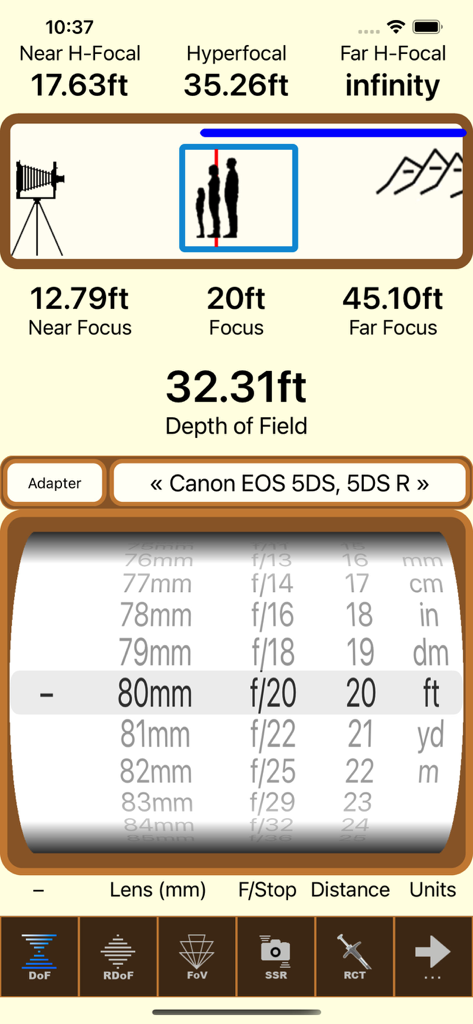
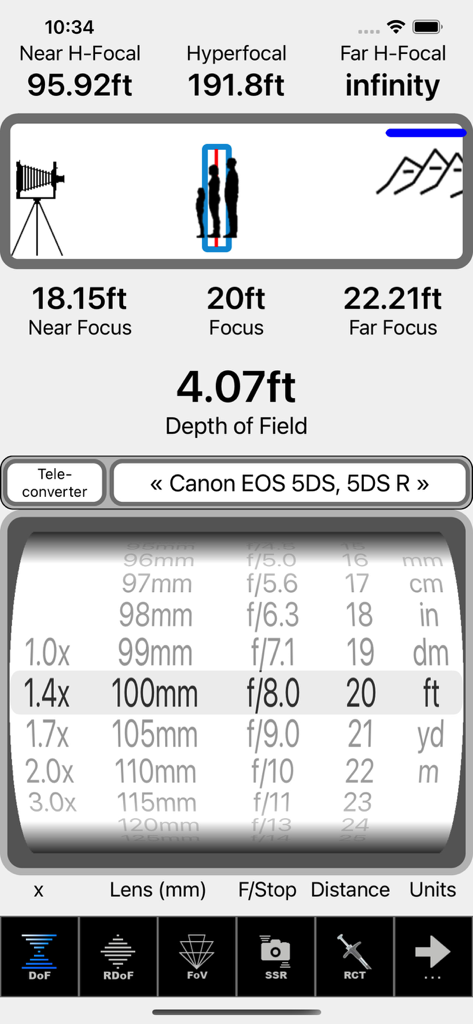
SetMyCameraDFアプリインターフェイス、プロの写真家向けの被写界深度と限界距離計算を表示

SetMyCameraDFアプリインターフェイス、プロの写真家向けの被写界深度と限界距離計算を表示

SetMyCamera被写界深度と限界距離計算機のインターフェイス

SetMyCamera被写界深度と限界距離計算機のインターフェイス

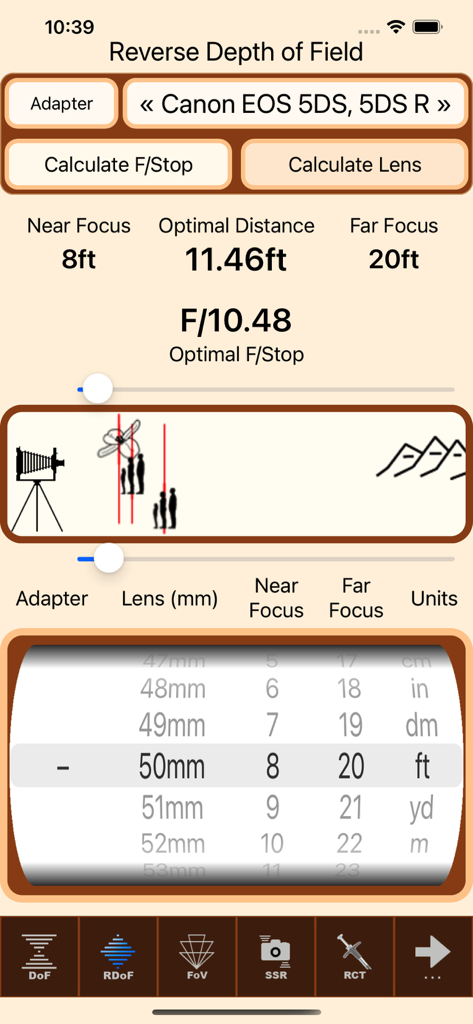
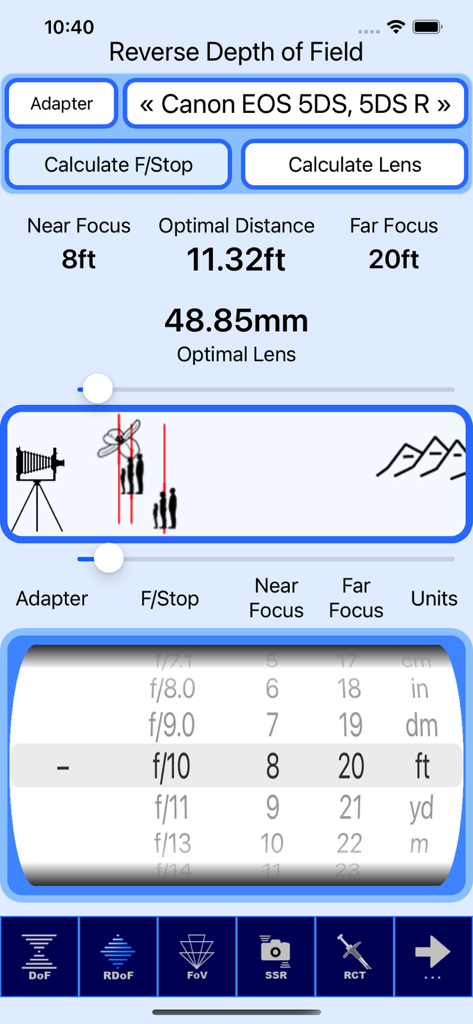
SetMyCameraDFアプリのインターフェイス、カメラ設定と距離ホイールを備えた逆被写界深度計算機を表示

SetMyCameraDFアプリのインターフェイス、カメラ設定と距離ホイールを備えた逆被写界深度計算機を表示

SetMyCameraDFアプリのインターフェイス、Canon EOSカメラの逆被写界深度計算を表示

SetMyCameraDFアプリのインターフェイス、Canon EOSカメラの逆被写界深度計算を表示

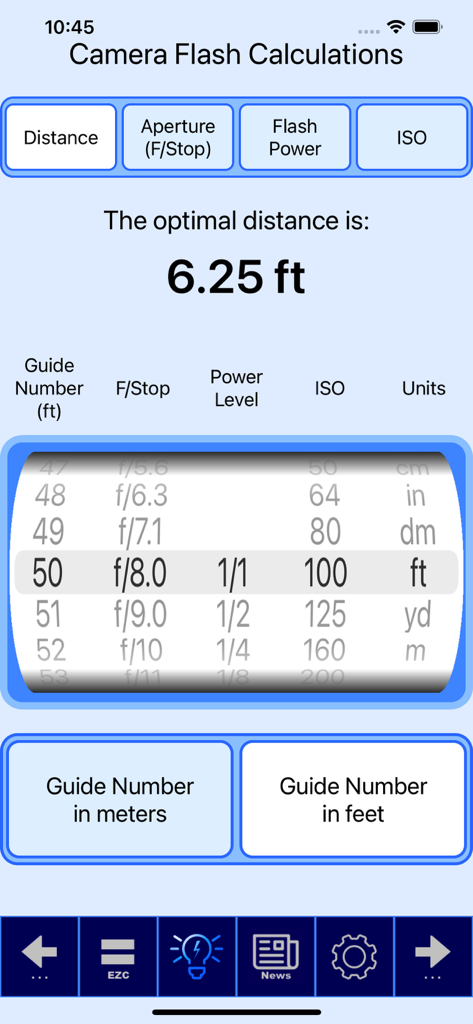
SetMyCameraアプリ内のカメラフラッシュ計算ツール、ガイドナンバー、絞り、ISOに基づいた最適な距離設定を表示

SetMyCameraアプリ内のカメラフラッシュ計算ツール、ガイドナンバー、絞り、ISOに基づいた最適な距離設定を表示

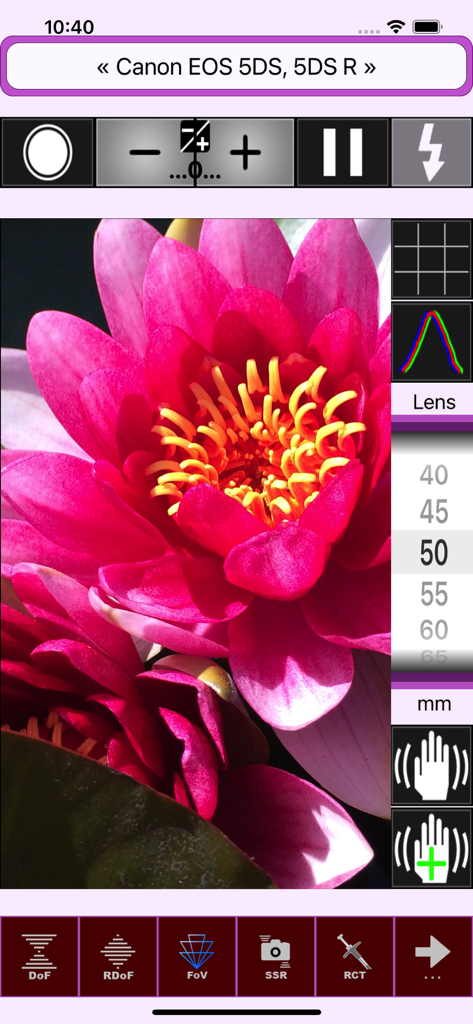
SetMyCameraDF視野視覚化、ピンクの花とカメラ設定のオーバーレイ付き

SetMyCameraDF視野視覚化、ピンクの花とカメラ設定のオーバーレイ付き

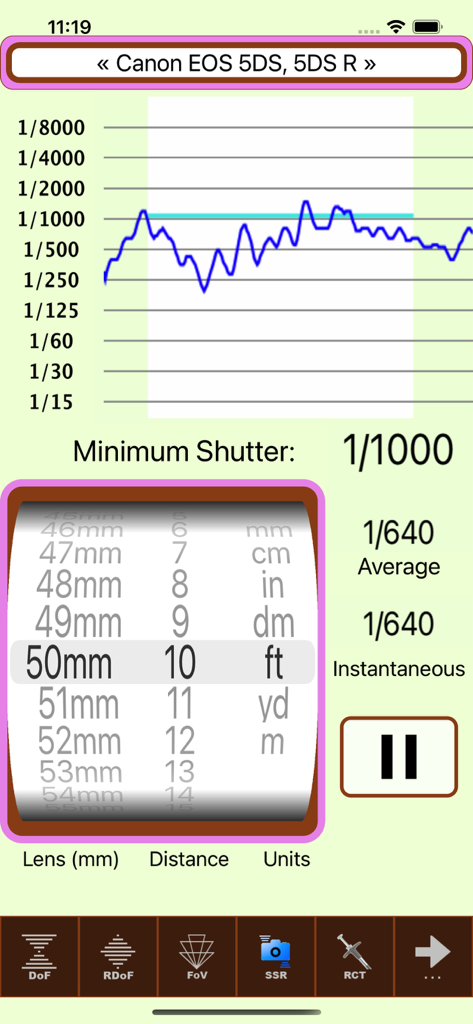
SetMyCamera写真アプリのインターフェイス、Canon DSLRのシャッタースピード推奨事項を表示

SetMyCamera写真アプリのインターフェイス、Canon DSLRのシャッタースピード推奨事項を表示

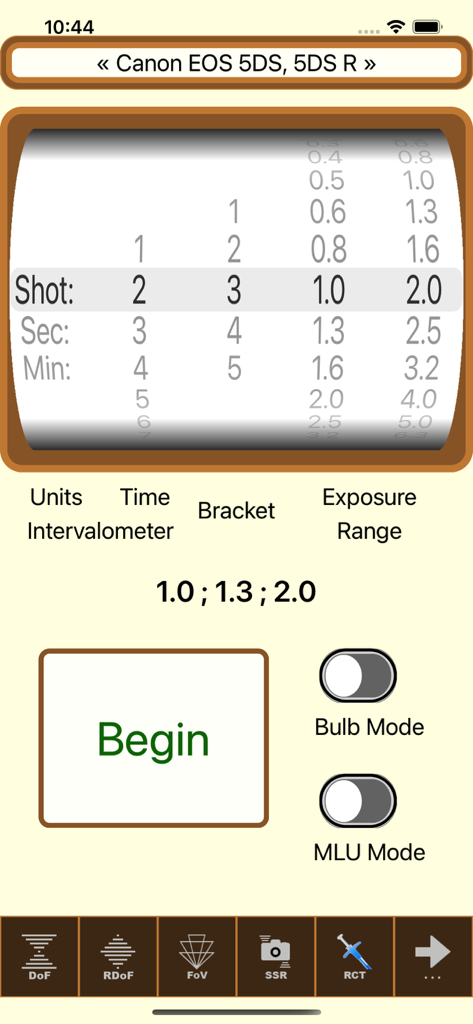
SetMyCameraDFアプリのインターバルタイマーと露出ブラケット設定のインターフェイス

SetMyCameraDFアプリのインターバルタイマーと露出ブラケット設定のインターフェイス

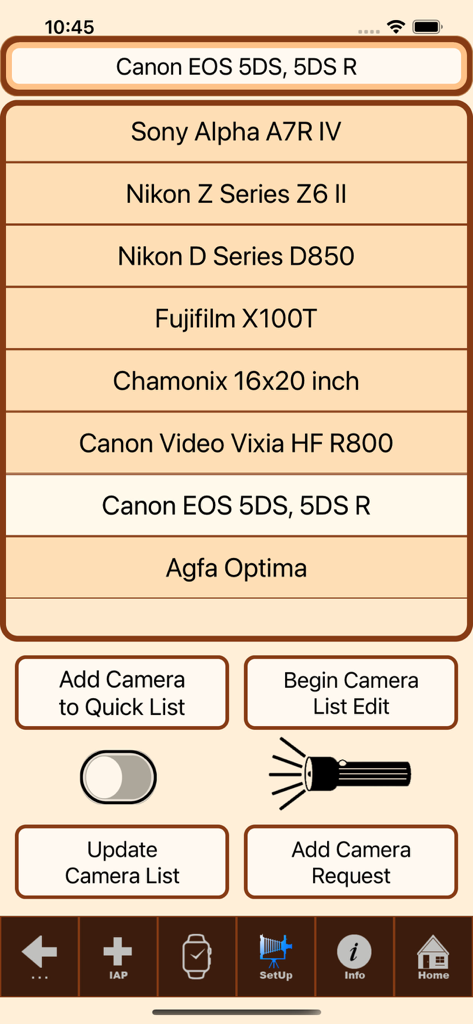
SetMyCameraDFのカメラモデル選択画面、さまざまなDSLRおよびミラーレスオプションを表示

SetMyCameraDFのカメラモデル選択画面、さまざまなDSLRおよびミラーレスオプションを表示

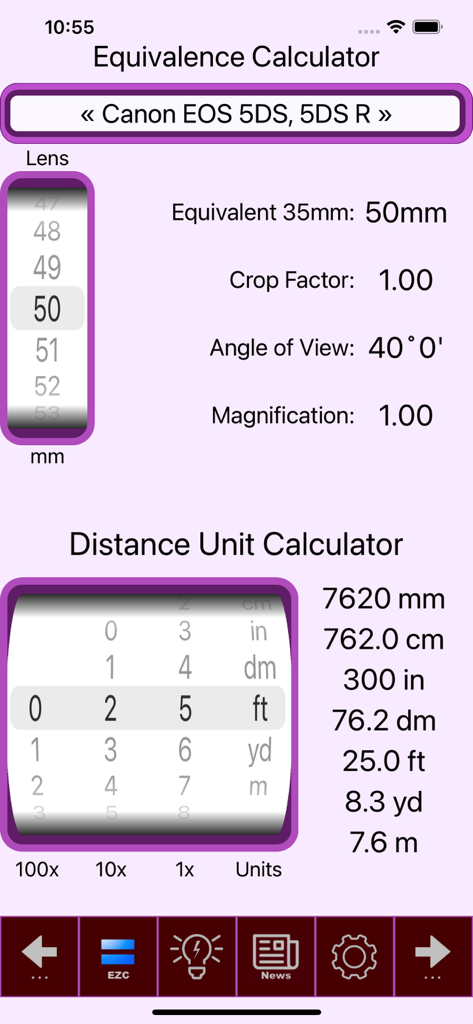
SetMyCameraアプリのインターフェイス、写真家向けのレンズ等価性と距離単位変換計算機を表示

SetMyCameraアプリのインターフェイス、写真家向けのレンズ等価性と距離単位変換計算機を表示

写真の技術的な芸術をマスターする

このアプリを際立たせるツール、 52K+ 人のユーザーが選択.

📐

精密な被写界深度

アニメーショングラフィックスで限界距離とボケを計算します。独自の逆被写界深度ツールを使用して、特定のフォーカス範囲に必要な正確な絞りを決定します。

☀️

プログレード露出計

周囲光と入射光の両方で正確な露出測定値を取得します。繰返し法と晴天16法計算が必要なマニュアルシューターやフィルム愛好家に不可欠です。

シームレスなフィールドワークフロー

Apple Watchで直接重要な計算にアクセスします。視野視覚化とシャッタースピードの推奨事項を表示しながら、ギアに手を置いたままにします。

アプリについて

について知っておくべきこと SetMyCameraDF.

説明

Are you ready to take your photography to the next level? Look no further than SetMyCamera! With SetMyCamera’s advanced tools, you will be able to create visually stunning images with exceptional technical expertise. Imagine capturing award-winning photos in no time! SetMyCamera is your secret weapon for taking control of camera settings. SetMyCamera offers various base versions, each of which can be upgraded to the full feature set. For a complete list of features, head over to SetMyCamera.com. SetMyCamera Df includes features for mid range camera setting options. What is SetMyCamera? SetMyCamera is the ultimate photography app for all your photography needs. Whether you are a pro or a beginner, use digital or film cameras, capturing videos or photos, SetMyCamera has you covered. SetMyCamera offers a range of features, including depth of field, composition assistance, light metering, print resolutions, flash settings, and more. You can even learn about reciprocity, field of view, angle of view, depth of field, f/stop, shutter speed, ISO, and hyperfocal distances. SetMyCamera also supports accessories like filters, diopters, bellows, speed boosters, extension tubes, and teleconverters. SetMyCamera has an in-app tutorial to help you get started. Settings are easily adjusted using a thumbwheel or slider, and animated graphics make learning a breeze. Here are some SetMyCamera features: Traditional depth of field: This feature helps you find the perfect depth of field by entering aperture (f/stop) and subject distance. An animated graphic shows what you are setting. Reverse depth of field: This unique feature lets you set the perfect aperture (f/stop) or lens focal length by entering the near and far in-focus distances. An animated graphic helps you visualize the settings. Light meter: This handy tool measures the available ambient light, whether it’s the light the camera sees or the light that falls on the subject. It even includes a sunny 16 light guide. Photo shoot notes: The built-in notes database is perfect for your photo shoots to make your photography experience easier and more organized. Print size calculator: This tool helps you convert your photos into high-quality prints based on your camera. Field of view visualizer: This feature enables you to preview your photo capture. It utilizes your iPhone or iPad’s camera and offers various options, including histograms, the rule of thirds, hot spot detection, and adjustable exposure settings. Angle of view calculator: This tool helps you position your camera according to the lens and subject, considering the camera distance. Flash configuration: This tool eliminates the guesswork when setting up flash photos. Exposure value, neutral density filter, and reciprocity calculations: SetMyCamera can also calculate these values for you. Shutter speed recommendations: This tool helps you choose the right shutter speed to avoid blurry photos. Standard conversion information: SetMyCamera includes standard conversion information for cameras and field information. A wide range of cameras and settings: SetMyCamera has an extensive list of pre-defined cameras or you can define your own. Included is support for both Imperial and Metric units. User-Friendly: Customizable interface with selectable themes including dark mode, and support for over 30 languages. SetMyCamera is compatible with iPhone and iPad. On iPhone, an Apple Watch app is included. A MacOS version is available for your desktop or laptop. Some features may require in-app purchases. For a comparison chart of included features, visit https://setmycamera.com/products/compare/. What others say: “SetMyCamera assists depth of field calculations and serves as a great teaching tool” – MacWorld SetMyCamera respects your privacy and doesn’t collect user data. For more information, visit SetMyCamera.com. https://setmycamera.com/SMC_PP/SMC_PrivacyPolicy.html https://setmycamera.com/SMC_PP/SMC_TermsOfUse.html

最新バージョン

1.7.15

サイズ

30.1 MB

リリース日

2012年7月25日

写真の技術的な芸術をマスターする準備はできましたか?

SetMyCameraを使用して推測を排除し、技術的な卓越性を達成している50,000人以上の写真家に加わりましょう。iPhone、iPad、Apple Watch向けの究極のフィールドアシスタントを今すぐダウンロードしてください。

ダウンロード: App Store

App information, icons, screenshots, and descriptions displayed on this page are sourced from the Apple App Store and are the property of their respective developers. Download estimates and rankings are based on MWM's proprietary models and may not reflect actual figures. This page is provided for informational and analytical purposes only.

Believe this page infringes your intellectual property? File a dispute