Shift Worker

Shift Worker

ダウンロード: App Store
ロゴ: Shift Worker

シフトワーカー:あなたの人生のために作られたカレンダー、9時~5時ではない

使いにくい標準カレンダーとの格闘をやめましょう。毎月のローテーションシフトを数秒で入力し、家族と調整し、直感的な視覚アイコンでスケジュールを一目で確認できます。

ダウンロード: App Store

開発元

Production Shed Pty Ltd

カテゴリ

Productivity

ダウンロード

258K+

ユーザー評価

3.6/5

評価数

4K+

対応言語

1

一目でわかる視覚的な明確さ

このインターフェースを利用する 258K+ 人のユーザー.

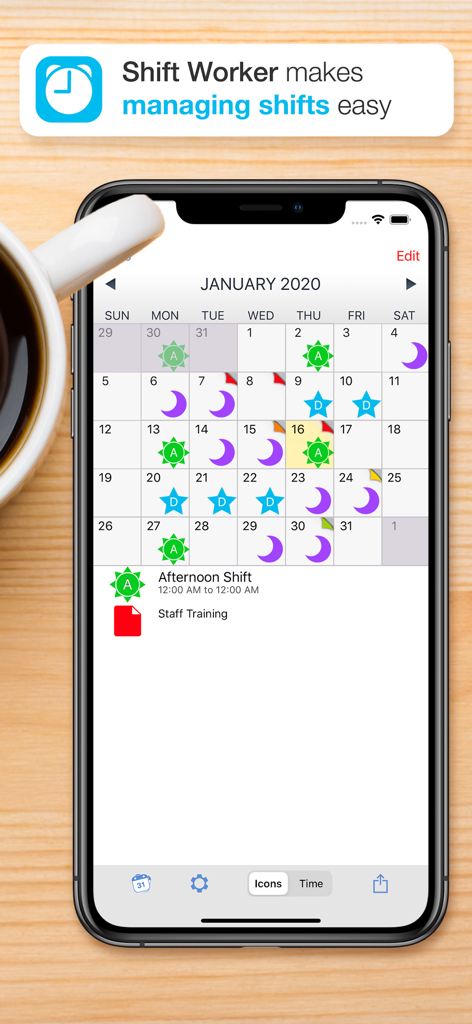
シフトワーカーアプリが表示されたiPhone、視覚的なシフトカレンダーとカスタムシフトアイコン付き

シフトワーカーアプリが表示されたiPhone、視覚的なシフトカレンダーとカスタムシフトアイコン付き

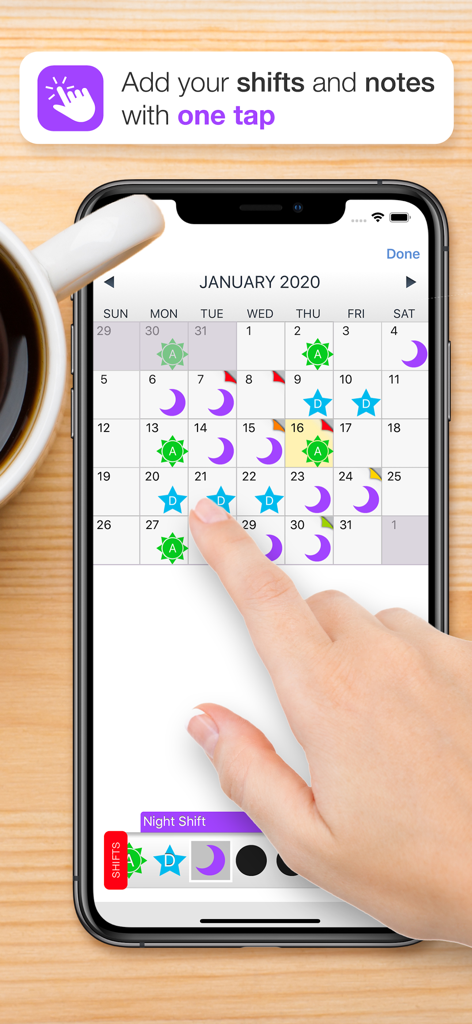
シフトワーカーアプリのインターフェース、シフトアイコン付きの月間カレンダーと、シフト追加のために日付をタップする手を示しています

シフトワーカーアプリのインターフェース、シフトアイコン付きの月間カレンダーと、シフト追加のために日付をタップする手を示しています

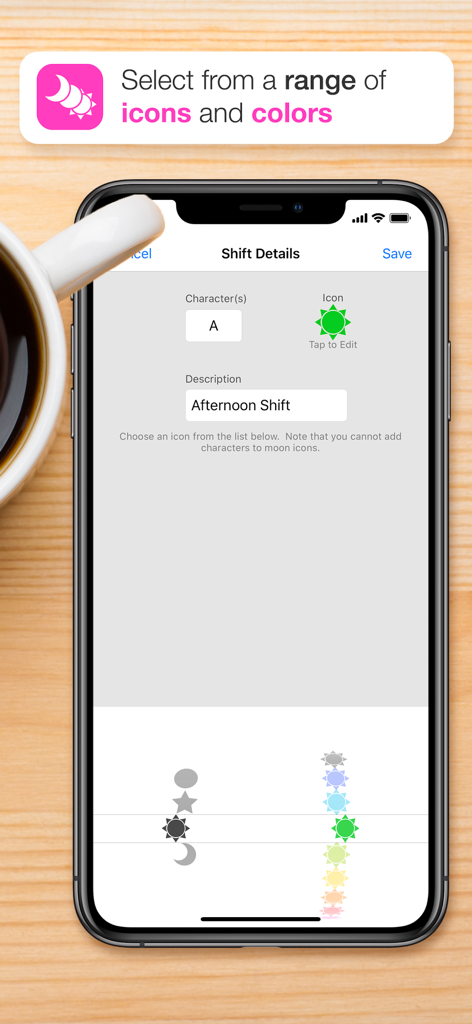
シフトワーカーアプリのモバイルインターフェース、さまざまなアイコンと色を使用してシフトの詳細をカスタマイズする方法を示しています

シフトワーカーアプリのモバイルインターフェース、さまざまなアイコンと色を使用してシフトの詳細をカスタマイズする方法を示しています

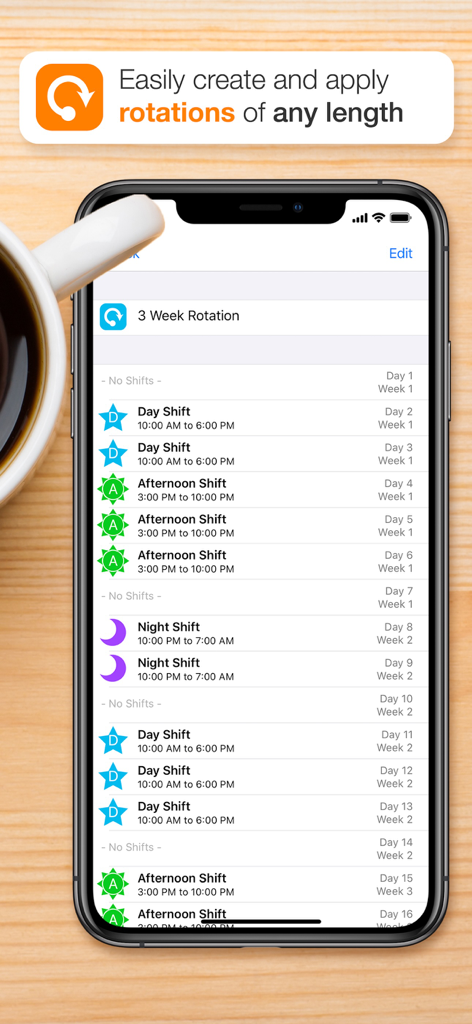
シフトワーカーアプリのインターフェース、日勤、午後のシフト、夜勤のカラーアイコン付きの3週間の勤務シフトローテーションを表示しています

シフトワーカーアプリのインターフェース、日勤、午後のシフト、夜勤のカラーアイコン付きの3週間の勤務シフトローテーションを表示しています

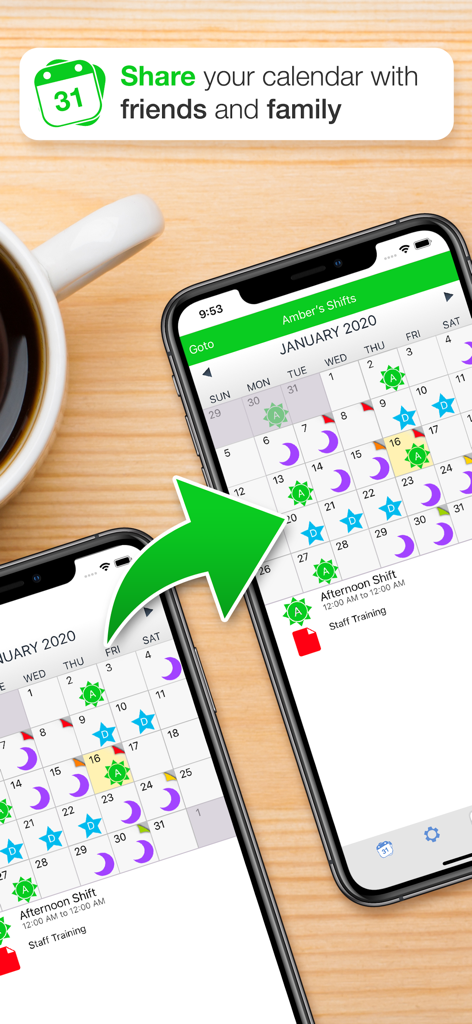
シフトワーカーアプリのカレンダーインターフェースを使用してシフトワークスケジュールを共有している2台のスマートフォン

シフトワーカーアプリのカレンダーインターフェースを使用してシフトワークスケジュールを共有している2台のスマートフォン

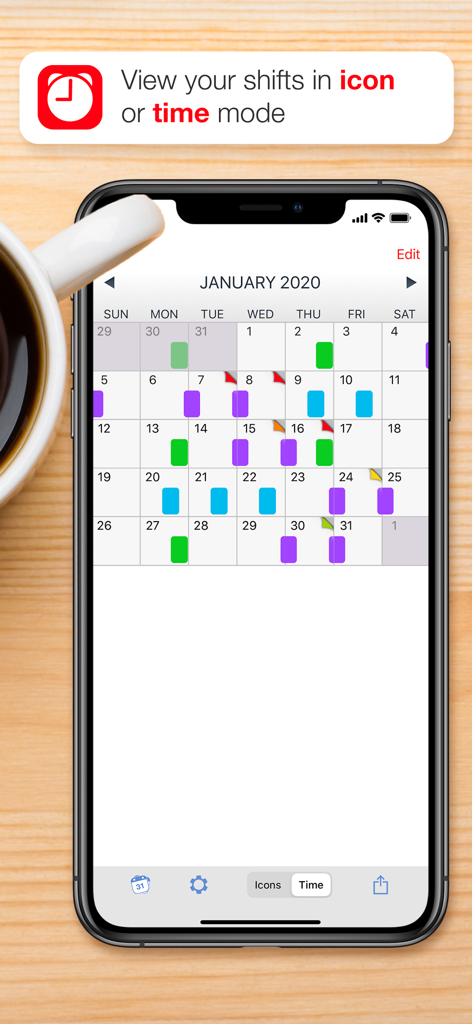
コーヒーカップの横にある時間モードで色分けされたシフトを表示するシフトワーカーアプリカレンダーが表示されたiPhone画面

コーヒーカップの横にある時間モードで色分けされたシフトを表示するシフトワーカーアプリカレンダーが表示されたiPhone画面

あなたの働き方のためにデザインされました

このアプリを際立たせるツール、 258K+ 人のユーザーが選択.

超高速ローテーションシフト入力

1ヶ月分のシフトを数秒で記録。シフトタイプを選択し、日付をタップするだけで、カレンダーが即座に表示されます。

🎨

瞬時に視覚認識

高コントラストのアイコンと色を使用して、テキストを読まずに、一目で日勤、夜勤、交代勤務を区別できます。

👨‍👩‍👧‍👦

家族とのつながりを維持

スケジュールを画像として共有したり、複数のカレンダーを同期させたりして、愛する人がいつ帰宅するかを常に正確に把握できるようにします。

アプリについて

について知っておくべきこと Shift Worker.

説明

Shift Worker is designed for people who need a quick and easy way to enter and view their shifts. A traditional calendar is not always ideal for shift workers. Sometimes it's not easy to see your upcoming shift schedule very clearly, especially if your shifts don't fall into the traditional working week. Shift Worker solves this problem and turns the frustrating task of entry into a quick and easy experience. Shift Worker allows you to create your own types of shifts by combining visually-attractive icons with letters/numbers so that they can be easily identified at a glance. By including a range of icons (such as suns and stars for day and night shifts) in a variety of colors, any combination is possible for all types of shifts. Entering shifts can be done quickly by simply selecting a type of shift and tapping on each date it occurs. An entire month of shifts could be entered in seconds, an entire year in a few minutes! In addition, Shift Worker allows you create multiple calendars to see friends and family shifts! You can send your shifts to others so they can also see your shifts at a glance as an image or in their copy of Shift Worker. To make things even simpler, you can even save your shifts to your iPhone/iPod's background so that referring to your upcoming shift schedule is as simple as picking up your iPhone/iPod. Shift Worker also includes the ability to create colored personalized notes for each date. Notes can be used anytime additional information needs to be added to a date. FEATURES: - Create a virtually unlimited amount of shift types - Enter shifts on the calendar months in advance in seconds - Add your rotation and automatically fill the calendar in a few simple steps - Show friends and family shifts using multiple calendars - View the calendar in timeline format to see your shift flow at a glance - Create colored personalized notes for any date on the calendar - Include week of year or week 1/2 alternating pattern on calendar - Jump to any month by using the "Goto" button - Save a month's worth of shifts to your background - Share your shifts to others via email, MMS, Facebook or Twitter - Import other Shift Worker shifts and view them all within the one app - No in-app purchases! - No ads!

最新バージョン

1.6.6

サイズ

19.9 MB

リリース日

2010年1月25日

ついに、あなたのシフトライフのために作られたカレンダーが登場

ルーチンを簡素化している25万人以上の専門家に参加しましょう。広告やサブスクリプションなしで、毎月のローテーションシフトを数秒で計画し、家族に最新情報を提供しましょう。

ダウンロード: App Store

App information, icons, screenshots, and descriptions displayed on this page are sourced from the Apple App Store and are the property of their respective developers. Download estimates and rankings are based on MWM's proprietary models and may not reflect actual figures. This page is provided for informational and analytical purposes only.

Believe this page infringes your intellectual property? File a dispute