Shot On Watermark for Photos

Shot On Watermark for Photos


ダウンロード: App Store
ロゴ: Shot On Watermark for Photos

写真用Shot Onウォーターマーク:iPhone写真にふさわしいクレジットを

プロフェッショナルな「Shot On」ラベル、署名タグ、カスタムロゴでギャラリーを変身させましょう。あなたの作品を保護し、クリエイティブな個性を瞬時にアピールできます。

開発元

Chirag Gabani

カテゴリ

Photo & Video

ダウンロード

249K+

ユーザー評価

4.5/5

評価数

12K+

対応言語

1

一目でわかるプロフェッショナリズム

このインターフェースを利用する 249K+ 人のユーザー.

Shot On iPhoneウォーターマークとカスタム署名付きのカップルの写真

Shot On iPhoneウォーターマークとカスタム署名付きのカップルの写真

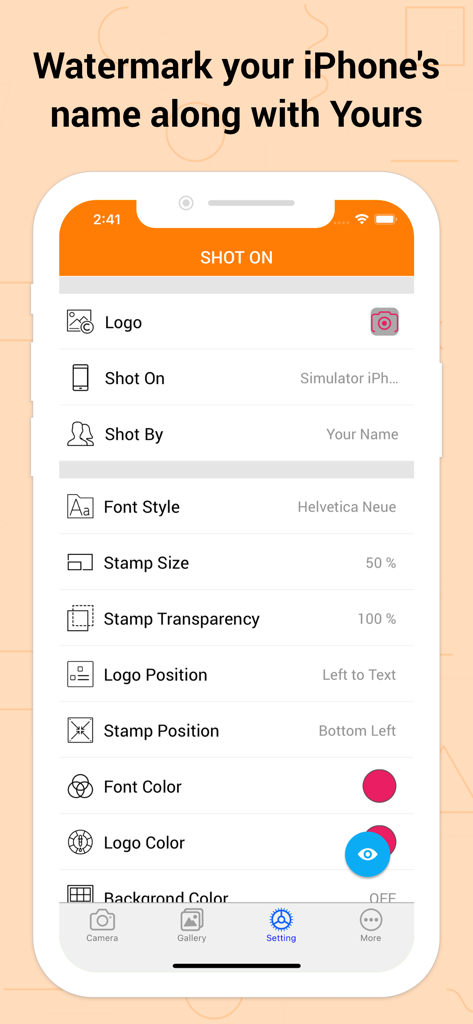
Shot Onウォーターマークアプリの設定画面。ロゴ、デバイス名、署名スタンプのカスタマイズ可能なオプションが表示されています

Shot Onウォーターマークアプリの設定画面。ロゴ、デバイス名、署名スタンプのカスタマイズ可能なオプションが表示されています

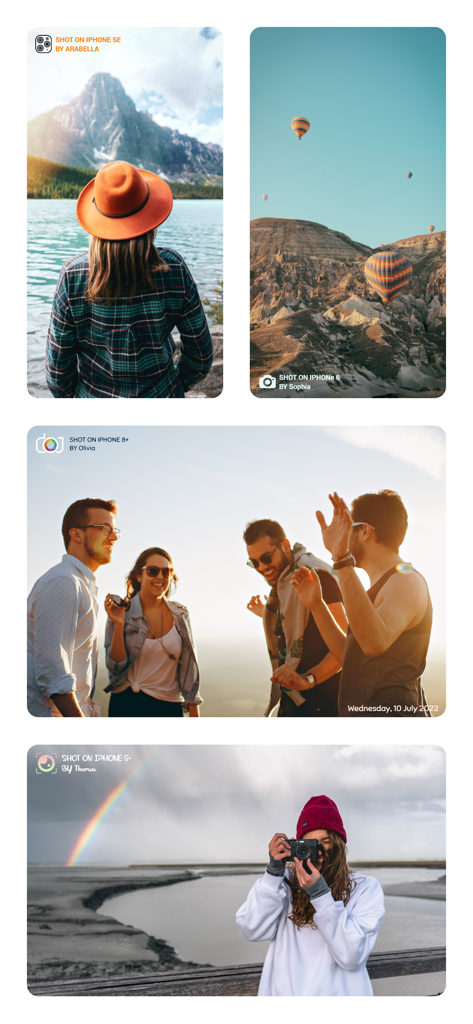
Shot On iPhoneウォーターマークとパーソナライズされた署名でウォーターマークされたライフスタイル写真の4つの例

Shot On iPhoneウォーターマークとパーソナライズされた署名でウォーターマークされたライフスタイル写真の4つの例

Shot On iPhoneウォーターマークスタンプとデジタル署名付きの写真のコラージュ

Shot On iPhoneウォーターマークスタンプとデジタル署名付きの写真のコラージュ

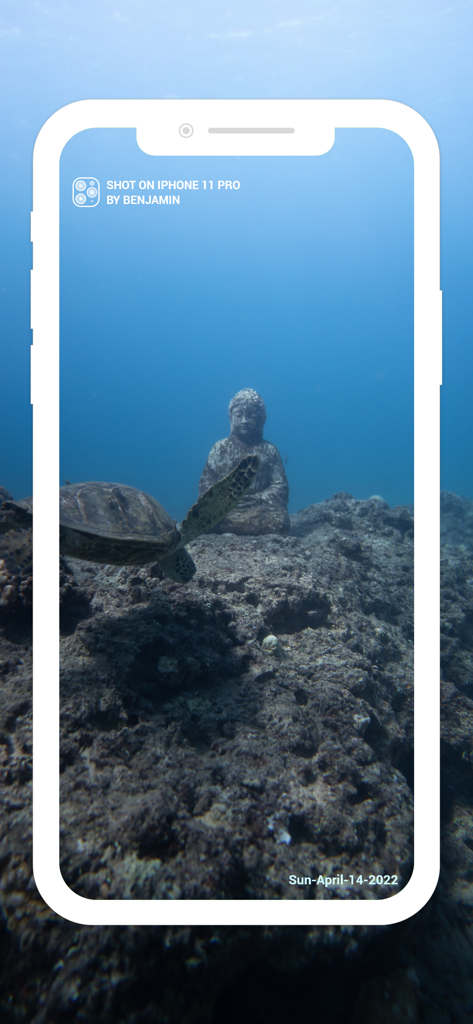
Shot on iPhoneウォーターマークと日付スタンプが付いた、海亀と仏像の水中写真

Shot on iPhoneウォーターマークと日付スタンプが付いた、海亀と仏像の水中写真

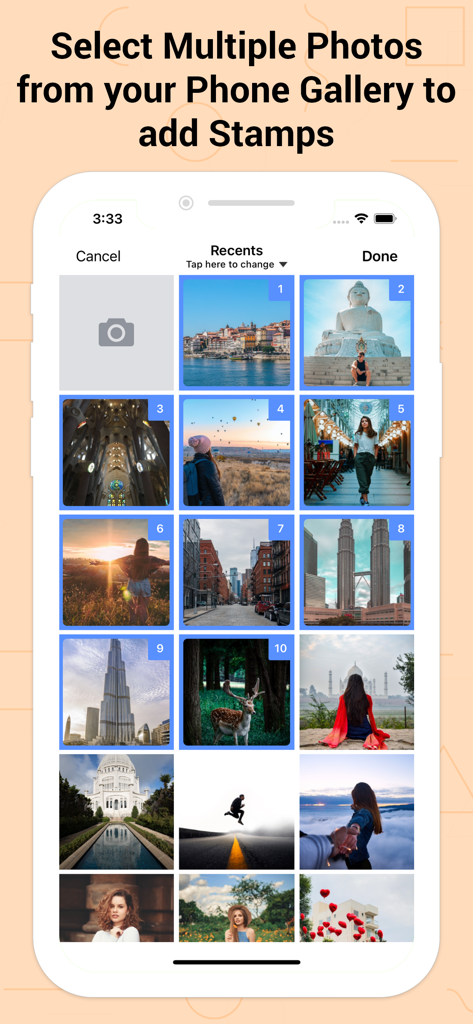
Shot Onアプリでウォーターマークスタンプを追加するために、電話ギャラリーから複数の写真が選択されていることを示すユーザーインターフェイス

Shot Onアプリでウォーターマークスタンプを追加するために、電話ギャラリーから複数の写真が選択されていることを示すユーザーインターフェイス

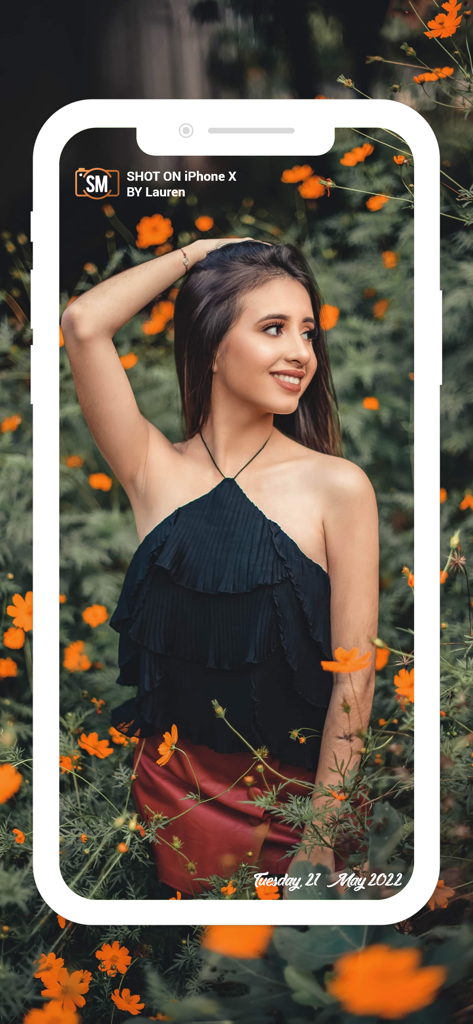
Shot On iPhone Xウォーターマークと署名が付いた花の中でポーズをとる女性

Shot On iPhone Xウォーターマークと署名が付いた花の中でポーズをとる女性

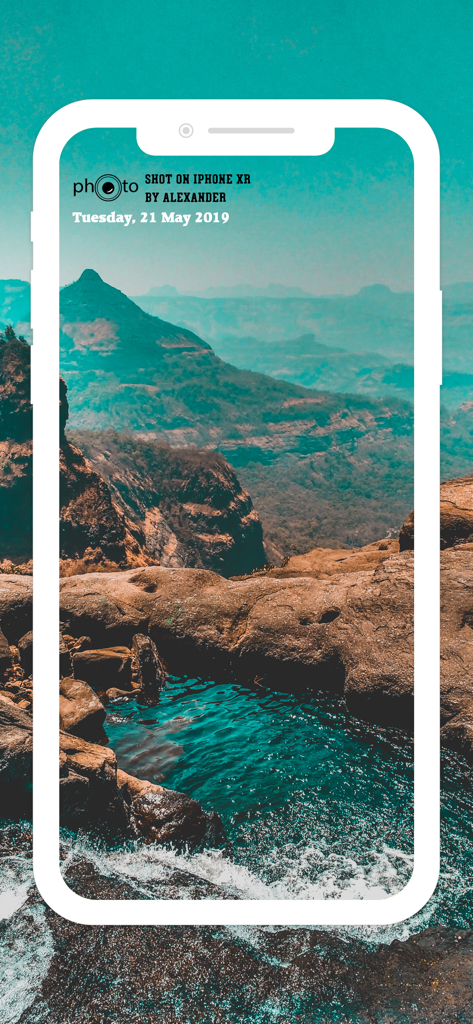
Shot On iPhone XRウォーターマークと名前が付いた風景写真

Shot On iPhone XRウォーターマークと名前が付いた風景写真

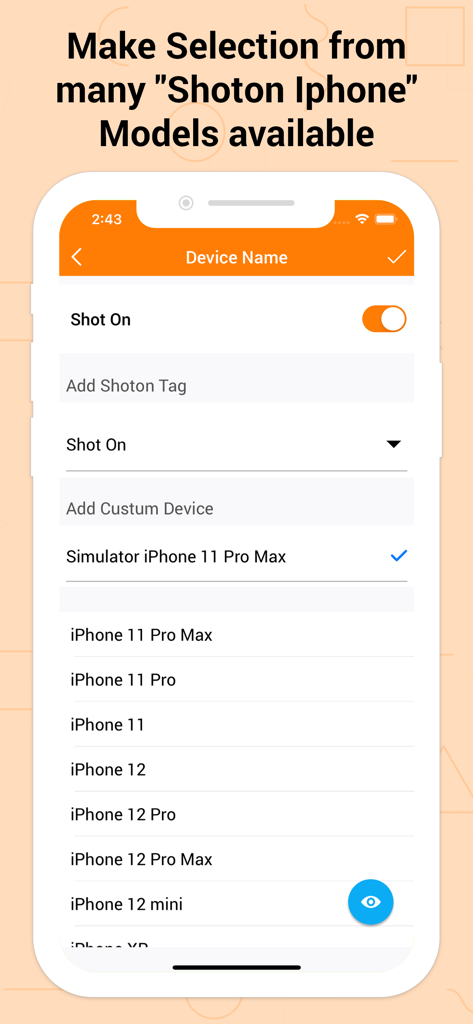
Shot Onウォーターマークタグの選択のためにiPhoneモデルのリストを表示する画面

Shot Onウォーターマークタグの選択のためにiPhoneモデルのリストを表示する画面

カスタムShot On iPhoneウォーターマークと署名付きの写真のコラージュ

カスタムShot On iPhoneウォーターマークと署名付きの写真のコラージュ

iPhone写真のプロフェッショナル化

このアプリを際立たせるツール、 249K+ 人のユーザーが選択.

📱

象徴的なShotOnブランディング

プロレベルのラベルで最新デバイスをアピールしましょう。Appleの象徴的なキャンペーンの権威を借りて、ソーシャルフィードでのあなたのステータスを高めます。

✍️

署名クレジットと保護

バイラルコンテンツが未クレジットのままにならないようにしましょう。カスタム「Shot By」署名を追加して写真を保護し、独自のクリエイティブスタイルでの認知度を高めます。

🎨

シームレスな美的統合

写真の雰囲気に合わせて、すべてのスタンプをカスタマイズしましょう。ロゴ、フォント、色、位置をカスタマイズして、ウォーターマークがアートを邪魔するのではなく、引き立てるようにします。

アプリについて

について知っておくべきこと Shot On Watermark for Photos.

説明

Shot On Watermark for Photos App quickly watermark your photos with a trinity of “Shot On” labels in variation of “ShotOn for iPhone or Shot On for iPad Name”, “Shot By (Signature Text),'' as well as “ShotOn Watermark Brand Logo” A complete catalog of Shot on for Apple iPhone & ShotOn for iPad Model Names, which makes your work go in a flow. One-time setup to furnish your Shot on for iPhone pre-captured photos stunningly. - Simply Swipe the Toggle on, • Choose Model Name • Add Shot by Signature Text • Pick up Shot On for iPhone Watermark Logo & here you go! You can even edit and custom these Shot On Watermark Stamps as you wish to! - What makes 'Shot On Watermark Stamper' different? • Only App with 3 -in-1 ShotOn for iPhone Tags in Single Download • Quick and Simple User-Interface • Preview before adding a ShotOn “Shot On Watermark for Photos is specifically developed for iPhone users to take their photographs a step ahead & grab all the kudos they deserve.” What does it offer to jazz up the gallery photos stunningly? - Default ShotOn for iPhone Series: • A great catalog of every single Shot on for iPhone Model name to choose your Shot On device Name tag. - Adjustable Stamp Position: • Easily place your ShotOn for iPhone to eight different areas of your image. - Flexible Font Size: • Pick Shot On Stamp size from M to XXXL as per your image look and feel. - Varieties of Font Formats: • Classy font options to choose from according to image background. - Editable ShotOn Tags: • Customize by adding your own ShotOn Device Name as well as your Shot By Signature Text. - Customize Watermark Logo: • Import & add your own ShotOn logo using (+) symbol. Shot on for iPhone Photography is booming the current market! So why not exhibit these images vigorously by adding a cluster of ShotOn for iPhone to it. This will not only showcase a Shot on tag for iPhone Model among everyone but will also disclose the name behind the captured image. Looking for some more add-ons to get it? Update to the latest version to get benefits of DateTime functionality. You can adjust date format, size, color, position & font style for the same. And to highlight the logo, relish the logo color and its position that suits your photo. Benefits of Adding ShotOn to Photos: - Flaunt your Mobile Device Then Shot On for iPhone tag can be the best addition to do it automatically with your pre-captured photograph. Ex: Add Tag i.e.,Shot on for iPhone X - Showcase your Identity and skills Mobile Photography is the new trend, isn’t it? No matter you take pictures casually or professionally, you definitely deserve the credits. Simply adding Shot By Signature will do it for you. Ex: Add Tag i.e Shot By Paul - Secure while Sharing Online Anything shared online can be copied easily & be reused without your permission, isn’t it? You obviously don’t want this to happen! Then mask your gallery photo with Shot By Signature Watermark & preserve it. - Frame up Branding & Advertising Watermarking images and adding signature is mainly used for branding your company behind your products, isn’t it? These trinity Shot On's will even do it for you and make your photograph distinct. Ex: Add Tag i.e ShotOn for iPhone Logo - Embellish your Photo distinctly ShotOn tags shall decorate your gallery pictures in such an elegant way, that you won’t really need numerous elements to enhance it. Just tap & add tags to amplify it as picture perfect! Briefing it up, Shot On Watermark for Photos is compiled with every single functionality you wish to have with any Shot on Watermark Stamp. The best addition to the category of your mobile apps! • Gift your device this ShotOn Watermark app now & start labeling your pictures NOW!

最新バージョン

1.5.15

サイズ

39.5 MB

リリース日

2018年3月21日

すべてのショットを公式の署名に

作品を保護し、iPhoneスタイルをアピールする249K人以上のクリエイターに加わりましょう。今日、究極の3-in-1ウォーターマークツールを手に入れましょう。

ダウンロード: App Store

App information, icons, screenshots, and descriptions displayed on this page are sourced from the Apple App Store and are the property of their respective developers. Download estimates and rankings are based on MWM's proprietary models and may not reflect actual figures. This page is provided for informational and analytical purposes only.

Believe this page infringes your intellectual property? File a dispute