ShotBOT

ShotBOT

ダウンロード: App Store
ロゴ: ShotBOT

ShotBOT: オンセットVFXデータ管理のプロフェッショナルスタンダード

正確なトラッキング、Teradek統合、包括的なレポート作成により、コストのかかるポストプロダクションのエラーを排除します。業界のベテランによって、現代の映画・テレビセットのプレッシャーの高い要求に応えるために設計されました。

ダウンロード: App Store

開発元

Todd Freese

カテゴリ

Photo & Video

ダウンロード

2K+

ユーザー評価

1.0/5

評価数

0

対応言語

1

オンセットでの精度

このインターフェースを利用する 2K+ 人のユーザー.

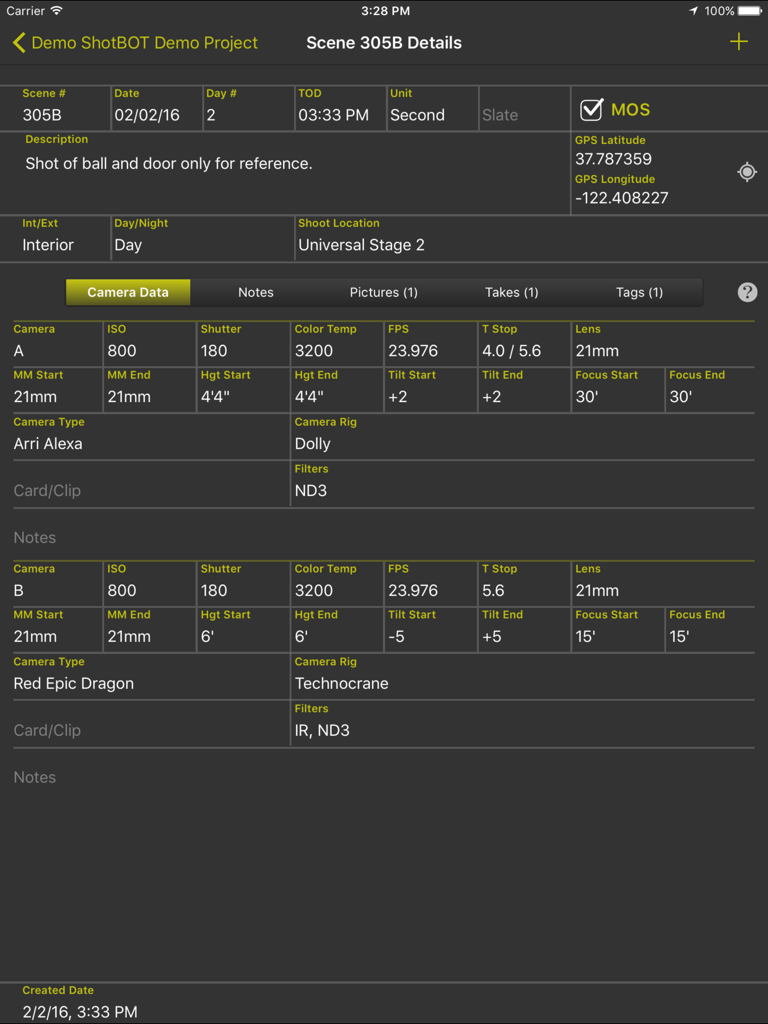
ShotBOTアプリインターフェースがiPad上に詳細なカメラメタデータとシーン情報を表示

ShotBOTアプリインターフェースがiPad上に詳細なカメラメタデータとシーン情報を表示

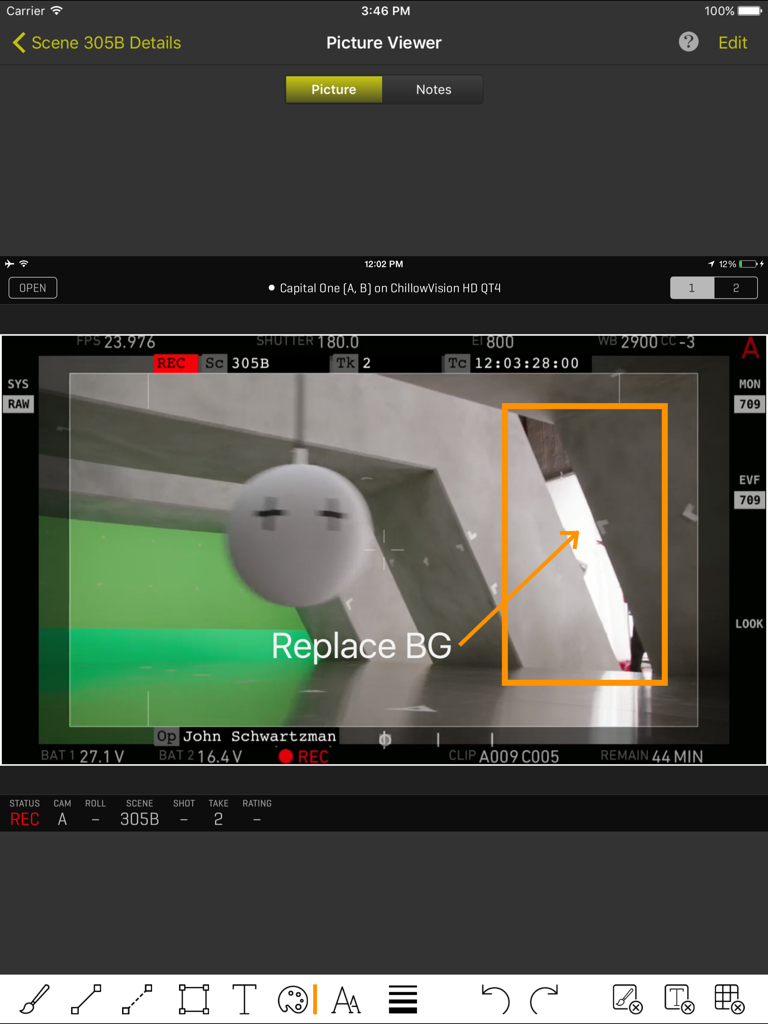
ShotBOT iPadインターフェースが、プロフェッショナルなVFXアノテーションとシーンメタデータを持つカメラフレームグラブを表示

ShotBOT iPadインターフェースが、プロフェッショナルなVFXアノテーションとシーンメタデータを持つカメラフレームグラブを表示

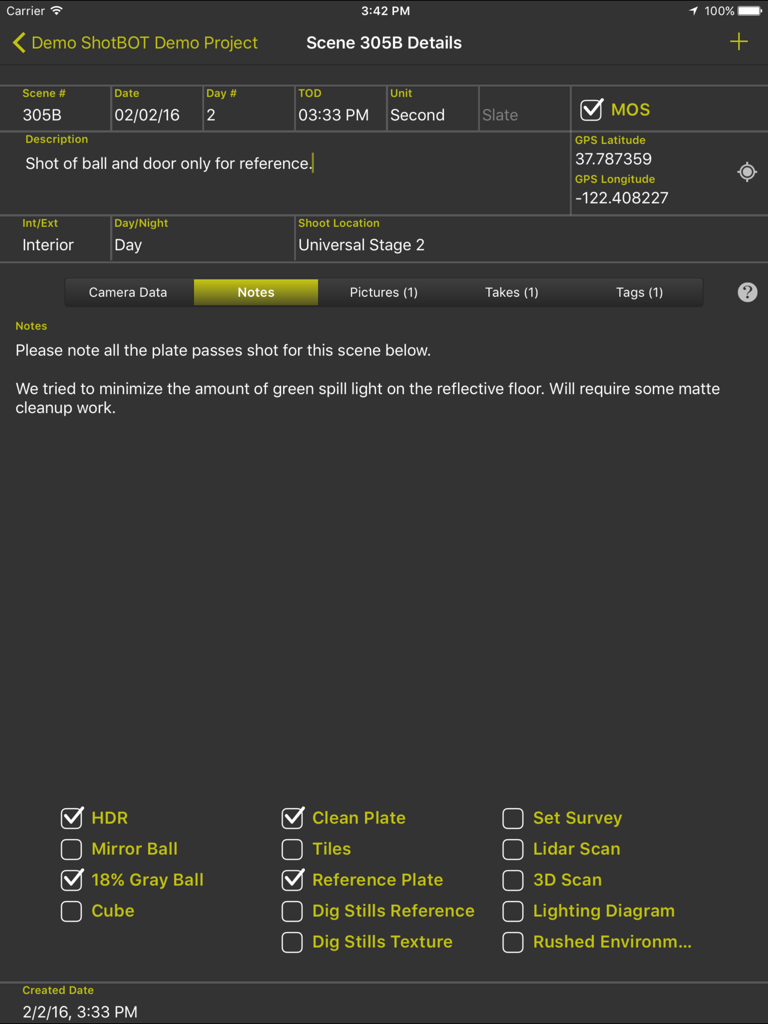
iPad上のShotBOTアプリインターフェースが、VFXシーンの詳細、ノート、映画制作のための技術的なチェックボックスを表示

iPad上のShotBOTアプリインターフェースが、VFXシーンの詳細、ノート、映画制作のための技術的なチェックボックスを表示

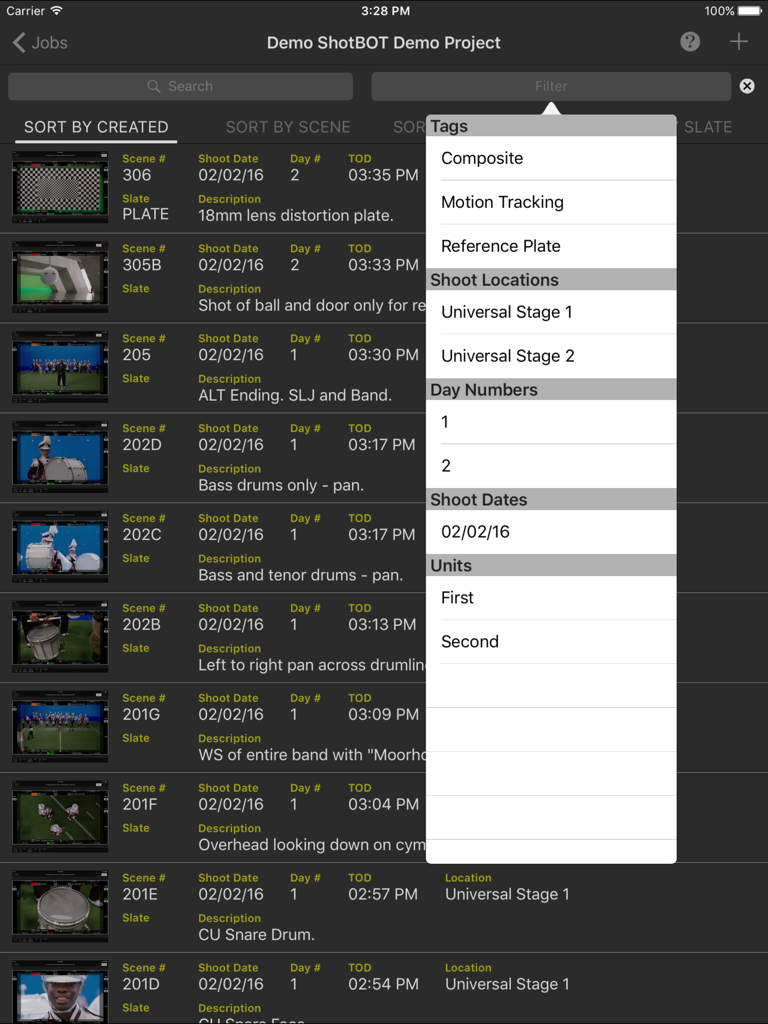
ShotBOT iPadアプリインターフェースが、VFXシーンのリストと、タグと撮影場所を含む開いたフィルターメニューを表示

ShotBOT iPadアプリインターフェースが、VFXシーンのリストと、タグと撮影場所を含む開いたフィルターメニューを表示

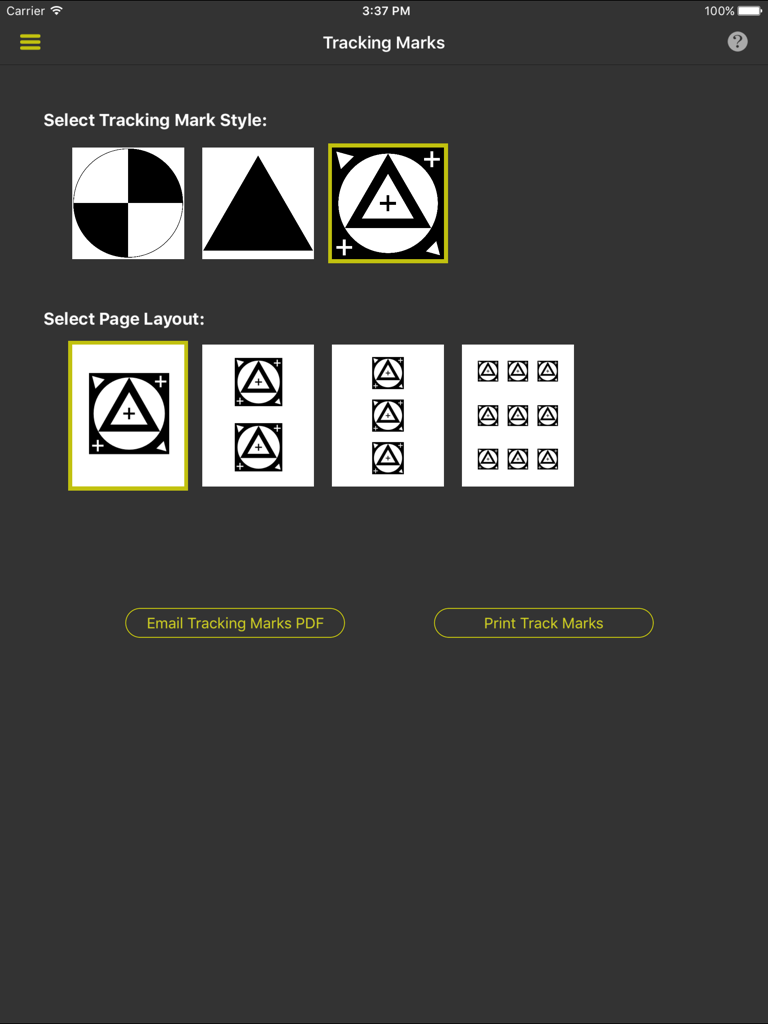
ShotBOTでVFXトラッキングマークのスタイルとプリントレイアウトを選択するためのインターフェース

ShotBOTでVFXトラッキングマークのスタイルとプリントレイアウトを選択するためのインターフェース

プロダクションの厳しさに対応して構築

このアプリを際立たせるツール、 2K+ 人のユーザーが選択.

🎯

業界標準のデータフィールド

汎用的なノートアプリの使用はやめましょう。Tストップやレンズの高さからHDRフラグ、グレイボールリファレンスまで、特殊で迅速に入力できるフィールドで全てを記録します。

🎬

ワイヤレスビデオ統合

Teradekエンコーダーに直接接続し、リファレンスフレームを取得してライブビデオフィードを表示することで、ビジュアルノートがカメラの視点と完全に一致することを保証します。

📄

自動化されたプロフェッショナルレポート

包括的なVFX撮影レポートを即座に生成したり、構造化されたデータをエクスポートして、物理的なプロダクションとポストプロダクションソフトウェア間のギャップを埋めます。

アプリについて

について知っておくべきこと ShotBOT.

説明

ShotBOT is designed for professional visual effects supervisors, to use during production, to take all the necessary production notes when shooting visual effects scenes. It tracks all the VFX needs for film, TV, documentaries, music videos and commercial production. This app is designed by someone who has spent 20 years shooting visual effects. All advanced features are sold via in-app purchases so you only need to buy what you need. For more detailed information on ShotBOT, please check out our web site for demo screencasts and a comprehensive FAQ page. FEATURES -ShotBOT has all the fields you would expect. A full list of fields is at the bottom of this page. -Track general scenes or individual takes. -Print or email a comprehensive shooting report to your VFX artists after the shoot. -Built in drawing feature to create diagrams or annotate pictures. -App-wide built in help screens to explain every feature. -Supports multi-camera shoots. -Full support for user defined presets for all commonly used fields. Includes default set of presets for professional production. Entering the data for a scene is very fast! -Scenes can be tagged to group sets of scenes together for complete organization of the scenes. -Take pictures or import existing images for scene reference. -View and grab frames from a wireless, live video feed from the camera. (Requires Teradek wireless encoder and in-app purchase) -Print a variety of different style tracking marks in a variety of sizes. (Requires in-app purchase) -Two different interface styles. Dark for indoor, Light for outdoor. You will always be able to view screen content without blinding your eyes. -Export your data so you can import it into your own post production tracking software. (Require in-app purchase) -Optional ShotBOT Cloud option to backup your data in realtime and sync between multiple devices. (Require in-app purchase) JOB FIELDS -Job Number -Episode Name and Number -Working Title -Agency and Client Name -Product Description -Production Company Name -Default FPS -Job Description SCENE FIELDS -Scene Number -Scene Description -Slate -Shot Date, Day Number, Time of day. -Unit (First unit, second unit, plate unit) -MOS or Sync sound. -Interior/Exterior -Day, Night, or Day For Night -Shoot Location -Scene Notes -Flags for: HDR, Mirror Ball, 18% Gray Ball, Cube, Clean Plate, Tiles, Ref Plates, Dig Stills Ref, Dig Stills Texture, Set Survey, Lidar Scan, 3D Scan, Lighting Diagram, Rushed Enviroment. CAMERA FIELDS -Camera ID -Camera Type -Camera Rig -Card/Clip Info -Filters -ISO -Shutter -Color Temp -FPS -T Stop -Lens -MM Start & End -Camera Height Start & End -Camera Tilt Start & End -Camera Focus Start & End -Camera Notes TAKE FIELDS -Take Number -Hero or Circled Take Flag -Take Notes

最新バージョン

1.62

サイズ

60.0 MB

リリース日

2015年6月25日

オンセットVFXワークフローを効率化しませんか?

高精度トラッキングのためにShotBOTを信頼する業界のプロフェッショナルやデータワーガーに加わりましょう。今すぐダウンロードして、iPadから直接プロフェッショナルグレードのVFXレポートを作成し始めましょう。

ダウンロード: App Store

App information, icons, screenshots, and descriptions displayed on this page are sourced from the Apple App Store and are the property of their respective developers. Download estimates and rankings are based on MWM's proprietary models and may not reflect actual figures. This page is provided for informational and analytical purposes only.

Believe this page infringes your intellectual property? File a dispute