SideBooks

SideBooks

ダウンロード: App Store
ロゴ: SideBooks

SideBooks:究極のデジタルライブラリのための高性能リーダー

シームレスなページめくりアニメーションで本物の紙のような感触を体験し、マンガやPDFのマルチフォーマットに対応し、最も要求の厳しいデジタルアーキビストのために設計された無限の本棚をお楽しみください。

開発元

Tatsumi-System Co., Ltd.

カテゴリ

Books

ダウンロード

1M+

ユーザー評価

3.7/5

評価数

2K+

対応言語

5

あなたのライブラリを、視覚化。

このインターフェースを利用する 1M+ 人のユーザー.

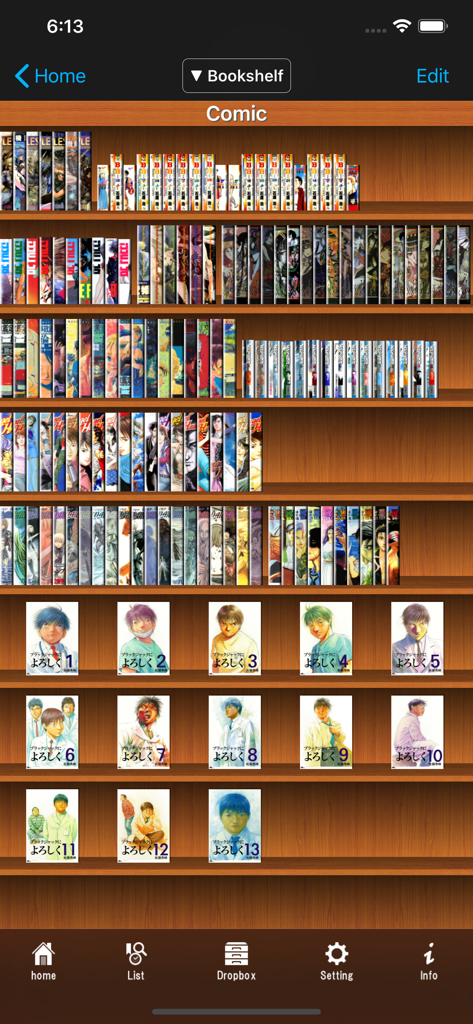
SideBooksアプリのビジュアル本棚インターフェース。木製の本棚に、本の背表紙と表紙アートが表示された、整理されたデジタルマンガコレクションが表示されています。

SideBooksアプリのビジュアル本棚インターフェース。木製の本棚に、本の背表紙と表紙アートが表示された、整理されたデジタルマンガコレクションが表示されています。

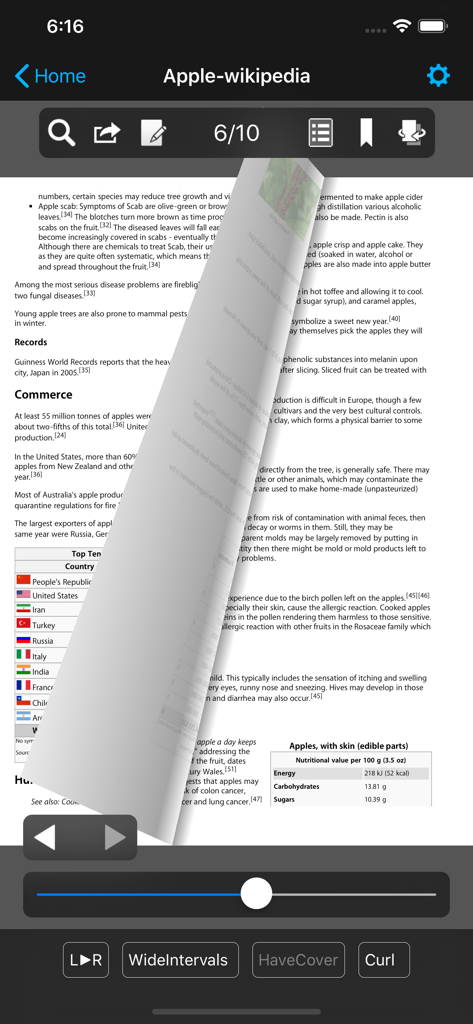
SideBooksアプリのインターフェース。リアルなページめくりアニメーション効果を持つPDFドキュメントが表示されています。

SideBooksアプリのインターフェース。リアルなページめくりアニメーション効果を持つPDFドキュメントが表示されています。

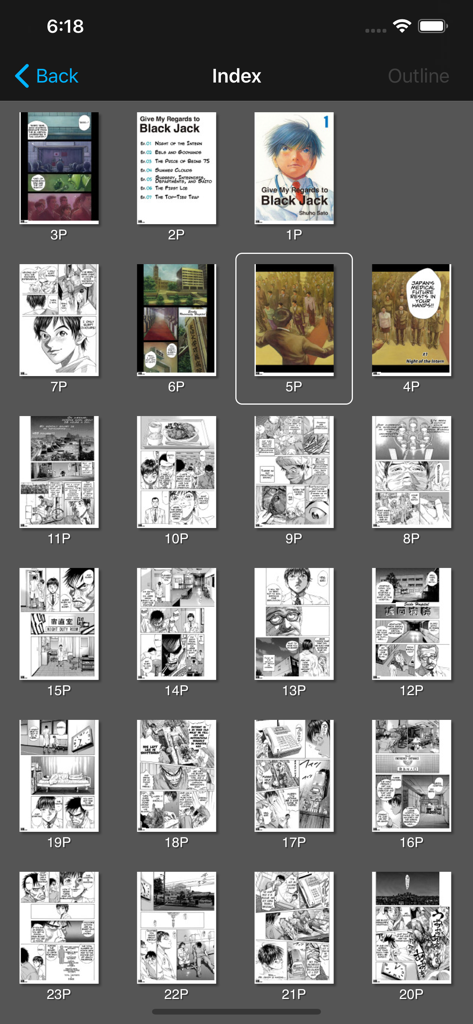
SideBooksインデックスビュー内のマンガページサムネイルのグリッド表示。

SideBooksインデックスビュー内のマンガページサムネイルのグリッド表示。

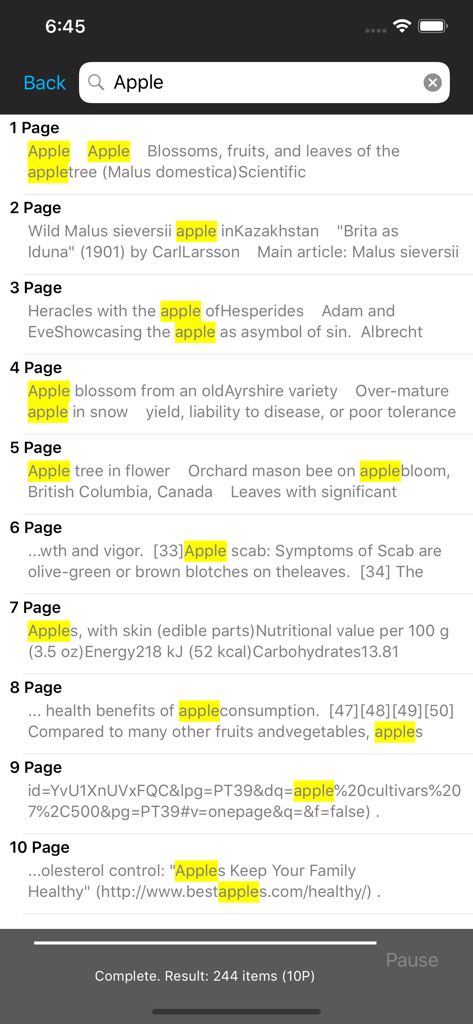
SideBooksアプリのテキスト検索インターフェース。ドキュメント内の強調表示されたキーワードとページ番号が表示されています。

SideBooksアプリのテキスト検索インターフェース。ドキュメント内の強調表示されたキーワードとページ番号が表示されています。

究極のデジタルライブラリを解き放つ

このアプリを際立たせるツール、 1M+ 人のユーザーが選択.

本物の紙の体験

リアルなページめくりアニメーションと、デジタル読書を物理的に感じさせるような超高速レンダリングで没入しましょう。

📚

マンガ・コミックに最適化

PDF、CBZ、CBRフォーマットをシームレスに楽しめ、グラフィックノベル愛好家のために特別に調整された右開きサポートも備わっています。

🔒

プロレベルのファイル管理

無限のフォルダ階層で複雑なライブラリを整理し、暗号化されたパスワードロックで機密文書をプライベートに保ちます。

アプリについて

について知っておくべきこと SideBooks.

説明

SideBooks is a high performance, high speed PDF viewer that allows you to enjoy reading with the feel of actual paper. =Features= Curl animation that simulates the actual turning of paper pages has been added to the standard page slide function. Supports viewing from 3 directions, documents that open left to right, right to left and vertically. It provides the optimal environment for viewing any book. All zoom rates have been optimized providing high speed, dynamic screen display. An infinite hierarchy of folders can be created, moved, deleted, renamed, etc. using the enhanced bookshelf management function. Real visual bookshelf function that corresponds to back cover style display. Files can be imported by 3 methods, Network transfer through Dropbox, USB transfer through iTunes and direct transfer from other applications. Books can be protected so others cannot view them by using the password protected locking function. This is a universal application that operates on the iPhone, iPod Touch and iPad. =Functions= Overall: *Brightness Adjustment *Screen rotates to match the orientation of the device *Screen Rotation Lock *Password Protected Start-up Lock Viewer: *Support PDF,ZIP,CBZ,RAR and CBR format *Page Turning: Choose from slide or curl *Viewing Directions: Choose from opening left to right / right to left / vertically *Page Spacing: Choose form wide / narrow / none *Facing Pages: Choose the pair of facing pages by setting the cover to on or off *Trim function within the range of page display *Cache pre-read function for the previous and next pages *Set the display for each book and remember the page number of the last page read *Text search function (list display type) *Contents function (also supports hierarchy type) *Bookmark function (with editable memos) *Edit handwritten notes *Send to other applications (Open-In) *Send by email *Printing function (Air Print) *In-page link function *Link to outside URL function (built-in browser / Safari / Printing) *Display / Don't Display link buttons *Page turning function using tap or swipe *Expansion / Contraction function using pinch and double tap (1-1024x zoom) *Viewing of encrypted PDF files with password protection *Display / non-display of statusbar when reading Bookshelf: *Display form: Choose form list bookshelf / visual bookshelf *Function to set theme of visual bookshelf with each folder *Bookshelf thema extension pack (Add-On) *Cover editing function (corresponds to the trim) *File editing function: create, move, delete, setting for all books in folder *Bookmark list *Reading history list *Unread list *Edit of mark choose form already read / unread *Book name search function *Network transfer through Dropbox *USB transfer through iTunes *Direct transfer from other applications Special thanks to, "Give My Regards to Black Jack" SHUHO SATO Manga on Web http://mangaonweb.com

最新バージョン

2.87.1

サイズ

31.7 MB

リリース日

2010年12月19日

あなたのライブラリ全体を、完璧に。

デジタルコレクションにさらに多くを求める100万人以上のヘビーユーザーに加わりましょう。本日、iPadまたはiPhoneで、触覚的で紙のような感触と高速パフォーマンスを体験してください。

ダウンロード: App Store
FAQ

よくある質問

について知っておくべきこと SideBooks

SideBooksとは何ですか?

SideBooksは、実際の紙のような読書体験を提供する高性能PDFビューアーです。カールアニメーションやダイナミックな画面表示などの機能を備えています。

SideBooksはさまざまなファイル形式をサポートしていますか?

はい、SideBooksはPDF、ZIP、CBZ、RAR、CBRファイル形式をサポートしています。これにより、さまざまなドキュメントやコミックブックの種類をアプリケーション内で表示できます。

DropboxからSideBooksにファイルをインポートできますか?

はい、SideBooksではDropbox経由のネットワーク転送、iTunes経由のUSB転送、その他のアプリケーションからの直接転送によるファイルインポートが可能です。これにより、柔軟なコンテンツ管理が実現します。

SideBooksはビジュアル本棚機能を提供していますか?

はい、SideBooksは、裏表紙スタイル表示に対応した実際のビジュアル本棚機能を提供しています。ユーザーは各フォルダ内でビジュアル本棚のテーマを設定することもできます。

SideBooksでページをめくるにはどうすればよいですか?

SideBooksでは、タップまたはスワイプジェスチャーによるページめくりが可能です。標準的なページスライド機能か、紙のページをめくる動作をリアルにシミュレートするカールアニメーションを選択できます。

SideBooksは暗号化されたPDFファイルを表示できますか?

はい、SideBooksはパスワードで保護された暗号化PDFファイルの表示をサポートしています。この機能により、ビューアー内で機密文書に安全にアクセスできます。

SideBooksはiPhoneとiPadの両方で利用できますか?

はい、SideBooksはiPhone、iPod Touch、iPadデバイスでシームレスに動作するように設計されたユニバーサルアプリケーションです。さまざまなiOS画面サイズや向きに対応します。

SideBooksにはドキュメント内のテキストを検索する機能が含まれていますか?

はい、SideBooksにはリスト形式で結果を表示するテキスト検索機能が含まれています。この機能により、ドキュメント内の特定の単語やフレーズをすばやく見つけることができます。

SideBooksで本を保護するにはどうすればよいですか?

SideBooksは、本に対してパスワード保護されたロック機能を提供します。このセキュリティ対策により、不正なユーザーが適切な認証なしにデジタルコンテンツを閲覧することを防ぎます。

SideBooksでズームレベルを調整できますか?

はい、SideBooksではピンチおよびダブルタップジェスチャーを使用してズームレベルを調整できます。アプリケーションは、1倍から1024倍までの広いズーム範囲をサポートしています。

App information, icons, screenshots, and descriptions displayed on this page are sourced from the Apple App Store and are the property of their respective developers. Download estimates and rankings are based on MWM's proprietary models and may not reflect actual figures. This page is provided for informational and analytical purposes only.

Believe this page infringes your intellectual property? File a dispute