
このページはアプリまたはその開発者の公式ページではなく、情報提供および論評を目的として作成された独立した編集出版物です。明示的に別段の記載がない限り、アプリおよびその開発者は、MWM、Apple、Google Play、アプリのパブリッシャー、またはアプリの開発者と提携、承認、後援、認可、またはその他の公式的な関係はなく、このページのいかなる内容も、アプリがMWMのサービスを使用して開発されたことを意味するものではありません。すべての商標、ロゴ、スクリーンショット、その他のコンテンツはそれぞれの所有者の財産です。


Yomu EBook Reader
紙の束縛を打ち破り、デジタルが読書を支配する。
ダウンロード
750k+ユーザー評価
評価数
1.5K開発元
カテゴリ
Books対応言語
5最新バージョン
3.16.0サイズ
56.9 MBリリース日
2013年1月5日目の肥えた読書家とデジタルコンテンツ愛好家のための主要機能
Yomu EBook Reader: 詳細分析
高度なプライバシー保護
本アプリはユーザーの個人情報を収集または販売せず、高いプライバシー保護を提供することで、安心して読書に集中できる環境を確保します。
高度にカスタマイズ可能な読書体験
ユーザーは、テーマ、読書モード、フォントサイズ、レイアウトなど、豊富なオプションを自由に設定し、読書に集中できる最適な環境を構築できます。
広範な電子書籍フォーマット対応
アプリはEPub、Mobi、Kindle、コミック、PDFといった主要な電子書籍フォーマットを幅広くサポートし、ユーザーの多様な個人コレクションを一元的に管理することを可能にします。
強力なライブラリ管理機能
フォルダやタグでの整理、詳細なメタデータ編集、柔軟なソートオプションにより、ユーザーは自身の膨大な電子書籍コレクションを効率的かつ体系的に管理できます。
シームレスなAppleデバイス間同期 (Pro)
iCloud経由で書籍と注釈を安全に同期し、iPhone、iPad、Mac間で読書の進捗やデータが常に最新の状態に保たれ、デバイスをまたいだ快適な読書体験を提供します。
高度な注釈と検索機能
ユーザーはテキストのメモ、ハイライト、ブックマーク作成、書籍内検索を行うことができ、読書体験をより深く、情報を効率的に管理することを可能にします。
柔軟な電子書籍インポートオプション
ブラウザからの直接ダウンロード、AirDrop、クラウドサービス(iCloud Drive, Dropbox, Google Drive)、OPDS、Calibreなど、多岐にわたる方法で電子書籍を取り込むことができ、ユーザーは容易に自分のコンテンツを追加できます。
強力なAppleエコシステム連携
iPhone、iPad、Macの全デバイスで利用可能であり、ウィジェットを通じて最近読んだ本やハイライトされた引用に素早くアクセスできるなど、Appleのエコシステムに深く統合されています。
よくある質問
について知っておくべきこと Yomu EBook Reader
What is Yomu EBook Reader?
Yomu EBook Reader is an independent reader designed for book lovers, offering custom styles and distraction-free reading for ebooks.
What e-book formats does Yomu EBook Reader support?
Yomu EBook Reader supports EPub, Mobi, Kindle, Comics (cbz, cbr), and PDF formats. It handles standard ebooks without digital rights management.
Can I customize the reading experience in Yomu EBook Reader?
Yes, Yomu EBook Reader offers extensive customization. Users can choose themes, reader modes (day, sepia, grey, dusk, night, black), font sizes, and content layouts (page, scroll).
Does Yomu EBook Reader allow highlighting and notes?
Yes, Yomu EBook Reader allows users to select text in EPub, Mobi, and Kindle books to take notes or highlight favorite sections. Users can also create bookmarks.
How can I organize my books in the Yomu EBook Reader library?
Yomu EBook Reader allows users to organize their books by creating folders or tags. Collections can be sorted by title, author, series, recently read, or custom drag-and-drop order.
What features are included with Yomu Pro?
Yomu Pro includes the Cloud Library for iCloud sync, unlimited documents, and an ad-free experience. The free version has limitations and may display ads.
Does Yomu EBook Reader offer cloud syncing for books?
Yes, Yomu EBook Reader offers Cloud Library functionality with Yomu Pro. This feature stores and syncs books and annotations securely using Apple's iCloud across all devices.
Does Yomu EBook Reader collect personal data?
No, Yomu EBook Reader does not collect or sell any personal information. The app prioritizes user data privacy.
What platforms does Yomu EBook Reader support?
Yomu EBook Reader is available on Apple platforms, including iPhone, iPad, and Mac devices.
How can I import books into Yomu EBook Reader?
Users can import books into Yomu by downloading from a browser, copying from other apps, AirDrop, iCloud Drive, iTunes File Sharing, Dropbox, Google Drive, OPDS, or Calibre.
Does Yomu EBook Reader have widgets?
Yes, Yomu EBook Reader includes widgets. These widgets allow users to quickly view and open recently read books or highlighted quotes, resuming where they left off.
以下のスクリーンショットと説明は、アプリの公式ストアリスティングから直接取得されたものであり、アプリ開発者の所有物です。
アプリストア
スクリーンショット
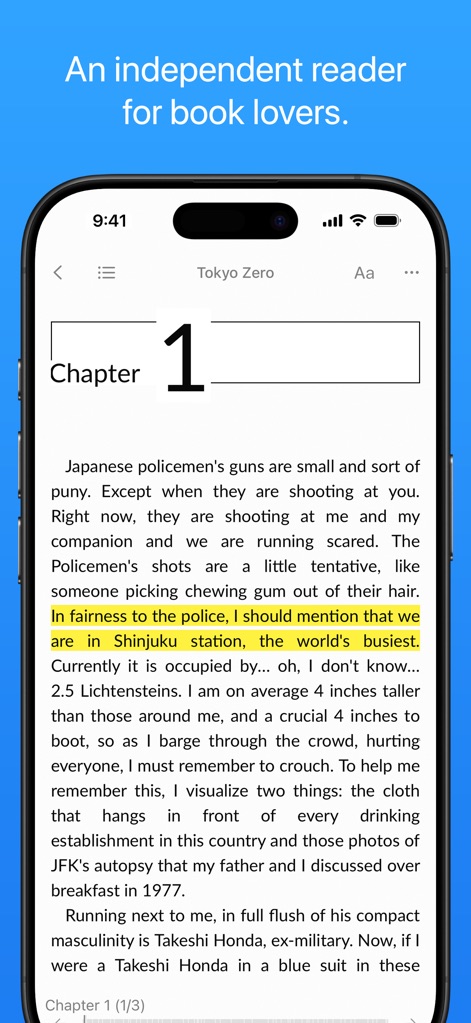
このアプリの最適化された読書画面では、テキストのハイライト機能を使って重要な部分を簡単にマークできます。
集中読書体験

ユーザーは書籍リストと詳細なカバーアートを通じて、膨大なコレクションを視覚的に管理できます。
多様な形式に対応
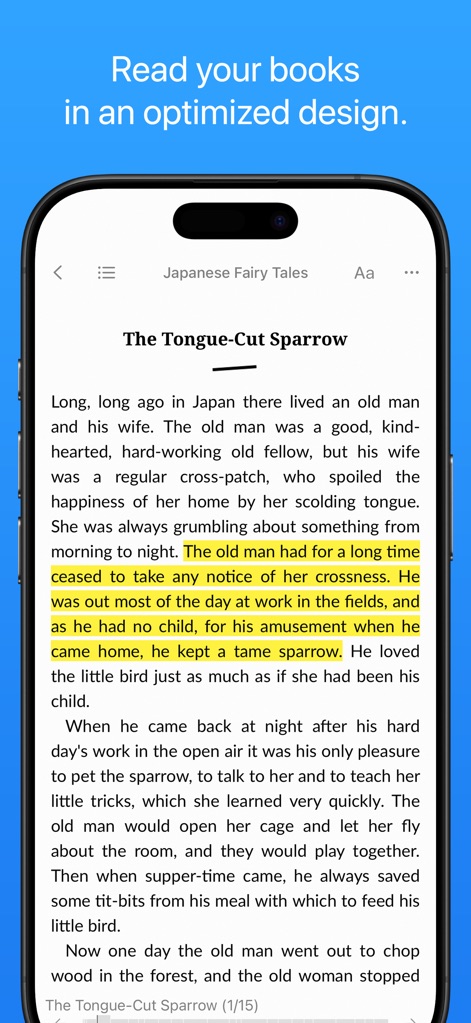
このアプリは最適化されたレイアウトで、ハイライト機能を用いて重要な箇所をマークしながら快適な読書を提供します。
洗練されたデザイン
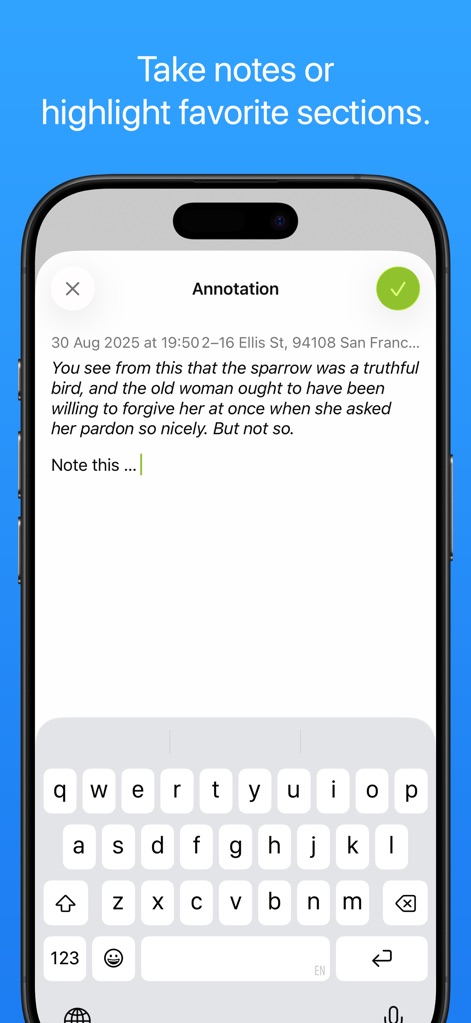
注釈入力フィールドと使いやすい仮想キーボードで、ユーザーは読書中に直接メモを作成できます。
手軽なメモ作成

読書設定オプションとレイアウト調整機能により、ユーザーは自分好みの読書環境を細かく設定できます。
読書スタイルを調整

このアプリの効率的な書籍管理ツールと統合された検索バーで、ユーザーは目的の書籍を素早く見つけられます。
直感的なライブラリ
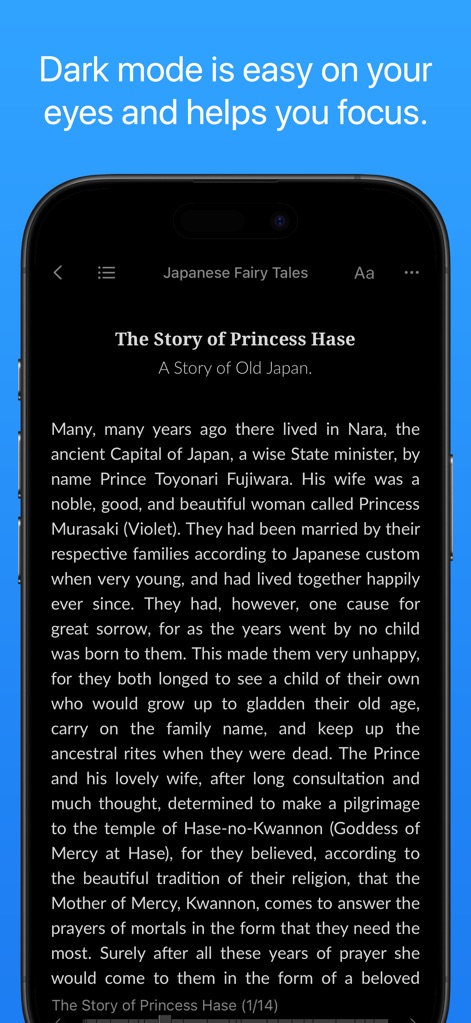
目の負担を軽減するダークモードと高コントラストテキストにより、あらゆる環境で快適な読書が可能です。
目に優しいダークモード
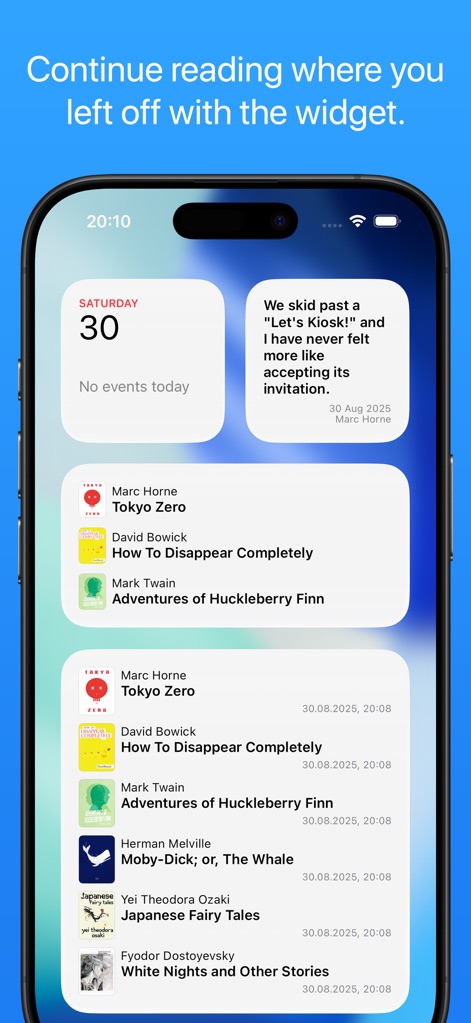
ホーム画面ウィジェットと読書履歴表示機能で、ユーザーは中断した場所からすぐに読書を再開できます。
ウィジェットで簡単アクセス
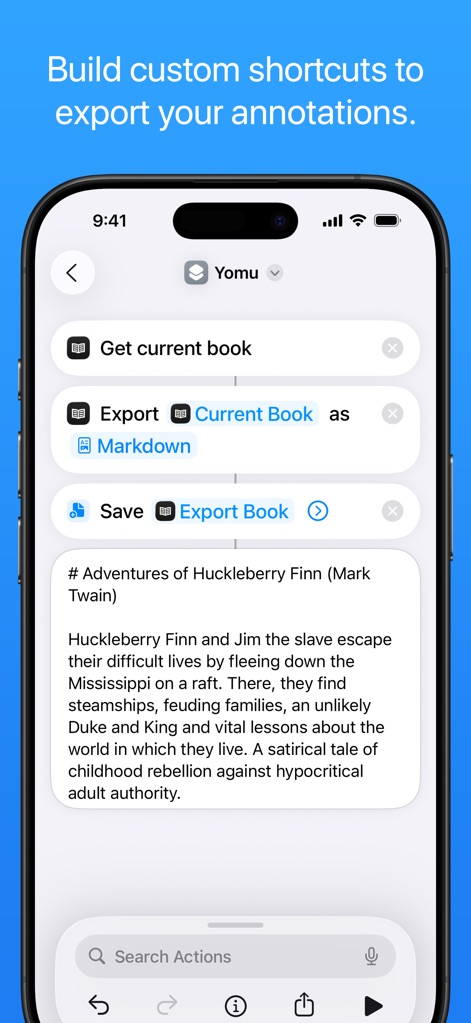
このアプリのカスタムショートカットとマークダウンエクスポート機能は、ユーザーの注釈やデータを簡単に共有・保存することを可能にします。
注釈をエクスポート
説明
Download
類似アプリ
似た機能とユーザー体験を持つアプリ

eBoox - fb2 ePub book reader
REDIT, OOO

PureLibro: ebook reader
添欢 谢

Summit Reader
三英 郑

Readingo
哲魁 左

YACReader - Comic Reader
Luis Ángel San Martín

KRed Reader
Kingjet Network Co., Ltd.

Epub Reader -read epub,chm,txt
俊杰 阮

KyBook 3 Ebook Reader
Konstantin Bukreev

KyBook 2 Ebook Reader
Konstantin Bukreev
このページはアプリまたはその開発者の公式ページではなく、情報提供および論評を目的として作成された独立した編集出版物です。明示的に別段の記載がない限り、アプリおよびその開発者は、MWM、Apple、Google Play、アプリのパブリッシャー、またはアプリの開発者と提携、承認、後援、認可、またはその他の公式的な関係はなく、このページのいかなる内容も、アプリがMWMのサービスを使用して開発されたことを意味するものではありません。すべての商標、ロゴ、スクリーンショット、その他のコンテンツはそれぞれの所有者の財産です。