Smart Tasks - Lists Made Easy

Smart Tasks - Lists Made Easy


ダウンロード: App Store
ロゴ: Smart Tasks - Lists Made Easy

Smart Tasks - ミニマリストなライフスタイルに合わせた簡単なリスト作成

Appleエコシステムのためにデザインされた、美しく直感的なプランナーで、あなたの心を整理しましょう。エレガントな美しさ、インタラクティブなジェスチャー、そしてすべてのデバイスでのシームレスな同期で、あなたの1週間を整理してください。

開発元

Francesco Prospato

カテゴリ

Productivity

ダウンロード

318K+

ユーザー評価

4.7/5

評価数

4K+

対応言語

4

動きの中のシンプルさ

このインターフェースを利用する 318K+ 人のユーザー.

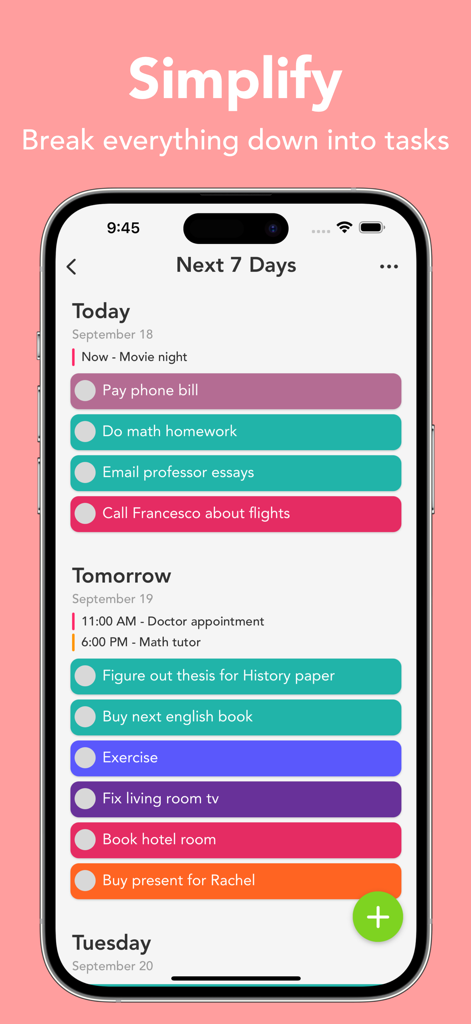
Smart TasksアプリのiPhone画面にある、カラフルでミニマリストな週次タスクリスト。

Smart TasksアプリのiPhone画面にある、カラフルでミニマリストな週次タスクリスト。

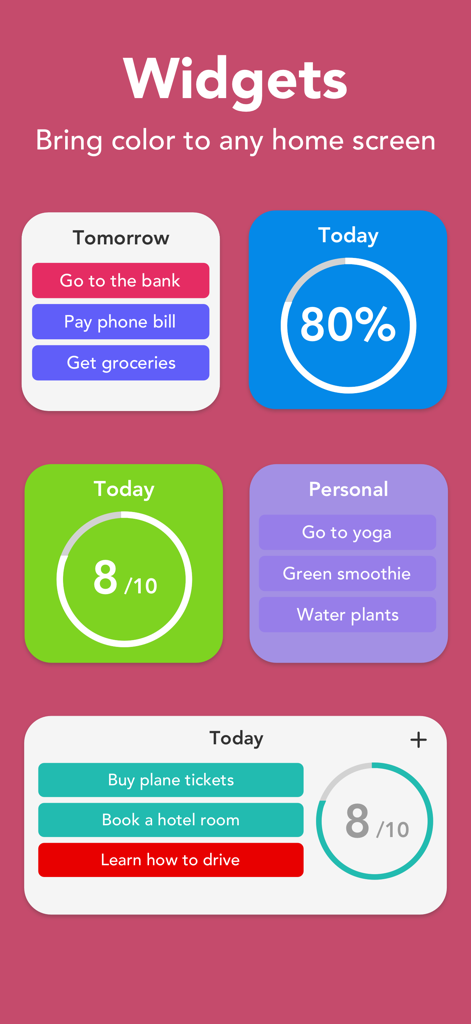
タスクリストと日次完了進捗状況を示す、カラフルでミニマリストなiOSウィジェットのコレクション。

タスクリストと日次完了進捗状況を示す、カラフルでミニマリストなiOSウィジェットのコレクション。

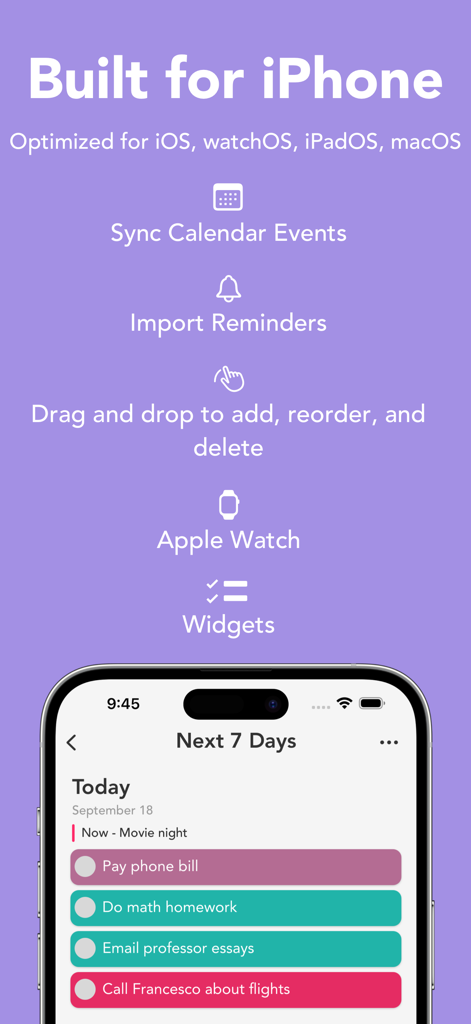
カレンダー同期、リマインダーインポート、色分けされたタスクリストなどのiPhone機能を強調するSmart Tasksアプリのプロモーショングラフィック。

カレンダー同期、リマインダーインポート、色分けされたタスクリストなどのiPhone機能を強調するSmart Tasksアプリのプロモーショングラフィック。

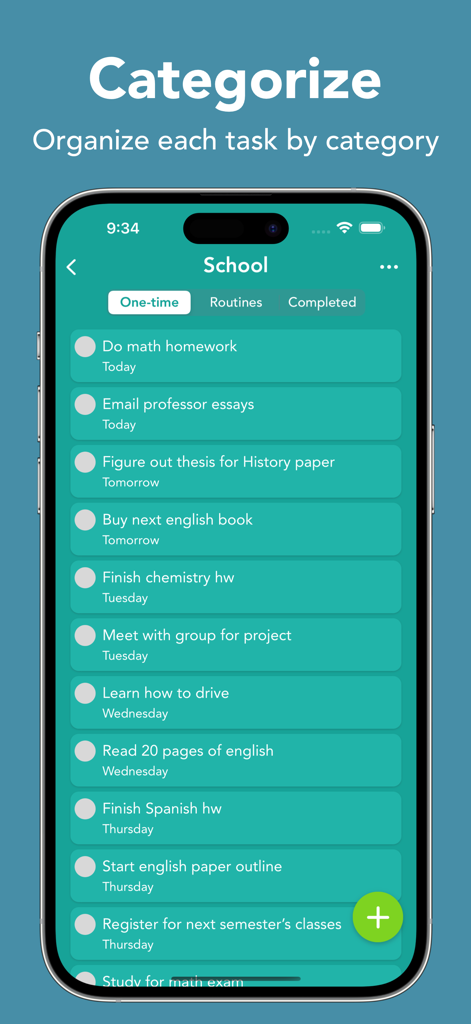
カテゴリ別に整理された学校の課題リストが表示されているSmart Tasksアプリのスマートフォン画面。

カテゴリ別に整理された学校の課題リストが表示されているSmart Tasksアプリのスマートフォン画面。

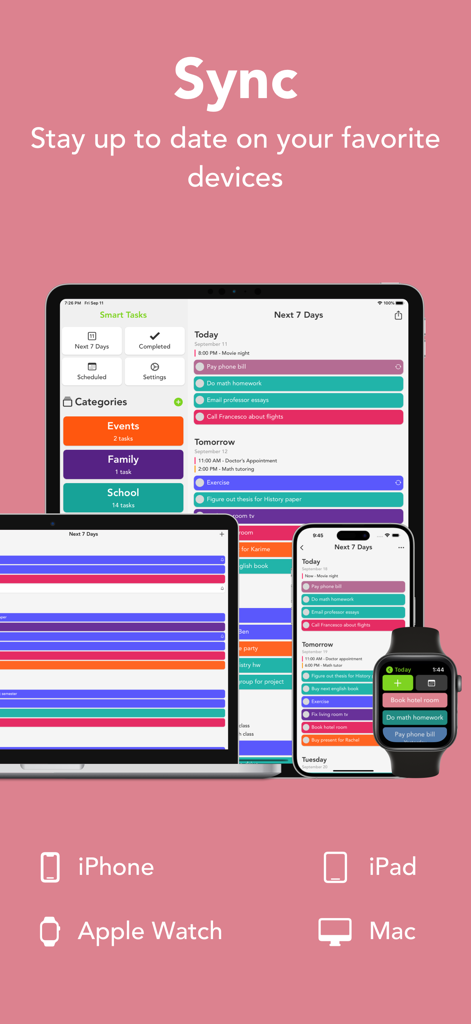
iPhone、iPad、Mac、Apple Watch間でのシームレスな同期を表示するSmart Tasksアプリのインターフェース。

iPhone、iPad、Mac、Apple Watch間でのシームレスな同期を表示するSmart Tasksアプリのインターフェース。

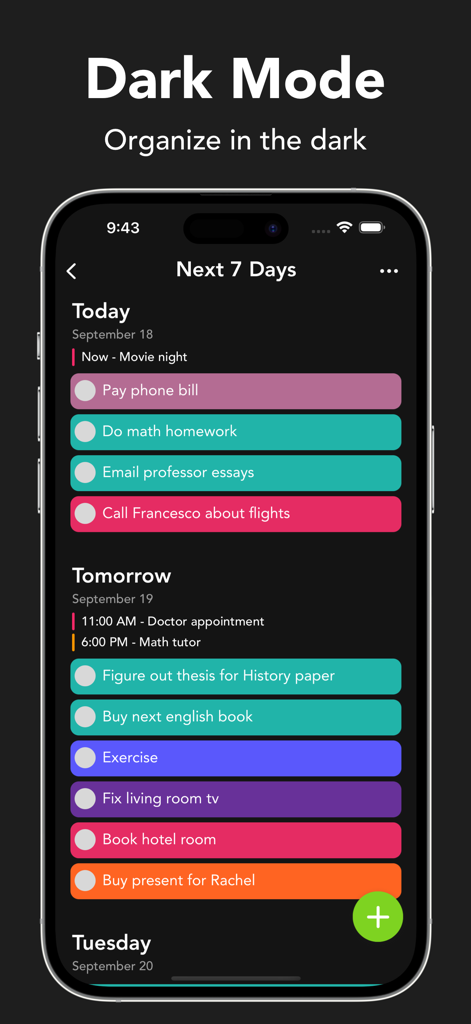
Smart Tasksモバイルアプリのインターフェース(ダークモード)で、カラフルなタスクバーが表示された週次スケジュールを表示。

Smart Tasksモバイルアプリのインターフェース(ダークモード)で、カラフルなタスクバーが表示された週次スケジュールを表示。

純粋なシンプルさで一日をマスターする

このアプリを際立たせるツール、 318K+ 人のユーザーが選択.

🎨

美的パーソナライゼーション

視覚重視のオーガナイザーのためにデザインされた、41色の鮮やかな色とカスタムアプリアイコンでワークスペースをカスタマイズしましょう。

🔄

Appleエコシステムマスター

ネイティブHandoffとiCloud統合により、iPhone、iPad、Mac、Apple Watch間でシームレスに同期できます。

摩擦のないワークフロー

ドラッグ&ドロップジェスチャーとApple PencilのScribbleサポートで、満足のいく触覚的なインタラクションを体験してください。

アプリについて

について知っておくべきこと Smart Tasks - Lists Made Easy.

説明

Featured in App Store's "Hot This Week" for multiple weeks. Welcome to Smart Tasks: a simple, yet powerful way to get things done! See your whole week in a minimalistic and interactive design. Write down everything from your time-sensitive work to things you just don’t want to forget about. Keep yourself from worrying about what you have to do and start getting things done. Simple. Fast. Intuitive. Built for you! FEATURES • Simple and highly interactive design • Drag and drop to quickly add, reorder, delete, and import tasks • Swipe on any tasks, category, or date to access quick actions to get things done quicker • Choose between 41 aesthetically pleasing colors for categories • Home screen quick actions • Export/import tasks and categories • Smart Notifications APPLE SPECIFIC FEATURES • Widgets • Dark mode • Notification quick actions • Add, edit, delete, and view Apple Calendar events • Import reminders from the Apple Reminders app • Device Handoff when adding tasks and categories • Full VoiceOver support PREMIUM FEATURES • iCloud sync • Reminders in tasks • Daily, weekly, monthly, and after completion routines • Notes in tasks • Week layout • Unlimited categories • Change app’s icon color • Special configuration options • Duplicating tasks • Custom swipe actions • Prioritize today • Link, email, and phone number detection in titles and notes IPAD SPECIFIC FEATURES • Multiple window support • Keyboard Shortcuts • Drag and drop multiple task files for quick importing • iPad mouse support • Apple Pencil support  • Scribble support to quickly add new tasks and categories APPLE WATCH SPECIFIC FEATURES • Independent Apple Watch app • Watch Complications for all sizes • Add/edit tasks and categories right from your wrist SUBSCRIPTION Smart Tasks has a subscription service for premium features. No sign-up is needed. Upgrade anytime to Smart Tasks +. Without Smart Tasks +, users will only have access to a limited amount of features. Subscriptions from Smart Tasks + will be charged to your card connected to your iTunes account. Your subscription will automatically renew unless canceled at least 24 hours before the end of the current period. You can manage your subscription in your account settings after purchase. Any unused time left in a given free trial will be forfeited when purchasing a subscription. For more details please look at: Privacy Policy: https://smarttasksapp.com/privacy/ Terms of Service: https://smarttasksapp.com/terms/ Thank you for using Smart Tasks! I'm constantly updating the app to make it better.

最新バージョン

2.15

サイズ

61.4 MB

リリース日

2020年3月20日

よりスマートでシンプルな週の準備はできましたか?

318,000人以上のユーザーに加わり、あなたのToDoリストを、すべてのAppleデバイスでシームレスでカラフルな体験に変えましょう。今日からタスクをこなしましょう。

ダウンロード: App Store

App information, icons, screenshots, and descriptions displayed on this page are sourced from the Apple App Store and are the property of their respective developers. Download estimates and rankings are based on MWM's proprietary models and may not reflect actual figures. This page is provided for informational and analytical purposes only.

Believe this page infringes your intellectual property? File a dispute