Split Video Into Parts

Split Video Into Parts


ダウンロード: App Store
ロゴ: Split Video Into Parts

動画を分割:クリエイター向け高精度動画分割ツール

フレーム単位の精度と完全なオンデバイスプライバシーで、長尺4K HDR動画をTikTok、Reels、Storiesに最適なセグメントに即座に分割します。

ダウンロード: App Store

開発元

Aliaksandr Andrashuk

カテゴリ

Photo & Video

ダウンロード

1K+

ユーザー評価

4.7/5

評価数

0

対応言語

1

精度とシンプルさの融合

このインターフェースを利用する 1K+ 人のユーザー.

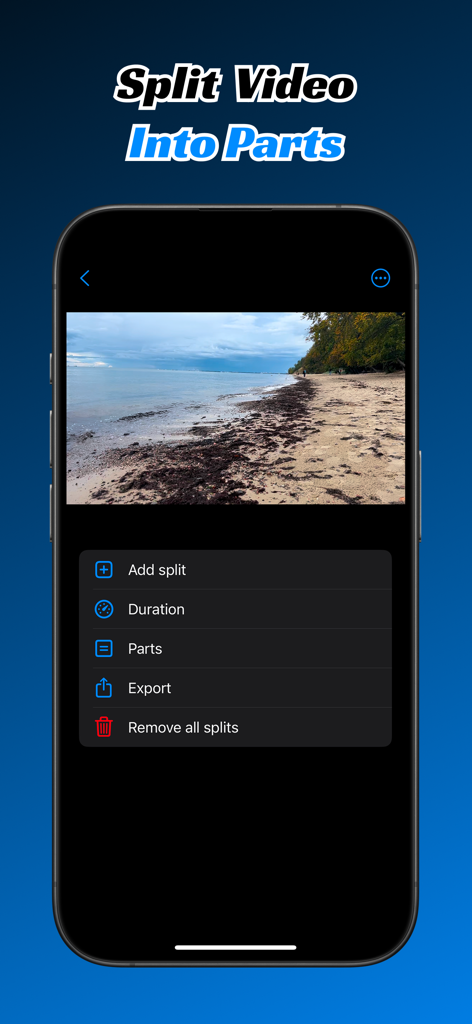
Split Video Into Partsアプリのインターフェース。スマートフォン上で動画分割とエクスポートオプションが表示されています。

Split Video Into Partsアプリのインターフェース。スマートフォン上で動画分割とエクスポートオプションが表示されています。

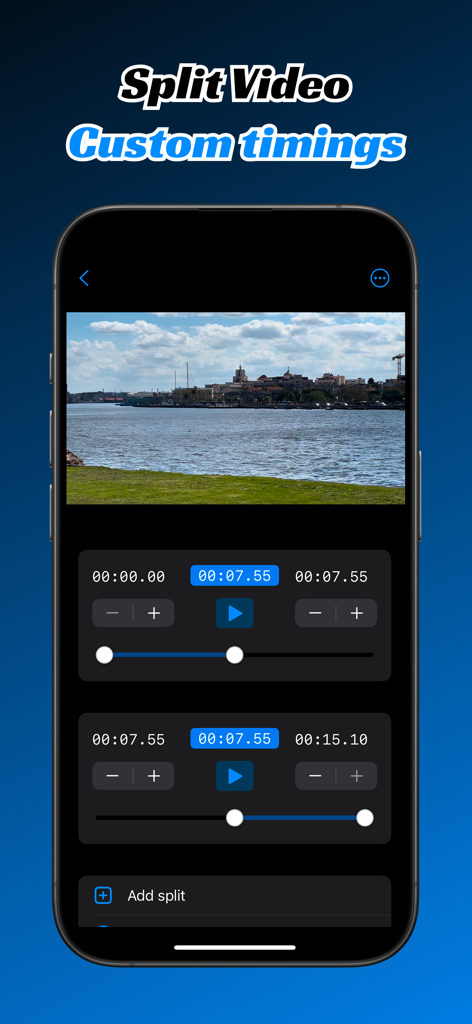
スマートフォンの画面。手動タイムコードとカスタムセグメントスライダーを備えた動画分割インターフェースが表示され、正確な動画編集が可能です。

スマートフォンの画面。手動タイムコードとカスタムセグメントスライダーを備えた動画分割インターフェースが表示され、正確な動画編集が可能です。

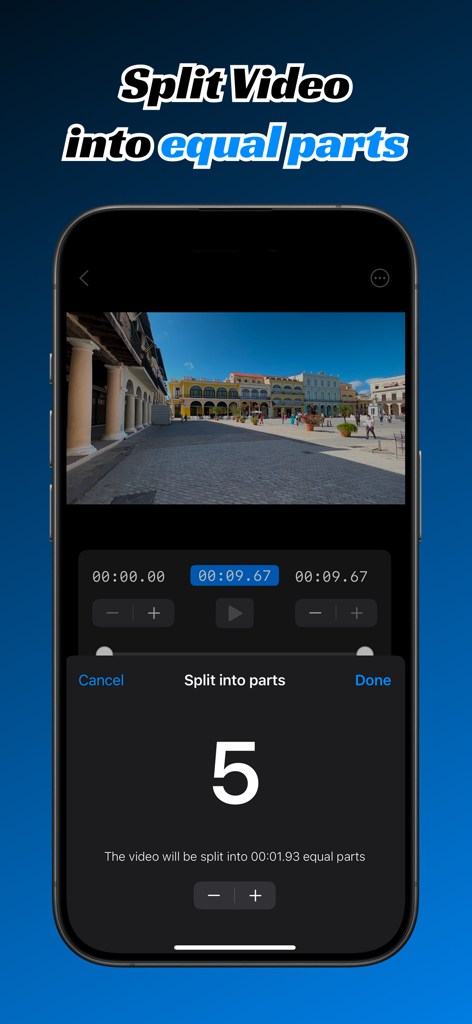
Split Video Into Partsアプリのインターフェース。動画が5つの均等なセグメントに分割されている様子が表示されています。

Split Video Into Partsアプリのインターフェース。動画が5つの均等なセグメントに分割されている様子が表示されています。

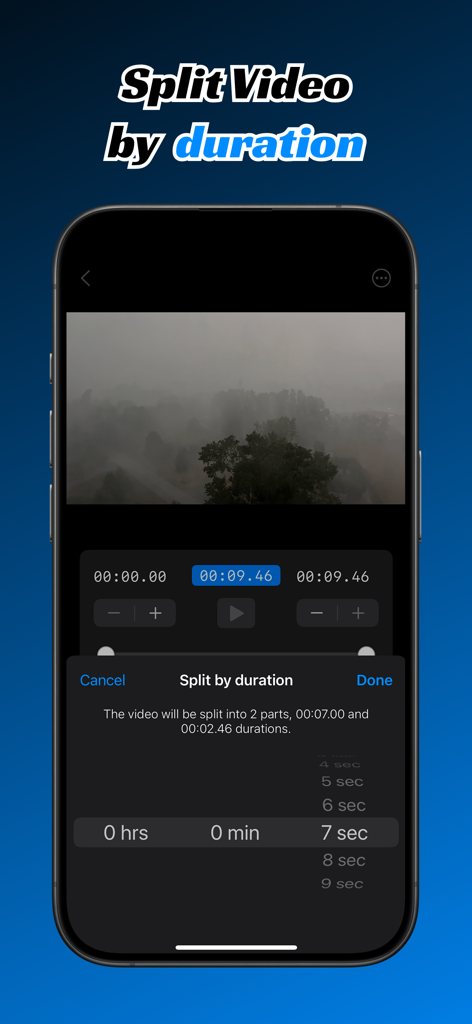
スマートフォンの画面。Split Video Into Partsアプリの、時間で分割する機能が表示されています。

スマートフォンの画面。Split Video Into Partsアプリの、時間で分割する機能が表示されています。

コンテンツを数秒でセグメント化

このアプリを際立たせるツール、 1K+ 人のユーザーが選択.

スマート自動分割

動画を均等なセグメントまたは特定の時間間隔に分割します。「パート1」と「パート2」のシームレスなシリーズを即座に作成するのに最適です。

💎

プログレード 4K & HDR

高解像度映像を鮮明に保ちます。圧縮せずに動画を処理するため、すべてのプラットフォームで素晴らしい仕上がりになります。

🔒

100% プライベート処理

動画はデバイスから離れません。すべての編集と分割はローカルで実行され、元の映像は安全に、データは保護されます。

アプリについて

について知っておくべきこと Split Video Into Parts.

説明

Easily split large videos into multiple parts with just a few taps! Whether you need to divide a video into equal segments, split video by time intervals, or export custom segments, Split Video Into Parts makes the process seamless and efficient. Split Video Into Parts is a professional yet easy-to-use video cutter and video splitter that helps you cut, trim, crop, mute and edit video clips with precision. Whether you're spliting video for Instagram Reels, Instagram Stories, TikTok, YouTube Shorts, or full-length movies, this smart video cutter gives you total control over timing and segments while keeping your content completely private. Why Choose Split Video Into Parts? Custom time codes – Enter timecode manually start and end of each split in 00:00:00.000 format Split by Number of Parts – Enter the number of sections you want, and the app will evenly divide video. Split by Time Interval – Choose a specific duration, and the app will automatically create segments of that length. Manual Splitting – Drag the interactive range slider to set custom start and end times for precise cuts. HDR & 4K Video Support – Maintain stunning video quality with full support for HDR and 4K resolution videos. Mute splits – Remove audio from video splits whether it's required. Fast & Efficient Processing – No lengthy waits—get your split videos quickly. Supports Media Library & iCloud – Select videos directly from your device or iCloud storage. Easy Export – Save and share your split video clips effortlessly. Custom watermark – Add your own watermark to exported clips. Projects – Video splits and timings are saved permanently allowing you to return to the editing at any time. Secure On-Device Processing — All video cutting, trimming, and editing happen entirely on your device. Nothing is uploaded or stored online, ensuring complete privacy. Ideal for content creators, social media enthusiasts, video editors, and anyone who needs quick and accurate video segmentation. Whether you're creating short social clips, editing longer story, cut reels, or fine-tuning video segments with timecut precision, Split Video Into Parts makes it effortless to split, cut, crop, and edit videos securely and efficiently. Split Video Into Parts is a perfect story splitter tool, long story maker and reels cutter. Terms of use https://www.apple.com/legal/internet-services/itunes/dev/stdeula/

最新バージョン

1.18

サイズ

43.9 MB

リリース日

2025年2月5日

分割の準備はできましたか? viralシリーズを数秒で作成。

ワンタップツールのスピードでプロ編集者の精度を手に入れましょう。100%オンデバイス処理で4K品質とプライバシーを維持。

ダウンロード: App Store

App information, icons, screenshots, and descriptions displayed on this page are sourced from the Apple App Store and are the property of their respective developers. Download estimates and rankings are based on MWM's proprietary models and may not reflect actual figures. This page is provided for informational and analytical purposes only.

Believe this page infringes your intellectual property? File a dispute