Stop Motion Plus

Stop Motion Plus

ダウンロード: App Store
ロゴ: Stop Motion Plus

Stop Motion Plus: プロレベルのアニメーションを簡単に作成

LEGO、粘土、おもちゃを4Kシネマティックストーリーに変えましょう。ボイスコントロールキャプチャ、オニオンスキン、高度なオブジェクト除去ツールでアニメーションの芸術をマスターしましょう。

ダウンロード: App Store

開発元

Heng Jia Liang

カテゴリ

Photo & Video

ダウンロード

1K+

ユーザー評価

3.8/5

評価数

0

対応言語

1

フレームごとの完璧

このインターフェースを利用する 1K+ 人のユーザー.

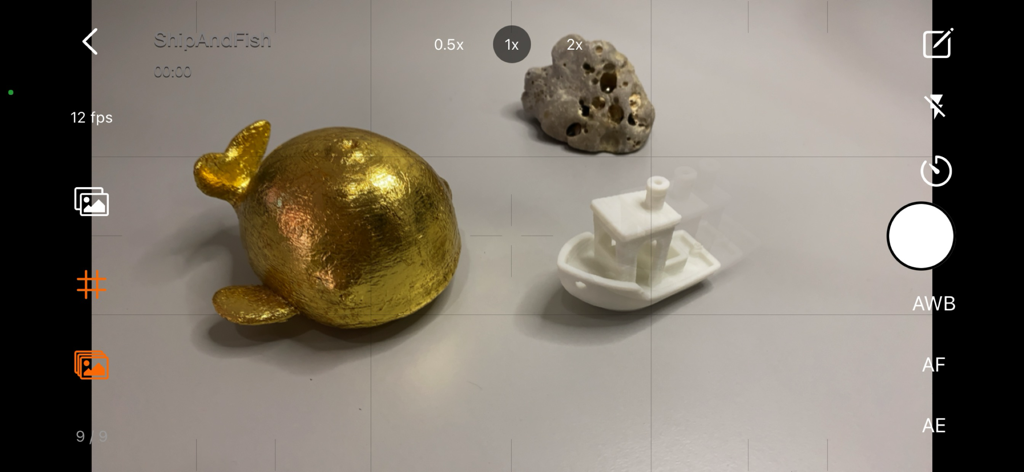
Stop Motion Plusアプリのカメラインターフェース。金魚とボートをアニメーション化するためのオニオンスキンが表示されています。

Stop Motion Plusアプリのカメラインターフェース。金魚とボートをアニメーション化するためのオニオンスキンが表示されています。

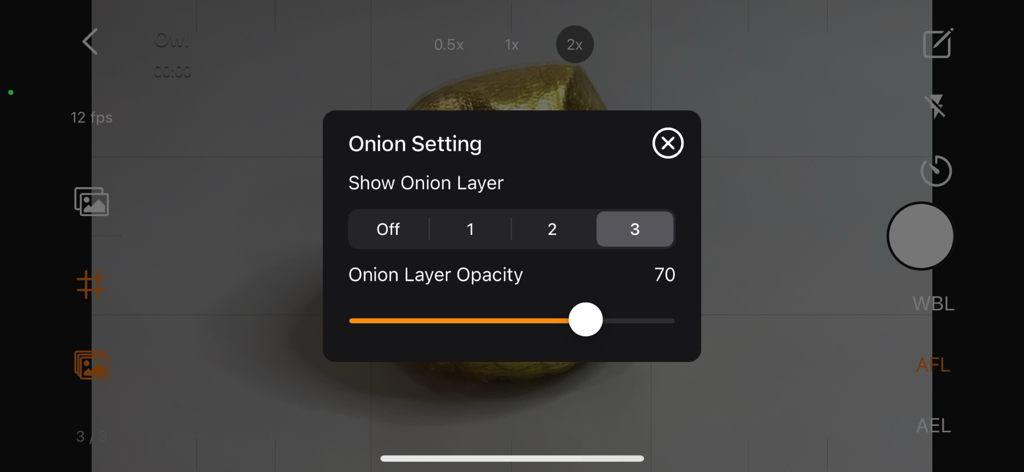
Stop Motion Plusアプリのオニオンスキン設定と透明度コントロールが表示されたインターフェース

Stop Motion Plusアプリのオニオンスキン設定と透明度コントロールが表示されたインターフェース

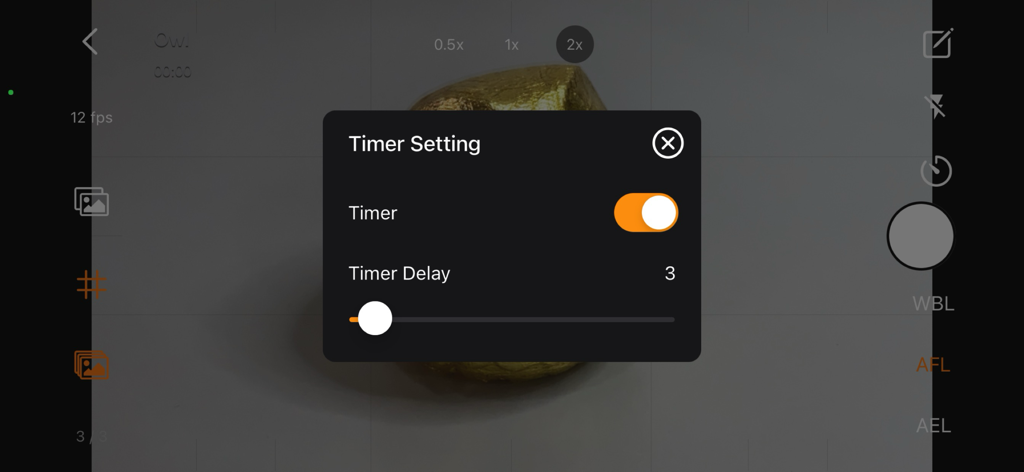
カメラビューの上に遅延スライダーが表示されたタイマー設定メニューを示すStop Motion Plusアプリのスクリーンショット。

カメラビューの上に遅延スライダーが表示されたタイマー設定メニューを示すStop Motion Plusアプリのスクリーンショット。

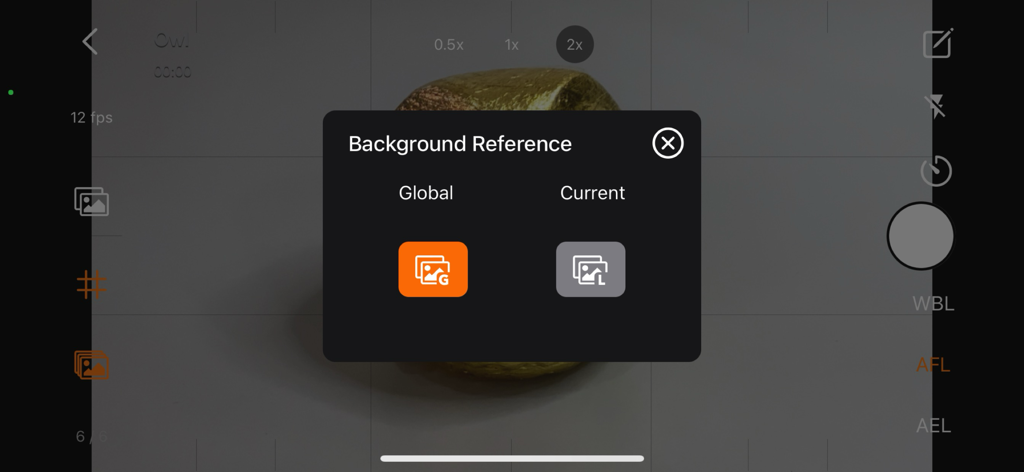
オブジェクトとリグの除去のための背景参照選択メニュー。Stop Motion Plusアプリ

オブジェクトとリグの除去のための背景参照選択メニュー。Stop Motion Plusアプリ

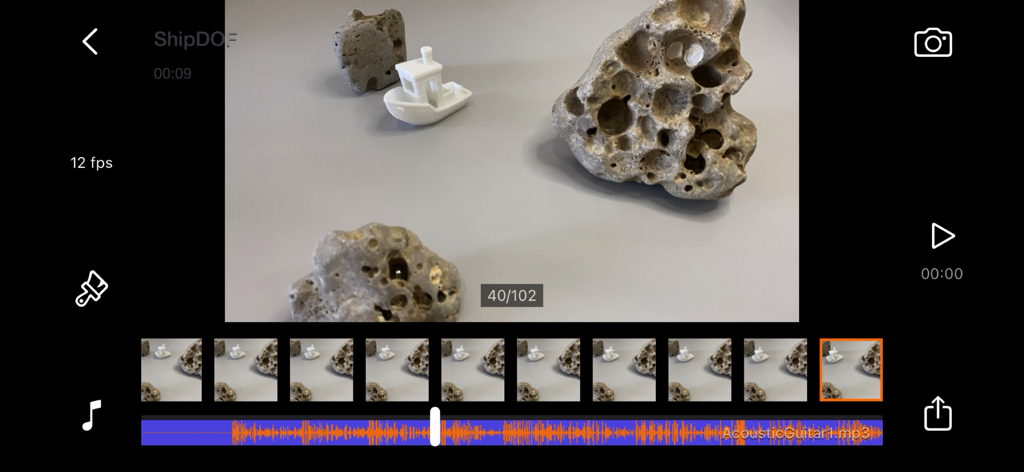
フレームシーケンスとオーディオトラックのレイヤーを持つStop Motion Plusアプリの編集インターフェース

フレームシーケンスとオーディオトラックのレイヤーを持つStop Motion Plusアプリの編集インターフェース

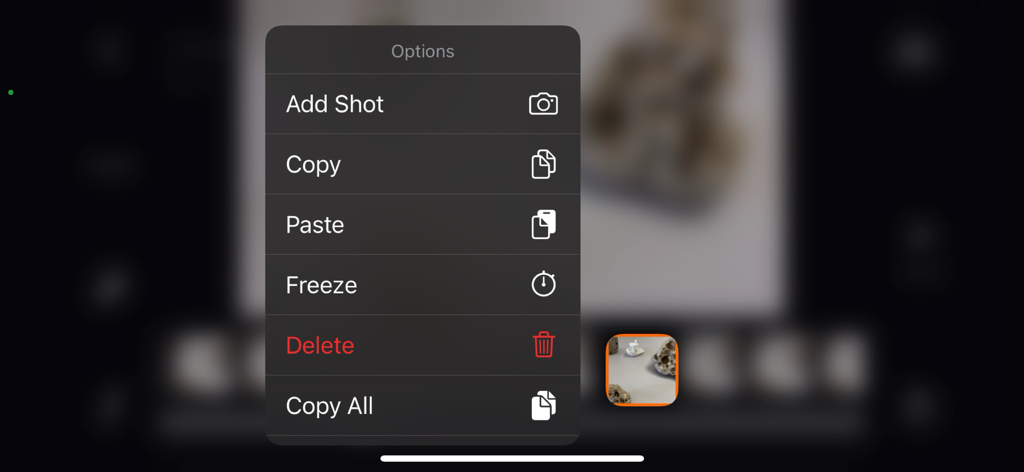
ショットの追加、コピー、ペースト、フリーズ、削除のオプションを示すStop Motion Plusアプリのコンテキストメニュー

ショットの追加、コピー、ペースト、フリーズ、削除のオプションを示すStop Motion Plusアプリのコンテキストメニュー

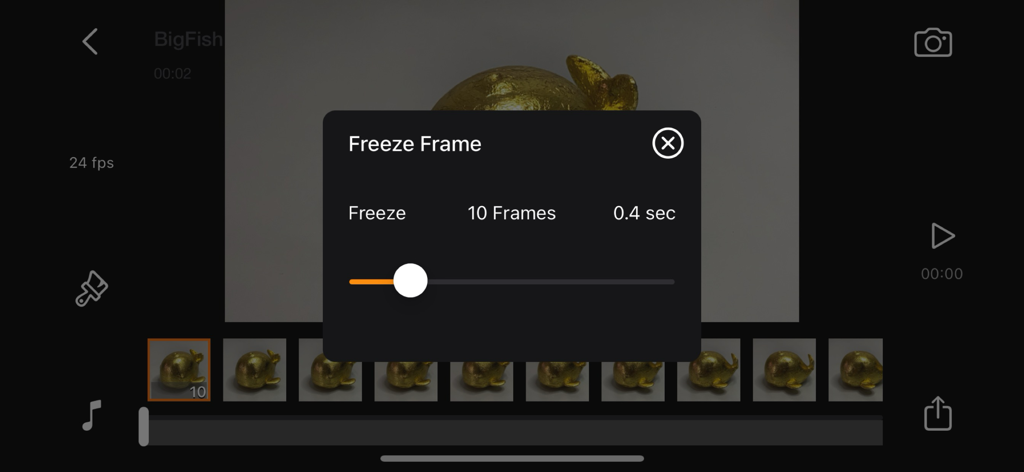
Stop Motion Plusアプリのタイムラインでフリーズフレームの期間を編集しています。

Stop Motion Plusアプリのタイムラインでフリーズフレームの期間を編集しています。

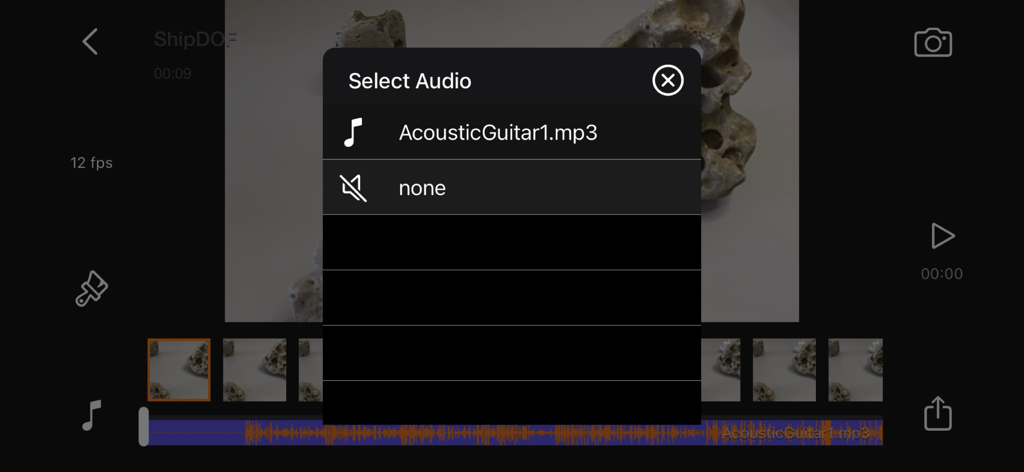
アニメーションに効果音や音楽を追加するためのオーディオ選択メニュー。Stop Motion Plusアプリ

アニメーションに効果音や音楽を追加するためのオーディオ選択メニュー。Stop Motion Plusアプリ

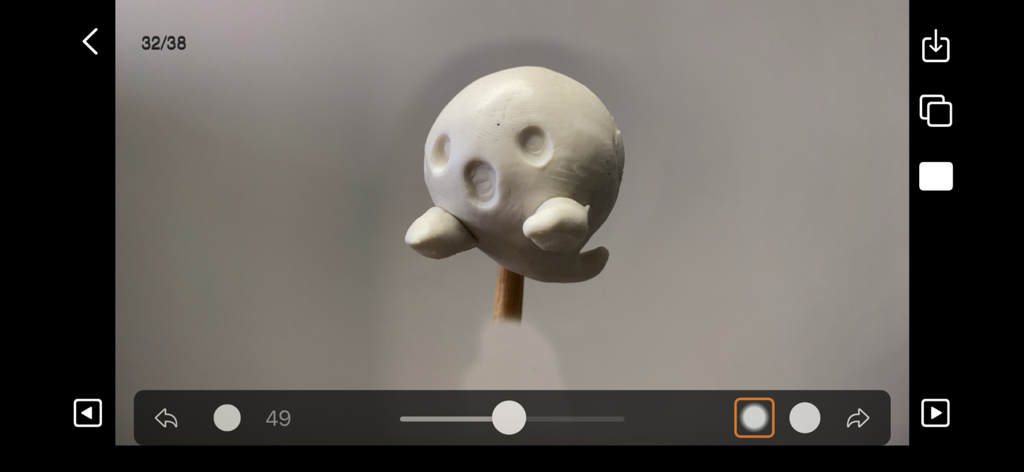
白い粘土のゴーストフィギュアが表示された編集パネルを示すStop Motion Plusアプリのインターフェース

白い粘土のゴーストフィギュアが表示された編集パネルを示すStop Motion Plusアプリのインターフェース

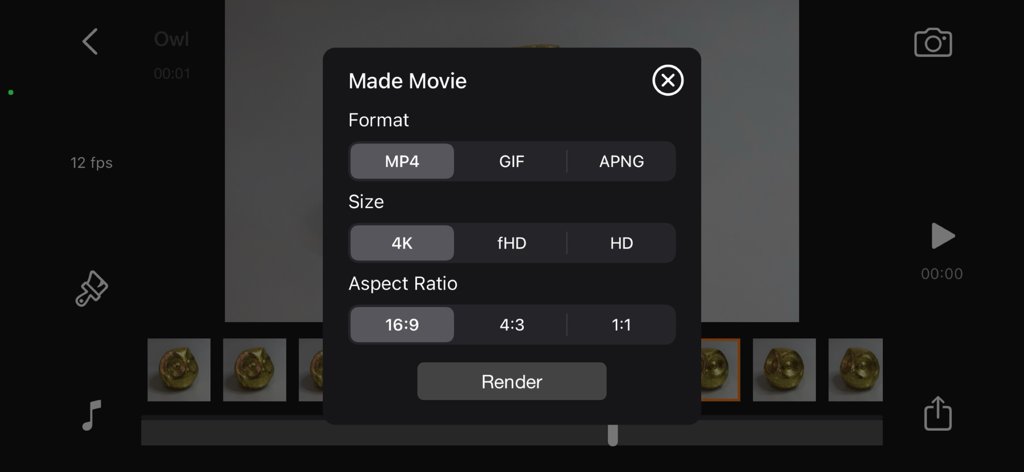
フォーマット、サイズ、アスペクト比のオプションが表示されたStop Motion Plusムービーエクスポートパネル

フォーマット、サイズ、アスペクト比のオプションが表示されたStop Motion Plusムービーエクスポートパネル

プロレベルのアニメーションをシンプルに

このアプリを際立たせるツール、 1K+ 人のユーザーが選択.

🎙️

ハンズフリーボイスコントロール

デバイスに触れることなくフレームをキャプチャし、カメラの揺れを防ぎ、プロフェッショナルな見た目のためにショットを完璧に安定させます。

👻

精密オニオンスキン

透明なゴーストフレームオーバーレイを使用して、前回の動きを確認し、流れるようなリアルなアニメーションを簡単に作成できます。

🪄

マジックオブジェクト除去

背景参照フレームを使用して、ワイヤーやサポートリグを簡単に消去し、キャラクターが簡単に飛んだりジャンプしたりできるようにします。

アプリについて

について知っておくべきこと Stop Motion Plus.

説明

Stop Motion for iOS Simple and robust stop motion app. Create amazing stop-motion videos with ease. Perfect for casual users with an easy-to-use control panel. Project Management: • Rename, delete project, or export movie option via long press. • Projects are copyable to other devices using the Files app. Go to Stop Motion and copy the project folder. Stop Motion Plus Camera Features: • Default highest photo quality output depending on device. • Support for dual-lens or triple-lens devices. • Auto/Lock White Balance. • Auto/Touch Focus/Exposure control. • Timer for interval capture ranging from 1–60 seconds. • Show/Hide grid option. • Option to show onion/overlay of previous frames for reference — up to 3 overlay frames. • Opacity adjustment for onion/overlay frames. • Capture background reference to support object removal. • Photos are saved immediately to prevent accidental data loss. • Photos are saved to internal storage and available for external editing (access files via iTunes or Files app). • Support for voice control to capture images. • Simple UI and easy to use. Stop Motion Plus Edit Panel Features: • Set movie frame rate (FPS) from 1–60 fps. • Edit images by removing supporting structures using background reference. • Add sound to project — sounds are placed in Files app > Stop Motion > [Project Name] > Audio folder. • Preview stop motion animation. • Switch between Camera Panel and Edit Panel. • Select a frame in Edit Panel, switch back to Camera Panel, and new capture will be inserted after the selected frame. • Long press frame thumbnail to access Copy/Paste/Delete frame options. • Add freeze-frame duration for delay/pause effect. • Copy All Frames / Paste Frames / Paste Inverted Frames. • Copy Selected Frames / Paste Frames / Paste Inverted Frames. • Movie info available for better understanding of video length. Render Panel: • Video name matches the project title (e.g., Ship.mp4). • Set video resolution: HD, Full HD, or 4K. • Set video aspect ratio: 16:9, 4:3, or 1:1. • Render output as animated GIF or APNG. • Size options for GIF/APNG: 1280x720, 640x360, or 320x180. • Videos and animated GIFs are saved to the camera roll. • Animated APNGs are saved into the project folder. Quick Start Guide: 1. Tap on the Create button and enter a name. 2. Tap on the project name to load it. 3. Position your camera and start capturing. 4. After finishing, go to the Edit Panel. 5. Set your desired FPS and preview your animation. 6. Hit Render and your video will be saved to the camera roll. 2 Types of Background Reference: • Global Reference – for static backgrounds; uses a single background image. • Current Reference – for dynamic backgrounds; captures individual background images for each frame. Tips: • Use the overlay image feature to help position objects precisely. • Use the grid for better object alignment. • Start your project in a well-lit environment. Ideally, use a dedicated light source. • Use voice control to capture frames if your hands are occupied. • Create your project in multiple scenes and use iMovie for advanced video editing. What is Stop Motion? Stop motion is an animated filmmaking technique in which objects are physically manipulated in small increments between individually photographed frames. When played in sequence, the objects appear to move independently. Dolls with movable joints or clay figures are often used because they are easy to reposition. Stop-motion animation using plasticine is called clay animation or claymation. However, stop motion isn't limited to figures or models. It can also involve humans, household items, or everyday objects—often used for comedic or creative effects. Sequential drawings can also be used, similar to traditional animation, like a flipbook. When stop motion involves human actors, it's referred to as pixilation or pixillated animation. Thanks for your support! Visit nitrio.com for more apps for your iOS devices.

最新バージョン

1.9

サイズ

2.3 MB

リリース日

2014年2月12日

4Kであなたのストーリーを生き生きとさせましょう

LEGO®ビルダー、クレイメーションアーティスト、ソーシャルクリエイターのための究極のツール。Stop Motion Plusをダウンロードして、あなたのアイデアを今日のシネマティックリアリティに変えましょう。

ダウンロード: App Store

App information, icons, screenshots, and descriptions displayed on this page are sourced from the Apple App Store and are the property of their respective developers. Download estimates and rankings are based on MWM's proprietary models and may not reflect actual figures. This page is provided for informational and analytical purposes only.

Believe this page infringes your intellectual property? File a dispute